- 対象年齢4+
- カテゴリ仕事効率化
- 開発元Bin Chen
- 言語英語
- サイズ16.2 MB
App Storeの公式ページにリンクしています
Download.orgはFocusin Proのファイルを一切ホストしていません。ボタンを押すと、Bin Chenが公開しているApp Storeのアプリページが開きます。ページの最終確認:2026/11/21。
スクリーンショット



概要
開発元はこのテキストをお使いの言語で提供していません。
Focusin Pro is a Pomodoro timer that stays out of your way — a quiet pie-clock in your menu bar that fills as you focus.
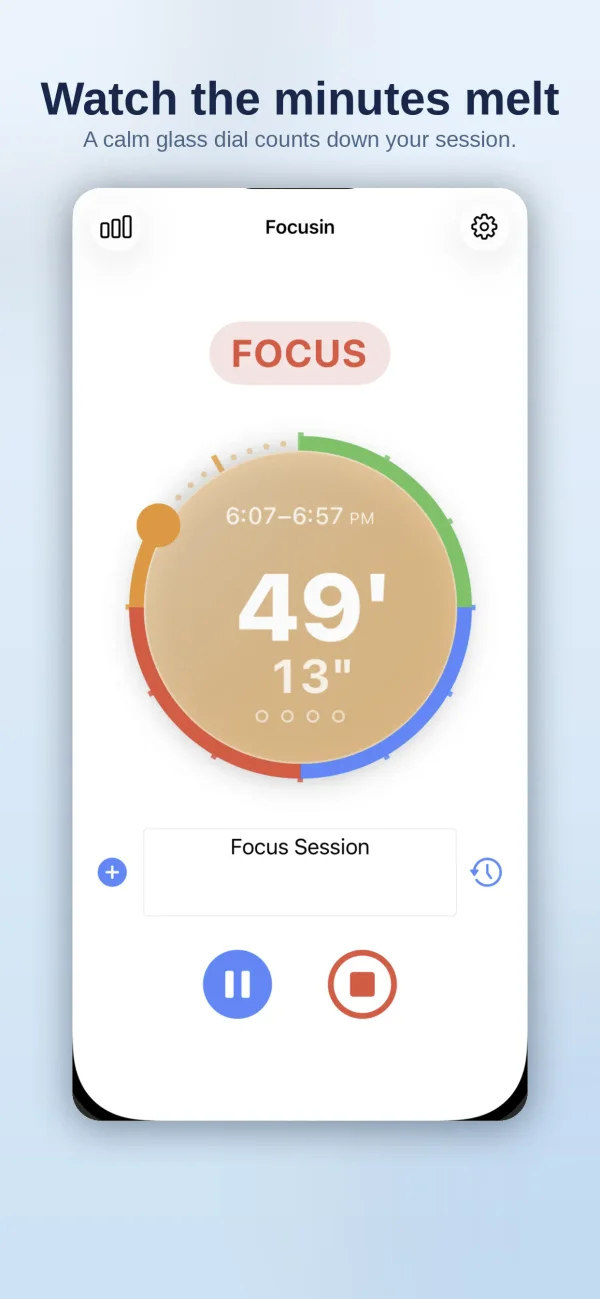
Click it and a glass clock face opens: drag the knob to set your session length, press play, and get to work. The dial counts down in minutes you can feel, right beside the menu-bar clock. When the session ends, Focusin rings, shows an optional celebration popup, and rolls into your break — a long one every fourth session.
DESIGNED FOR THE MENU BAR
• A live pie-clock countdown next to your clock, with an optional time label
• One-click start, pause, and stop — no window to manage, no Dock icon
• Pause for up to 5 minutes; step away longer and the session resets, keeping your stats honest
• An optional session-complete popup you can't miss (and can switch off)
• Adjust the session on the fly — drag the knob mid-timer to add or trim time
WORK, THEN RECHARGE
• Automatic breaks with their own green dial counting down your rest
• Auto-start the next session after a break, if you like momentum
• Set work and rest lengths with the dial knob or the steppers
MAKE IT YOURS
• Name your task — the title travels with your session everywhere
• Windup, ticking, and ringing sounds, each individually switchable
• 12- or 24-hour time, notifications, and display options
ON EVERY DEVICE
Focusin Pro includes iPhone, iPad, and Apple Watch companion apps. Buy Pro once — on any platform — and every Pro feature unlocks on all of them.
FOCUSIN PRO (subscription or one-time lifetime purchase)
• iCloud sync — start on your Mac, watch it tick on iPhone and Apple Watch; pause anywhere and your task, statistics, and history follow
• Statistics — three views: a Daily timeline, a weekly chart, and a monthly heat-map calendar that deepens to orange on your most focused days
• Daily timeline — every completed session and break for the day, with start–end times, duration, and any paused time; delete an entry or copy the whole day as Markdown
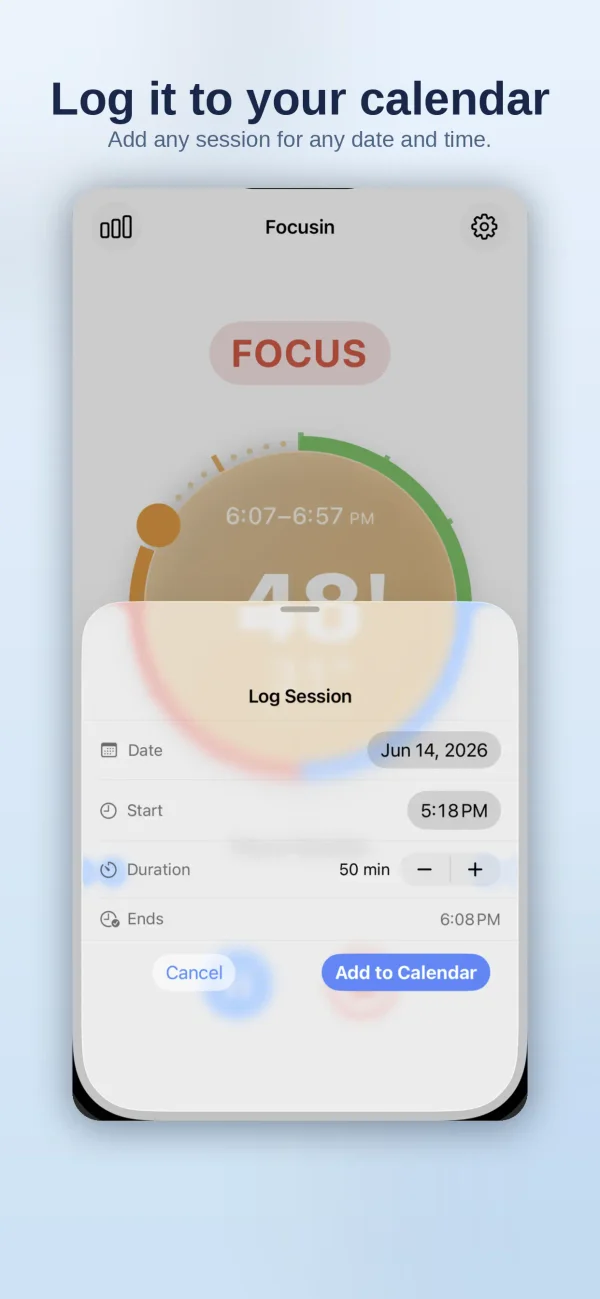
• Calendar logging — completed sessions are written to your calendar automatically, with one clean event per session across all your devices
• Manual logging — missed a session, or worked away from your devices? Log it for any date and time in two clicks; it lands in your stats, Daily timeline, and calendar
• Task history — re-select your most recent tasks with a single click, and pin the ones you return to
A small tip jar is there if Focusin Pro earns a place in your day.
Focusin Pro is built with the Pomodoro Technique in mind: 25 minutes of work, short breaks, a long break every four sessions. All durations are adjustable. (Pomodoro Technique is a registered trademark of Francesco Cirillo; Focusin Pro is not affiliated.)
Terms of Use (EULA): https://www.apple.com/legal/internet-services/itunes/dev/stdeula/
Privacy Policy: https://bbchen.wixsite.com/focusin/privacy-policy
新機能
バージョン 1.6 · 2026/10/22
* Added Rate App function
アプリのプライバシー
このアプリのデータの取り扱いについて、Bin ChenがApp Storeで申告している内容です。
-
データの収集なし
開発元はこのアプリからデータを収集しません。
プライバシーの取り扱いは、ご利用の機能やお客様の年齢などに応じて異なる場合があります。
情報
- 販売元
- Bin Chen
- カテゴリ
- 仕事効率化
- バージョン
- 1.6
- 更新日
- 2026/10/22
- リリース
- 2026/6/26
- サイズ
- 16.2 MB
- 必要条件
- iOS 17.0以降
- 対象年齢
- 4+
- 価格
- 無料
- アプリ内課金
- あり
- 言語
- 英語
- 著作権
- © 2026 Bin Chen
こちらもおすすめ
-
 Requiz仕事効率化
-
 MindWiki: AI Agent Memory仕事効率化
-
 Don't Forget: ADHD Task Timer仕事効率化
-
 Tupp: Focus Timer & Habits仕事効率化
-
 Work Timer: Pomodoro Focus仕事効率化
-
 HomeLog: Home Inventory仕事効率化
-
 Pomodoro.me - Focus on TasksSay No to Procrastination
-
 Ariha AI: AI Assistant & Coach仕事効率化
-
 FocusDown: Flip to Focus Timer仕事効率化
-
 Transcription Pro正確。迅速。オフライン。