- 対象年齢12+
- カテゴリ仕事効率化
- 開発元Tom Weiss
- 言語英語
- サイズ9.4 MB
App Storeの公式ページにリンクしています
Download.orgはFolio: Notes, Todos & AIのファイルを一切ホストしていません。ボタンを押すと、Tom Weissが公開しているApp Storeのアプリページが開きます。ページの最終確認:2026/11/23。
スクリーンショット
概要
開発元はこのテキストをお使いの言語で提供していません。
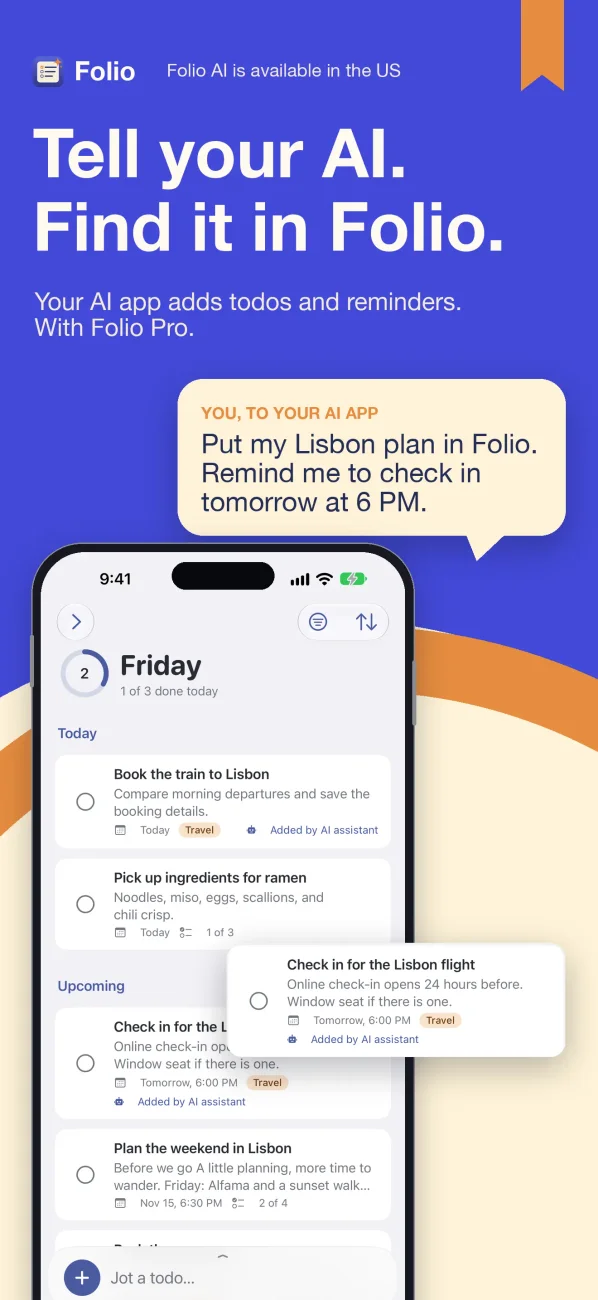
Tell your AI. Find it in Folio. Plan a trip, a move, or a launch in the AI app you already use, say "put this in Folio," and the todos and notes land in your library, with reminders that go off on your iPhone. Folio AI is available in the US.
Folio keeps your notes, todos, and files together. Capture a thought in seconds, pin a note to your Lock Screen, and share a plan with the people you invite.
NEW: FOLIO AI
• Chat to checklist: ask your AI app to turn a conversation into todos, or save it as a new note, with pictures if you like
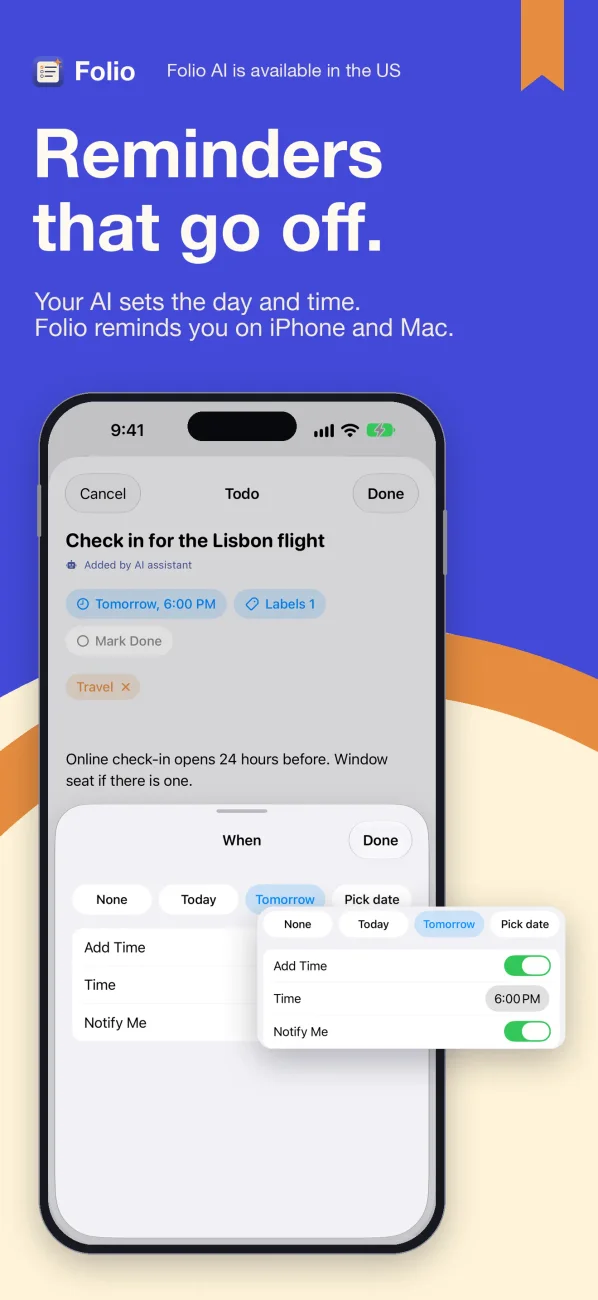
• Reminders that go off: it can set due days and timed reminders, update a todo, and mark it done. Reminders arrive as notifications on your iPhone and Mac
• Bring your own AI: Folio AI connects the AI app you already use through MCP, the open standard AI apps use to work with other tools. It works with AI apps that support custom MCP connectors.
• You approve it: add Folio as a custom connector in your AI app, then approve it inside Folio on your own device
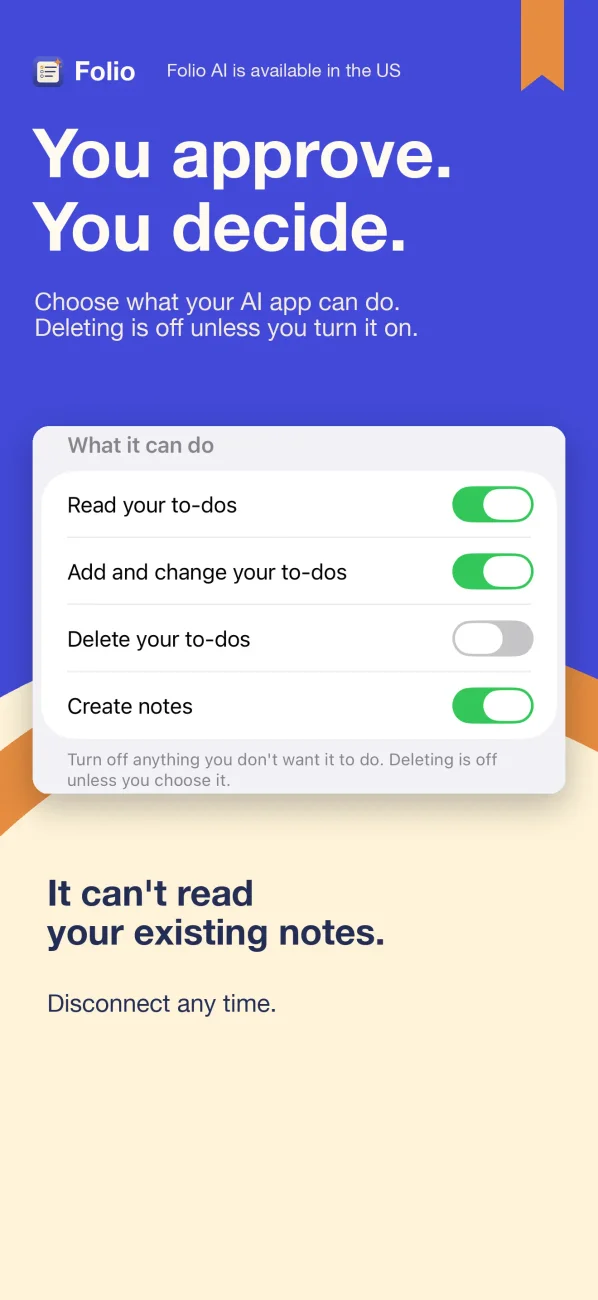
• You choose what it may do: read todos, add or change todos, delete todos (off unless you turn it on), and create notes
• It cannot read your existing notes, see attachments, or touch sharing, Trash, or your account
• Todos it adds or changes show the assistant's name. Disconnect any time in Settings
• Needs Folio Pro and a Folio account
PLAN IT TOGETHER
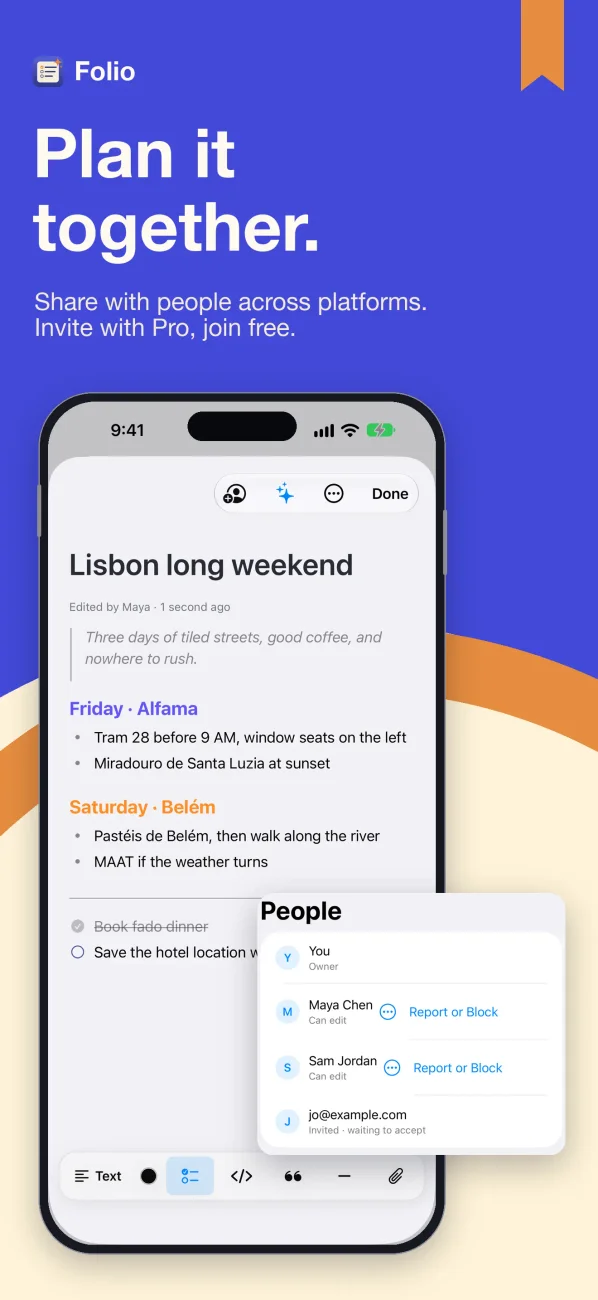
• Invite people to a note by email or with a single-use link
• Everyone who accepts can edit, with photos, files, and checklists included
• If two people change the same line, nothing is lost: yours stays right below theirs as "Your edit"
• Accepting and editing shared notes is free. Sending invitations needs Folio Pro
• Report or block someone at any time
TURN PLANS INTO TODOS
• Keep standalone todos beside your notes
• Break a task into subtasks
• Set due days or timed reminders, add labels, filter by Today or Tomorrow, and attach files
CAPTURE AND WRITE
• Jot down a note with the quick-add bar
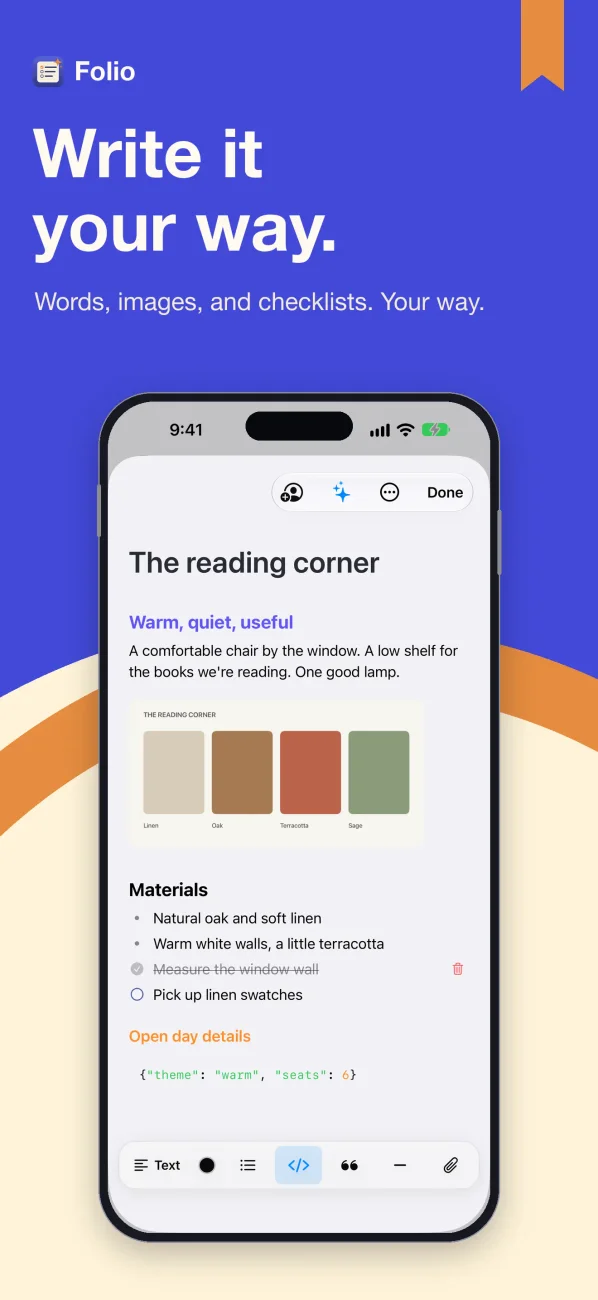
• Write with Markdown, headings, checklists, quotes, and text colors
• Add code blocks with syntax highlighting, and tidy JSON with Format JSON
• Attach photos, files, and map locations to your notes
• Save where you are as a note with the Save This Place shortcut
• Create unlimited notes for free
KEEP THE IMPORTANT THINGS CLOSE
• Keep a note pinned to your Lock Screen
• Set reminders on individual notes
• Export a note or a collection as text, Markdown, PDF, or CSV
• Restore deleted notes from Trash
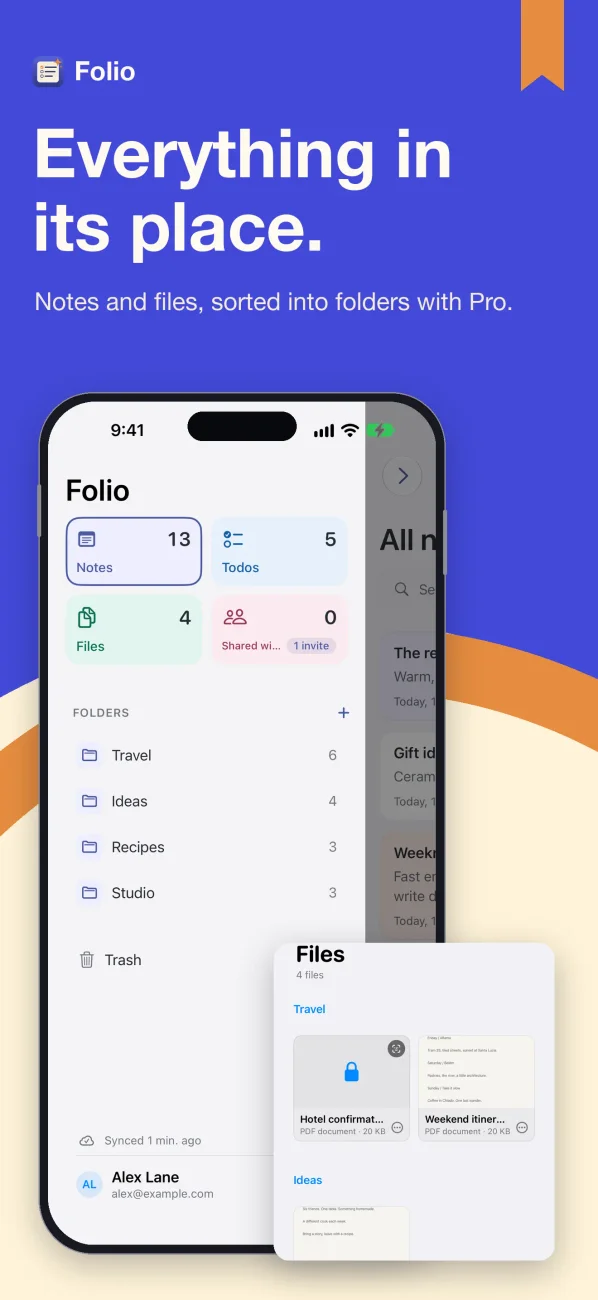
• Require Face ID or Touch ID to open protected folder files
SIGN IN ONLY IF YOU WANT TO
• Folio works without an account. Skip sign-in and your notes stay on your device
• Sign in with Apple or Google to share notes, use Folio AI, and take Folio Pro to your other devices
• Delete your Folio account from Settings at any time
FOLIO PRO
• Folio AI: let the AI app you use add todos and notes
• Sync your whole library across iPhone and Mac
• Send invitations to shared notes
• Organize notes and files in folders
• Improve your writing with on-device AI Enhance
• Pin more notes to your Lock Screen
• One-time purchase. No subscription.
YOUR DATA
No ads and no tracking. Without an account, your notes stay on your device, or in your own iCloud with Folio Pro. When you sign in, the notes you sync or share are stored on Folio's servers so they can reach your devices and the people you invite. They are encrypted in transit and at rest, but not end-to-end encrypted.
Two kinds of AI, kept apart. AI Enhance runs on your device with Apple Intelligence, which needs a supported device and must be turned on. Folio AI is different: the AI app you connect is a third-party service. The todos it reads and the todos and notes it creates go to that provider under its terms. Nothing is sent until you approve, and it stops when you disconnect.
Usage analytics help us improve Folio. They're on by default, never include your note content, and can be turned off in Settings. The privacy policy has the details.
新機能
バージョン 1.9.1 · 2026/11/20
• A clearer Folio Pro page: Free and Pro side by side, so you can see exactly what's included before you buy.
• Folio Pro is still a one-time purchase. No subscription.
アプリのプライバシー
このアプリのデータの取り扱いについて、Tom WeissがApp Storeで申告している内容です。
-
ユーザーに関連付けられたデータ
収集され、ユーザーの識別情報に関連付けられる場合があります。
- 購入
- 位置情報
- 連絡先情報
- 連絡先
- ユーザーコンテンツ
- ID
- 使用状況データ
- 診断
プライバシーの取り扱いは、ご利用の機能やお客様の年齢などに応じて異なる場合があります。
情報
- 販売元
- Tom Weiss
- カテゴリ
- 仕事効率化
- バージョン
- 1.9.1
- 更新日
- 2026/11/20
- リリース
- 2026/7/20
- サイズ
- 9.4 MB
- 必要条件
- iOS 26.0以降
- 対象年齢
- 12+
- 価格
- 無料
- アプリ内課金
- あり
- 言語
- 英語
- 著作権
- © 2026 Code Via Technologies