
- 対象年齢4+
- カテゴリ仕事効率化
- 開発元榕健 林
- 言語英語ほか1言語
- サイズ1.4 MB
App Storeの公式ページにリンクしています
Download.orgはHourweaveのファイルを一切ホストしていません。ボタンを押すと、榕健 林が公開しているApp Storeのアプリページが開きます。ページの最終確認:2026/11/20。
スクリーンショット
概要
開発元はこのテキストをお使いの言語で提供していません。
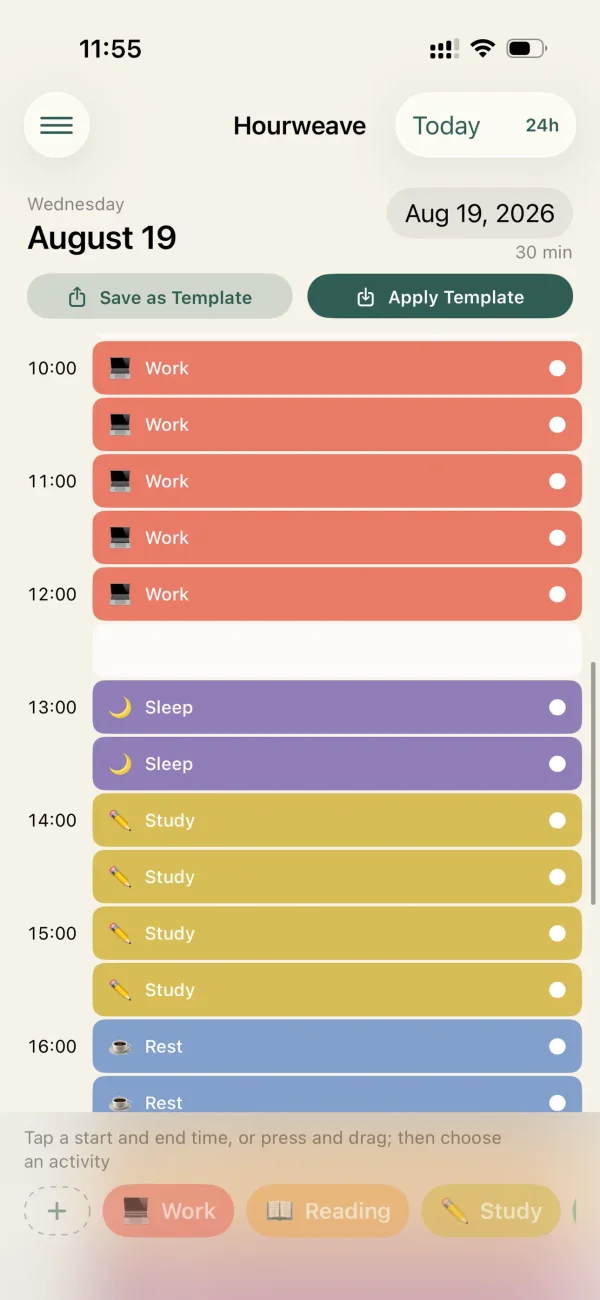
Hourweave plans your day in time blocks and writes future plans straight into Apple Calendar — while past time only counts what actually happened, so you're not keeping two separate logs.
DRAG TO PLAN
Tap or long-press-drag across 15/30-minute slots on the timeline, pick an activity, color, and emoji, and a block of your day is planned in seconds.
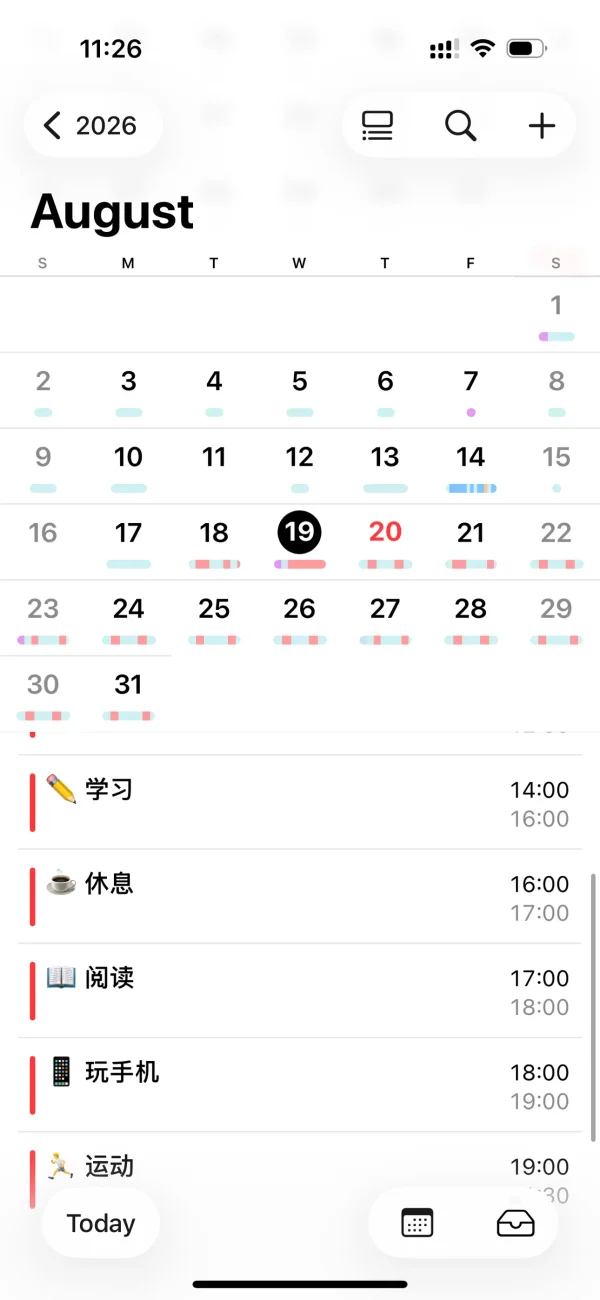
FUTURE PLANS, IN YOUR CALENDAR
Blocks you create automatically sync to a dedicated "Hourweave" calendar in Apple Calendar. Edits and deletes stay in sync too, so you never end up with duplicate events — and you can see your plan in Calendar even with the app closed.
PAST TIME, COUNTED HONESTLY
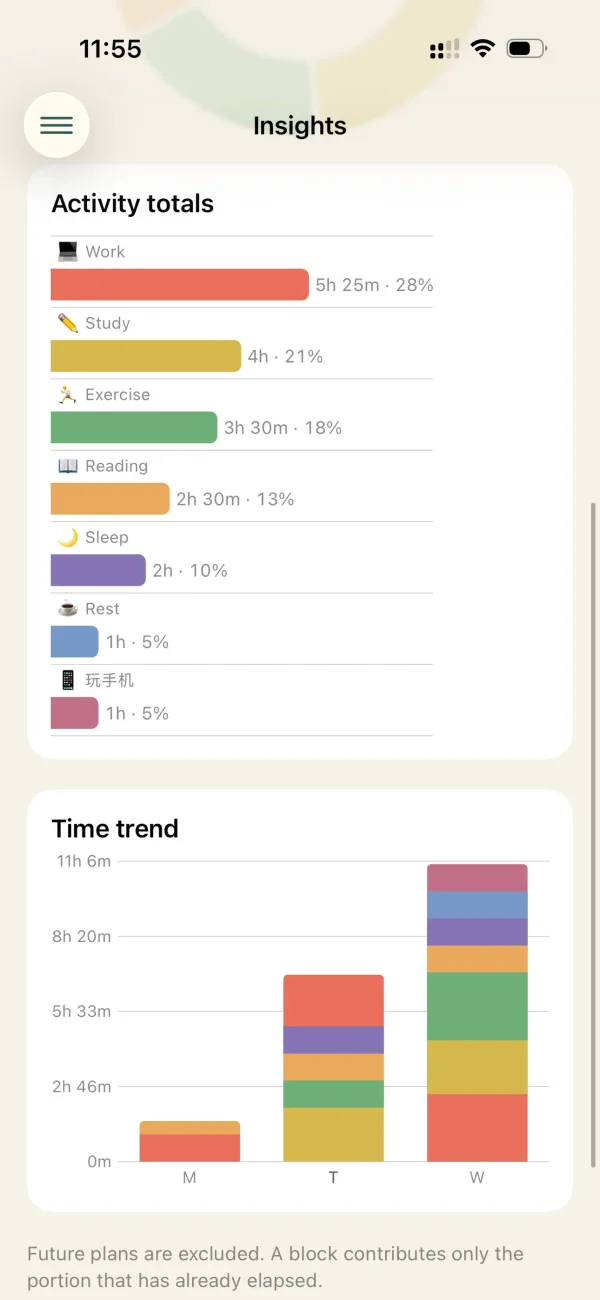
Past entries stay out of your calendar by default so they can serve as an honest record. For anything still in progress, only the part that has actually elapsed counts toward your stats.
TEMPLATES AND REPEATS, LESS RE-TYPING
Save a day as a template and apply it to any other day. Recurring plans support daily/weekly/monthly/yearly or custom intervals, generating future blocks automatically.
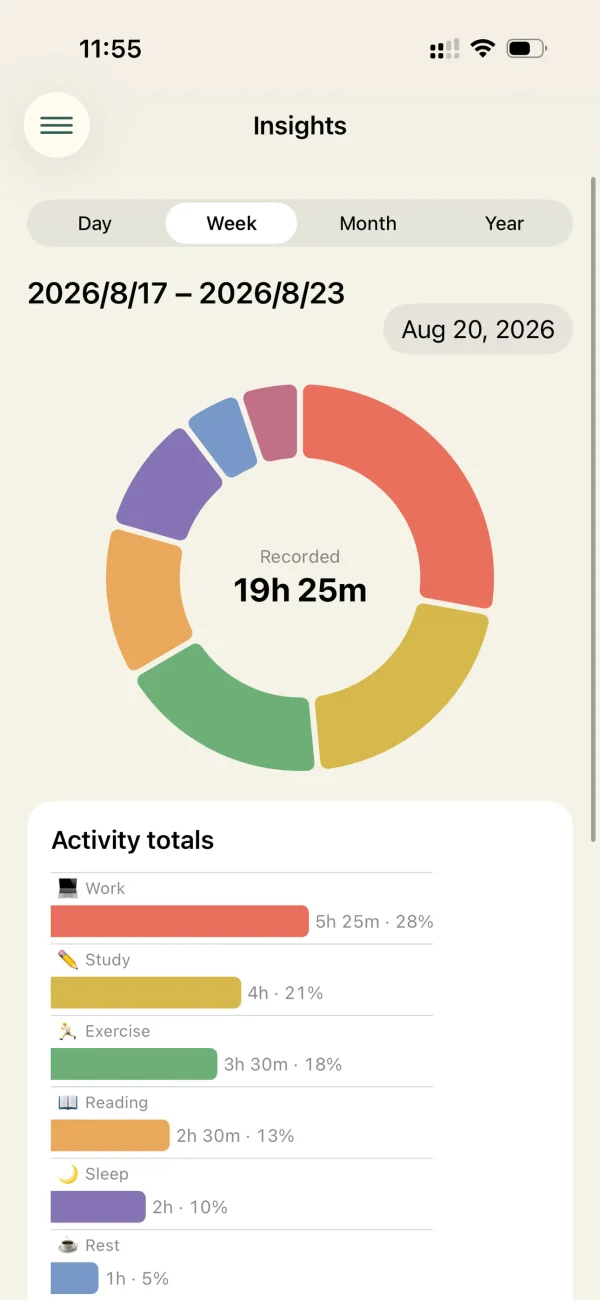
REVIEW WHERE YOUR TIME WENT
Day/Week/Month/Year views show a duration ring, a per-activity bar chart, and a stacked trend chart, so you can see at a glance where your time is going and how that's changing over time.
Hourweave is a native iPhone app. Your data stays on-device by default and no usage data is collected; writing to Apple Calendar (opt-in) happens entirely on-device, no network involved. The only network request the app makes is fetching the latest privacy-policy text when you view it in Settings, and that never includes any of your personal data.
This version focuses on the core loop: time blocks, calendar sync, templates, repeats, and review stats. Widgets and multi-device sync are on the table depending on user feedback.
新機能
バージョン 1.0.2 · 2026/9/4
Fixed a calendar sync issue: new installs now correctly request calendar access and automatically sync to Apple Calendar when you create your first plan. Also fixed an inaccurate version number shown in Settings.
アプリのプライバシー
このアプリのデータの取り扱いについて、榕健 林がApp Storeで申告している内容です。
-
データの収集なし
開発元はこのアプリからデータを収集しません。
プライバシーの取り扱いは、ご利用の機能やお客様の年齢などに応じて異なる場合があります。
情報
- 販売元
- 榕健 林
- カテゴリ
- 仕事効率化
- バージョン
- 1.0.2
- 更新日
- 2026/9/4
- リリース
- 2026/9/1
- サイズ
- 1.4 MB
- 必要条件
- iOS 17.0以降
- 対象年齢
- 4+
- 価格
- 無料
- 言語
- 英語, 簡体字中国語
- 著作権
- © 2026 Rongjian Lin
こちらもおすすめ
-
 Anchor: ADHD Daily Routines仕事効率化
-
 MyDay:AI予定アシスタント話すだけで、一日の段取りが整います
-
 Action Journal仕事効率化
-
 Do it! - Get Things Done仕事効率化
-
 计时日历:专注计时,时间记录,日历同步仕事効率化
-
 Taskly: ToDoリスト・タスク管理シンプルなやることリスト&メモ
-
 Sebastian Assistant仕事効率化
-
 TimeBox – 計画・実行・振り返り・習慣化タイムブロックで整える時間管理
-
 Wan清単:To-Doリストと予定・習慣管理AIが目標を分解し、回数・時間で進捗を記録
-
 TimeSee: Visual Timer for ADHD仕事効率化