
- Age rating4+
- CategoryProductivity
- Developer榕健 林
- LanguagesEnglish+ 1 more
- Size1.4 MB
Links to the official App Store page
Download.org hosts no file of Hourweave. The button opens its official App Store page, published by 榕健 林. Listing last checked on Nov 20, 2026.
Screenshots
About
Hourweave plans your day in time blocks and writes future plans straight into Apple Calendar — while past time only counts what actually happened, so you're not keeping two separate logs.
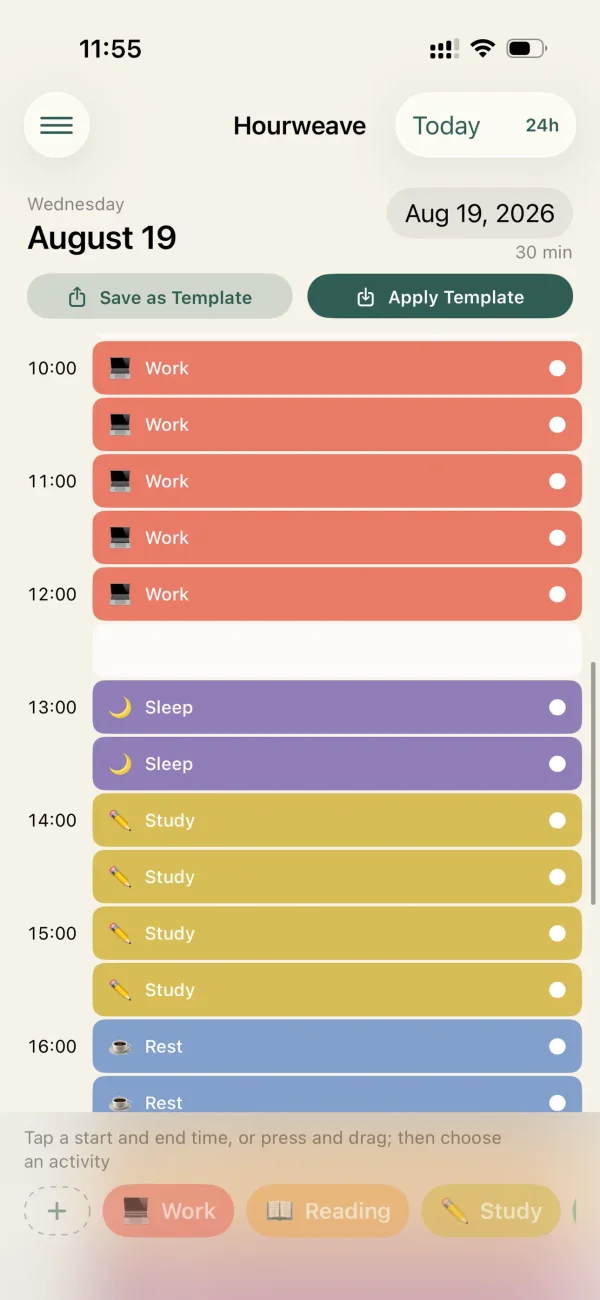
DRAG TO PLAN
Tap or long-press-drag across 15/30-minute slots on the timeline, pick an activity, color, and emoji, and a block of your day is planned in seconds.
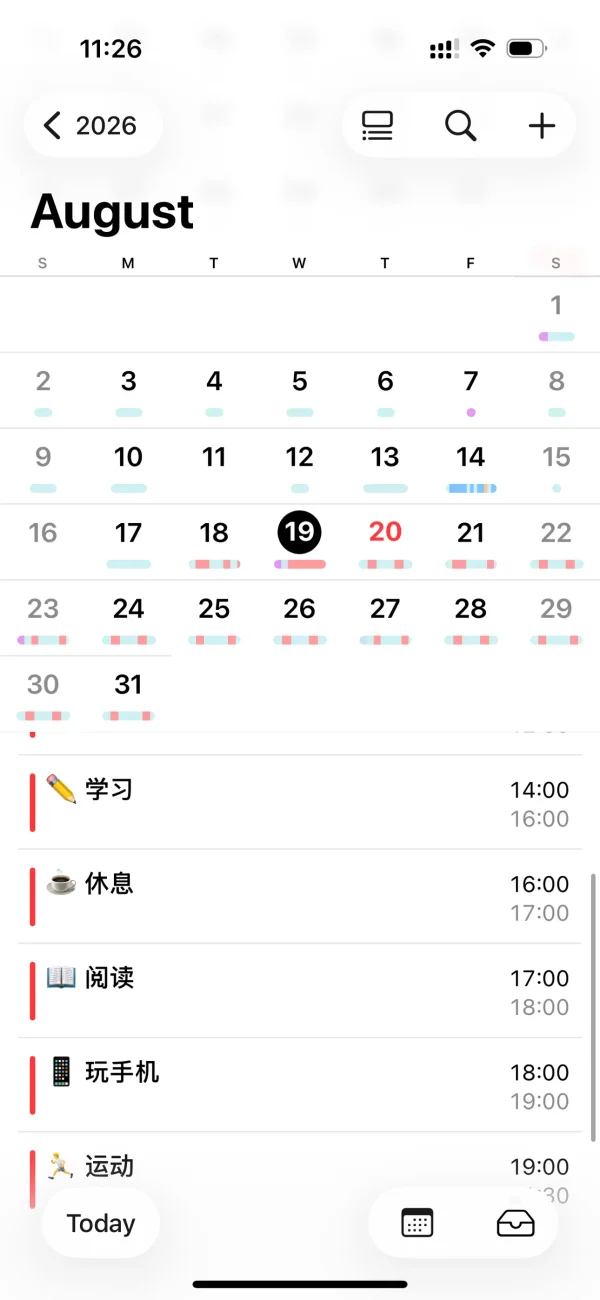
FUTURE PLANS, IN YOUR CALENDAR
Blocks you create automatically sync to a dedicated "Hourweave" calendar in Apple Calendar. Edits and deletes stay in sync too, so you never end up with duplicate events — and you can see your plan in Calendar even with the app closed.
PAST TIME, COUNTED HONESTLY
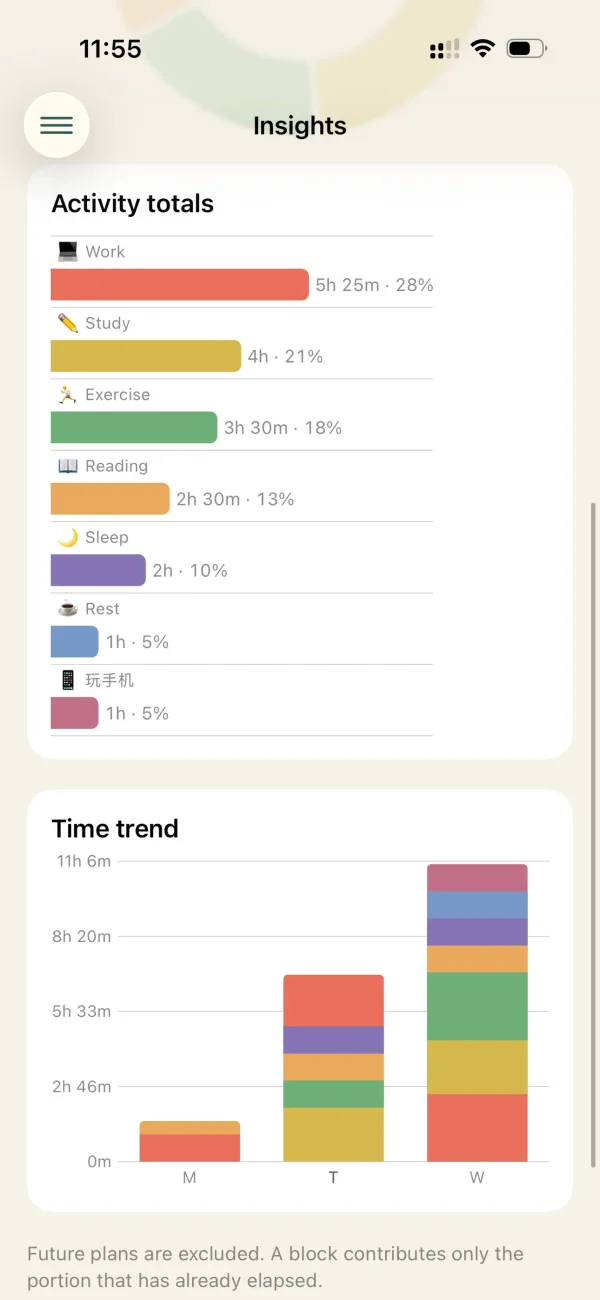
Past entries stay out of your calendar by default so they can serve as an honest record. For anything still in progress, only the part that has actually elapsed counts toward your stats.
TEMPLATES AND REPEATS, LESS RE-TYPING
Save a day as a template and apply it to any other day. Recurring plans support daily/weekly/monthly/yearly or custom intervals, generating future blocks automatically.
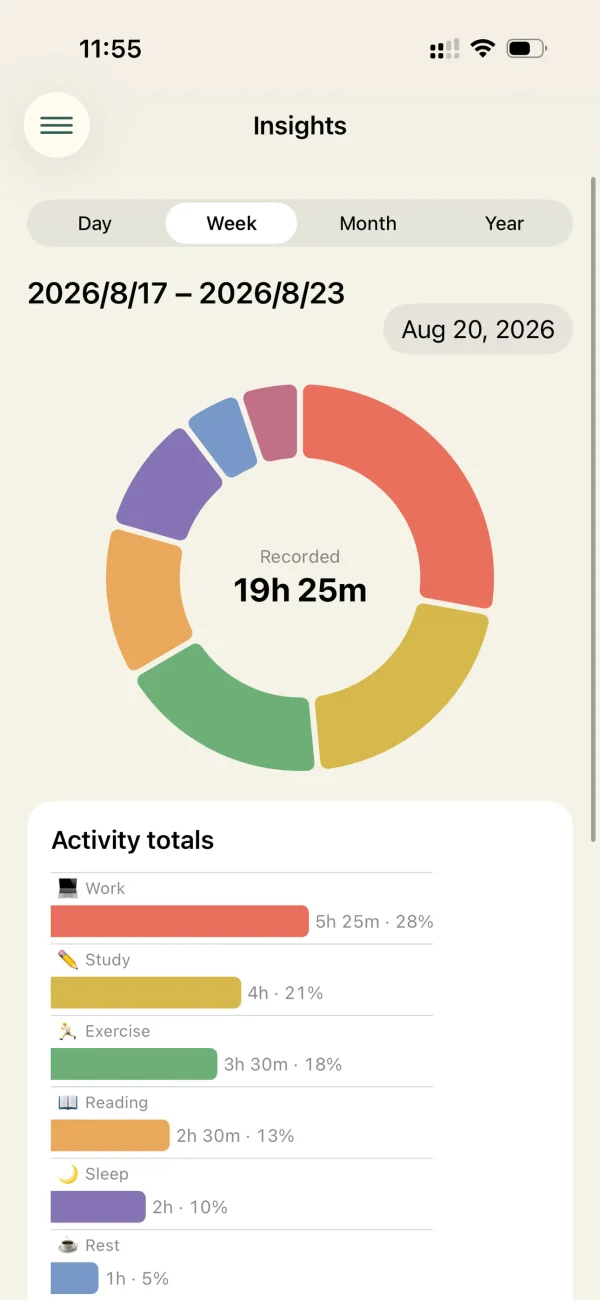
REVIEW WHERE YOUR TIME WENT
Day/Week/Month/Year views show a duration ring, a per-activity bar chart, and a stacked trend chart, so you can see at a glance where your time is going and how that's changing over time.
Hourweave is a native iPhone app. Your data stays on-device by default and no usage data is collected; writing to Apple Calendar (opt-in) happens entirely on-device, no network involved. The only network request the app makes is fetching the latest privacy-policy text when you view it in Settings, and that never includes any of your personal data.
This version focuses on the core loop: time blocks, calendar sync, templates, repeats, and review stats. Widgets and multi-device sync are on the table depending on user feedback.
What’s new
Version 1.0.2 · Sep 4, 2026
Fixed a calendar sync issue: new installs now correctly request calendar access and automatically sync to Apple Calendar when you create your first plan. Also fixed an inaccurate version number shown in Settings.
App privacy
What 榕健 林 declares on the App Store about how this app handles data.
-
Data not collected
The developer does not collect any data from this app.
Privacy practices may vary, for example with the features you use or your age.
Information
- Seller
- 榕健 林
- Category
- Productivity
- Version
- 1.0.2
- Updated
- Sep 4, 2026
- Released
- Sep 1, 2026
- Size
- 1.4 MB
- Requires
- iOS 17.0 or later
- Age rating
- 4+
- Price
- Free
- Languages
- English, Simplified Chinese
- Copyright
- © 2026 Rongjian Lin
You might also like
-
 Anchor: ADHD Daily RoutinesGuided morning & evening timer
-
 MyDay: AI Planner & RemindersSay it once, your day is set
-
 Action JournalProductivity
-
 Do it! - Get Things DoneTask Planner & Smart Alerts
-
 计时日历:专注计时,时间记录,日历同步Productivity
-
 Taskly: To Do List & ChecklistSimple Offline Task Manager
-
 Sebastian AssistantDay Planner, Notes & Alarms
-
 TimeBox – Plan,Do,See & HabitTime management with TimeBlock
-
 WanList: To-Do List & PlannerAI goals, habits & reminders
-
 TimeSee: Visual Timer for ADHDBeat Time Blindness & Focus