
Idea Vault - Notes & Journal
Private Encrypted Diary & Memo
iPhone, iPad向けに設計
無料 · アプリ内課金
- 対象年齢4+
- カテゴリ仕事効率化
- 開発元Kevin Struna
- 言語英語
- サイズ10.4 MB
App Storeの公式ページにリンクしています
Download.orgはIdea Vault - Notes & Journalのファイルを一切ホストしていません。ボタンを押すと、Kevin Strunaが公開しているApp Storeのアプリページが開きます。ページの最終確認:2026/11/25。
スクリーンショット

概要
開発元はこのテキストをお使いの言語で提供していません。
Idea Vault is a clean, distraction free space to capture ideas the moment they strike and organize them your way.
WRITE FREELY
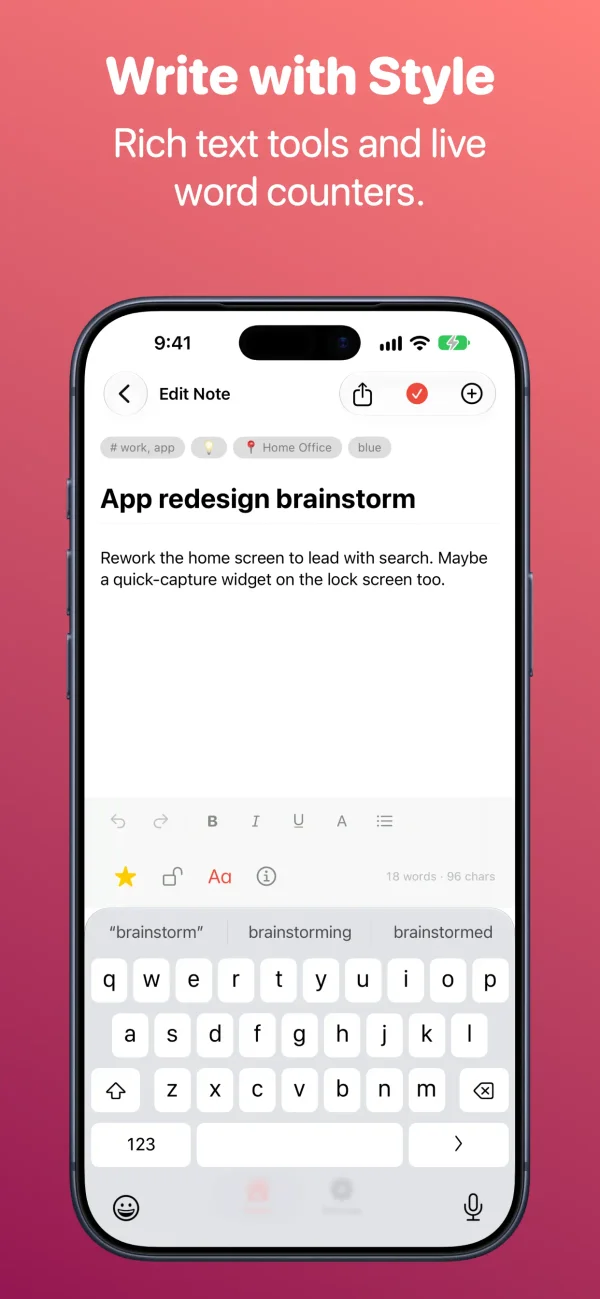
A minimal editor with real formatting: bold, italic, underline, headings, and bullet lists — plus undo and redo, so you can write without worrying about a mistake. Start faster with built in templates for meeting notes, journal entries, and to do lists, or begin from a blank page.
STAY ORGANIZED
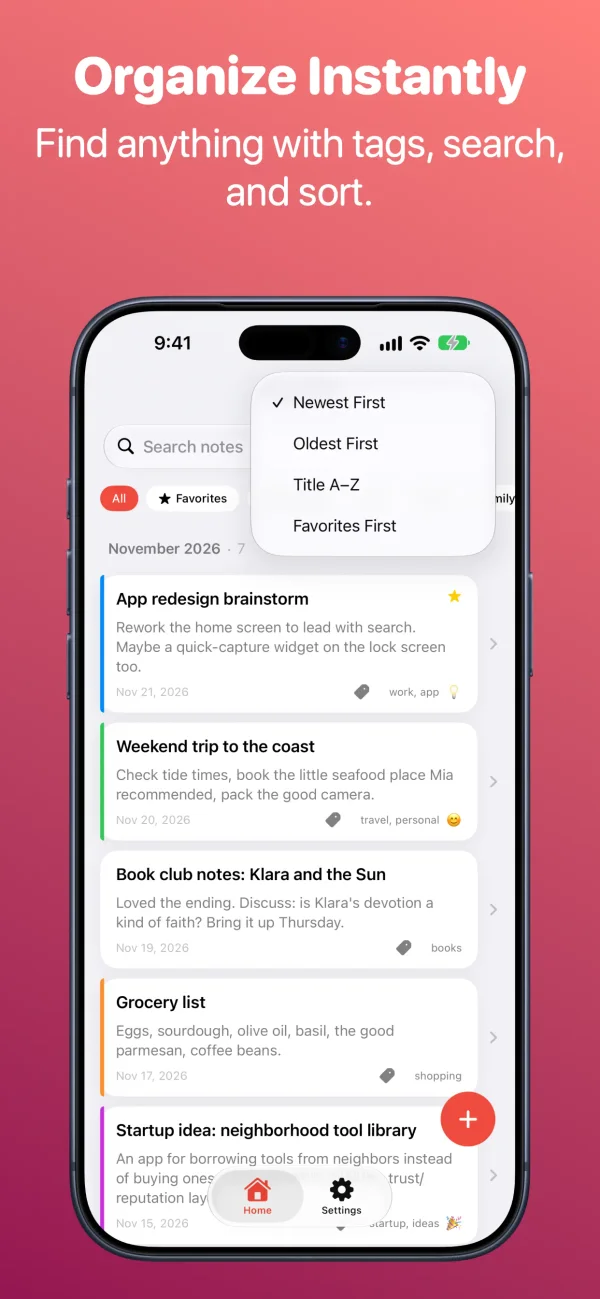
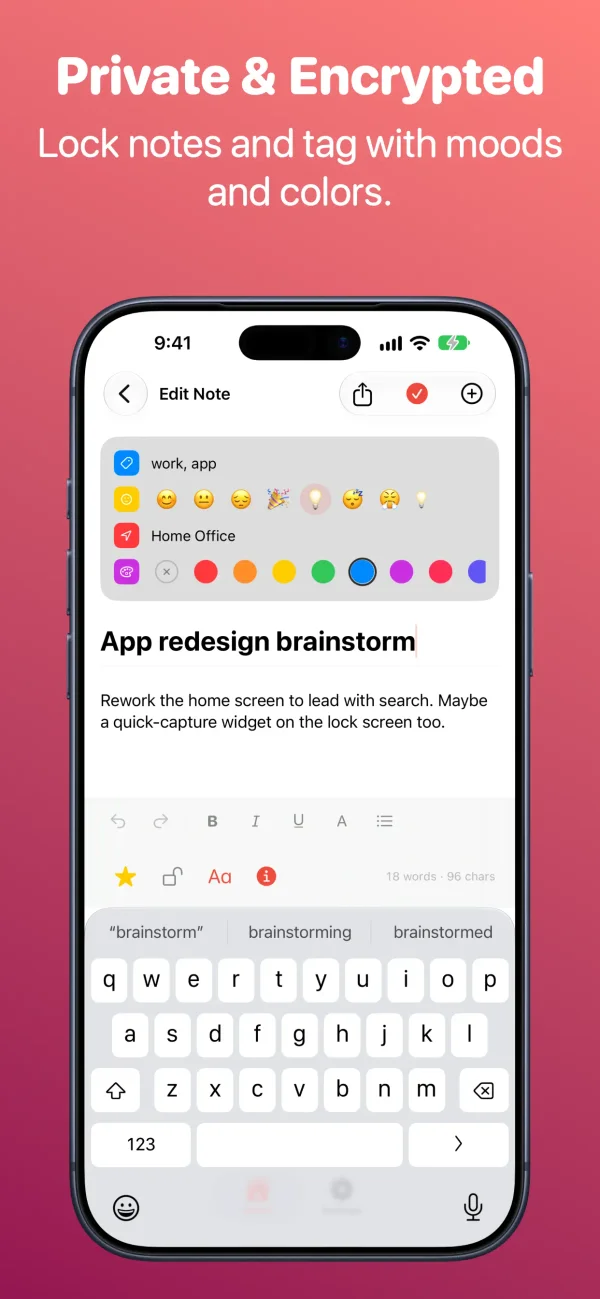
Tag notes, add a mood, drop a location, and color code anything that matters. Search finds what you need instantly — by title, body, tag, mood, or location — and quick filter chips jump you straight to favorites, encrypted notes, or any tag. Sort however you think: newest first, oldest first, alphabetical, or favorites first.
YOUR NOTES, PROTECTED
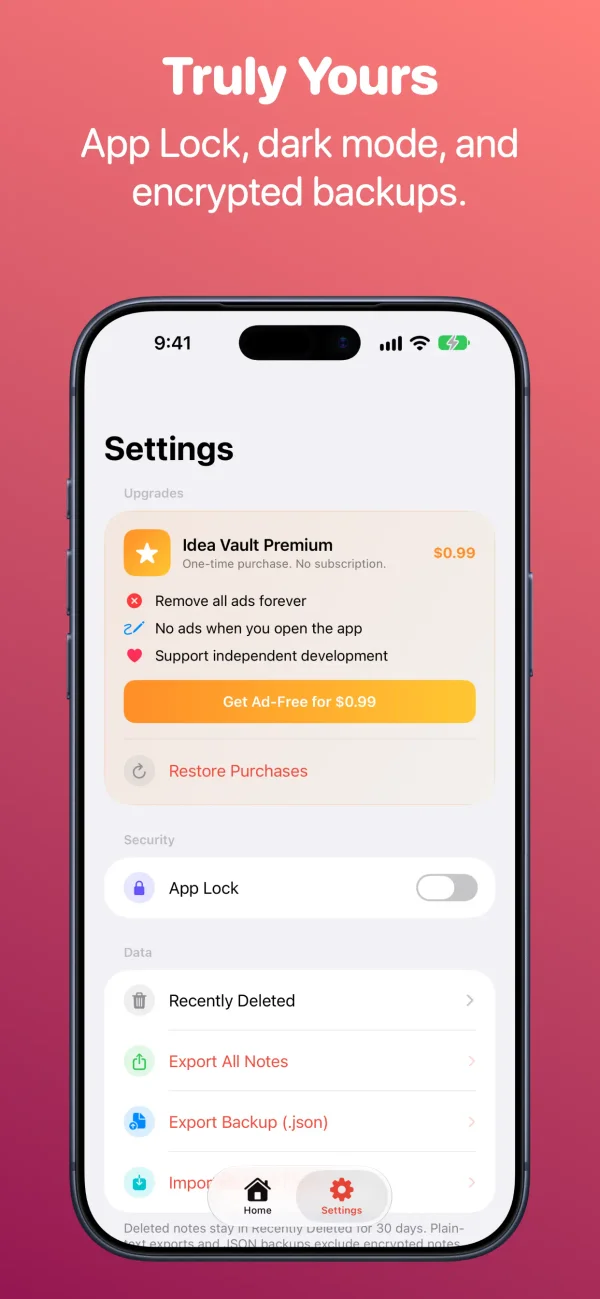
Lock individual notes with on device AES 256 encryption, or encrypt everything at once. Protect the whole vault with Face ID or your device passcode. Nothing leaves your device unless you choose to share it.
SHARE ON YOUR TERMS
Export any note as rich text or plain text and send it wherever you need it, or back up your entire vault at once from Settings.
STAY ON TRACK
Turn on a daily reminder so a good idea never slips away.
Idea Vault is free to use, with optional ads you can remove forever with a single one time purchase. No subscriptions, no accounts, no clutter. Just a fast, private place for your best ideas.
新機能
バージョン 2026.12 · 2026/11/23
• Recently Deleted: deleted notes now move to Settings › Recently Deleted for 30 days before permanent removal, so you can restore notes anytime or empty trash early.
• JSON Backup & Restore: export a portable JSON backup (keeping rich text formatting, tags, moods, and locations) and import backups without duplicating existing notes.
• Live Word & Character Count: track note length live in the editor bottom bar, press Command-S to save and close a note, or press Command-N on Home to start a new one.
• Reliability & Polish: full-screen note creation on iPad, reliable share-sheet popovers on iPad and Mac, deterministic alphabetical note sorting, and Reduce Motion polish across the editor and lock screen.
• Pointer hover lift across filter chips and editor toolbar buttons, and haptics that pause in Low Power Mode.
アプリのプライバシー
このアプリのデータの取り扱いについて、Kevin StrunaがApp Storeで申告している内容です。
-
ユーザーのトラッキングに使用されるデータ
他社のアプリやウェブサイトを横断してユーザーをトラッキングする目的で使用される場合があります。
- 位置情報
- ID
- 使用状況データ
-
ユーザーに関連付けられないデータ
収集される場合がありますが、ユーザーの識別情報には関連付けられません。
- 位置情報
- ID
- 使用状況データ
- 診断
プライバシーの取り扱いは、ご利用の機能やお客様の年齢などに応じて異なる場合があります。
情報
- 販売元
- Kevin Struna
- カテゴリ
- 仕事効率化
- バージョン
- 2026.12
- 更新日
- 2026/11/23
- リリース
- 2024/7/23
- サイズ
- 10.4 MB
- 必要条件
- iOS 17.0以降
- 対象年齢
- 4+
- 価格
- 無料
- アプリ内課金
- あり
- 言語
- 英語
- 著作権
- © 2026 Kevin Struna