- 対象年齢4+
- カテゴリ仕事効率化
- 開発元Dirk Farin
- 言語英語ほか51言語
- サイズ96.3 MB
App Storeの公式ページにリンクしています
Download.orgはImageMeterのファイルを一切ホストしていません。ボタンを押すと、Dirk Farinが公開しているApp Storeのアプリページが開きます。ページの最終確認:2026/11/24。
スクリーンショット


概要
開発元はこのテキストをお使いの言語で提供していません。
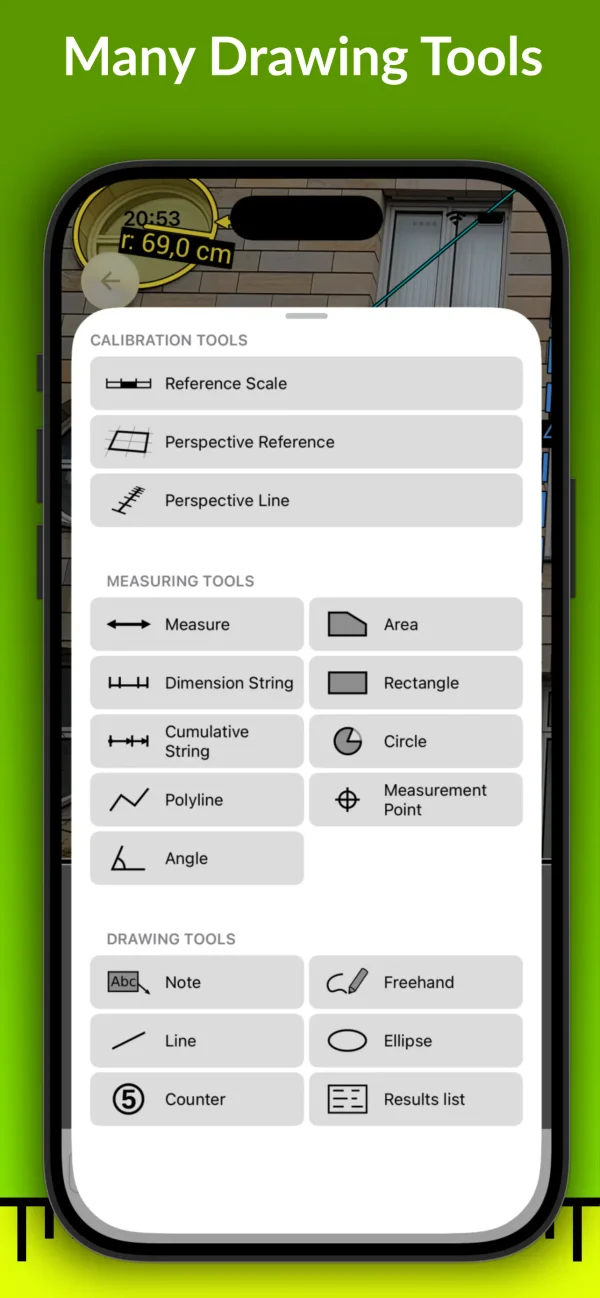
ImageMeter puts measurements and notes directly into your photos. No more hand-drawn sketches that nobody understands: take a photo on site, draw the dimensions where they belong, add notes, detail images, or audio notes, and send a clear document to your clients and colleagues.
ImageMeter is used by tradespeople, carpenters, kitchen and interior designers, property managers, sign makers, insurance assessors and many more.
ENTER MEASUREMENTS YOUR WAY
• Bluetooth laser meters: send measurements straight into the image. ImageMeter supports most laser distance meters with Bluetooth and, where the device allows it, triggers measurements remotely (https://imagemeter.com/manual/bluetooth/devices).
• Measure in the image: set a reference, such as a known wall size, a sheet of paper or a known length, and ImageMeter calculates lengths and areas, even on surfaces seen in perspective.
• Or simply type in the values from your tape measure.
TOOLS FOR EVERY JOB
• Lengths, areas, angles, circles and rectangles
• Measurement strings and polylines
• Counting tool
• Text notes, freehand drawings and arrows
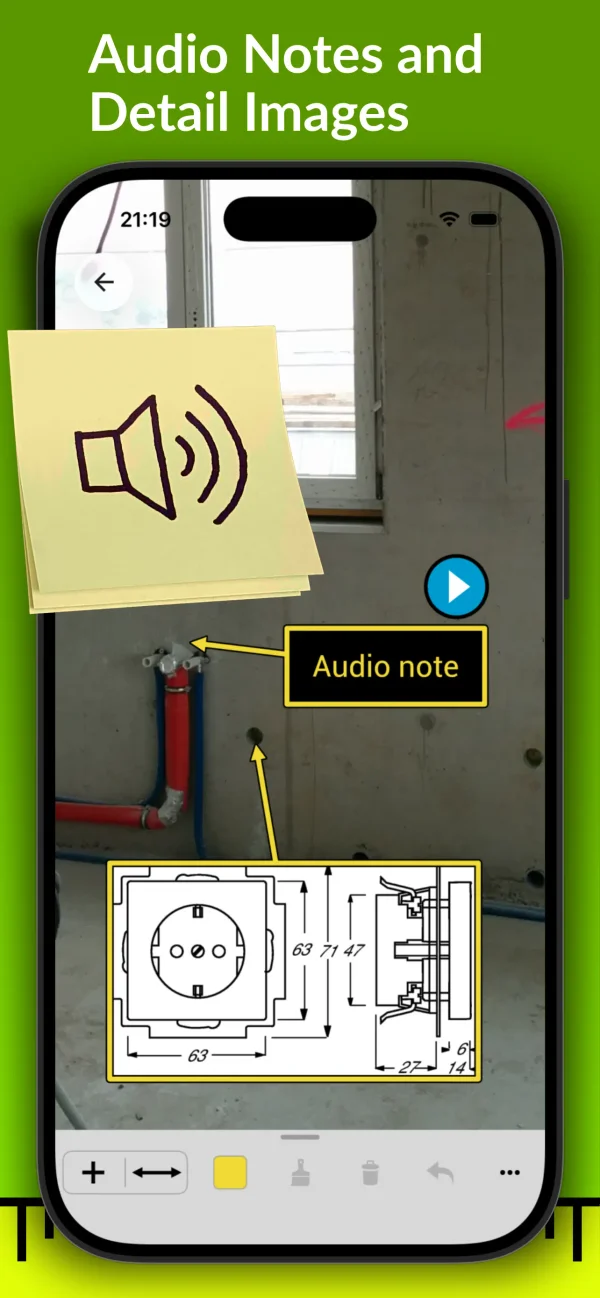
• Audio notes and detail pictures inside the image
• Line styles, colors, font sizes and arrowheads
• Brightness, contrast and saturation for poorly lit photos
PDF PLANS AND FORMS
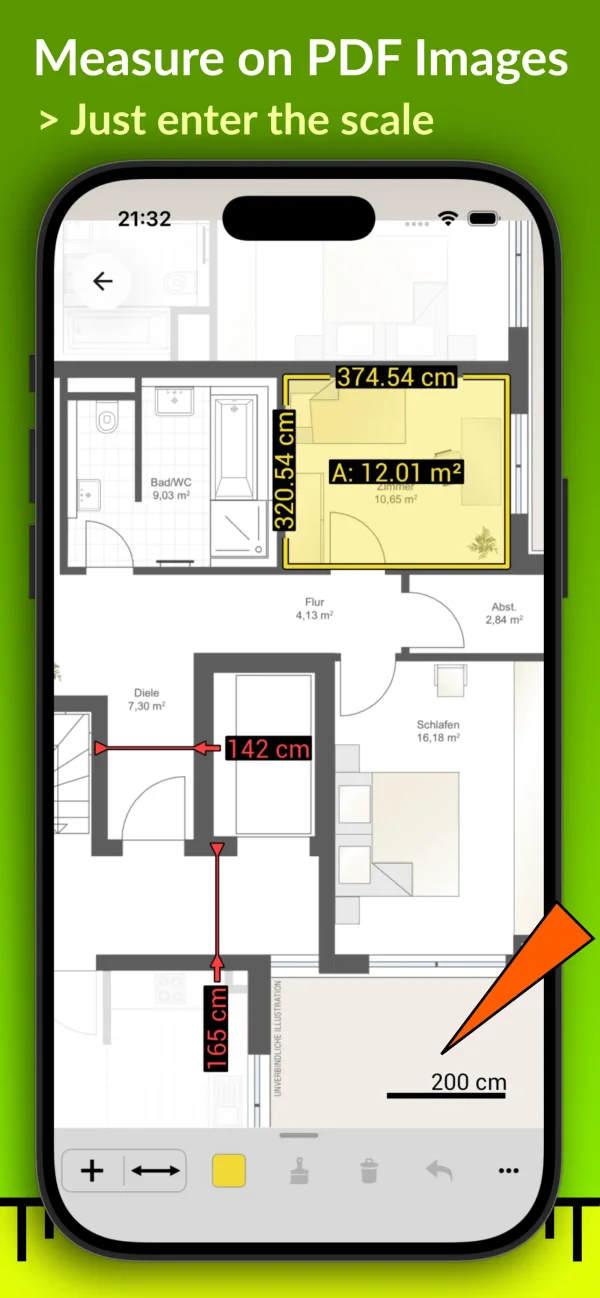
Import floor plans and drawings from PDF files. ImageMeter takes the scale of the drawing into account, so you can measure right on the plan.
Fill your PDF forms directly in the app.
EXPORT AND SHARE
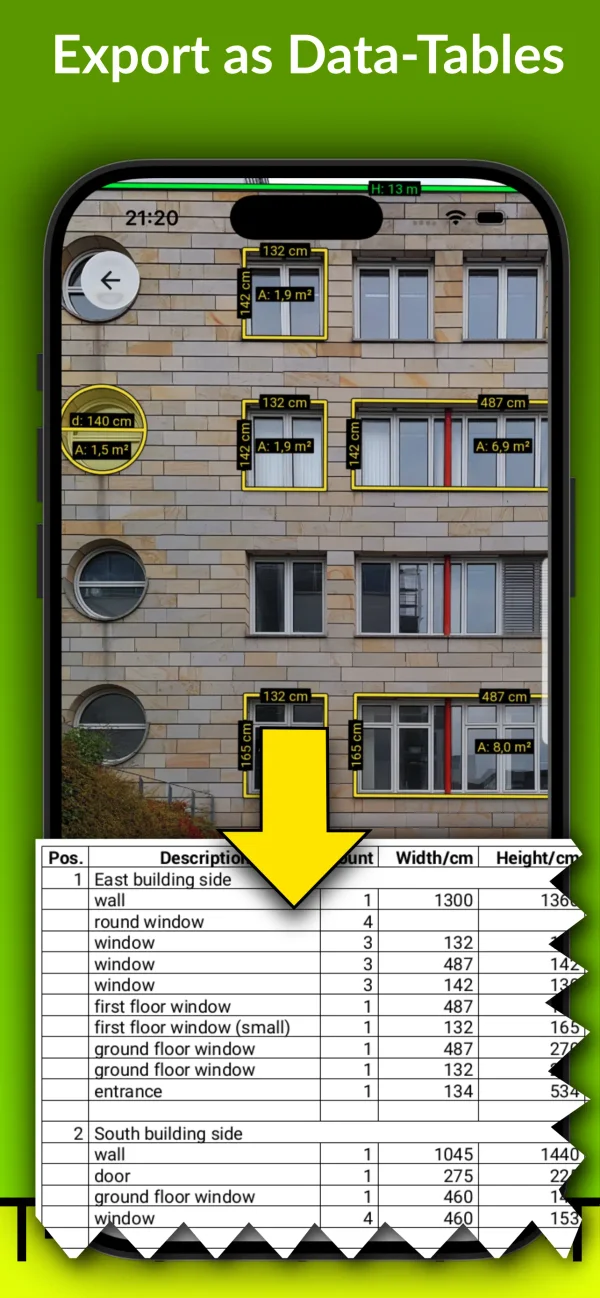
• Images as JPEG or PNG, annotated PDF documents and PDF reports
• Data tables for bills of materials or measurement logs, ready for your spreadsheet
• Editable image files for other ImageMeter users
YOUR CLOUD, YOUR DATA
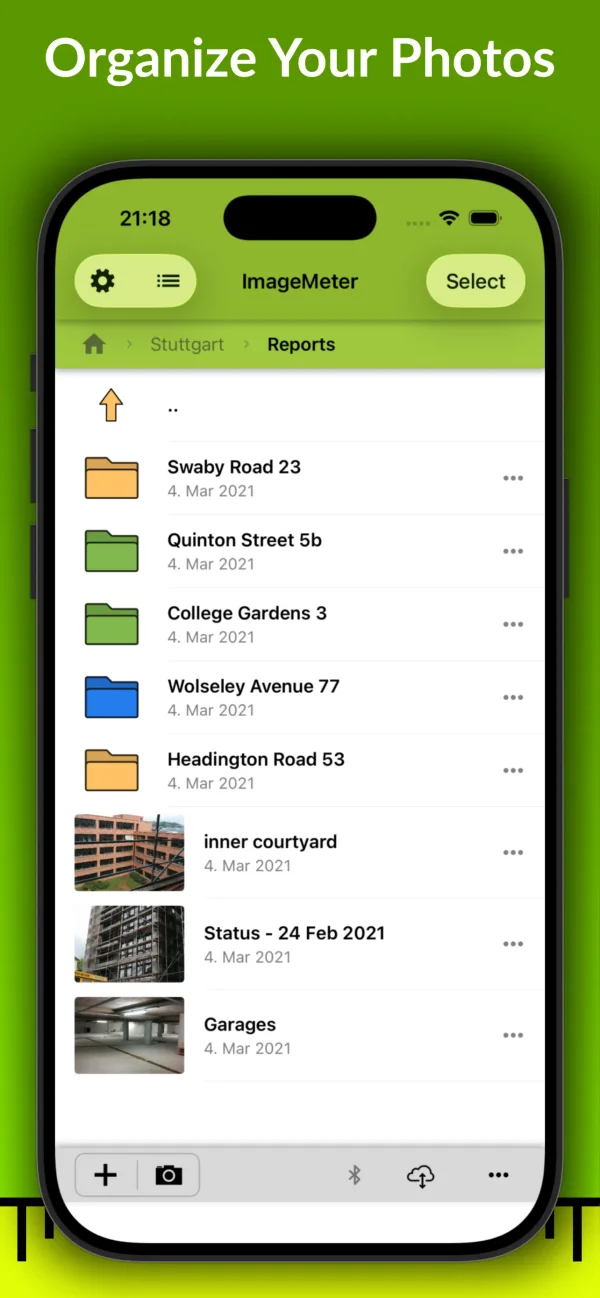
Sync your images with the cloud storage of your choice: OneDrive, Dropbox, Google Drive, your own Nextcloud/WebDAV server or SFTP. Continue working on your office computer with ImageMeter for macOS, Windows and Linux.
FREE, PRO AND BUSINESS
ImageMeter is free to download and try. The free version has a limited number of measurements per image, and exported images carry a watermark.
Pro (one-time purchase) adds: unlimited measurements, no watermarks, PDF import and annotation, subfolders, unlimited range for Bluetooth laser meters, circles and rectangles, measurement strings, counting tool, perspective length measurement and audio notes.
Business (monthly or yearly subscription) includes everything in Pro, plus image sync between your devices and backup to your own cloud storage, your company logo on images, data table export and layers.
Subscriptions renew automatically unless cancelled at least 24 hours before the end of the current period. You can manage or cancel them in your App Store account settings.
ImageMeter® and the ImageMeter logo are registered trademarks of "Dirk Farin - Algorithmic Research e.K." in the EU and the USA. All other product names, logos and brands are the property of their respective owners.
Terms of Use: https://www.apple.com/legal/internet-services/itunes/dev/stdeula/
Privacy Policy: https://www.iubenda.com/privacy-policy/43586350
新機能
バージョン 26.10.0 · 2026/11/23
- Rectangles: draw a rectangle as an L shape, or show its two lengths as a cross through it.
- Bluetooth: select several elements and measure them one after the other with your laser distance meter.
- Property boxes: show the properties of your elements right on the image.
- Toolbar: put your favorite colors directly into the toolbar.
- Scroll with a second finger while you drag a point.
アプリのプライバシー
このアプリのデータの取り扱いについて、Dirk FarinがApp Storeで申告している内容です。
-
データの収集なし
開発元はこのアプリからデータを収集しません。
プライバシーの取り扱いは、ご利用の機能やお客様の年齢などに応じて異なる場合があります。
情報
- 販売元
- Dirk Farin
- カテゴリ
- 仕事効率化
- バージョン
- 26.10.0
- 更新日
- 2026/11/23
- リリース
- 2026/9/21
- サイズ
- 96.3 MB
- 必要条件
- iOS 16.0以降
- 対象年齢
- 4+
- 価格
- 無料
- アプリ内課金
- あり
- 言語
- 英語, アルバニア語, アムハラ語, アラビア語, ベンガル語, ボスニア語, ブルガリア語, ビルマ語, カンボジア語, クロアチア語, チェコ語, デンマーク語 ほか40言語
- 著作権
- © 2026, Dirk Farin - Algorithmic Research e.K.
こちらもおすすめ
-
 スクショ像素計測ツールUIレイアウト位置測定
-
 測定アプリ My Measures PRO + AR溜める 計測 アプリケーション 拡張現実
-
 Image Ruler - Measures仕事効率化
-
 測定アプリ My Measures + AR Measure溜める 計測 アプリケーション 拡張現実
-
 Photo Measures仕事効率化
-
 Photo Measures Lite仕事効率化
-
 Leica DISTO Plan仕事効率化
-
 Bosch MeasureOn仕事効率化
-
 Machineseeker仕事効率化
-
 計測・定規アプリ: 距離測定・ものさし・高長さを測るアプリカメラ・ARサイズ採寸・メジャー・分度器・3D