ImageMeter
Dimensions & notes on photos
Projetado para iPhone, iPad
Grátis · Compras no app
- Classificação etária4+
- CategoriaProdutividade
- DesenvolvedorDirk Farin
- IdiomasInglêse mais 51
- Tamanho96,3 MB
Leva à página oficial na App Store
O Download.org não hospeda nenhum arquivo de ImageMeter. O botão abre a página do app na App Store, onde Dirk Farin o publica. Página verificada pela última vez em 24/11/2026.
Capturas de tela


Sobre
O desenvolvedor não forneceu este texto no seu idioma.
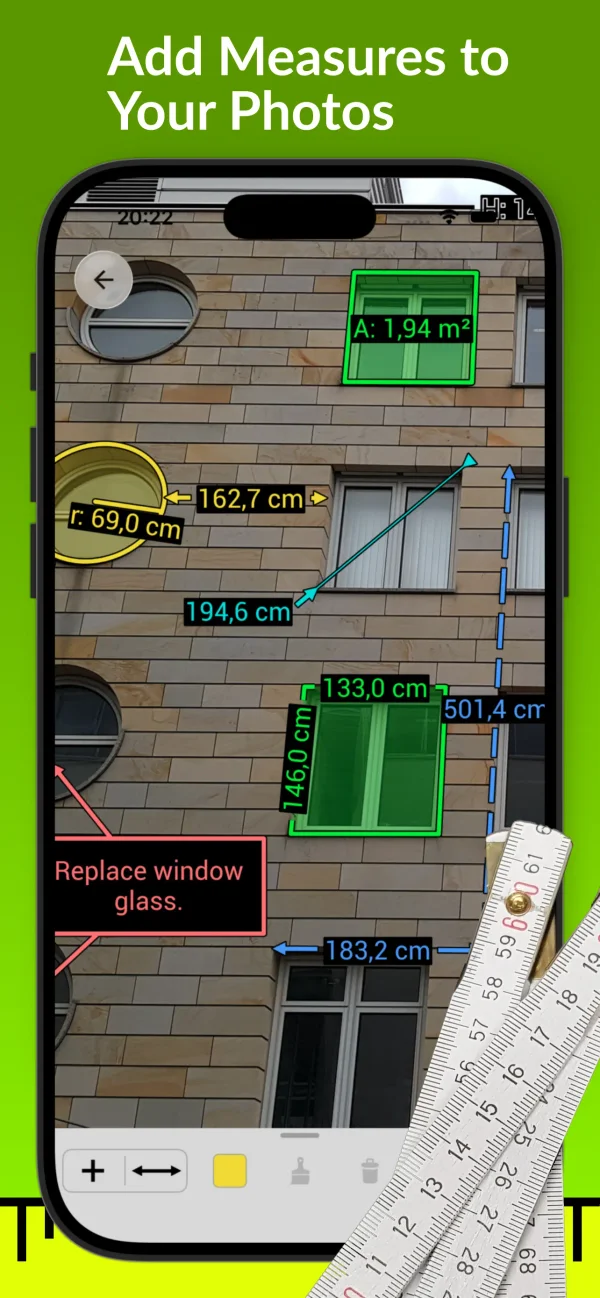
ImageMeter puts measurements and notes directly into your photos. No more hand-drawn sketches that nobody understands: take a photo on site, draw the dimensions where they belong, add notes, detail images, or audio notes, and send a clear document to your clients and colleagues.
ImageMeter is used by tradespeople, carpenters, kitchen and interior designers, property managers, sign makers, insurance assessors and many more.
ENTER MEASUREMENTS YOUR WAY
• Bluetooth laser meters: send measurements straight into the image. ImageMeter supports most laser distance meters with Bluetooth and, where the device allows it, triggers measurements remotely (https://imagemeter.com/manual/bluetooth/devices).
• Measure in the image: set a reference, such as a known wall size, a sheet of paper or a known length, and ImageMeter calculates lengths and areas, even on surfaces seen in perspective.
• Or simply type in the values from your tape measure.
TOOLS FOR EVERY JOB
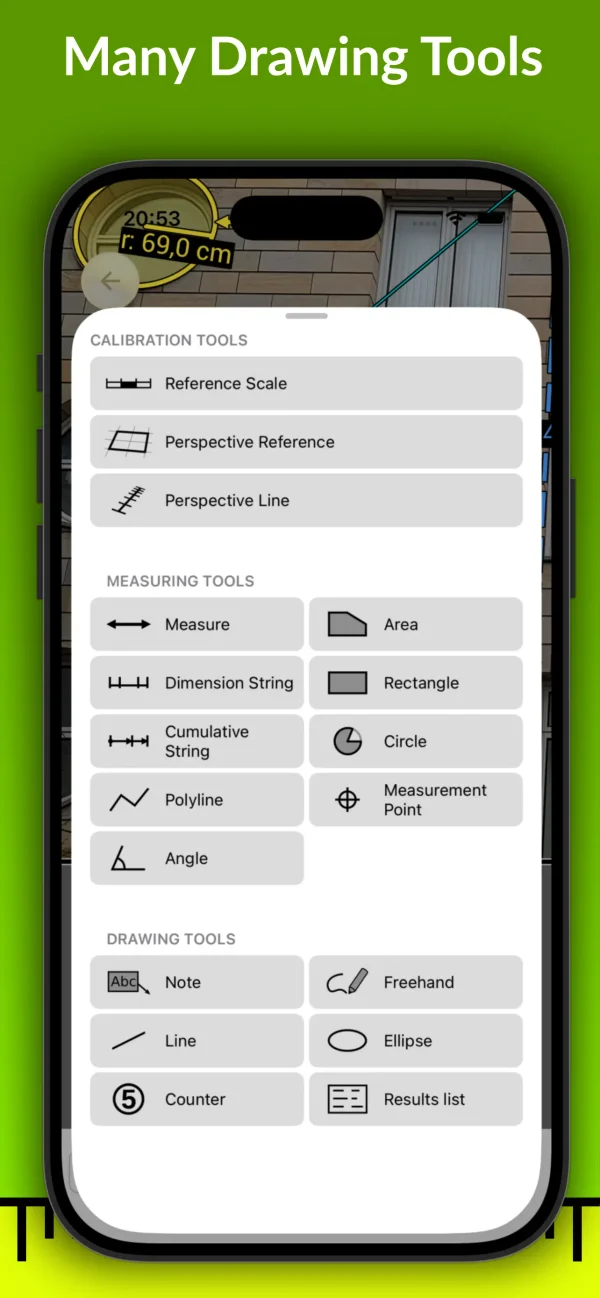
• Lengths, areas, angles, circles and rectangles
• Measurement strings and polylines
• Counting tool
• Text notes, freehand drawings and arrows
• Audio notes and detail pictures inside the image
• Line styles, colors, font sizes and arrowheads
• Brightness, contrast and saturation for poorly lit photos
PDF PLANS AND FORMS
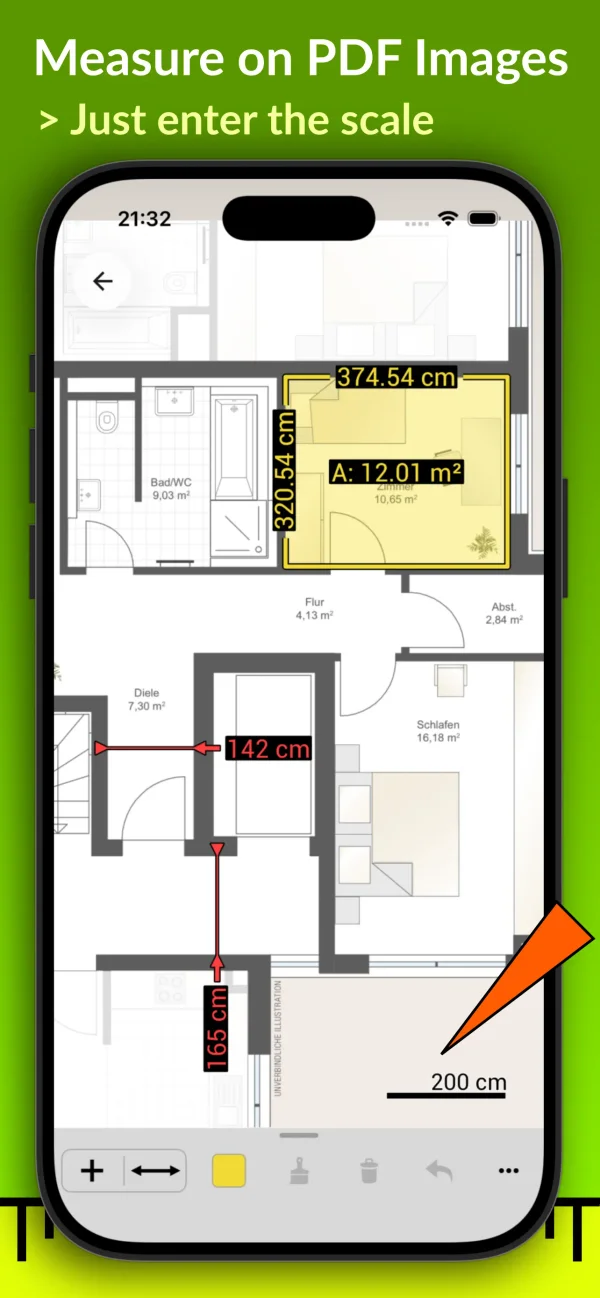
Import floor plans and drawings from PDF files. ImageMeter takes the scale of the drawing into account, so you can measure right on the plan.
Fill your PDF forms directly in the app.
EXPORT AND SHARE
• Images as JPEG or PNG, annotated PDF documents and PDF reports
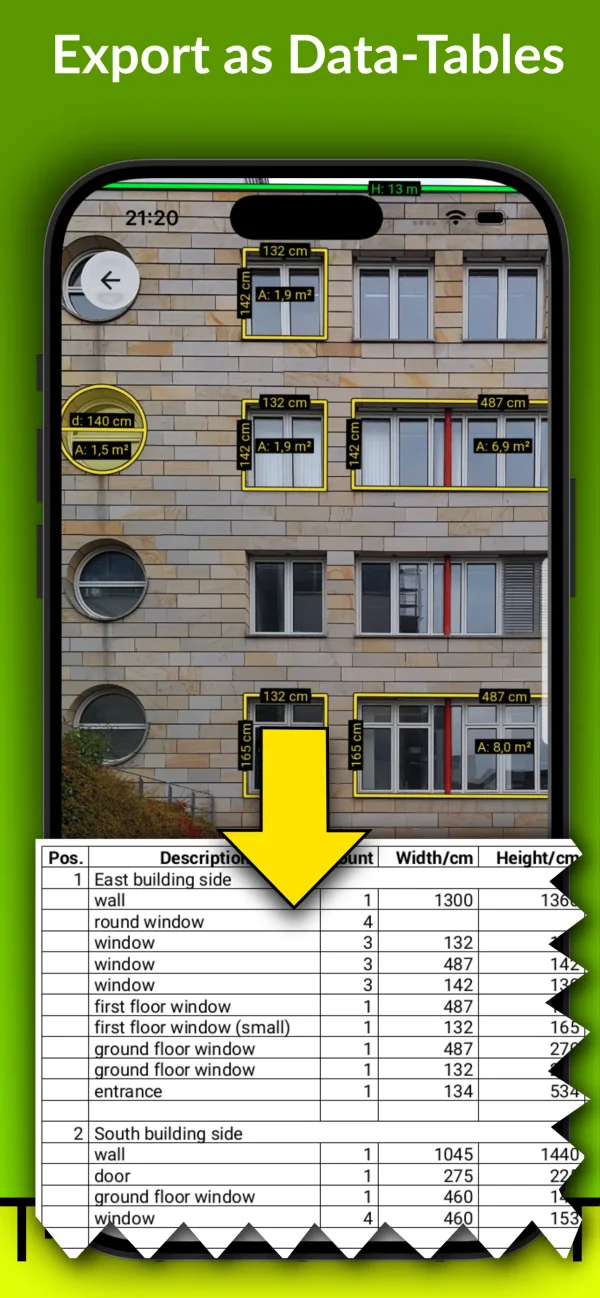
• Data tables for bills of materials or measurement logs, ready for your spreadsheet
• Editable image files for other ImageMeter users
YOUR CLOUD, YOUR DATA
Sync your images with the cloud storage of your choice: OneDrive, Dropbox, Google Drive, your own Nextcloud/WebDAV server or SFTP. Continue working on your office computer with ImageMeter for macOS, Windows and Linux.
FREE, PRO AND BUSINESS
ImageMeter is free to download and try. The free version has a limited number of measurements per image, and exported images carry a watermark.
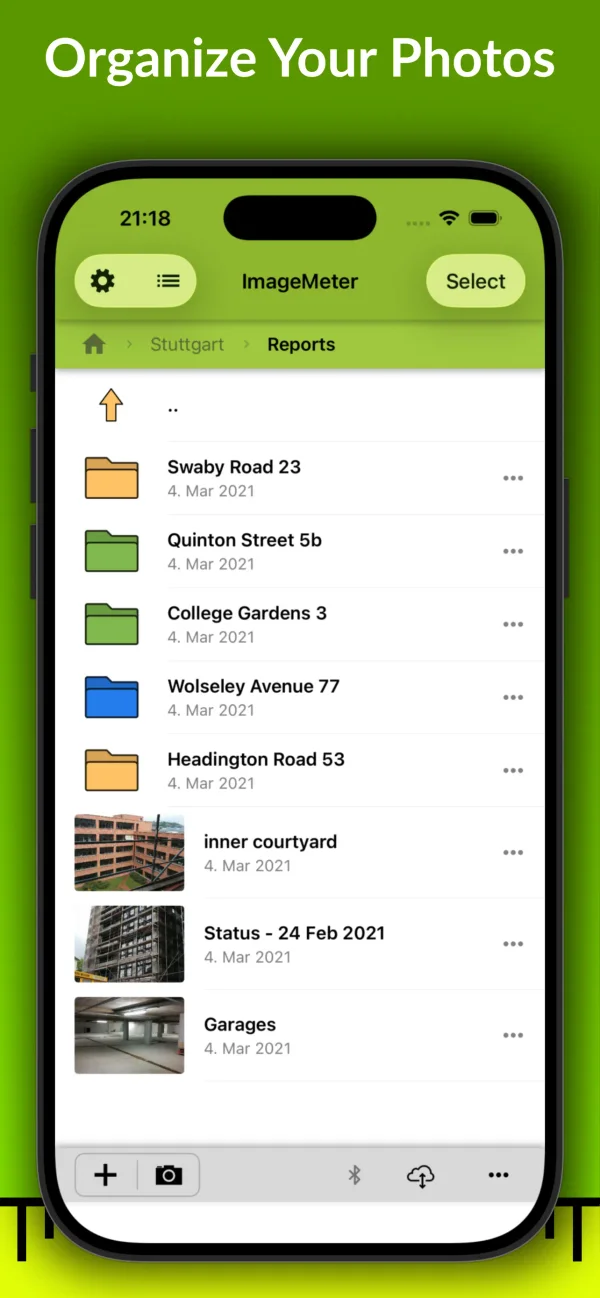
Pro (one-time purchase) adds: unlimited measurements, no watermarks, PDF import and annotation, subfolders, unlimited range for Bluetooth laser meters, circles and rectangles, measurement strings, counting tool, perspective length measurement and audio notes.
Business (monthly or yearly subscription) includes everything in Pro, plus image sync between your devices and backup to your own cloud storage, your company logo on images, data table export and layers.
Subscriptions renew automatically unless cancelled at least 24 hours before the end of the current period. You can manage or cancel them in your App Store account settings.
ImageMeter® and the ImageMeter logo are registered trademarks of "Dirk Farin - Algorithmic Research e.K." in the EU and the USA. All other product names, logos and brands are the property of their respective owners.
Terms of Use: https://www.apple.com/legal/internet-services/itunes/dev/stdeula/
Privacy Policy: https://www.iubenda.com/privacy-policy/43586350
Novidades
Versão 26.10.0 · 23/11/2026
- Rectangles: draw a rectangle as an L shape, or show its two lengths as a cross through it.
- Bluetooth: select several elements and measure them one after the other with your laser distance meter.
- Property boxes: show the properties of your elements right on the image.
- Toolbar: put your favorite colors directly into the toolbar.
- Scroll with a second finger while you drag a point.
Privacidade do app
O que Dirk Farin declara na App Store sobre como este app lida com os dados.
-
Dados não coletados
O desenvolvedor não coleta nenhum dado deste app.
As práticas de privacidade podem variar, por exemplo, com base nos recursos que você usa ou na sua idade.
Informações
- Vendedor
- Dirk Farin
- Categoria
- Produtividade
- Versão
- 26.10.0
- Atualizado
- 23/11/2026
- Lançamento
- 21/09/2026
- Tamanho
- 96,3 MB
- Requer
- iOS 16.0 ou posterior
- Classificação etária
- 4+
- Preço
- Grátis
- Compras no app
- Sim
- Idiomas
- Inglês, Albanian, Amharic, Árabe, Bengali, Bosnian, Bulgarian, Burmese, Cambodian, Croata, Checo, Dinamarquês e mais 40
- Copyright
- © 2026, Dirk Farin - Algorithmic Research e.K.
Você também pode gostar
-
 Ferramenta Medir PixelMedir Posição de UI
-
 My Measures PRO + AR MeasureStore & Share Measurements
-
 Image Ruler - MeasuresProdutividade
-
 The Measure App - My MeasuresStore & Share Measurements
-
 Foto Medidas - Photo MeasuresMedir, salvar e compartilhar
-
 Foto Medidas LiteMedir, salvar e compartilhar
-
 Leica DISTO PlanProdutividade
-
 Bosch MeasureOnProdutividade
-
 MachineseekerProdutividade
-
 Medir Altura・Medidor de ÁreaTrena Digital・Régua・Medida