- 対象年齢4+
- カテゴリ仕事効率化
- 開発元Orris
- 言語英語ほか2言語
- サイズ22.8 MB
App Storeの公式ページにリンクしています
Download.orgはInkstone: AI Knowledge Baseのファイルを一切ホストしていません。ボタンを押すと、Orrisが公開しているApp Storeのアプリページが開きます。ページの最終確認:2026/11/23。
スクリーンショット



概要
開発元はこのテキストをお使いの言語で提供していません。
Inkstone turns a folder into an AI knowledge base: drop anything in, and it is filed for you — by rules you can read and change, with an AI that runs on your device (on supported devices).
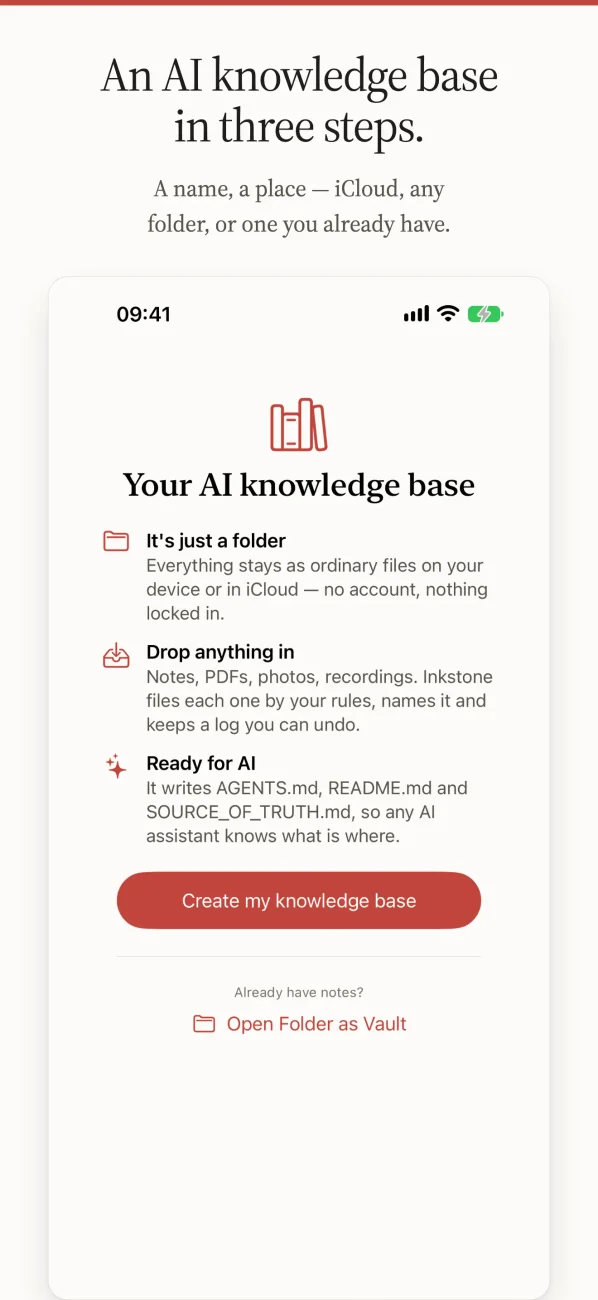
CREATE ONE IN THREE STEPS
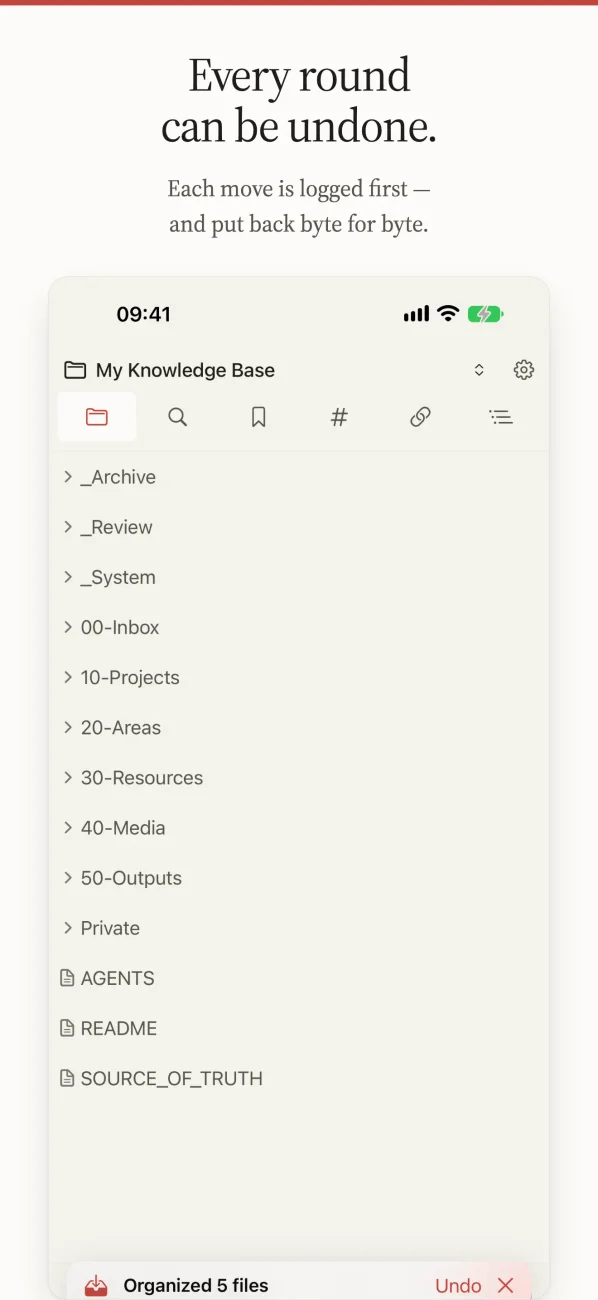
Give it a name and a place — iCloud Drive, any folder, or a folder you already have. Inkstone lays out the folders (inbox, projects, areas, resources, media, outputs, private), writes the organizing rules, and opens it. A folder you already have keeps every file where it is.
DROP ANYTHING IN
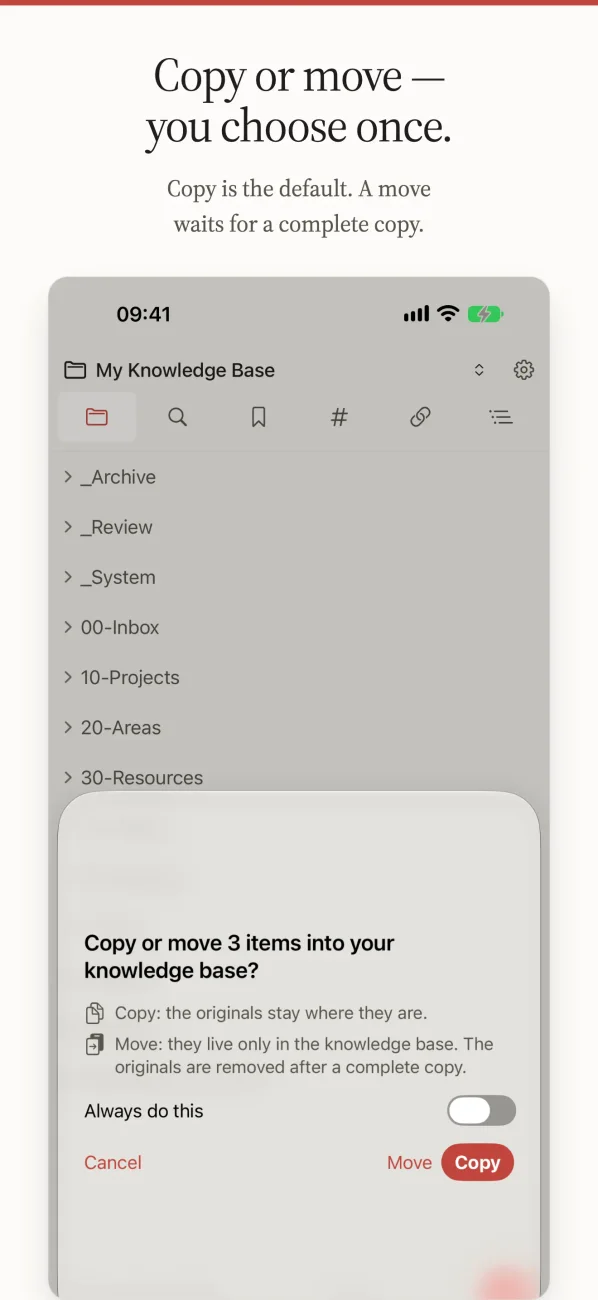
Notes, PDFs, photos, screenshots, recordings, whole folders. Drag them onto the window or add them from Files — and share links and text from any other app. The first time, choose copy or move — copy is the default, and a move only removes the original after a complete, identical copy.
IT FILES THEM FOR YOU
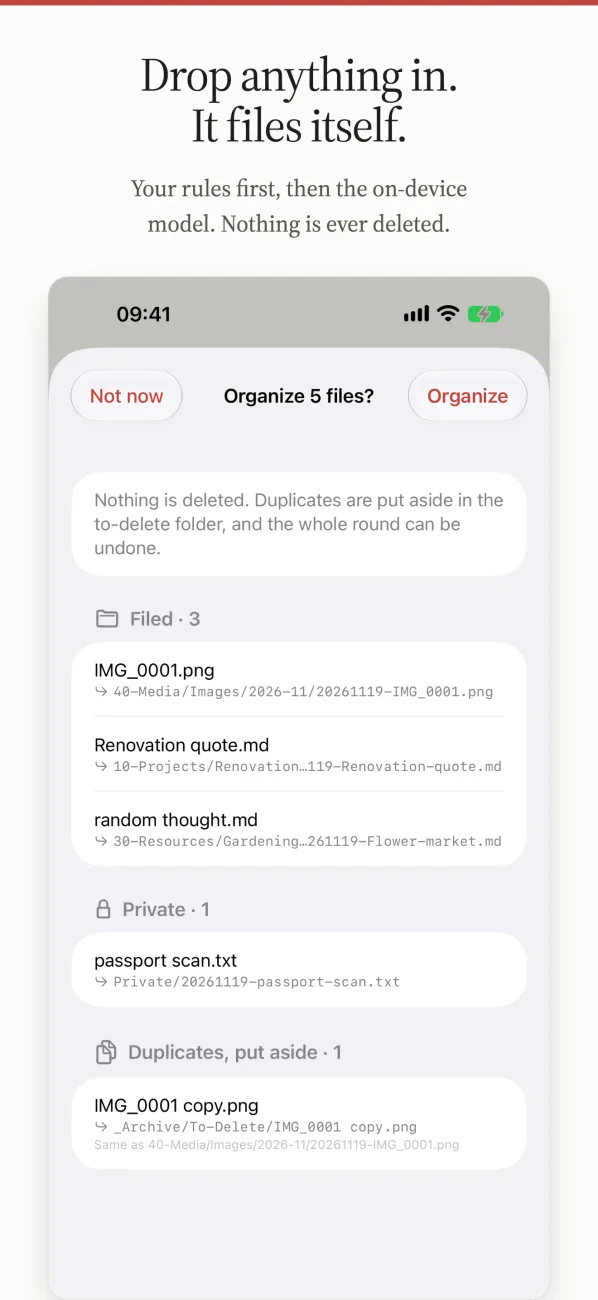
Each file is read — its text, the date a photo was taken, the text in a picture — and placed: by your own rules first, then into the project it names, then by the on-device model. It is renamed by date and topic, and Markdown notes get their source and date added without a word of their text changing. Exact copies are put aside, look-alikes are flagged for you, and anything private-looking goes to the private folder.
NOTHING IS LOST
Nothing is ever deleted. Anything unsure waits in a review folder for you. Every move is written to a log first, and every round can be undone — byte for byte, without overwriting anything you changed since. Rounds of more than 20 files, or with duplicates, wait for your yes.
READY FOR AI
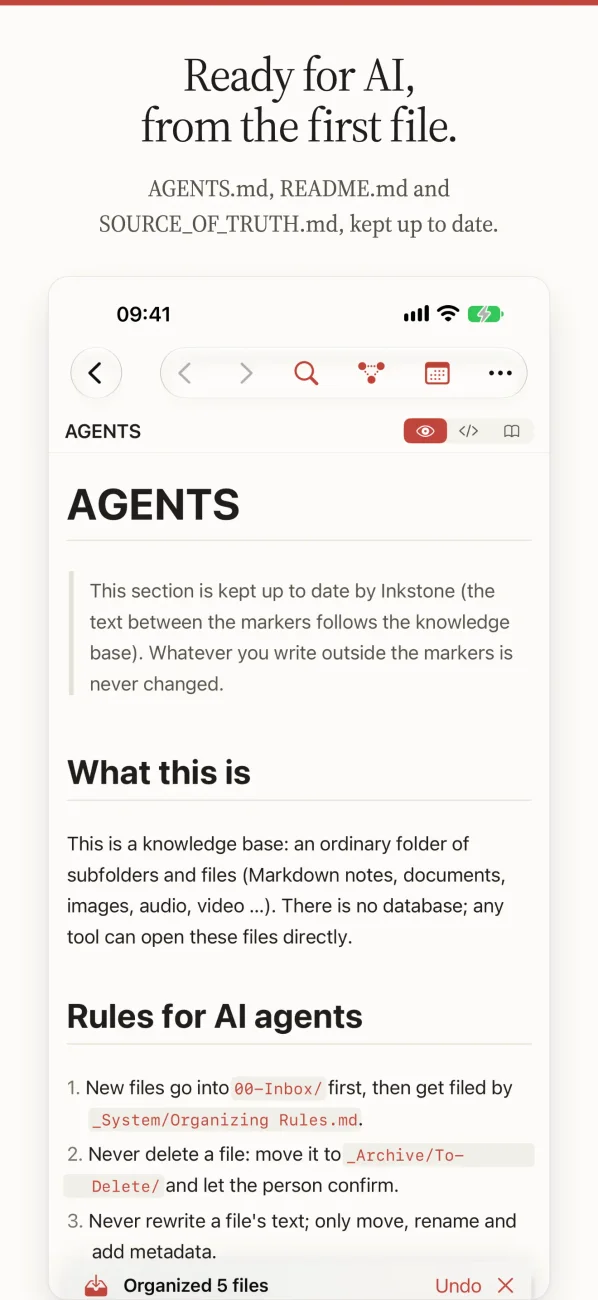
Inkstone writes and maintains AGENTS.md, README.md and SOURCE_OF_TRUTH.md: what the knowledge base is, where everything lives, and which file is the source of truth for what. Give the folder to any AI assistant or agent and it knows its way around. Only the part between Inkstone's markers is rewritten; what you add stays.
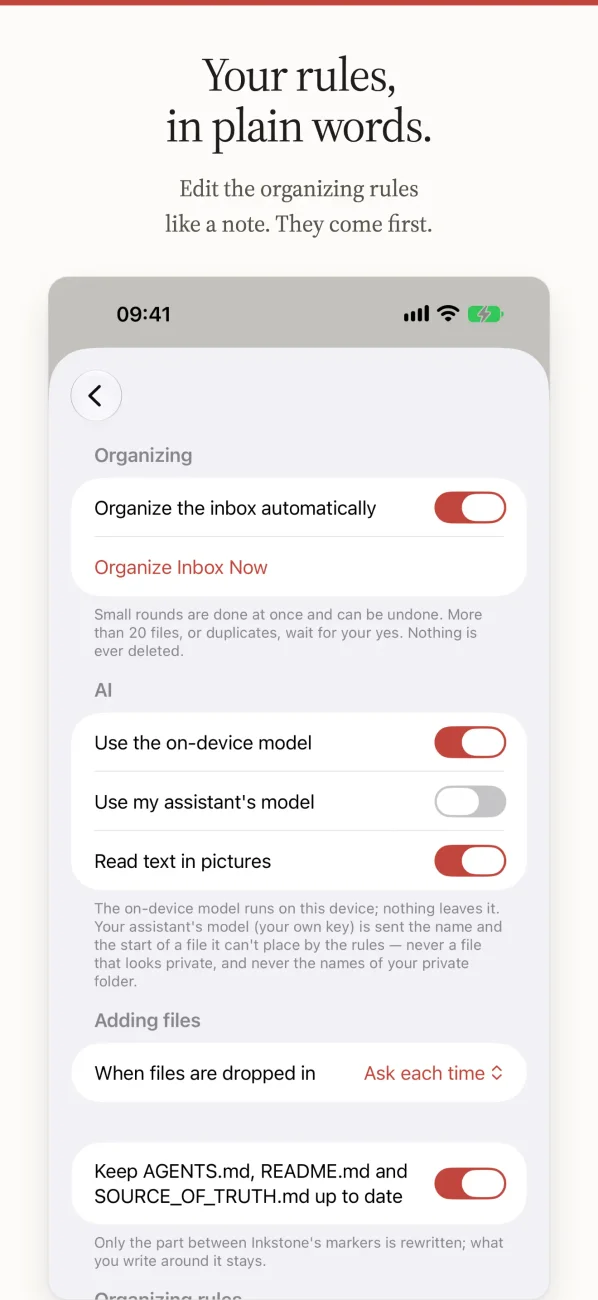
YOUR RULES, IN PLAIN WORDS
The organizing rules are a file in the knowledge base. Edit them in Settings in plain words — "Invoices → 20-Areas/Finance" — and the rules come before everything else.
PRIVATE BY CONSTRUCTION
The on-device model runs on your device; nothing leaves it. You can choose your own AI model instead, with your own key — then only the name and start of a file the rules can't place is sent, never a file that looks private. No account, no telemetry.
A FULL MARKDOWN EDITOR
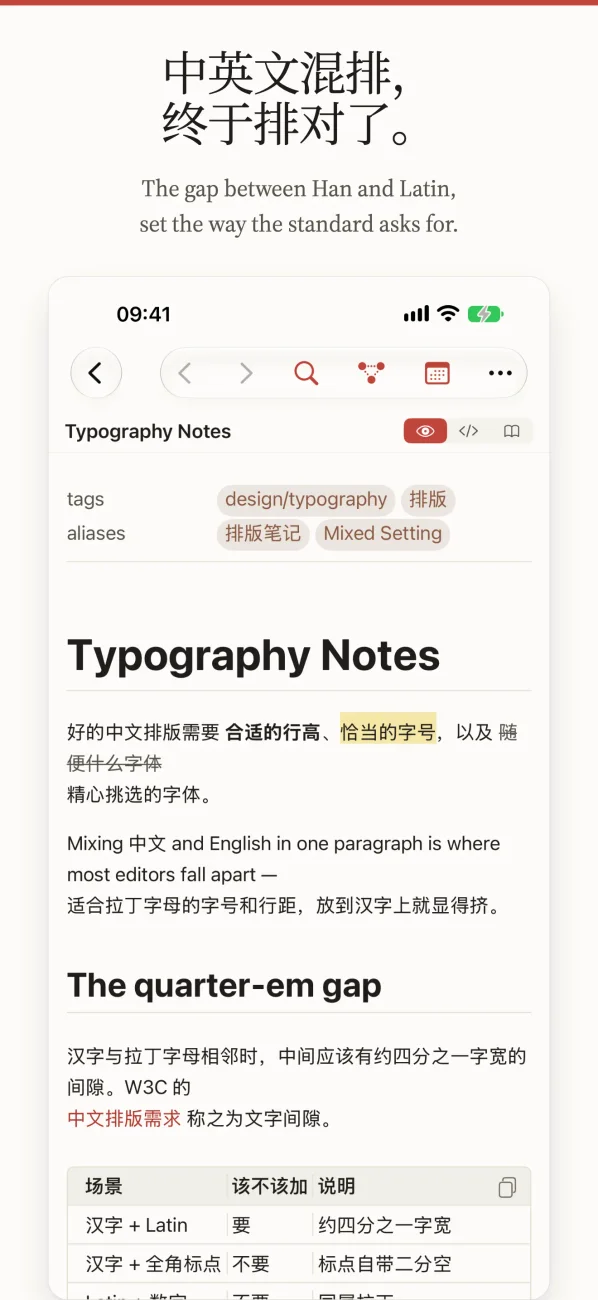
Everything stays plain Markdown. Live preview as you type, [[links]] and backlinks that are rewritten when you rename a note, a graph view, a canvas in the open JSON Canvas format, full-text search with tag: and path:, templates, export to PDF and HTML, a command palette, Shortcuts actions, and typography that handles Chinese and English side by side. A vault from another Markdown app opens as it is — and is never reorganized.
SYNC AND IPHONE DUO
Sync through iCloud or a GitHub repository, without conflicts overwriting anything. On iPhone Duo the note and its context sit on either side of the fold.
Interface in English, Simplified Chinese and Traditional Chinese.
新機能
バージョン 0.5.3 · 2026/11/20
Code in colour, and diagrams that no longer hold the app up.
• Code blocks are coloured by language — Swift, Python, JavaScript, Go, Rust, SQL and 30 more — in the editor, in reading mode and in exports.
• Opening a note with Mermaid diagrams stalls the app far less, and diagrams keep their own proportions; one drawn once appears without redrawing next time.
• Export as Image: the note as one picture, ready to share. Very long notes are cut; Export as PDF has everything.
• Reading mode spaces Chinese and Japanese from Latin letters and digits, like the editor.
アプリのプライバシー
このアプリのデータの取り扱いについて、OrrisがApp Storeで申告している内容です。
-
データの収集なし
開発元はこのアプリからデータを収集しません。
プライバシーの取り扱いは、ご利用の機能やお客様の年齢などに応じて異なる場合があります。
情報
- 販売元
- Orris Technology Pty Ltd
- カテゴリ
- 仕事効率化
- バージョン
- 0.5.3
- 更新日
- 2026/11/20
- リリース
- 2026/9/8
- サイズ
- 22.8 MB
- 必要条件
- iOS 26.0以降
- 対象年齢
- 4+
- 価格
- 無料
- 言語
- 英語, 簡体字中国語, 繁体字中国語
- 著作権
- © 2026 Orris Technology Pty Ltd