Inkstone: AI Knowledge Base
Drop files in, AI files them
iPhone, iPad için tasarlandı
Ücretsiz
- Yaş sınırı4+
- KategoriÜretkenlik
- GeliştiriciOrris
- Dillerİngilizce+ 2 dil daha
- Boyut22,8 MB
Resmi App Store sayfasına bağlanır
Download.org, Inkstone: AI Knowledge Base için hiçbir dosya barındırmaz. Düğme, uygulamanın App Store üzerindeki sayfasını açar; uygulamayı orada Orris yayınlar. Sayfanın son kontrolü: 23.11.2026.
Ekran görüntüleri



Hakkında
Geliştirici bu metni dilinizde sunmamış.
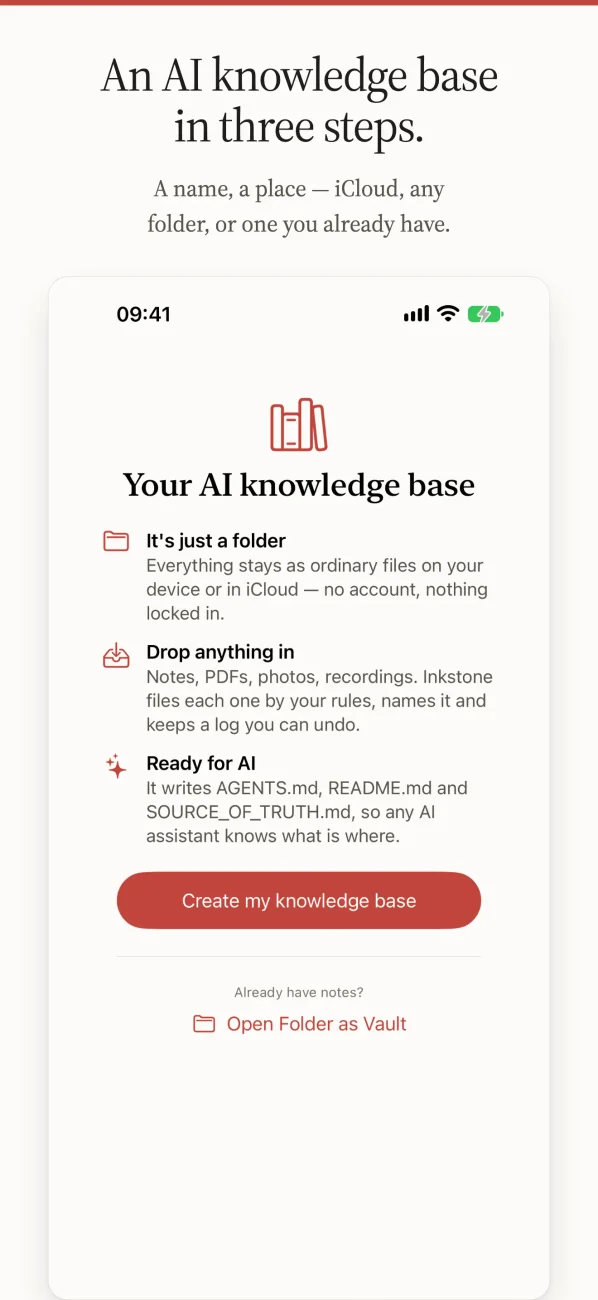
Inkstone turns a folder into an AI knowledge base: drop anything in, and it is filed for you — by rules you can read and change, with an AI that runs on your device (on supported devices).
CREATE ONE IN THREE STEPS
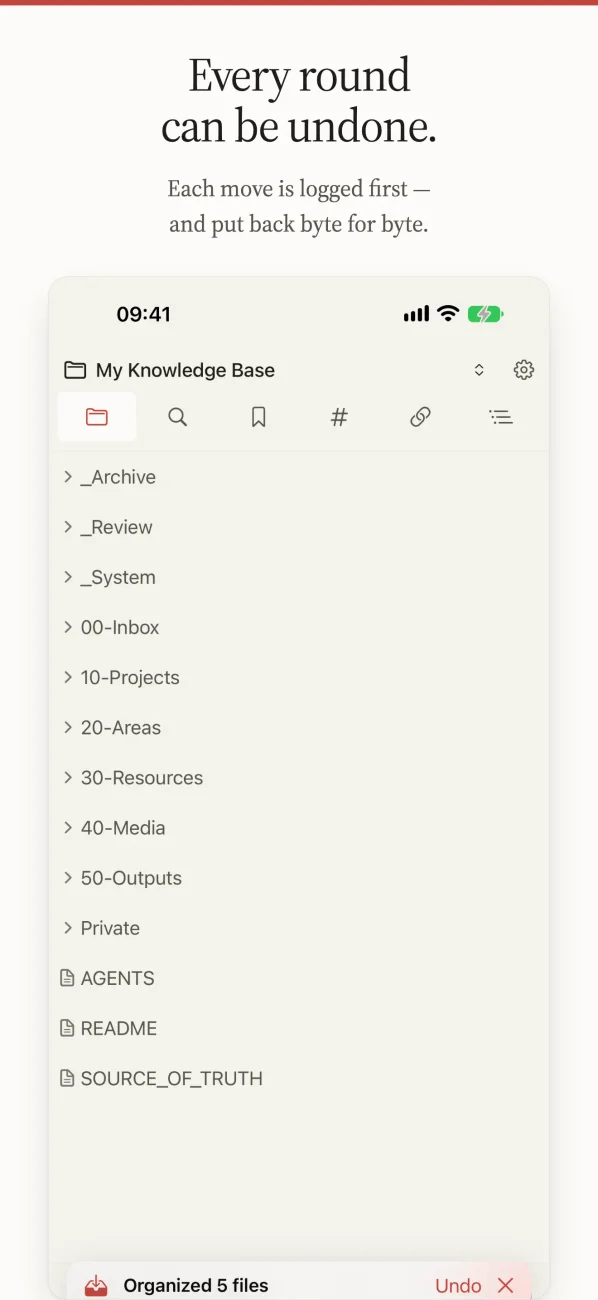
Give it a name and a place — iCloud Drive, any folder, or a folder you already have. Inkstone lays out the folders (inbox, projects, areas, resources, media, outputs, private), writes the organizing rules, and opens it. A folder you already have keeps every file where it is.
DROP ANYTHING IN
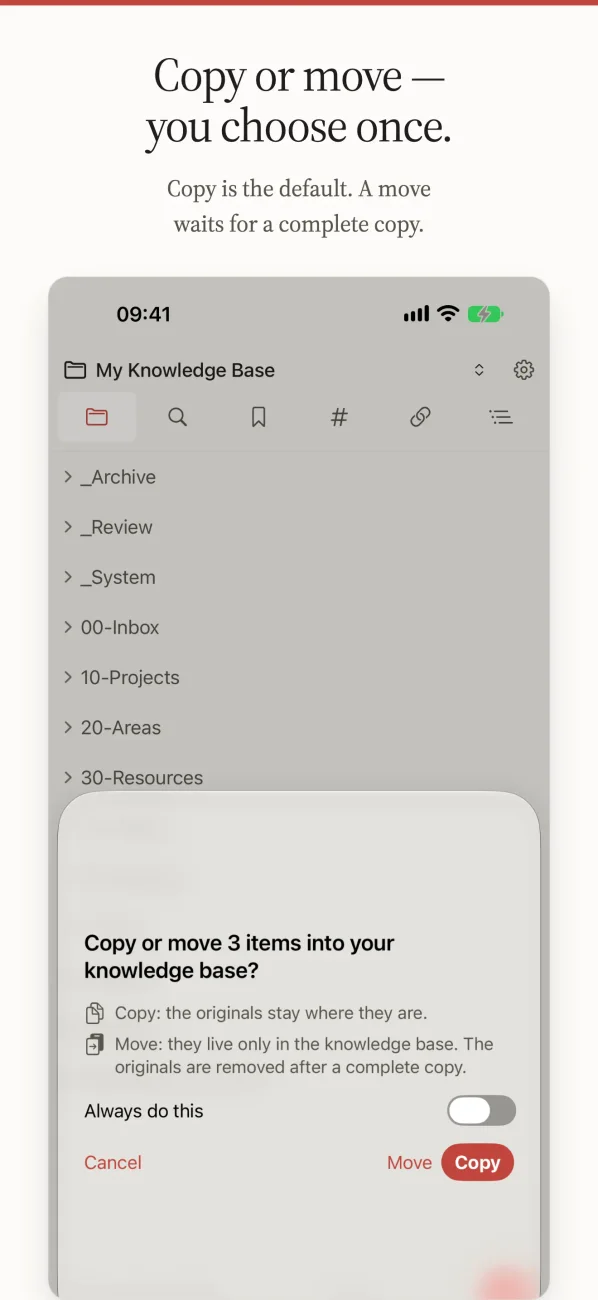
Notes, PDFs, photos, screenshots, recordings, whole folders. Drag them onto the window or add them from Files — and share links and text from any other app. The first time, choose copy or move — copy is the default, and a move only removes the original after a complete, identical copy.
IT FILES THEM FOR YOU
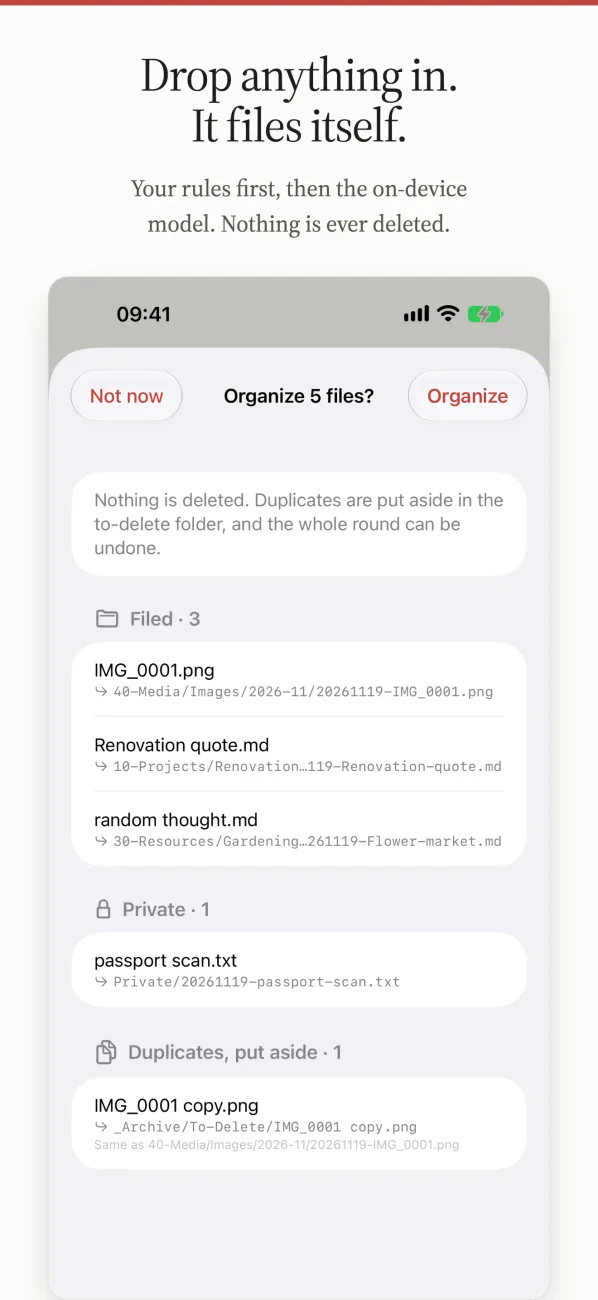
Each file is read — its text, the date a photo was taken, the text in a picture — and placed: by your own rules first, then into the project it names, then by the on-device model. It is renamed by date and topic, and Markdown notes get their source and date added without a word of their text changing. Exact copies are put aside, look-alikes are flagged for you, and anything private-looking goes to the private folder.
NOTHING IS LOST
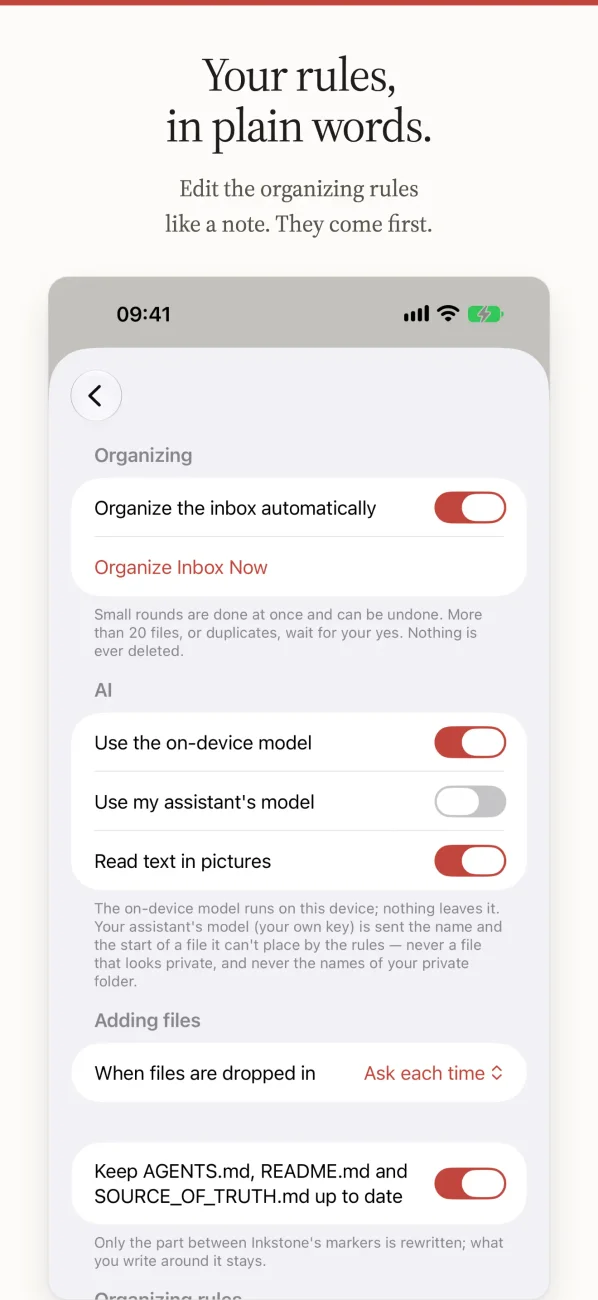
Nothing is ever deleted. Anything unsure waits in a review folder for you. Every move is written to a log first, and every round can be undone — byte for byte, without overwriting anything you changed since. Rounds of more than 20 files, or with duplicates, wait for your yes.
READY FOR AI
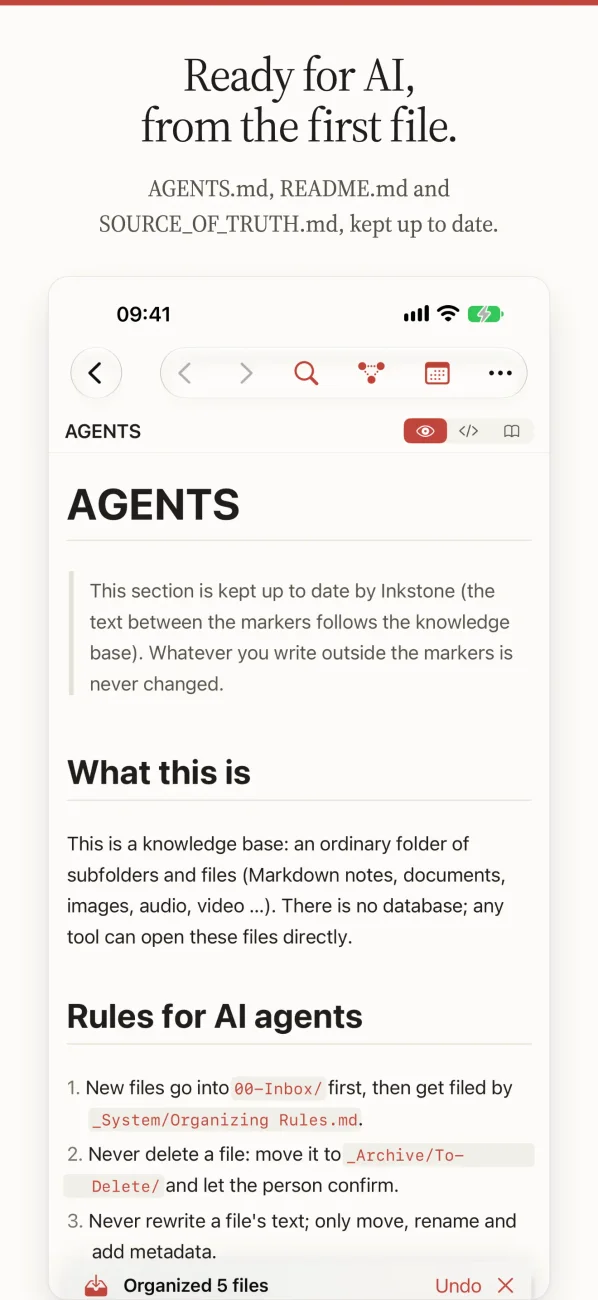
Inkstone writes and maintains AGENTS.md, README.md and SOURCE_OF_TRUTH.md: what the knowledge base is, where everything lives, and which file is the source of truth for what. Give the folder to any AI assistant or agent and it knows its way around. Only the part between Inkstone's markers is rewritten; what you add stays.
YOUR RULES, IN PLAIN WORDS
The organizing rules are a file in the knowledge base. Edit them in Settings in plain words — "Invoices → 20-Areas/Finance" — and the rules come before everything else.
PRIVATE BY CONSTRUCTION
The on-device model runs on your device; nothing leaves it. You can choose your own AI model instead, with your own key — then only the name and start of a file the rules can't place is sent, never a file that looks private. No account, no telemetry.
A FULL MARKDOWN EDITOR
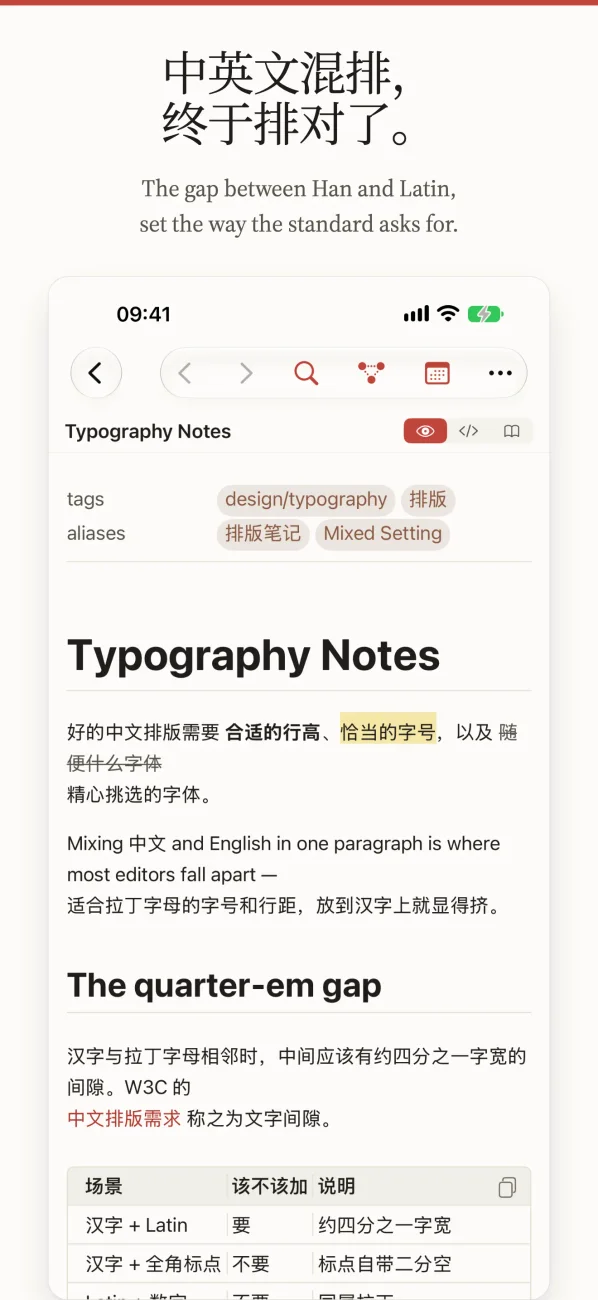
Everything stays plain Markdown. Live preview as you type, [[links]] and backlinks that are rewritten when you rename a note, a graph view, a canvas in the open JSON Canvas format, full-text search with tag: and path:, templates, export to PDF and HTML, a command palette, Shortcuts actions, and typography that handles Chinese and English side by side. A vault from another Markdown app opens as it is — and is never reorganized.
SYNC AND IPHONE DUO
Sync through iCloud or a GitHub repository, without conflicts overwriting anything. On iPhone Duo the note and its context sit on either side of the fold.
Interface in English, Simplified Chinese and Traditional Chinese.
Yenilikler
Sürüm 0.5.3 · 20.11.2026
Code in colour, and diagrams that no longer hold the app up.
• Code blocks are coloured by language — Swift, Python, JavaScript, Go, Rust, SQL and 30 more — in the editor, in reading mode and in exports.
• Opening a note with Mermaid diagrams stalls the app far less, and diagrams keep their own proportions; one drawn once appears without redrawing next time.
• Export as Image: the note as one picture, ready to share. Very long notes are cut; Export as PDF has everything.
• Reading mode spaces Chinese and Japanese from Latin letters and digits, like the editor.
Uygulama gizliliği
Bu uygulamanın verileri nasıl işlediği hakkında Orris tarafından App Store üzerinde yapılan beyan.
-
Veri toplanmıyor
Geliştirici bu uygulamadan hiçbir veri toplamıyor.
Gizlilik uygulamaları, örneğin kullandığınız özelliklere veya yaşınıza göre değişiklik gösterebilir.
Bilgiler
- Satıcı
- Orris Technology Pty Ltd
- Kategori
- Üretkenlik
- Sürüm
- 0.5.3
- Güncellendi
- 20.11.2026
- Yayın tarihi
- 08.09.2026
- Boyut
- 22,8 MB
- Gereksinim
- iOS 26.0 veya sonrası
- Yaş sınırı
- 4+
- Fiyat
- Ücretsiz
- Diller
- İngilizce, Basitleştirilmiş Çince, Geleneksel Çince
- Telif hakkı
- © 2026 Orris Technology Pty Ltd