
- 対象年齢4+
- カテゴリ仕事効率化
- 開発元ComunAI Ltd
- 言語英語
- サイズ7.0 MB
App Storeの公式ページにリンクしています
Download.orgはInterstitial Journal Appのファイルを一切ホストしていません。ボタンを押すと、ComunAI Ltdが公開しているApp Storeのアプリページが開きます。ページの最終確認:2026/11/13。
スクリーンショット

概要
開発元はこのテキストをお使いの言語で提供していません。
Capture the moments between tasks.
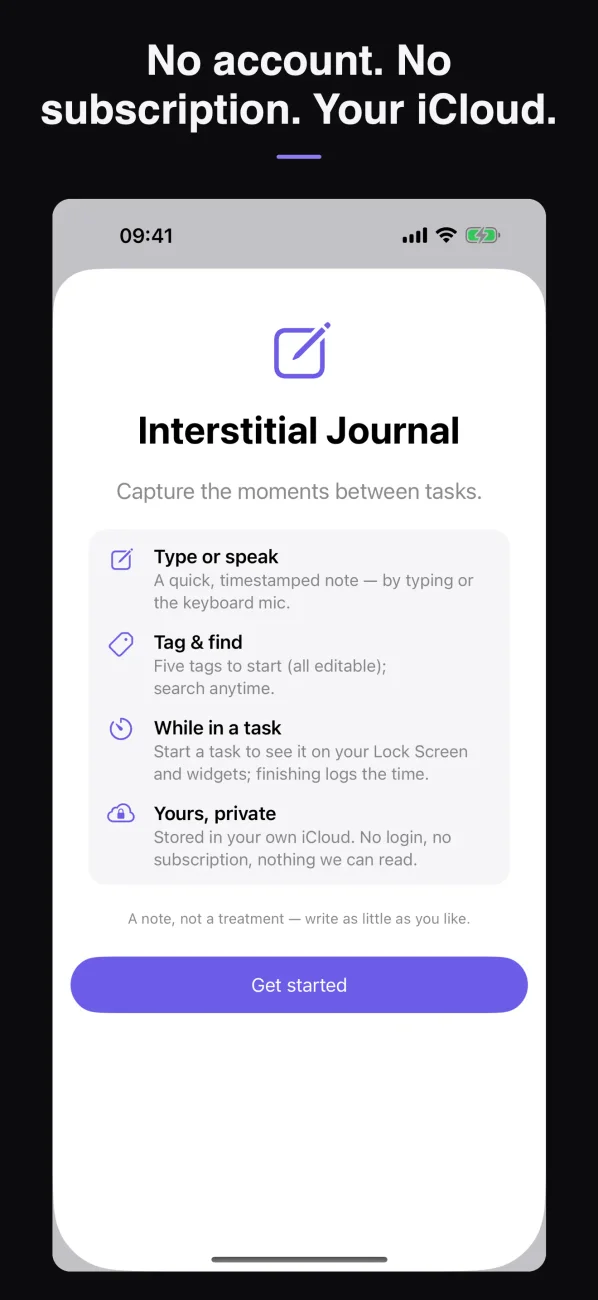
Interstitial Journal is a small, private notebook for the gaps in your day — before you start, when you switch, when you get stuck, when you finish. Type a line or speak it; it's timestamped automatically and it's entirely yours. Pay once — no subscription, no account, and everything stays in your own iCloud.
THE IDEA
The transitions between tasks are where focus leaks away. A quick note — what you just did, what's next, how you feel — helps you land in the next thing instead of carrying the last one with you. Interstitial Journal makes that note effortless.
HOW IT WORKS
- Open a blank note and write a line, or tap the keyboard mic and say it
- Add a tag, and optionally how you're feeling
- There's no Save button — it's kept the moment you're done
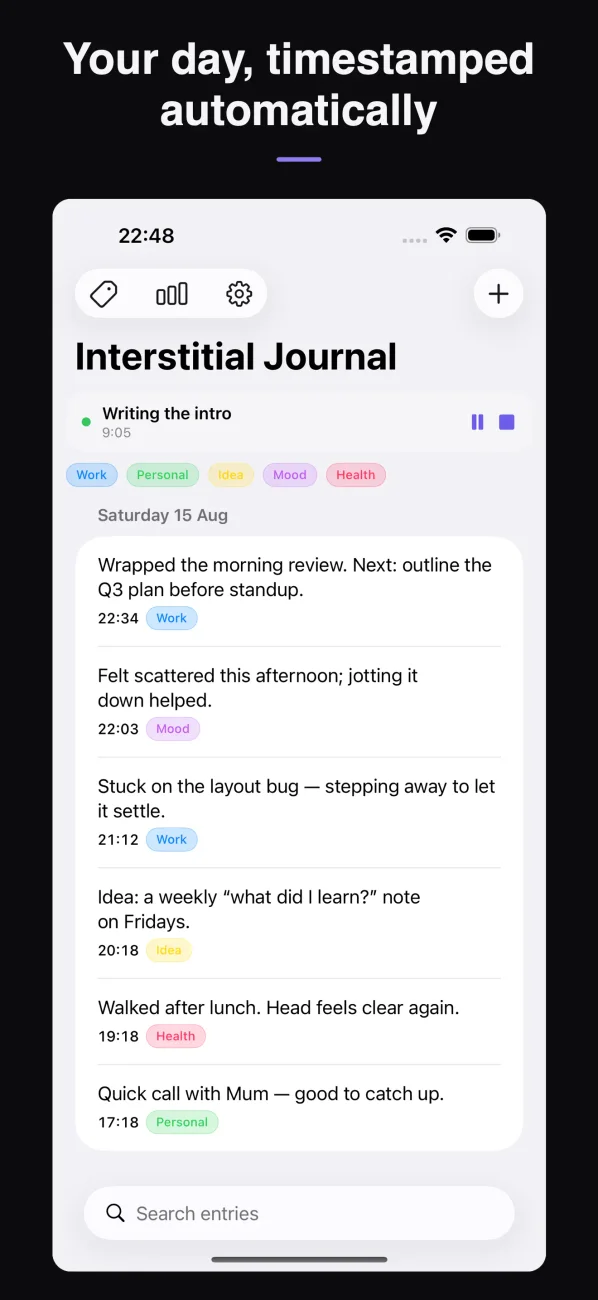
- Your day reads back as a running timeline, newest first
WHAT'S INSIDE
- Type or speak (system dictation to text; no audio is stored)
- Automatic timestamps on every entry
- Editable tags — five to start (Work, Personal, Idea, Mood, Health); rename, recolor, reorder, or add your own
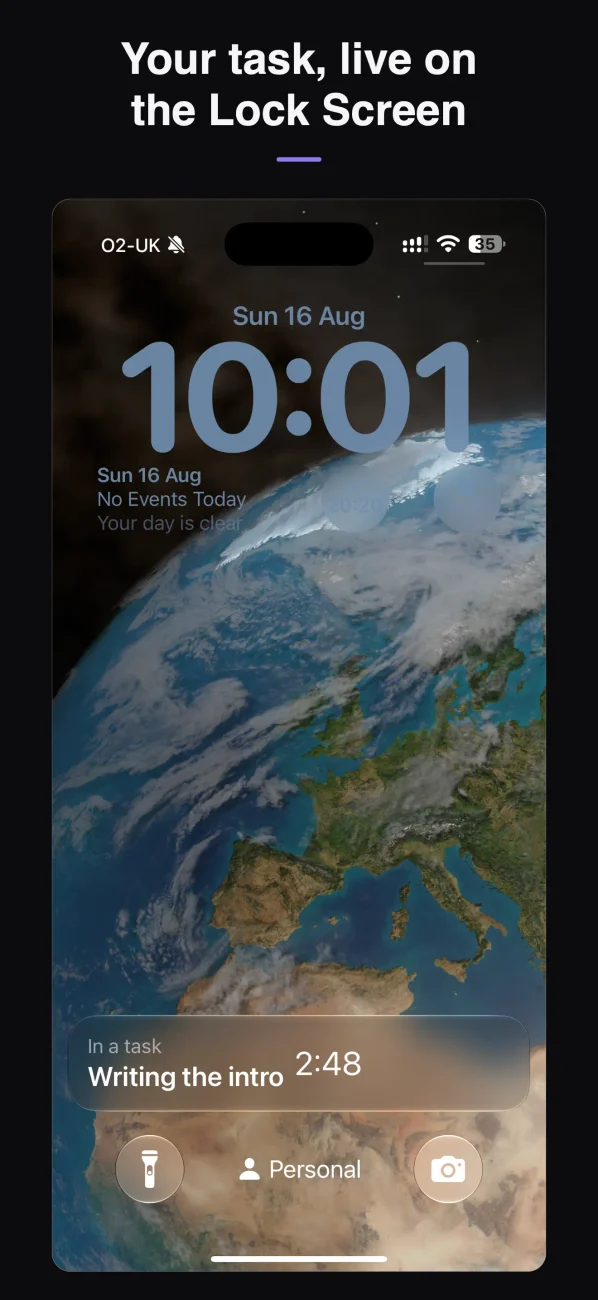
- Start a task to see it live on your Lock Screen, Dynamic Island, widgets, and the Mac menu bar; finishing logs the time — and the running task stays in step across your devices
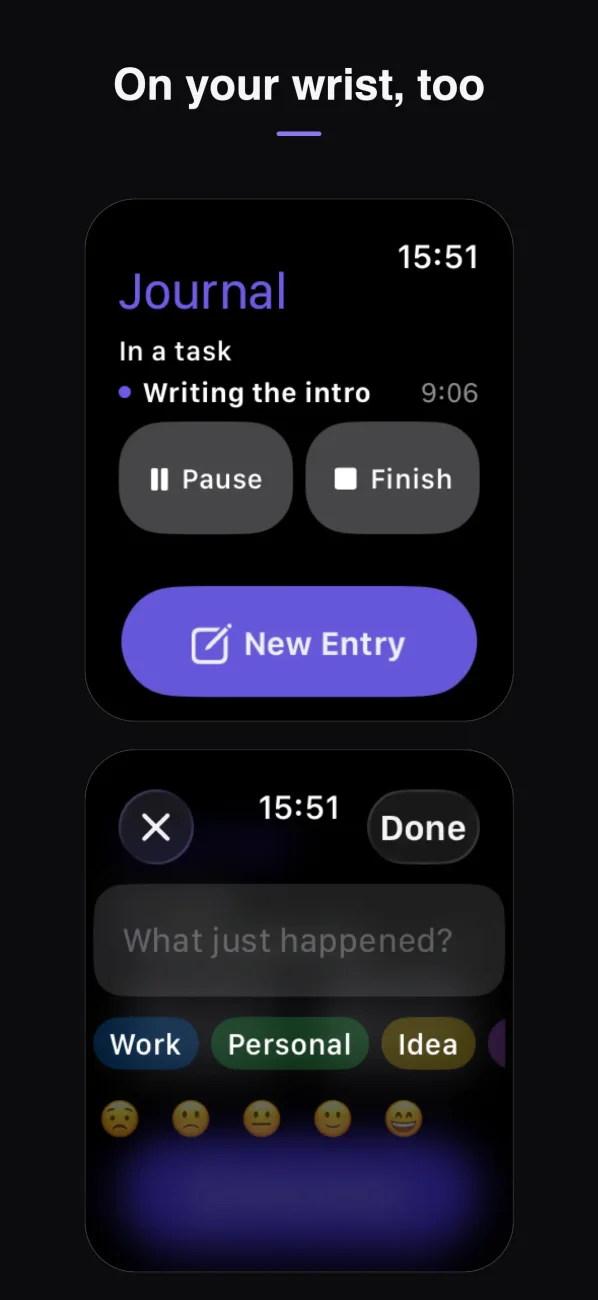
- On Apple Watch: dictate a line, see your recent entries, start and finish tasks, and add complications to your watch face — synced through your own iCloud, on your wrist whenever you open the app
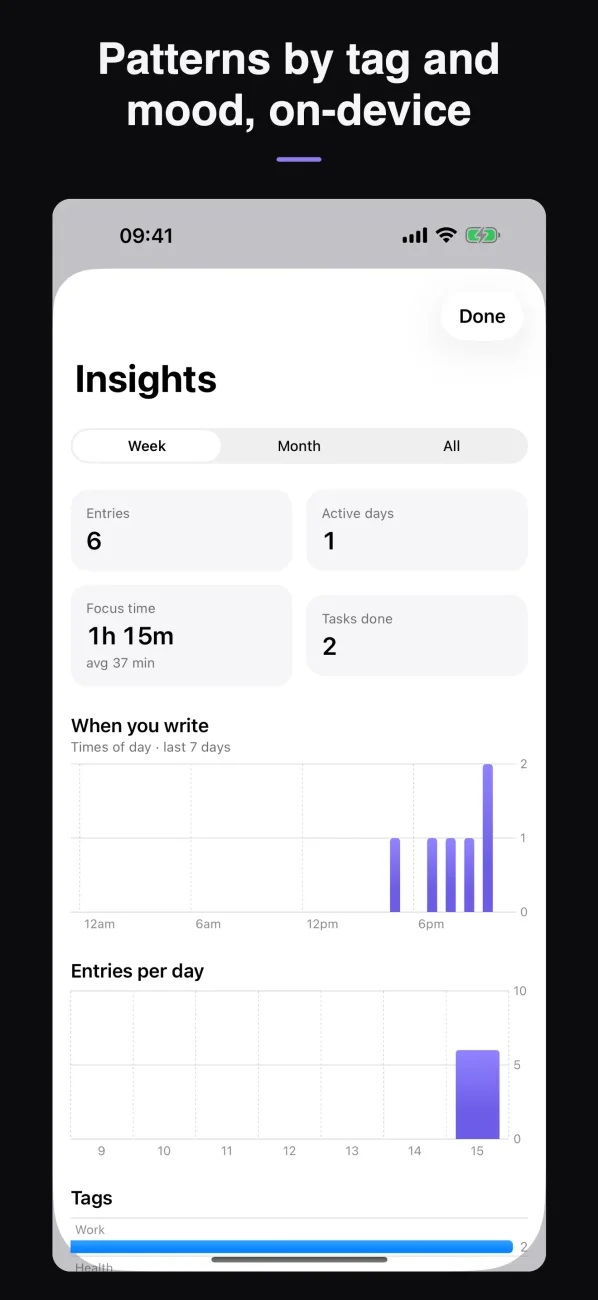
- On-device insights: entries per day, when in the day you write, focus time, and patterns by tag and mood — by week, month, or all time
- Export everything to JSON or Markdown anytime
PRIVATE BY DESIGN
- No account and no subscription
- Your entries live in your own iCloud (a private CloudKit database) and on your devices
- There's no server we control and nothing we can read
- Turn on Apple's Advanced Data Protection for full end-to-end encryption
A NOTE ON THE SCIENCE
Built on research into attention, reflection, and habit. Interstitial journaling itself hasn't been formally trialed, and this app is for reflection, not treatment.
Requires iOS 17 / iPadOS 17 or later. Also on Mac (macOS 14+) and Apple Watch (watchOS 10+) — one purchase covers iPhone, iPad, Mac, and Apple Watch.
From comun.ai, a London studio.
新機能
バージョン 1.3 · 2026/10/5
1.3 — now on Apple Watch
- Write a line from your wrist: dictate or scribble it, add a tag or a mood, done.
- Start, pause and finish tasks on your watch, with the same wrap-up as iPhone: what's next, tags and how you feel.
- Complications: one tap from your watch face to a new entry, or keep the task you're in — and its timer — in view. While a task runs, it also appears in your Smart Stack.
- Ask Siri on your watch to "log an entry in Interstitial Journal" and just say it.
- In the watch app, double-tap opens a new entry (Apple Watch Series 9, Ultra 2 and later). On watchOS 26, add New Entry or Active Task to Control Center or the Action button.
Also new everywhere:
- Changes from your other devices now show up while the app is open — no need to reopen it.
- Finishing a task now asks how you feel on iPhone, iPad and Mac, too.
Your journal syncs through your own iCloud. The watch app is included in your purchase.
アプリのプライバシー
このアプリのデータの取り扱いについて、ComunAI LtdがApp Storeで申告している内容です。
-
データの収集なし
開発元はこのアプリからデータを収集しません。
プライバシーの取り扱いは、ご利用の機能やお客様の年齢などに応じて異なる場合があります。
情報
- 販売元
- ComunAI Ltd
- カテゴリ
- 仕事効率化
- バージョン
- 1.3
- 更新日
- 2026/10/5
- リリース
- 2026/6/11
- サイズ
- 7.0 MB
- 必要条件
- iOS 17.0以降
- 対象年齢
- 4+
- 価格
- ¥600
- 言語
- 英語
- 著作権
- © 2026 ComunAI Ltd
こちらもおすすめ
-
 CognifyTasks PlannerMinimalistic task planner
-
 Pomodoro Timer: Focus Watch仕事効率化
-
 Gentle Start: Focus Timer仕事効率化
-
 HourLife: ライフプランナー静かな手帳・習慣・ジャーナル
-
 集中タイマー: 勉強ポモドーロADHD 勉強 & Deep Work
-
 Decision Log - Track Decisions仕事効率化
-
 Memura仕事効率化
-
 Timeline: Shared Group Timers仕事効率化
-
 Now: ADHD Focus & Routines仕事効率化
-
 ZoBud: ADHD予定表&集中タイマー習慣・気分記録・エネルギー管理