
Interstitial Journal App
Quick timestamped work journal
Được thiết kế cho iPhone, iPad, Mac
119.000đ
- Độ tuổi4+
- Danh mụcHiệu Suất
- Nhà phát triểnComunAI Ltd
- Ngôn ngữTiếng Anh
- Kích thước7,0 MB
Liên kết đến trang App Store chính thức
Download.org không lưu trữ tệp nào của Interstitial Journal App. Nút này mở trang ứng dụng trên App Store, nơi ComunAI Ltd phát hành ứng dụng. Trang được kiểm tra lần cuối: 13/11/2026.
Ảnh chụp màn hình

Giới thiệu
Nhà phát triển chưa cung cấp nội dung này bằng ngôn ngữ của bạn.
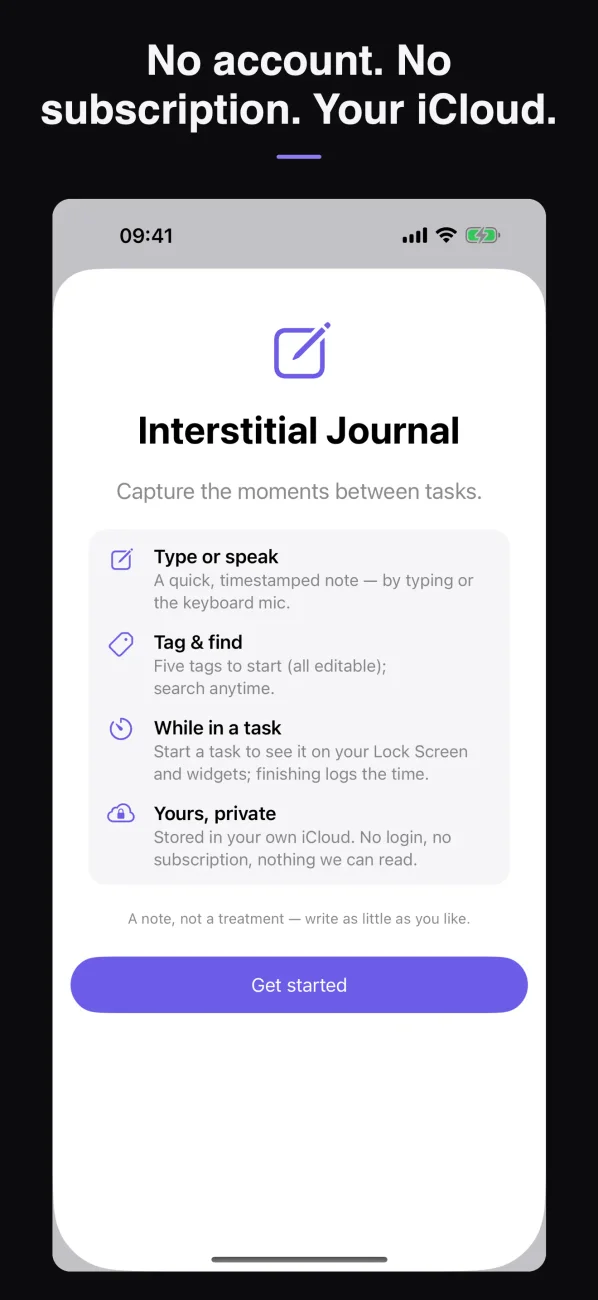
Capture the moments between tasks.
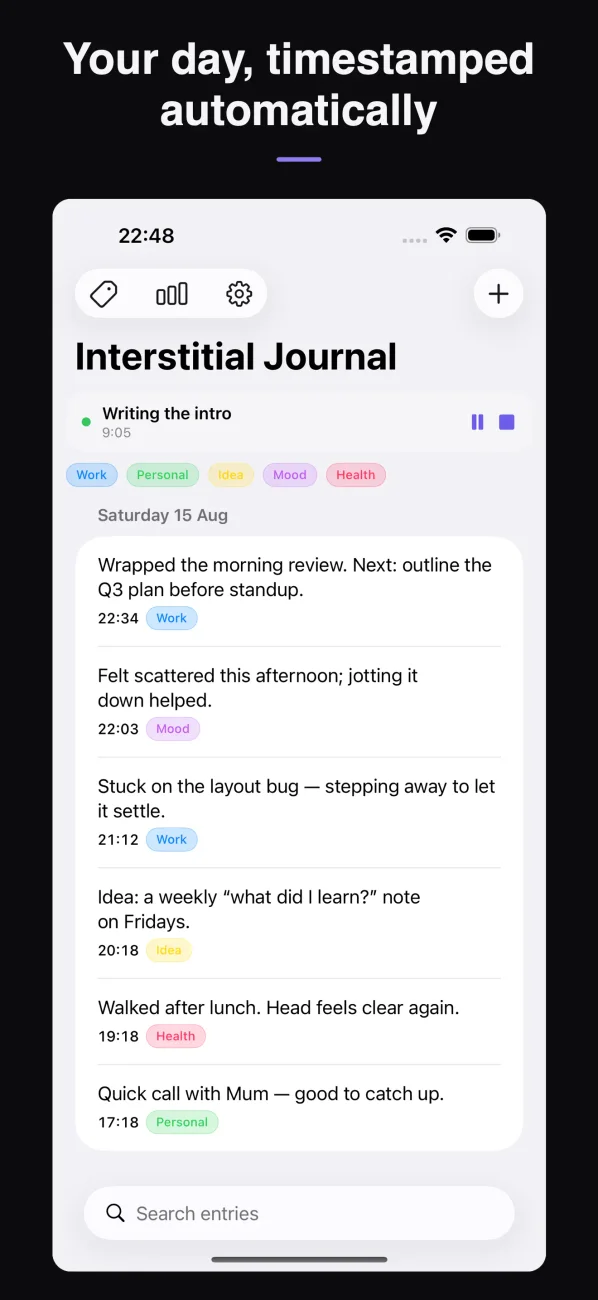
Interstitial Journal is a small, private notebook for the gaps in your day — before you start, when you switch, when you get stuck, when you finish. Type a line or speak it; it's timestamped automatically and it's entirely yours. Pay once — no subscription, no account, and everything stays in your own iCloud.
THE IDEA
The transitions between tasks are where focus leaks away. A quick note — what you just did, what's next, how you feel — helps you land in the next thing instead of carrying the last one with you. Interstitial Journal makes that note effortless.
HOW IT WORKS
- Open a blank note and write a line, or tap the keyboard mic and say it
- Add a tag, and optionally how you're feeling
- There's no Save button — it's kept the moment you're done
- Your day reads back as a running timeline, newest first
WHAT'S INSIDE
- Type or speak (system dictation to text; no audio is stored)
- Automatic timestamps on every entry
- Editable tags — five to start (Work, Personal, Idea, Mood, Health); rename, recolor, reorder, or add your own
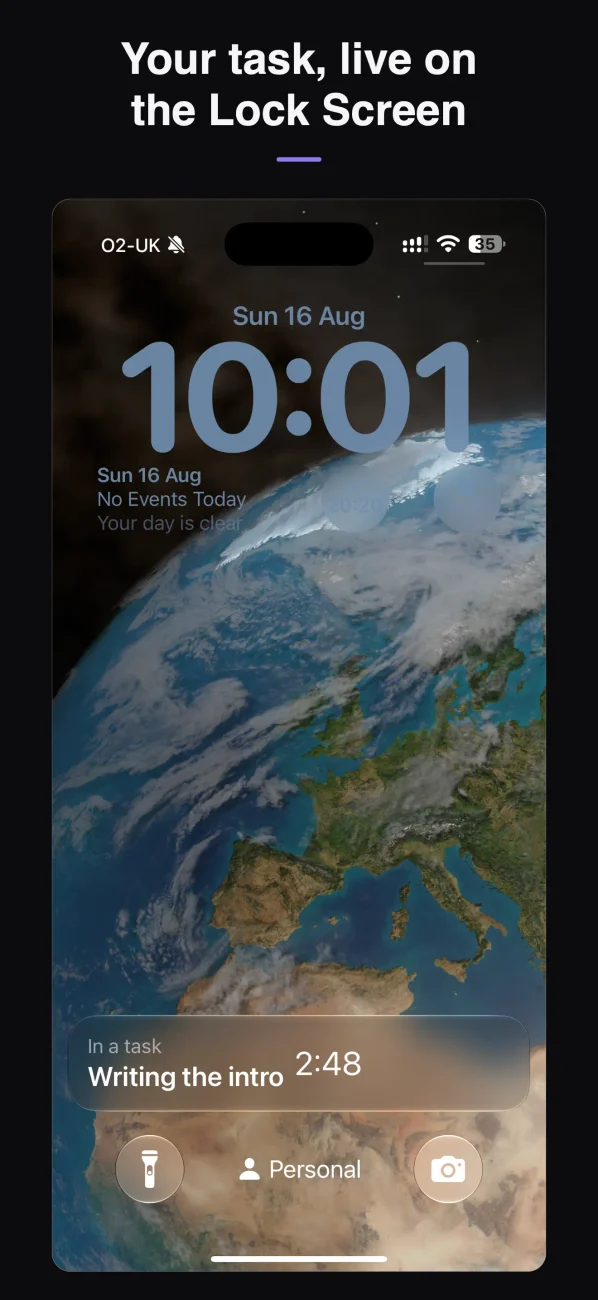
- Start a task to see it live on your Lock Screen, Dynamic Island, widgets, and the Mac menu bar; finishing logs the time — and the running task stays in step across your devices
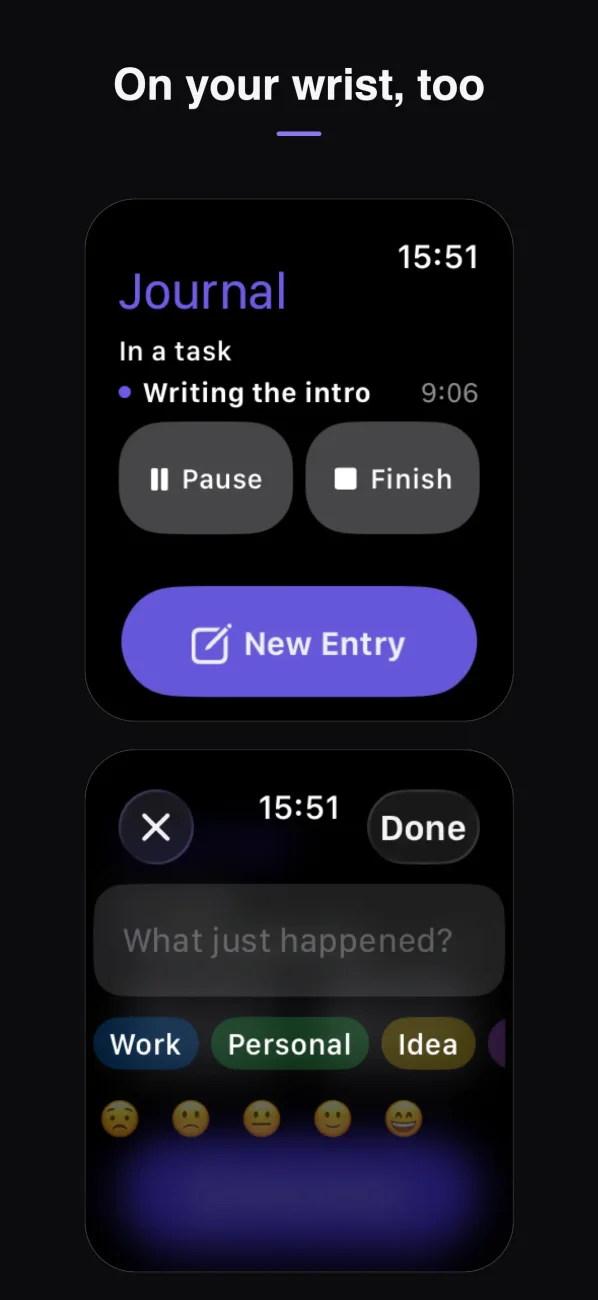
- On Apple Watch: dictate a line, see your recent entries, start and finish tasks, and add complications to your watch face — synced through your own iCloud, on your wrist whenever you open the app
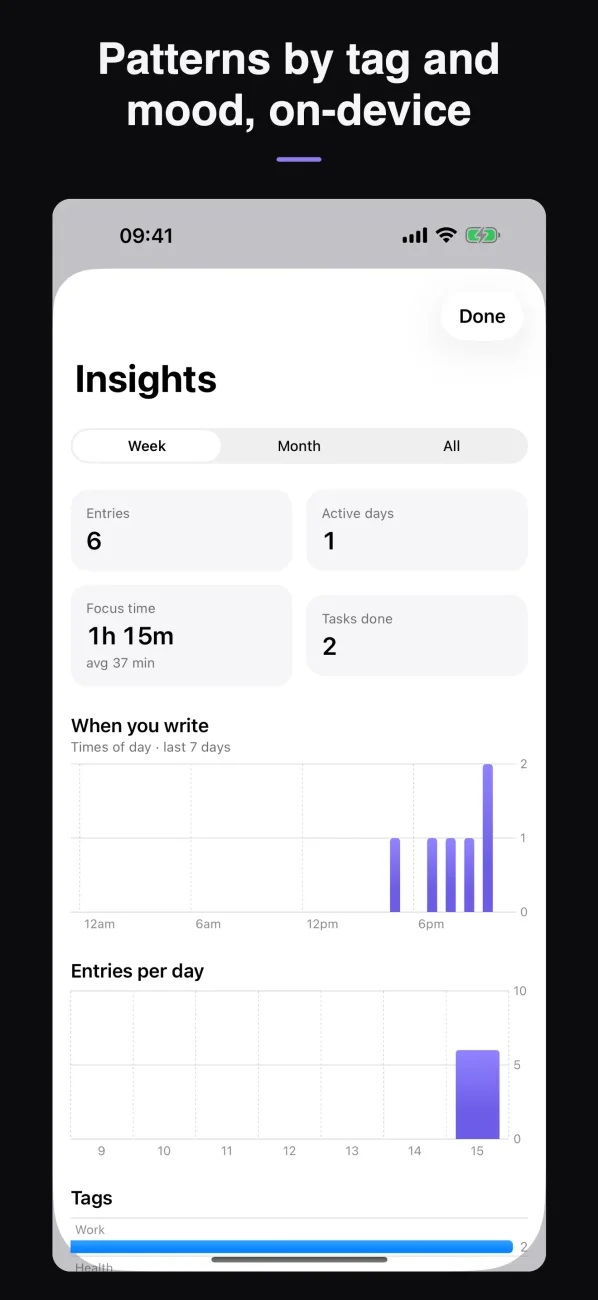
- On-device insights: entries per day, when in the day you write, focus time, and patterns by tag and mood — by week, month, or all time
- Export everything to JSON or Markdown anytime
PRIVATE BY DESIGN
- No account and no subscription
- Your entries live in your own iCloud (a private CloudKit database) and on your devices
- There's no server we control and nothing we can read
- Turn on Apple's Advanced Data Protection for full end-to-end encryption
A NOTE ON THE SCIENCE
Built on research into attention, reflection, and habit. Interstitial journaling itself hasn't been formally trialed, and this app is for reflection, not treatment.
Requires iOS 17 / iPadOS 17 or later. Also on Mac (macOS 14+) and Apple Watch (watchOS 10+) — one purchase covers iPhone, iPad, Mac, and Apple Watch.
From comun.ai, a London studio.
Có gì mới
Phiên bản 1.3 · 05/10/2026
1.3 — now on Apple Watch
- Write a line from your wrist: dictate or scribble it, add a tag or a mood, done.
- Start, pause and finish tasks on your watch, with the same wrap-up as iPhone: what's next, tags and how you feel.
- Complications: one tap from your watch face to a new entry, or keep the task you're in — and its timer — in view. While a task runs, it also appears in your Smart Stack.
- Ask Siri on your watch to "log an entry in Interstitial Journal" and just say it.
- In the watch app, double-tap opens a new entry (Apple Watch Series 9, Ultra 2 and later). On watchOS 26, add New Entry or Active Task to Control Center or the Action button.
Also new everywhere:
- Changes from your other devices now show up while the app is open — no need to reopen it.
- Finishing a task now asks how you feel on iPhone, iPad and Mac, too.
Your journal syncs through your own iCloud. The watch app is included in your purchase.
Quyền riêng tư của ứng dụng
Những gì ComunAI Ltd khai báo trên App Store về cách ứng dụng này xử lý dữ liệu.
-
Dữ liệu không được thu thập
Nhà phát triển không thu thập bất kỳ dữ liệu nào từ ứng dụng này.
Phương thức đảm bảo quyền riêng tư có thể khác nhau, chẳng hạn như tuỳ theo các tính năng bạn sử dụng hoặc độ tuổi của bạn.
Thông tin
- Người bán
- ComunAI Ltd
- Danh mục
- Hiệu Suất
- Phiên bản
- 1.3
- Cập nhật
- 05/10/2026
- Phát hành
- 11/06/2026
- Kích thước
- 7,0 MB
- Yêu cầu
- iOS 17.0 trở lên
- Độ tuổi
- 4+
- Giá
- 119.000đ
- Ngôn ngữ
- Tiếng Anh
- Bản quyền
- © 2026 ComunAI Ltd
Có thể bạn cũng thích
-
 CognifyTasks PlannerMinimalistic task planner
-
 Pomodoro Timer: Focus WatchHiệu Suất
-
 Gentle Start: Focus TimerHiệu Suất
-
 HourLife: Life PlannerHiệu Suất
-
 Focus Keeper: Hẹn giờ PomodoroTập trung học và làm việc
-
 Decision Log - Track DecisionsHiệu Suất
-
 MemuraHiệu Suất
-
 Timeline: Shared Group TimersHiệu Suất
-
 Now: ADHD Focus & RoutinesHiệu Suất
-
 ZoBud: ADHD Planner & FocusHiệu Suất