- 対象年齢4+
- カテゴリビジネス
- 開発元Aleksandr Gordienko
- 言語英語ほか3言語
- サイズ38.4 MB
App Storeの公式ページにリンクしています
Download.orgはInvoya: Invoice Makerのファイルを一切ホストしていません。ボタンを押すと、Aleksandr Gordienkoが公開しているApp Storeのアプリページが開きます。ページの最終確認:2026/11/23。
スクリーンショット



概要
開発元はこのテキストをお使いの言語で提供していません。
Invoice maker and time tracker for Mac, iPhone and iPad. Write an invoice, export a clean PDF, send it and get paid, for free. Add Timesheets when you bill by the hour.
No account, no signup, no Invoya server. Your data stays on your devices and in your own private iCloud.
INVOICES AND PDFs
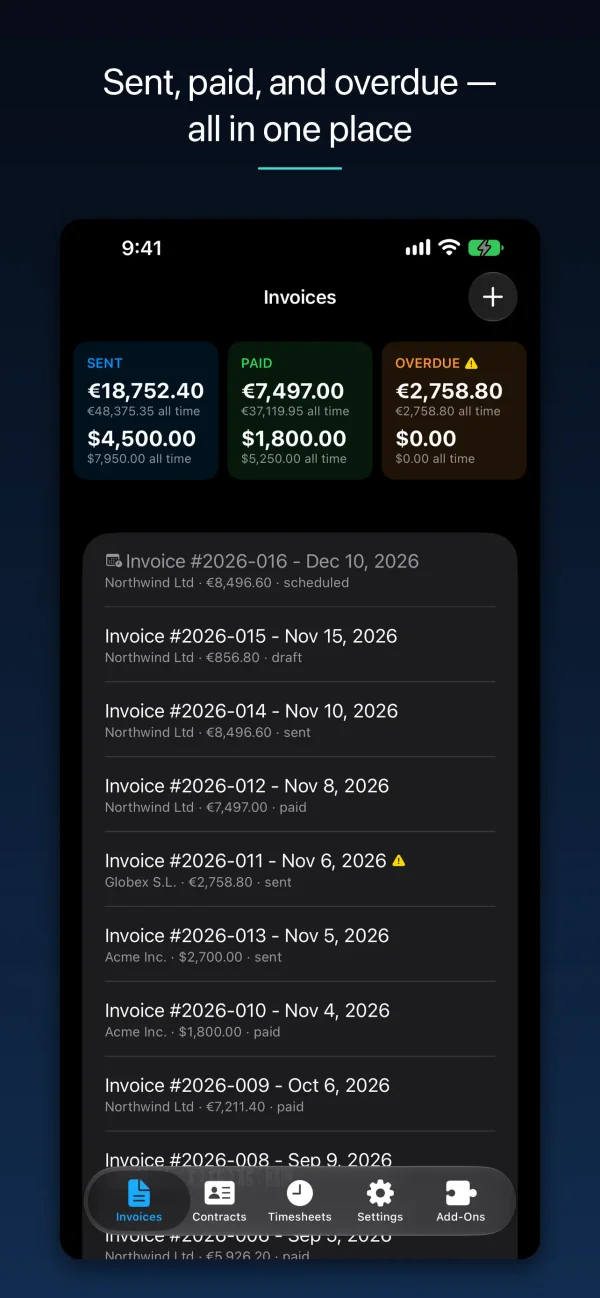
Build an invoice, set its payment terms, and export a PDF that's ready to send. Keep your clients on file so the next invoice is a few clicks away. Duplicate an invoice in one tap, and record the date it was paid.
RECURRING INVOICES AND REMINDERS
Turn on Repeat and the next invoice is already waiting as a dated draft, ready for you to check and send. Invoya reminds you on the due date or earlier, and about invoices that are overdue.
TEMPLATES
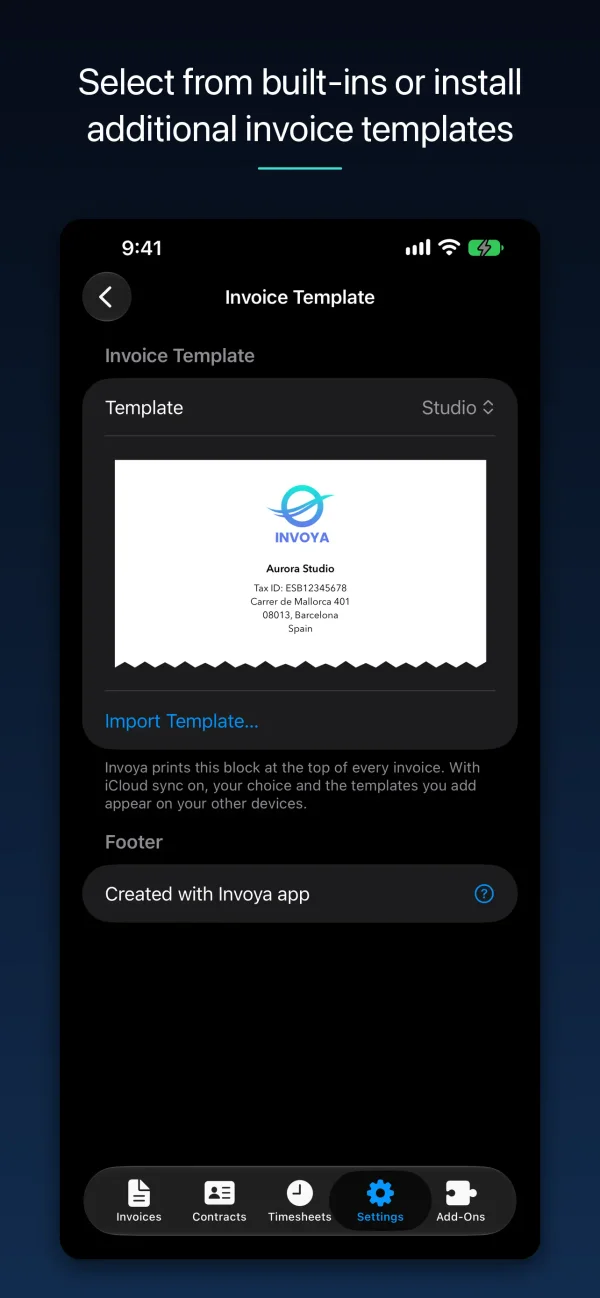
Choose Classic, Studio or Formal, or download more from the template gallery, and put your own text in the footer.
TIMESHEETS ADD-ON: TRACK HOURS, THEN BILL THEM
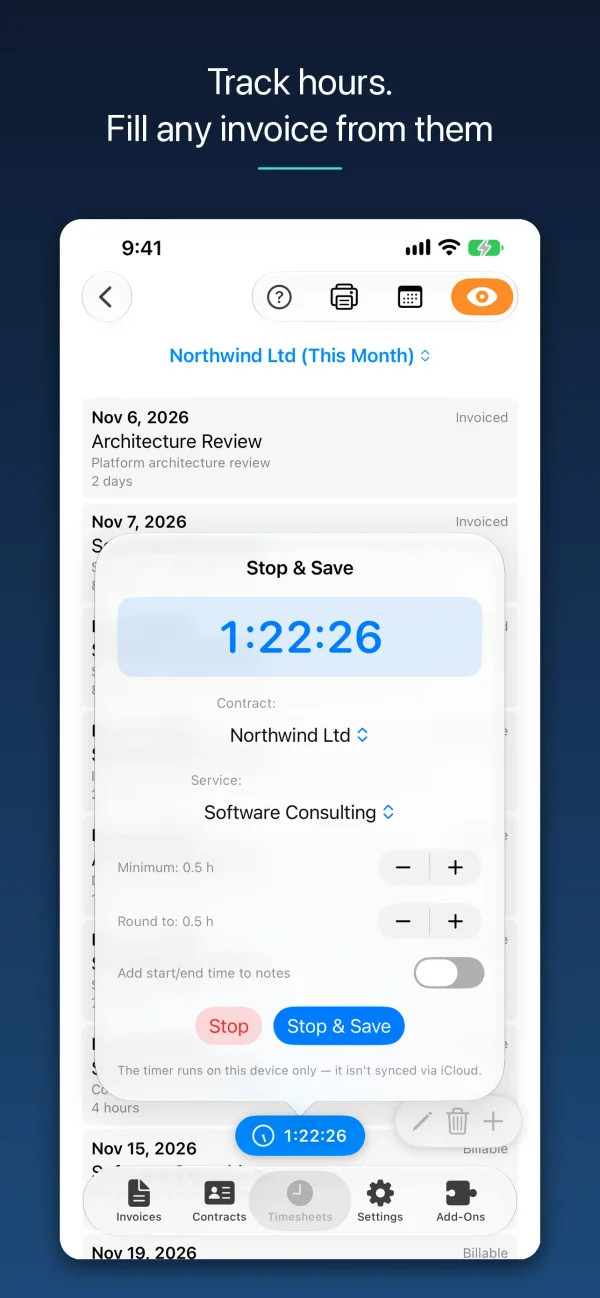
Start the timer and get on with the work, in the app or, on iPhone and iPad, from your Lock Screen or Control Center. When it's time to invoice, fill it straight from your timesheets. Records are grouped by service, so each service arrives as a single line with its hours totalled, not forty stopwatch entries your client has to wade through. Minimum durations and round-to increments put hours on the invoice the way you charge for them, not the way the stopwatch happened to stop. Coming from another time tracker? Import its CSV export, and Invoya matches the columns for you.
LOCK IT, SELL AHEAD
Face ID or Touch ID keeps invoices, clients and hours out of sight until you unlock. Sell time before you've worked it, with client credits: a paid invoice tops them up, logged time draws them down, and every service shows what's left at a glance. Bundle services into a package sold at one price, and build your rate card once in Settings so it's a couple of clicks onto any new client.
YOUR DATA STAYS YOURS
There is no Invoya account, because there is no Invoya server. Your invoices, clients and hours live on your device and sync through your own private iCloud database, which only you can read. No analytics. No telemetry. No third parties. The app works offline.
ONE NATIVE APP, THREE DEVICES
Written for Apple platforms rather than wrapped from a website. Start an invoice on the Mac, finish it on the iPad, check an hour on your iPhone. Available in English, German, Ukrainian and Russian.
FREE TO START
Invoicing is free: no trial countdown, no signup wall. Timesheets is a paid add-on for when you bill by the hour: Timesheets Lifetime, a one-time purchase you pay once and use for as long as the app is on the App Store, or a monthly or yearly subscription with a 7-day free trial, whichever suits how you work.
Timesheets Lifetime (one-time purchase): a single payment, no renewals, nothing recurring.
Timesheets Add-On (auto-renewable subscription): available as a monthly or yearly plan. Payment is charged to your Apple Account at confirmation of purchase. The subscription renews automatically unless cancelled at least 24 hours before the end of the current period. Manage or cancel anytime in your Apple Account settings.
Privacy Policy: https://invoya.app/privacy
Terms of Use (EULA): https://www.apple.com/legal/internet-services/itunes/dev/stdeula/
新機能
バージョン 1.4 · 2026/11/19
The timer on your Lock Screen, invoices you can copy in one tap, and iPhone Duo.
Timer on the Lock Screen
With Timesheets, a running timer now shows on the Lock Screen and in the Dynamic Island, so you can see the hours add up and stop it without opening the app. Control Center has a button that stops the timer or starts the one you used last.
Duplicate an invoice
Copy any invoice into a new draft with the same client, lines, VAT and discount. The number and the dates are new.
Payment date
Marking an invoice paid now records the day, and you can change it. Invoices paid before this update can take their due date in one step.
Import your hours from another app
Choose a CSV file, check which column is the date, the client, the service and the hours, and import. Common column names are matched for you, and durations like 1:30 are understood.
iPhone Duo
Invoya is laid out for iPhone Duo, on the cover screen and unfolded.
アプリのプライバシー
このアプリのデータの取り扱いについて、Aleksandr GordienkoがApp Storeで申告している内容です。
-
データの収集なし
開発元はこのアプリからデータを収集しません。
プライバシーの取り扱いは、ご利用の機能やお客様の年齢などに応じて異なる場合があります。
情報
- 販売元
- Aleksandr Gordienko
- カテゴリ
- ビジネス
- バージョン
- 1.4
- 更新日
- 2026/11/19
- リリース
- 2026/7/21
- サイズ
- 38.4 MB
- 必要条件
- iOS 17.0以降
- 対象年齢
- 4+
- 価格
- 無料
- アプリ内課金
- あり
- 言語
- 英語, ロシア語, ドイツ語, ウクライナ語
- 著作権
- © 2026 Aleksandr Gordienko