- 対象年齢4+
- カテゴリライフスタイル
- 開発元Shuta Suzuki
- 言語英語
- サイズ2.0 MB
App Storeの公式ページにリンクしています
Download.orgはiReflection Journalのファイルを一切ホストしていません。ボタンを押すと、Shuta Suzukiが公開しているApp Storeのアプリページが開きます。ページの最終確認:2026/11/14。
スクリーンショット

概要
開発元はこのテキストをお使いの言語で提供していません。
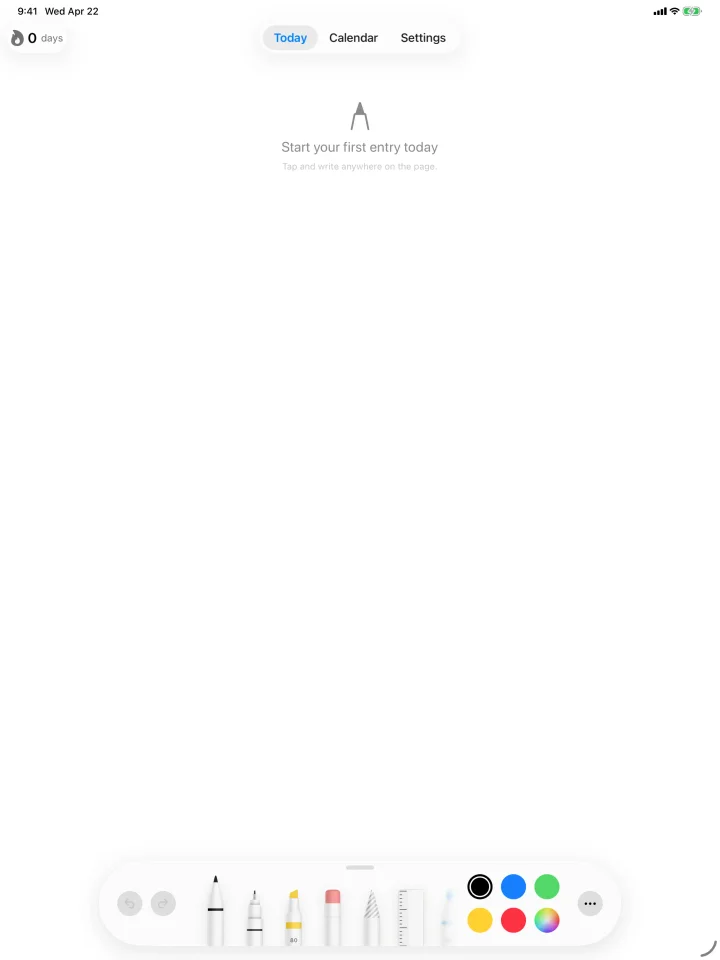
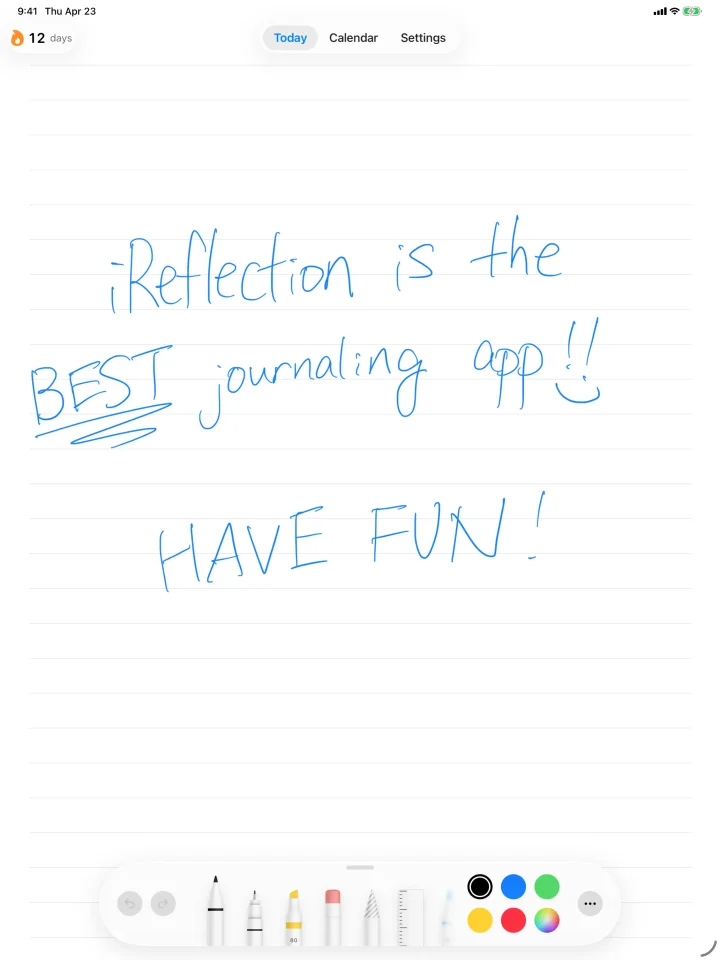
iReflection turns your iPad into a private handwritten journal. Pick up your Apple Pencil, open the app, and write — the same way you would on paper, but with the clarity and permanence of a dedicated digital canvas. There are no prompts, no templates, and no social features. Just you, a clean page, and the day's date at the top.
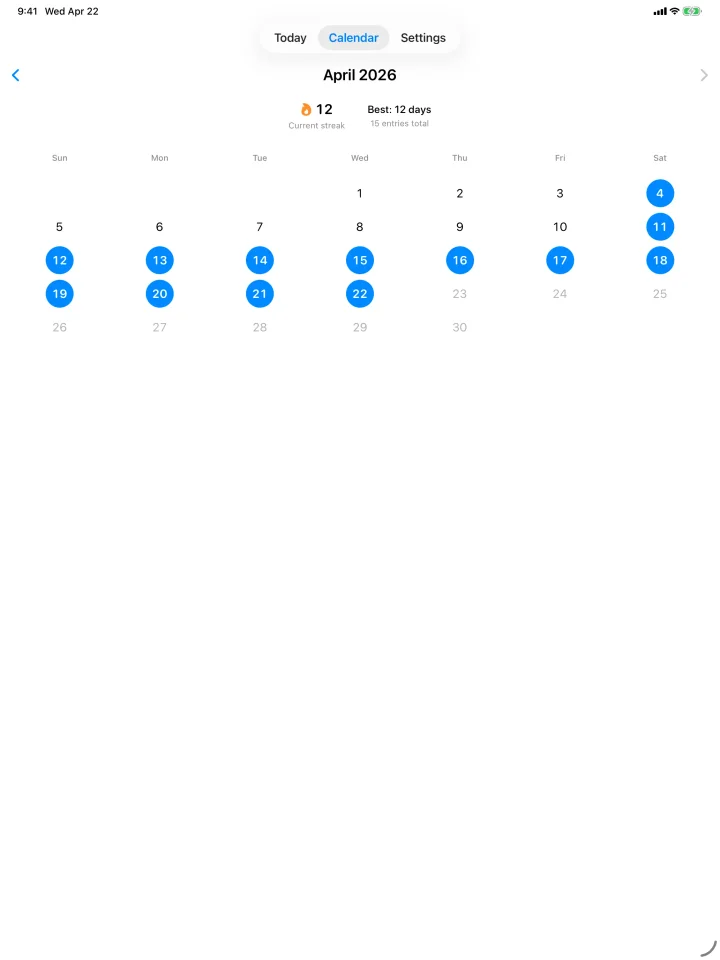
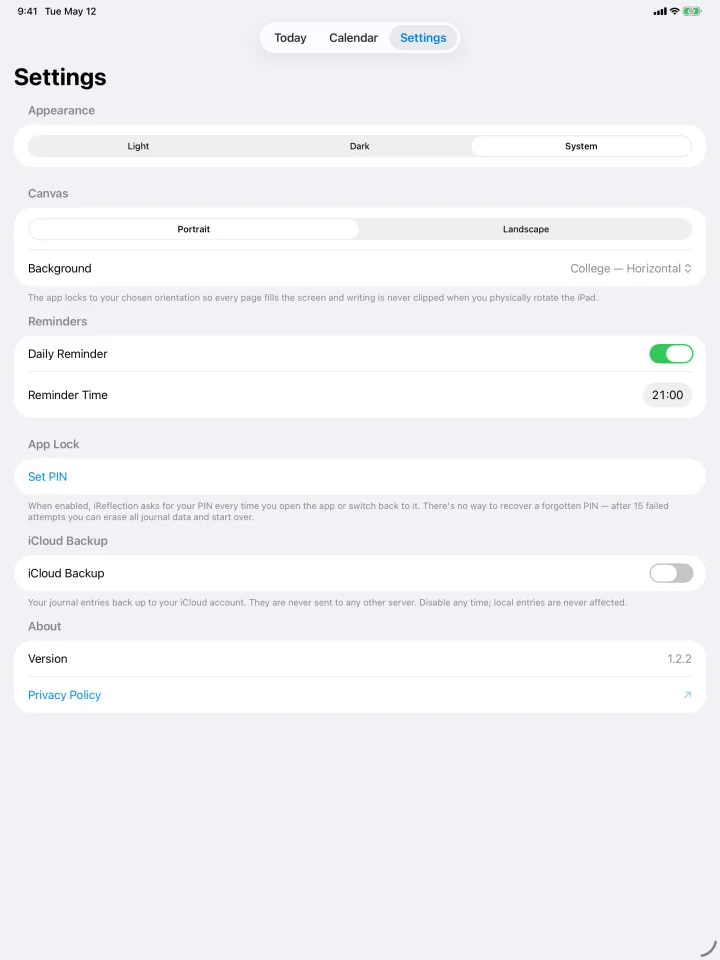
Every entry is saved automatically and organized by date. A calendar view shows your writing history at a glance, with filled-in days and a running streak that gently encourages you to keep the habit going. Tap any past day to re-read exactly what you wrote, rendered crisply at any zoom level. Switch between portrait and landscape canvases, choose a blank, ruled, or dotted background, and set a daily reminder if you need a nudge.
Privacy is built in, not bolted on. iReflection does not collect data, does not use analytics, and stores every entry locally on your iPad by default. No account is required, no sign-in, and no developer-operated server is ever involved. An optional 4-digit App Lock adds a personal gate on top — your PIN is hashed and stored only in the iOS Keychain, never synced, never backed up, never sent anywhere.
If you want your journal on more than one iPad, iCloud Backup is built in: an optional sync feature that backs up your entries to your private iCloud and keeps them in sync across every iPad signed into the same Apple ID. The data goes to your iCloud — never to the developer — and disabling the feature never touches your local entries. Offline writes queue and sync on reconnect. The App Lock PIN remains device-only by design.
The app is designed to feel like a native iPadOS tool: restrained typography, semantic colors that adapt to Light and Dark Mode, full VoiceOver support, and Dynamic Type throughout.
新機能
バージョン 1.7.0 · 2026/10/21
Choose whether your journal pages can zoom. Turn on Allow Zoom in Settings → Canvas to pinch to zoom while writing, reading past entries, or looking back from Today. Zoom is off by default, including after updating, and switching it off returns the page to fit the screen.
アプリのプライバシー
このアプリのデータの取り扱いについて、Shuta SuzukiがApp Storeで申告している内容です。
-
データの収集なし
開発元はこのアプリからデータを収集しません。
プライバシーの取り扱いは、ご利用の機能やお客様の年齢などに応じて異なる場合があります。
情報
- 販売元
- Shuta Suzuki
- カテゴリ
- ライフスタイル
- バージョン
- 1.7.0
- 更新日
- 2026/10/21
- リリース
- 2026/4/22
- サイズ
- 2.0 MB
- 必要条件
- iOS 18.0以降
- 対象年齢
- 4+
- 価格
- 無料
- 言語
- 英語
- 著作権
- © 2026 Shuta Suzuki