
- Độ tuổi4+
- Danh mụcLối Sống
- Nhà phát triểnShuta Suzuki
- Ngôn ngữTiếng Anh
- Kích thước2,0 MB
Liên kết đến trang App Store chính thức
Download.org không lưu trữ tệp nào của iReflection Journal. Nút này mở trang ứng dụng trên App Store, nơi Shuta Suzuki phát hành ứng dụng. Trang được kiểm tra lần cuối: 14/11/2026.
Ảnh chụp màn hình

Giới thiệu
Nhà phát triển chưa cung cấp nội dung này bằng ngôn ngữ của bạn.
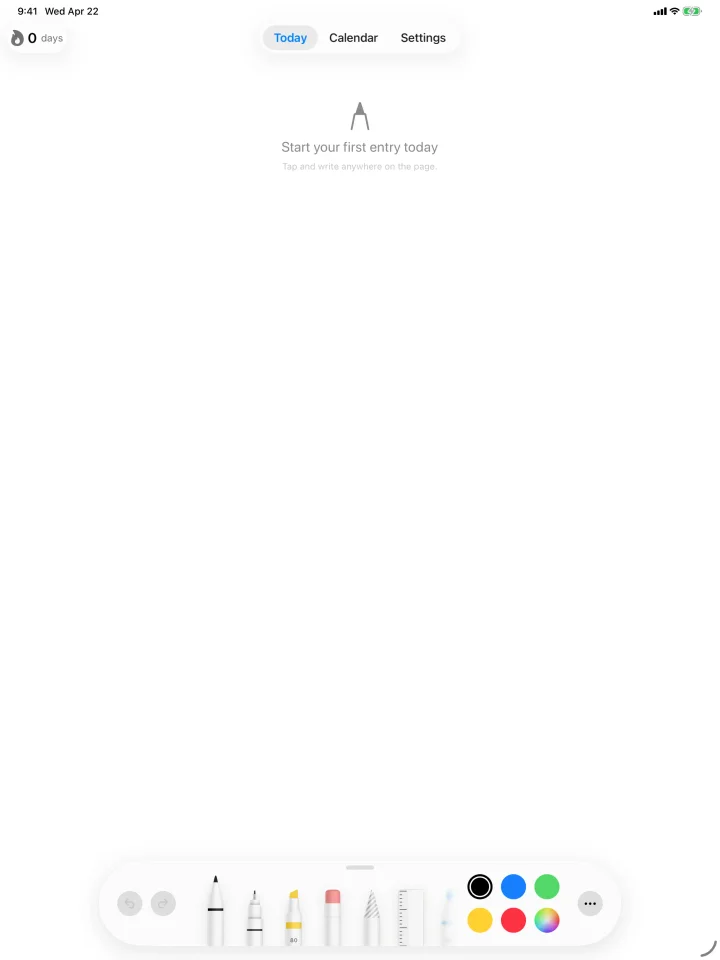
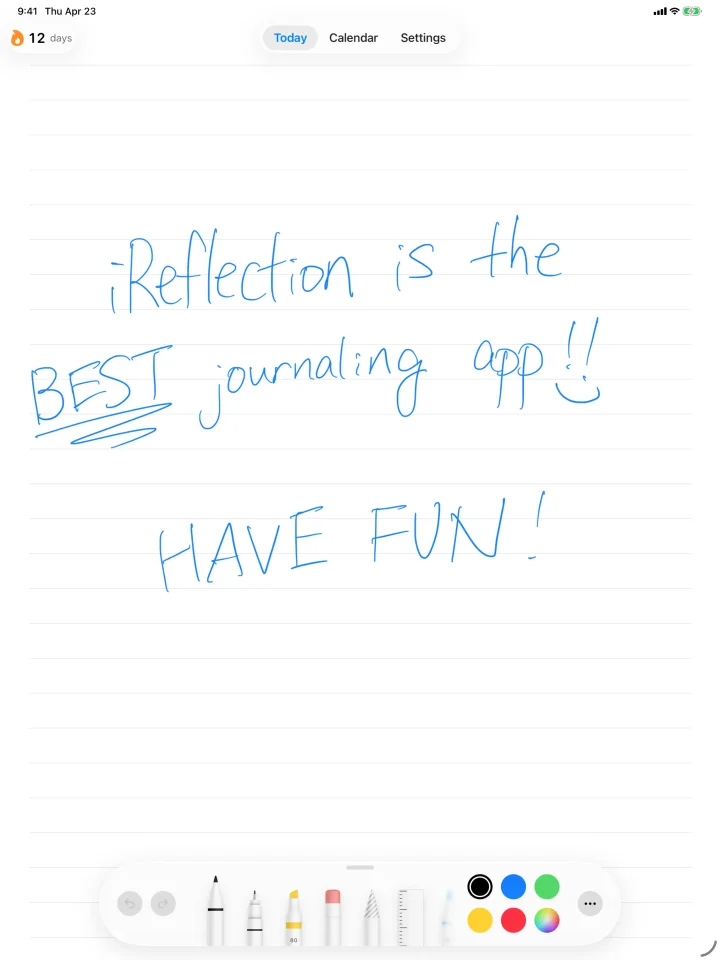
iReflection turns your iPad into a private handwritten journal. Pick up your Apple Pencil, open the app, and write — the same way you would on paper, but with the clarity and permanence of a dedicated digital canvas. There are no prompts, no templates, and no social features. Just you, a clean page, and the day's date at the top.
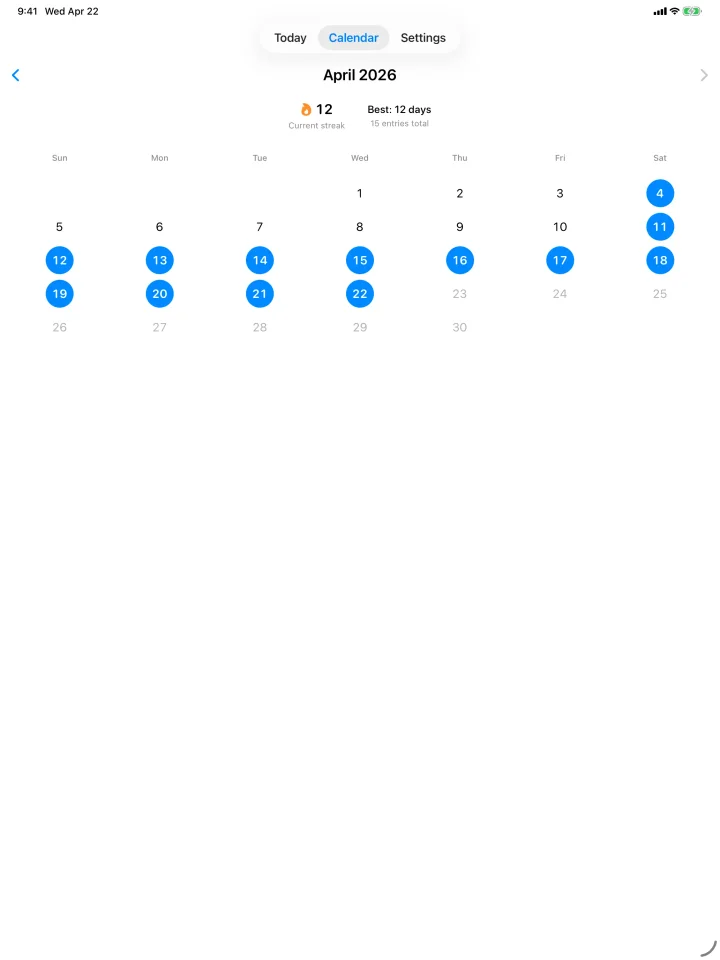
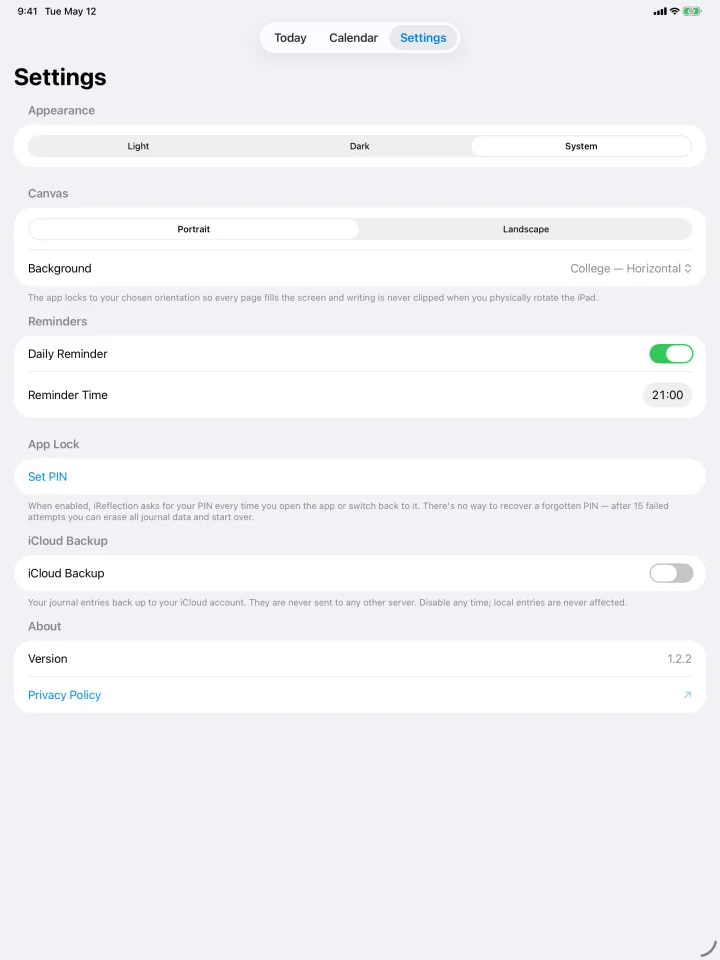
Every entry is saved automatically and organized by date. A calendar view shows your writing history at a glance, with filled-in days and a running streak that gently encourages you to keep the habit going. Tap any past day to re-read exactly what you wrote, rendered crisply at any zoom level. Switch between portrait and landscape canvases, choose a blank, ruled, or dotted background, and set a daily reminder if you need a nudge.
Privacy is built in, not bolted on. iReflection does not collect data, does not use analytics, and stores every entry locally on your iPad by default. No account is required, no sign-in, and no developer-operated server is ever involved. An optional 4-digit App Lock adds a personal gate on top — your PIN is hashed and stored only in the iOS Keychain, never synced, never backed up, never sent anywhere.
If you want your journal on more than one iPad, iCloud Backup is built in: an optional sync feature that backs up your entries to your private iCloud and keeps them in sync across every iPad signed into the same Apple ID. The data goes to your iCloud — never to the developer — and disabling the feature never touches your local entries. Offline writes queue and sync on reconnect. The App Lock PIN remains device-only by design.
The app is designed to feel like a native iPadOS tool: restrained typography, semantic colors that adapt to Light and Dark Mode, full VoiceOver support, and Dynamic Type throughout.
Có gì mới
Phiên bản 1.7.0 · 21/10/2026
Choose whether your journal pages can zoom. Turn on Allow Zoom in Settings → Canvas to pinch to zoom while writing, reading past entries, or looking back from Today. Zoom is off by default, including after updating, and switching it off returns the page to fit the screen.
Quyền riêng tư của ứng dụng
Những gì Shuta Suzuki khai báo trên App Store về cách ứng dụng này xử lý dữ liệu.
-
Dữ liệu không được thu thập
Nhà phát triển không thu thập bất kỳ dữ liệu nào từ ứng dụng này.
Phương thức đảm bảo quyền riêng tư có thể khác nhau, chẳng hạn như tuỳ theo các tính năng bạn sử dụng hoặc độ tuổi của bạn.
Thông tin
- Người bán
- Shuta Suzuki
- Danh mục
- Lối Sống
- Phiên bản
- 1.7.0
- Cập nhật
- 21/10/2026
- Phát hành
- 22/04/2026
- Kích thước
- 2,0 MB
- Yêu cầu
- iOS 18.0 trở lên
- Độ tuổi
- 4+
- Giá
- Miễn phí
- Ngôn ngữ
- Tiếng Anh
- Bản quyền
- © 2026 Shuta Suzuki
Có thể bạn cũng thích
-
 Luvo: Mindful Ritual BuilderLối Sống
-
 Arc JournalLối Sống
-
 D & L CleanersLối Sống
-
 Journal - From MeLối Sống
-
 Nhật Ký Cá Nhân Có KhóaNhật Ký Hằng Ngày Có Khóa
-
 12 Hour Health - Energy WidgetLối Sống
-
 The Sitter SourceLối Sống
-
 My Diary: Let's JourneyLối Sống
-
 Tenikki - Handwritten DiaryLối Sống
-
 Great Life ChurchLối Sống