- 対象年齢4+
- カテゴリ写真/ビデオ
- 開発元Haoyuan Xia
- 言語英語ほか1言語
- サイズ8.0 MB
App Storeの公式ページにリンクしています
Download.orgはiSoftBoxのファイルを一切ホストしていません。ボタンを押すと、Haoyuan Xiaが公開しているApp Storeのアプリページが開きます。ページの最終確認:2026/11/16。
スクリーンショット



概要
開発元はこのテキストをお使いの言語で提供していません。
iSoftBox turns your iPhone or iPad into a clean, controllable light source for photography. Use the display you already have to illuminate small subjects, digitize film, create calibration frames, or paint with light.
A Clean, Full-Screen Light
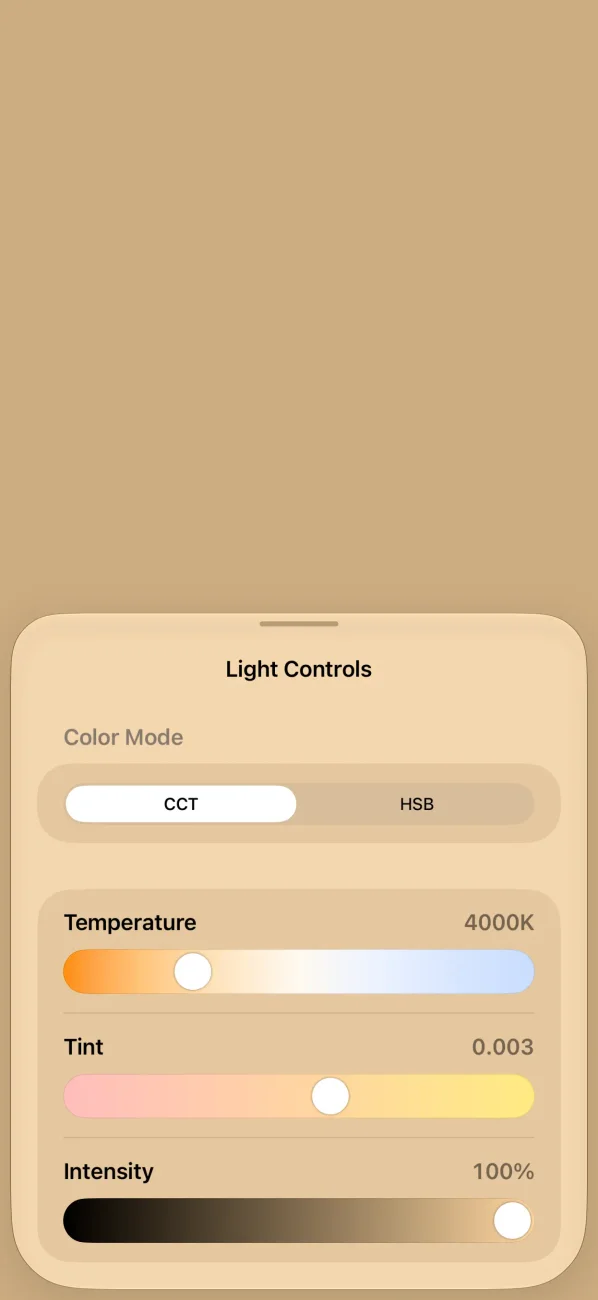
The selected color fills the entire display without permanent controls, toolbars, or status indicators contaminating the light. Choose HSB to shape hue, saturation, and brightness, or switch to CCT to fine-tune white light through temperature, tint, and intensity. A temporary visual readout appears only while you make an adjustment.
Made for Real Photography
• Product and Macro Lighting — Use one device as a key, fill, rim, or accent light for small subjects. Combine multiple devices when your setup needs more coverage or separation.
• Film Digitizing — Place a negative carrier over a neutral white screen to create a practical backlight for camera scanning.
• Astrophotography Flat Frames — Rest the device over an upward-facing telescope aperture and use its uniform screen to capture flat-field calibration frames.
• Light Painting — Move a colored screen through a long exposure to create broad, expressive trails that are difficult to achieve with a point light.
Controls That Stay Out of the Shot
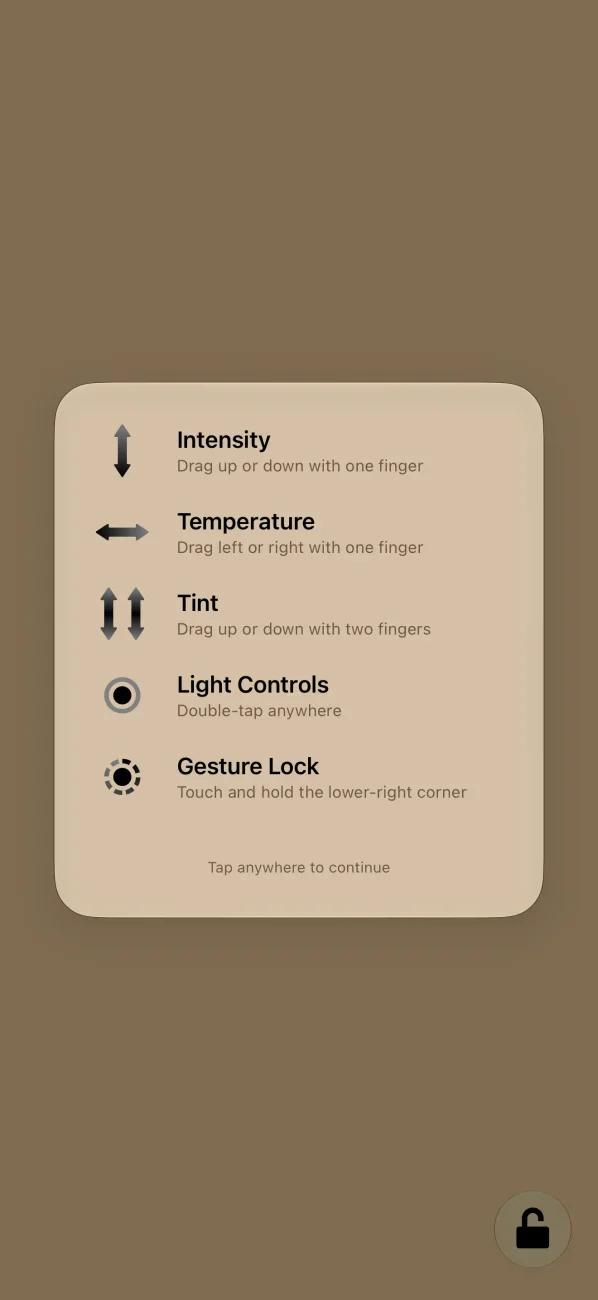
Each color mode has its own gesture assignments. Customize which one- and two-finger swipes adjust each property and choose the drag direction that increases its value. Double-tap to open precise controls for the active mode. When your setup is ready, lock gestures to prevent accidental changes while positioning a subject, film carrier, or other equipment.
Choose a Brightness Curve that suits how you want adjustments to respond. Enable Preserve Settings when you want iSoftBox to restore your Color Mode or Color Adjustments the next time it opens. Built-in Color Accuracy guidance identifies display settings that can affect color consistency.
iSoftBox keeps the display awake while the light is active. When the app leaves the foreground, it restores your original system brightness.
Accessible and Private
All gesture-driven adjustments are also available through standard controls for VoiceOver and Switch Control users. iSoftBox requires no account and includes no analytics or tracking identifiers. Your preferences remain on your device.
Whether you are building a careful tabletop setup or experimenting outdoors after dark, iSoftBox gives you a simple photographic light that is always close at hand.
新機能
バージョン 5.3.0 · 2026/10/26
• Add support for iPhone Duo
• Use the app in landscape on iPhone
• Improve Gesture Lock positioning and touch responsiveness
アプリのプライバシー
このアプリのデータの取り扱いについて、Haoyuan XiaがApp Storeで申告している内容です。
-
データの収集なし
開発元はこのアプリからデータを収集しません。
プライバシーの取り扱いは、ご利用の機能やお客様の年齢などに応じて異なる場合があります。
情報
- 販売元
- Haoyuan Xia
- カテゴリ
- 写真/ビデオ
- バージョン
- 5.3.0
- 更新日
- 2026/10/26
- リリース
- 2019/5/5
- サイズ
- 8.0 MB
- 必要条件
- iOS 17.0以降
- 対象年齢
- 4+
- 価格
- 無料
- 言語
- 英語, 簡体字中国語
- 著作権
- © 2026 Haoyuan Xia
こちらもおすすめ
-
 XINGING-named CAMHOMME before写真/ビデオ
-
 小猫补光灯 - 花叔官方出品写真/ビデオ
-
 AiryCam - Posing Camera写真/ビデオ
-
 Remo Cam - Vintage CameraRetro filters & Video effects
-
 キャットライトPro: 自撮り照明スタジオプロフェッショナルな自撮り照明アプリ
-
 Onlymo胶片相机-复古艺术感创意滤镜特效写真/ビデオ
-
 Bebo Cam:Retro Instant Camera写真/ビデオ
-
 JULabCamera
-
 Colorby: AI Color Editor & Cam写真/ビデオ
-
 Swan Cam - AI構図フィルムカメラ初心者でも映画のような写真を簡単に