- 対象年齢4+
- カテゴリ仕事効率化
- 開発元Semantical
- 言語英語ほか4言語
- サイズ125.3 MB
App Storeの公式ページにリンクしています
Download.orgはIvy: Plan. Do. Reflect.のファイルを一切ホストしていません。ボタンを押すと、Semanticalが公開しているApp Storeのアプリページが開きます。ページの最終確認:2026/11/26。
スクリーンショット

概要
開発元はこのテキストをお使いの言語で提供していません。
No more never-ending to-do lists. No more overcommitting. Feel good about your days.
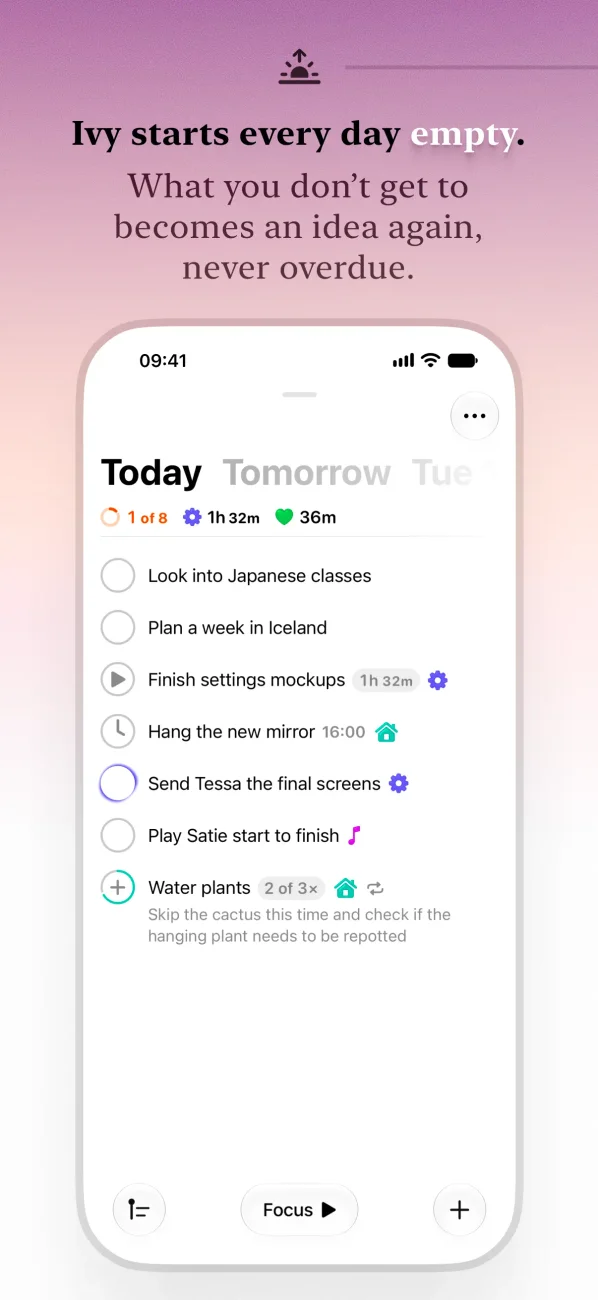
Ivy lets you start fresh every morning, focus on what matters, and call it done in the evening.
Try Ivy free for 14 days. No separate registration required.
How it works:
In the morning
- Start on a fresh canvas with the weather forecast, your all-day events, and the interests you want to focus on.
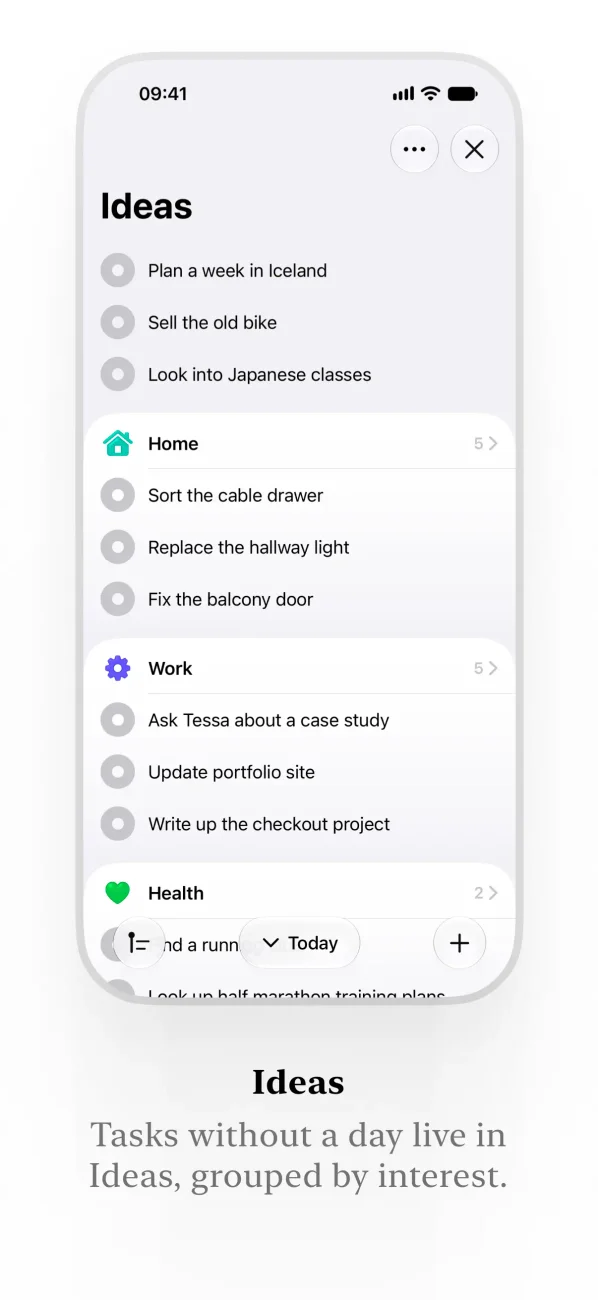
- Choose what to work on from your Ideas list.
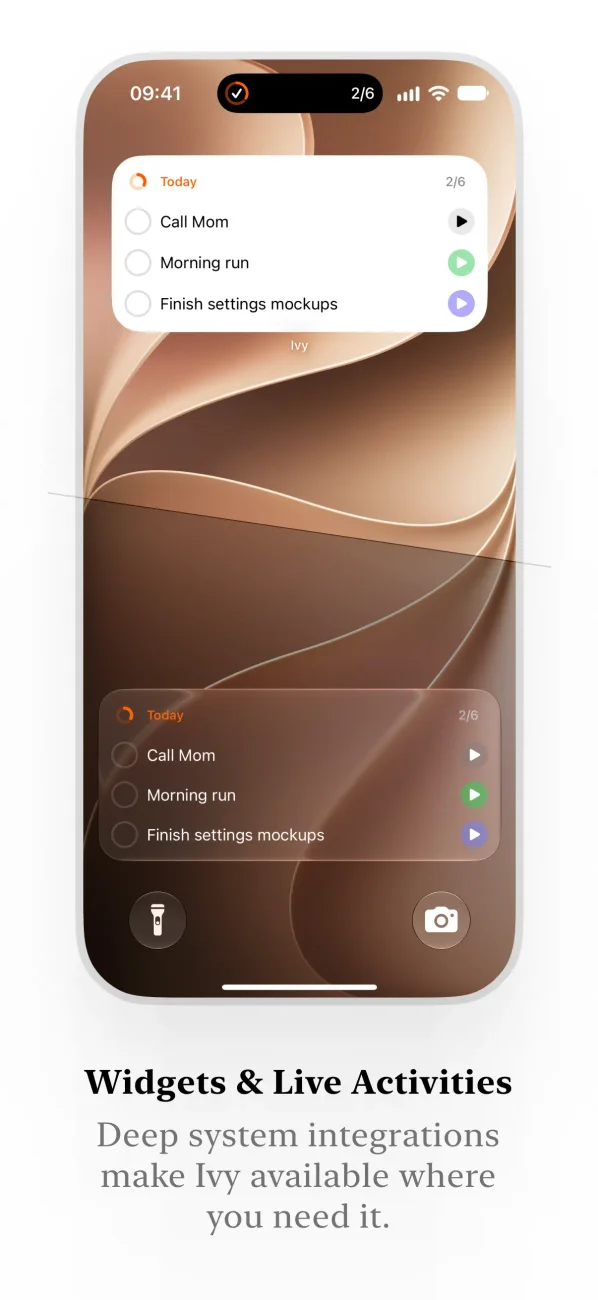
- Begin your day. Your top three items appear on the iPhone Lock Screen.
During the day
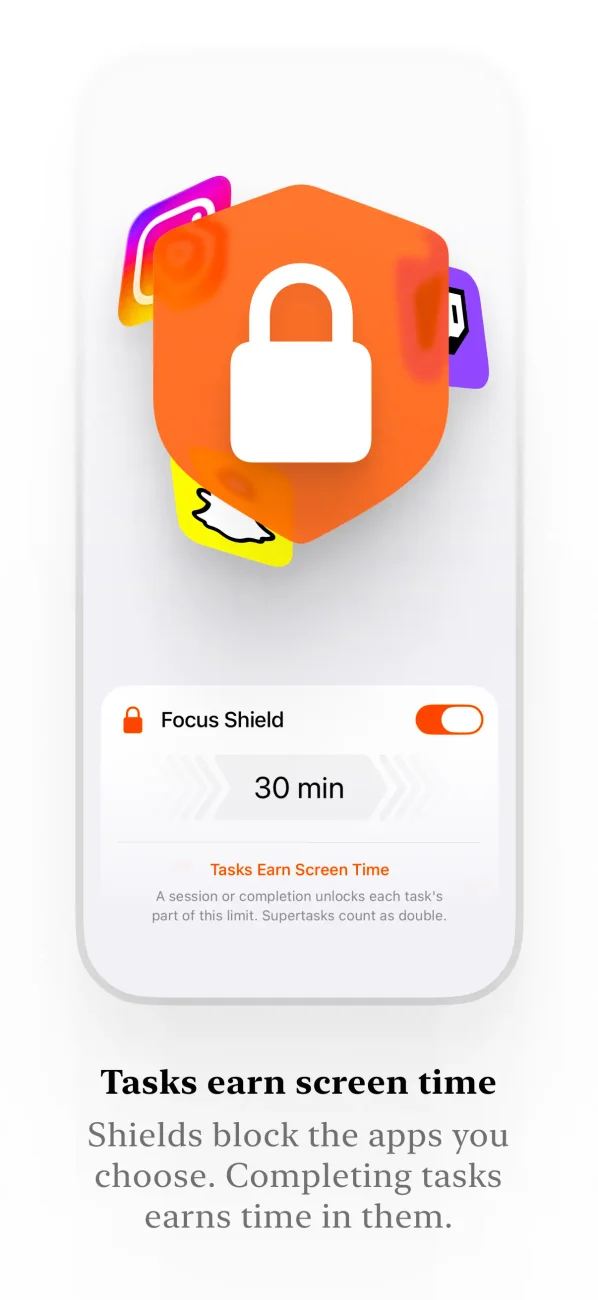
- Block distractions with Focus Shields.
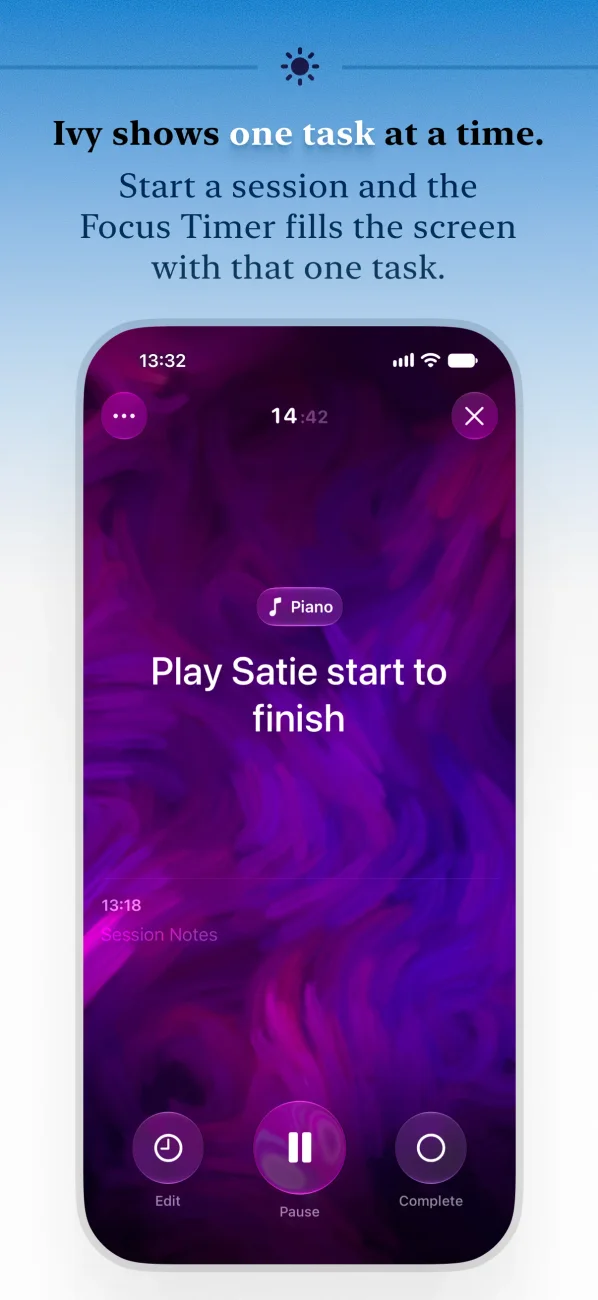
- Give each task your full attention in an immersive, full-screen Focus Session.
- Keep your current task in view with Live Activities on iPhone and Apple Watch.
- Get credit for the time you put in, even when you don't finish a task.
In the evening
- Close your day. Your Focus Shields are lifted, and unfinished tasks return to your Ideas list.
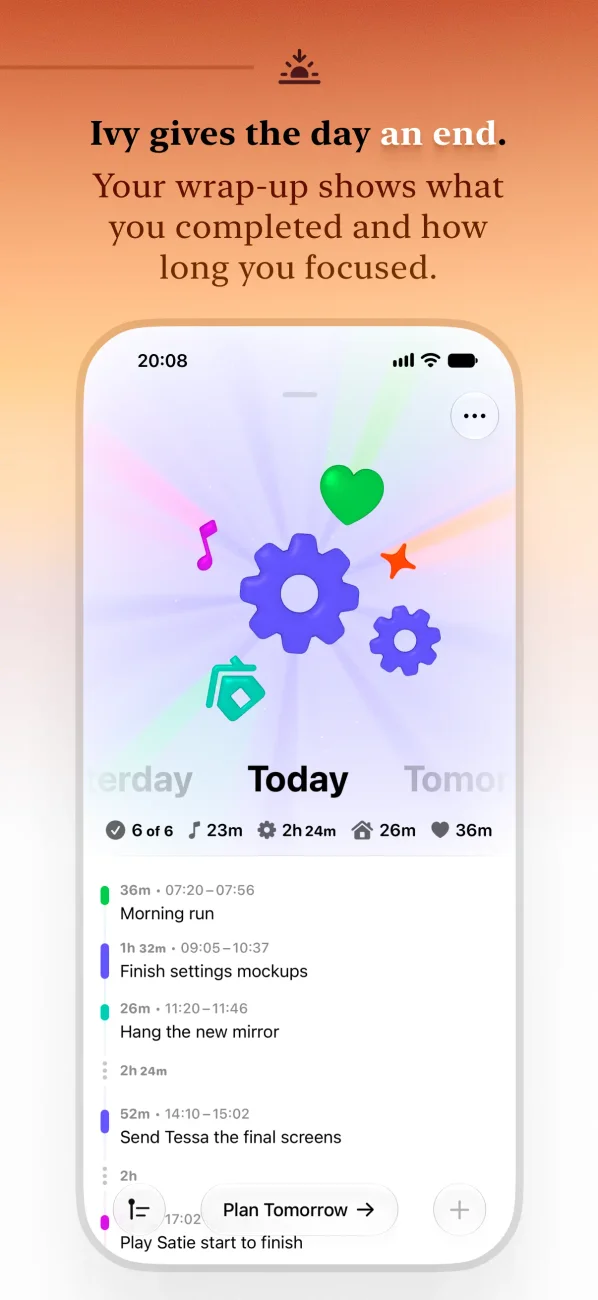
- Celebrate your accomplishments with an immersive 3D experience.
- Revisit what you completed, what you worked on, and for how long in your journal timeline.
- Tomorrow starts empty.
Many ideas – no overwhelm
- Organize your ideas by interest.
- Your Ideas list stays compact, showing only the top three ideas from each interest.
- Dive into each interest for long-term planning.
So much more
- Recurring tasks.
- Notes, notifications, and alarms.
- Voice input (requires a device that supports Apple Intelligence) and Home Screen widgets.
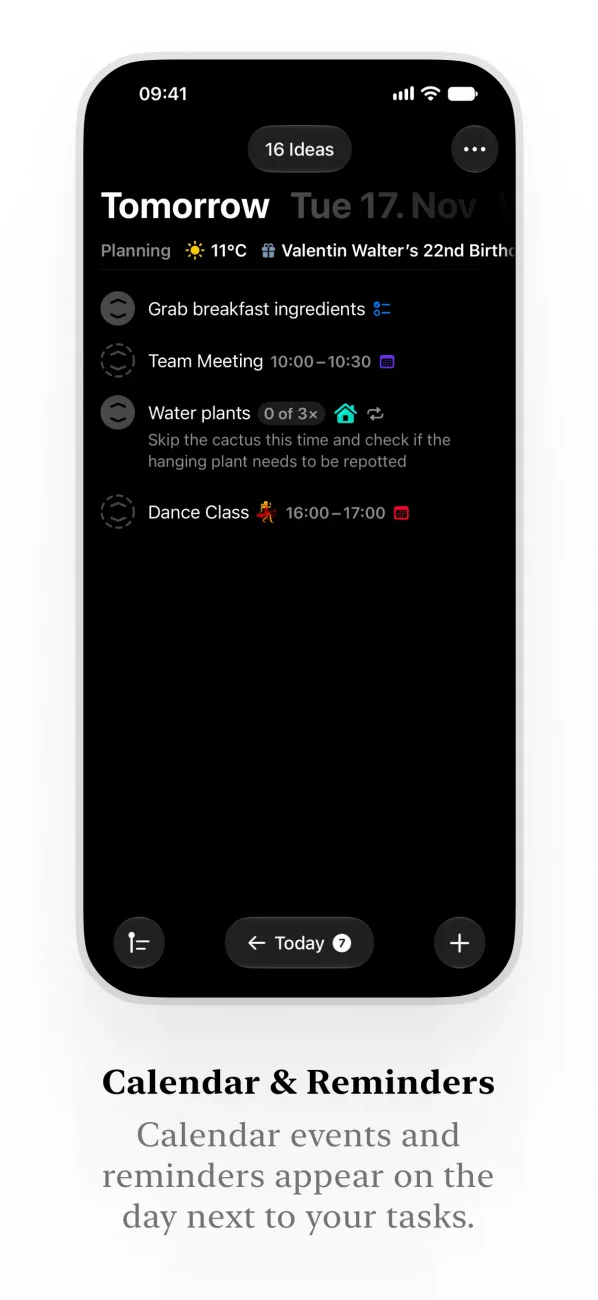
- Apple Calendar and Reminders integration.
- Flag items as super tasks.
- Scheduled items automatically appear in chronological order.
- Import from other apps.
14-day free trial
- Try Ivy free for 14 days. No separate registration required.
- Ivy offers monthly and annual subscriptions, as well as lifetime access with a one-time purchase and no recurring charges.
Your subscription starts when you begin the free trial, but you won't be charged during the trial. After 14 days, your subscription automatically renews at the paid rate shown when you subscribe, unless canceled at least 24 hours before the trial ends.
- All options provide full access to Ivy on all supported devices.
- Prices may vary by region.
Subscription payments are charged to your Apple Account. Subscriptions automatically renew unless canceled at least 24 hours before the end of the current period. Your account will be charged for renewal within 24 hours before the current period ends.
You can manage or cancel your subscription through your Apple Account subscription settings.
Privacy Policy: https://semantical.com/privacy
Terms of Use: https://www.apple.com/legal/internet-services/itunes/dev/stdeula/
Reach us at hello@semantical.com.
新機能
バージョン 2.1.0 · 2026/11/25
Automate Ivy with Shortcuts and Siri and check your plan or start a task from the Lock Screen and Control Center. Links in your tasks are now rendered with website's icon and title.
Shortcuts & Siri
- Get Plan fetches the tasks planned for today or any other day.
- Add Task and Add Idea accept notes and an interest, and return the task they add so you can pass it to the next action.
- Edit Task changes or clears a task's title, notes, interest, supertask status, scheduled time, alert, repeat and goal.
- Mark Today begins your day or marks it as done.
- Mark Task sets a task or idea as completed, incomplete or canceled.
- Add to Count adds toward a task's count goal.
- Move moves a task to another day or to Ideas.
- Start Focus Session, Pause Focus Session and Add Focus Session manage your focus sessions.
- Task properties: Tasks expose title, notes, day, time, alert, interest, supertask, status, goal, counted progress and time focused for downstream actions.
- Siri: Ask Siri to add a task, add an idea, check today's plan or pause your focus session.
Widgets, Controls & Quick Actions
- Above the Lock Screen clock: The Today Lock Screen widget now works in the inline slot above the clock, showing your current or next item with its time, or your day's status.
- Lock Screen & Control Center controls: New Add Task and Focus controls and Lock Screen widgets join Add Idea.
- Home Screen quick actions: Press and hold Ivy on the Home Screen for Add Task and Add Idea.
- Scheduled times: Scheduled items now show their time on widgets and the Live Activity.
Inline Link Previews
- Web links in task titles and notes now show inline with the page's icon and title.
- Links into other apps show a link symbol and the app's name.
- Tap a link to open it, or edit the title or notes to see the full address.
Planning & Menus
- Add button menu: Press and hold the add button for Add Task, Add Tasks by Speaking (moved out of the keyboard bar) and Add Interest.
- Ideas menus: Press and hold an interest to add an idea to it, or a reminder list to hide it. The "More" menu in Ideas now includes Settings.
- Hide lists and calendars: A reminder's or calendar event's menu can now hide everything from its list or calendar.
- Regrouped task menus: Item menus are reorganized into clearer groups, including Mark as Completed, Mark as Canceled and Mark as Incomplete.
- Card sheets: Go To and other card sheets now fit their content instead of opening at a fixed height.
Fixes
- Weather location search now finds cities listed as districts or neighborhoods, such as Singapore or Cologne.
- Collapsing a section in Ideas returns smoothly to your previous scroll position.
アプリのプライバシー
このアプリのデータの取り扱いについて、SemanticalがApp Storeで申告している内容です。
-
ユーザーに関連付けられないデータ
収集される場合がありますが、ユーザーの識別情報には関連付けられません。
- 使用状況データ
- 診断
プライバシーの取り扱いは、ご利用の機能やお客様の年齢などに応じて異なる場合があります。
情報
- 販売元
- Semantical GmbH & Co. KG
- カテゴリ
- 仕事効率化
- バージョン
- 2.1.0
- 更新日
- 2026/11/25
- リリース
- 2026/5/5
- サイズ
- 125.3 MB
- 必要条件
- iOS 26.0以降
- 対象年齢
- 4+
- 価格
- 無料
- アプリ内課金
- あり
- 言語
- 英語, ドイツ語, ロシア語, スペイン語, ウクライナ語
- 著作権
- © 2025-2026 Semantical GmbH & Co. KG
こちらもおすすめ
-
 Classycal – カレンダーとタスク予定とリマインダーを、美しく
-
 Anchor: Time Blocking Planner仕事効率化
-
 nocal - calendar reinvented仕事効率化
-
 Prism Notes仕事効率化
-
 AI Calendar - Pocket Cal仕事効率化
-
 DropTask仕事効率化
-
 Habit Jars: 習慣化アプリビー玉をためる習慣トラッカー・連続記録
-
 Unforgetful:忘れないタスク管理ADHDや忘れっぽい人のリマインダー
-
 Anythings: To-Do List & Tasks仕事効率化
-
 ReminderStats: 習慣化&リマインダー記録習慣トラッカーで継続・目標達成を見える化