- 対象年齢4+
- カテゴリ開発ツール
- 開発元VDT LABS S.R.L.
- 言語英語
- サイズ10.5 MB
App Storeの公式ページにリンクしています
Download.orgはJSON Editor Mobileのファイルを一切ホストしていません。ボタンを押すと、VDT LABS S.R.L.が公開しているApp Storeのアプリページが開きます。ページの最終確認:2026/11/8。
スクリーンショット
概要
開発元はこのテキストをお使いの言語で提供していません。
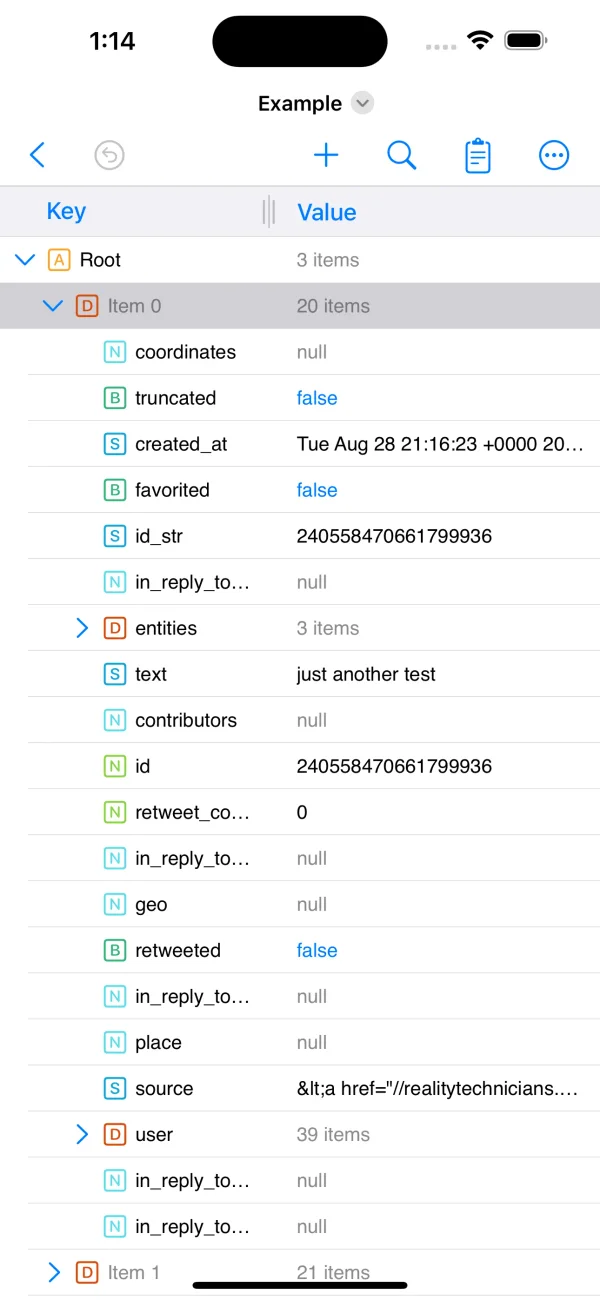
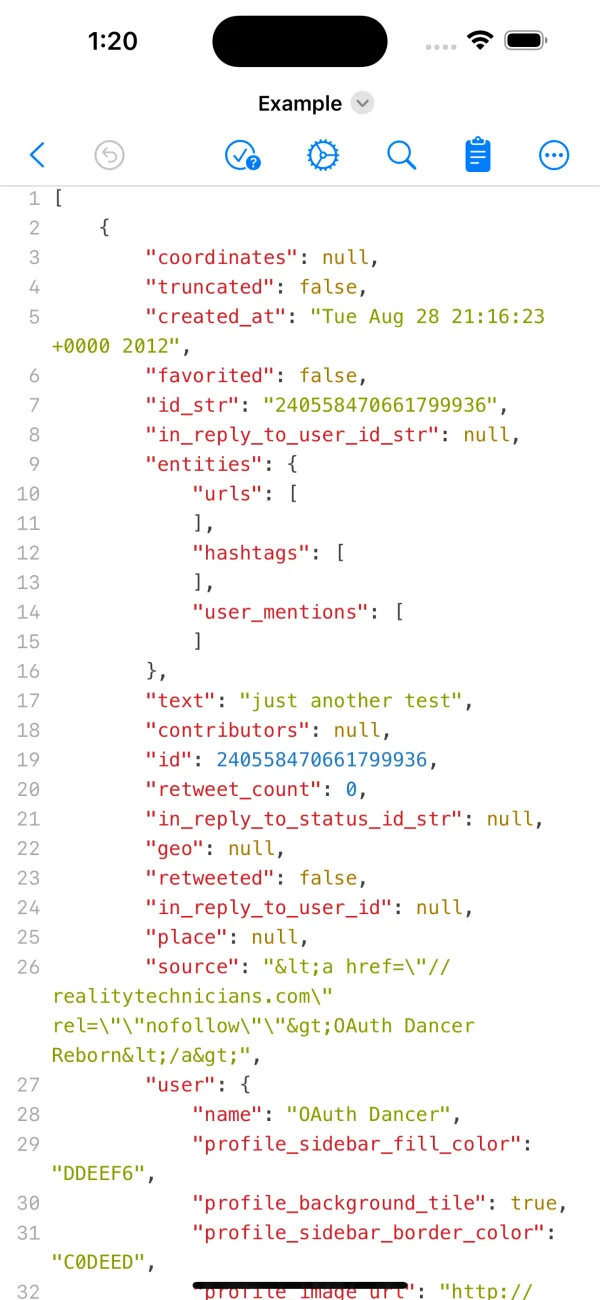
JSON Editor is a beautiful viewer and editor for JSON data. It allows you to create, visualize, modify, validate, format and save your JSON documents.
The app has the smarts needed to make the minimum changes when editing a file, even in the "outline" mode.
This is especially useful when you keep the files in a repository, because only the relevant changes will be shown when diff-ing the edited files.
MAJOR FEATURES
• View and edit your JSON documents in "outline" (aka "tree") or "text" modes
• The "outline" mode offers a great and error proof way to manipulate your JSON, by allowing you to easily add, reorder, delete, copy & paste the items
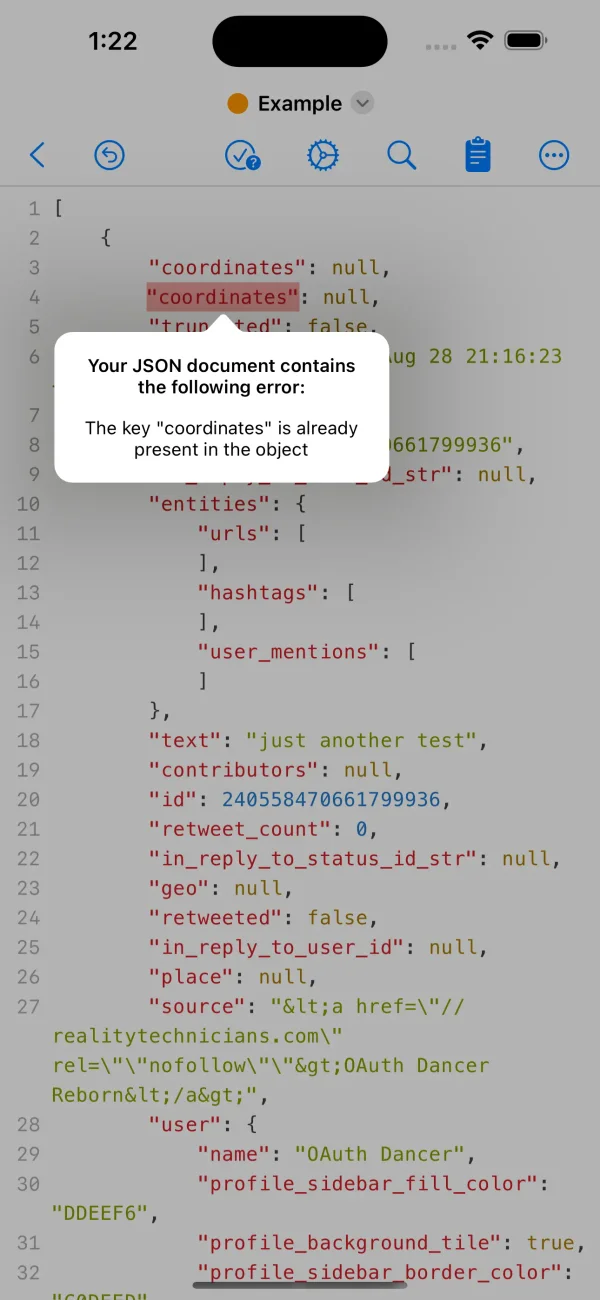
• The "text" mode offers a quick way to interact with the raw text which makes up the JSON and to investigate invalid JSONs
OUTLINE MODE
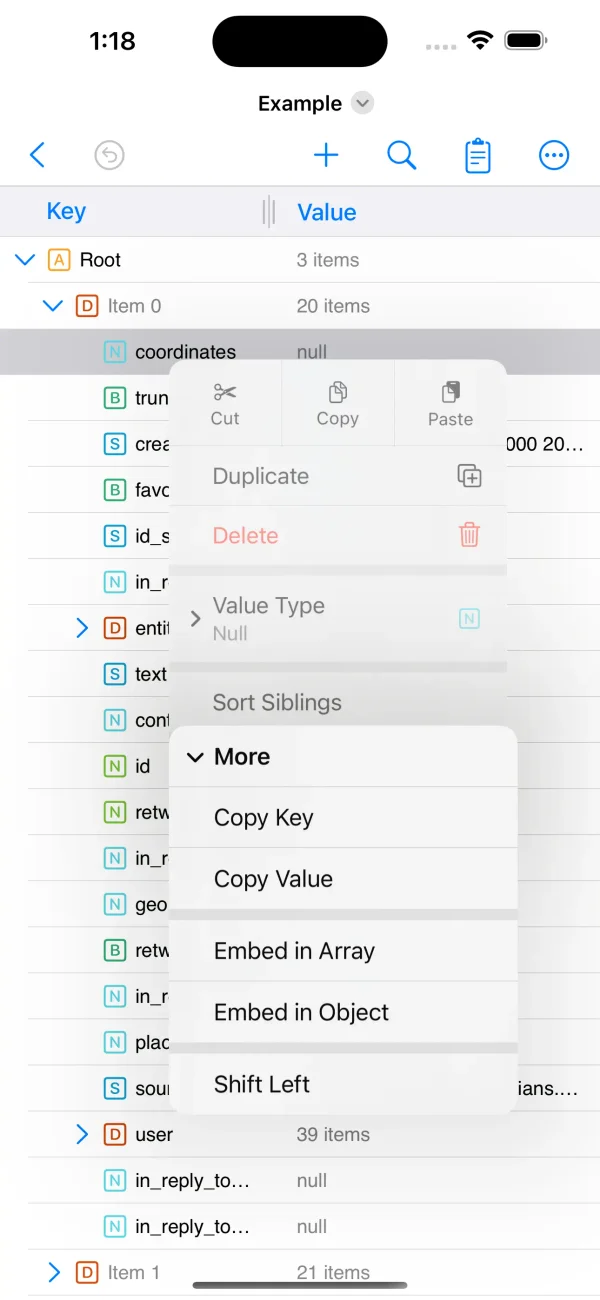
• Perform standard operations: cut, copy, paste, delete, reorder
• Edit keys & values
• Sort sibling items or the children of a parent item
• Sort the entire JSON by tapping the "Key" or "Value" columns
• Auto-detect if the document is human readable or compact, and preserve this format
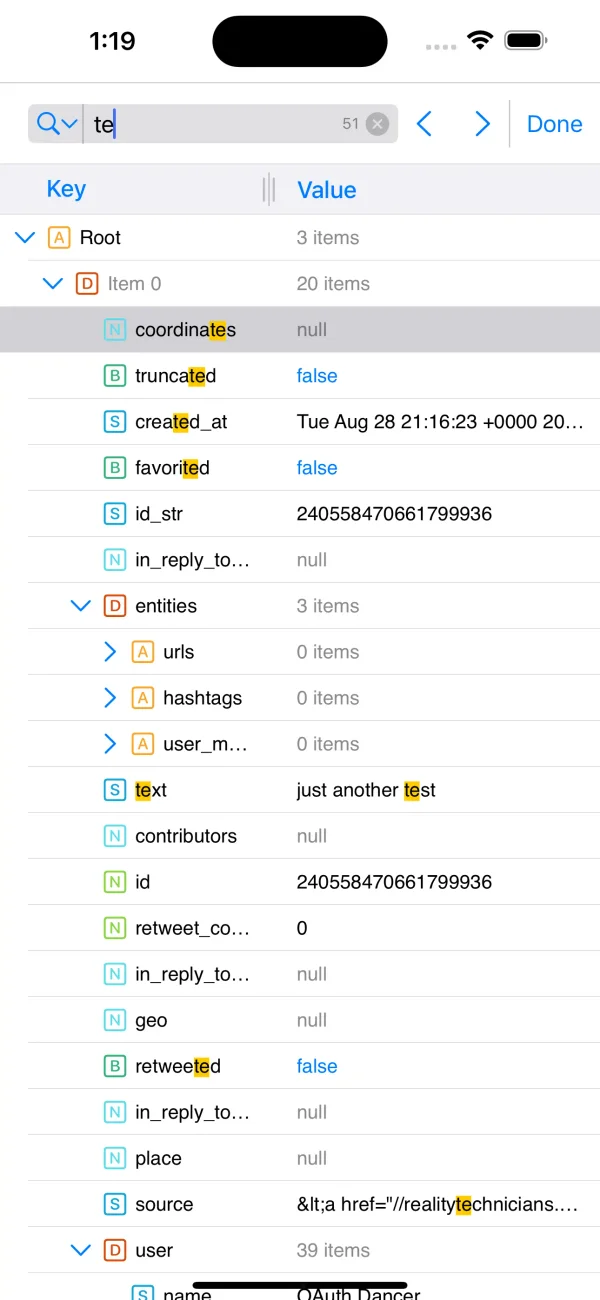
• Find & Replace - configure where the Find (and replace) will take place: in "Key" column or "Value" column or both.
• Duplicate items
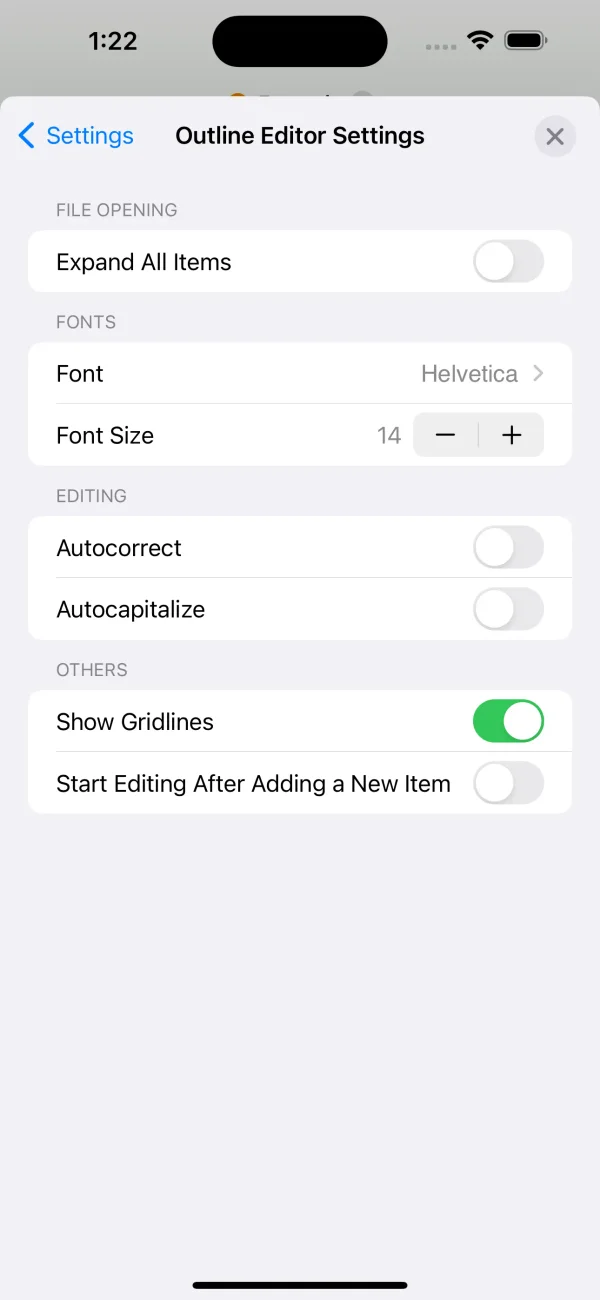
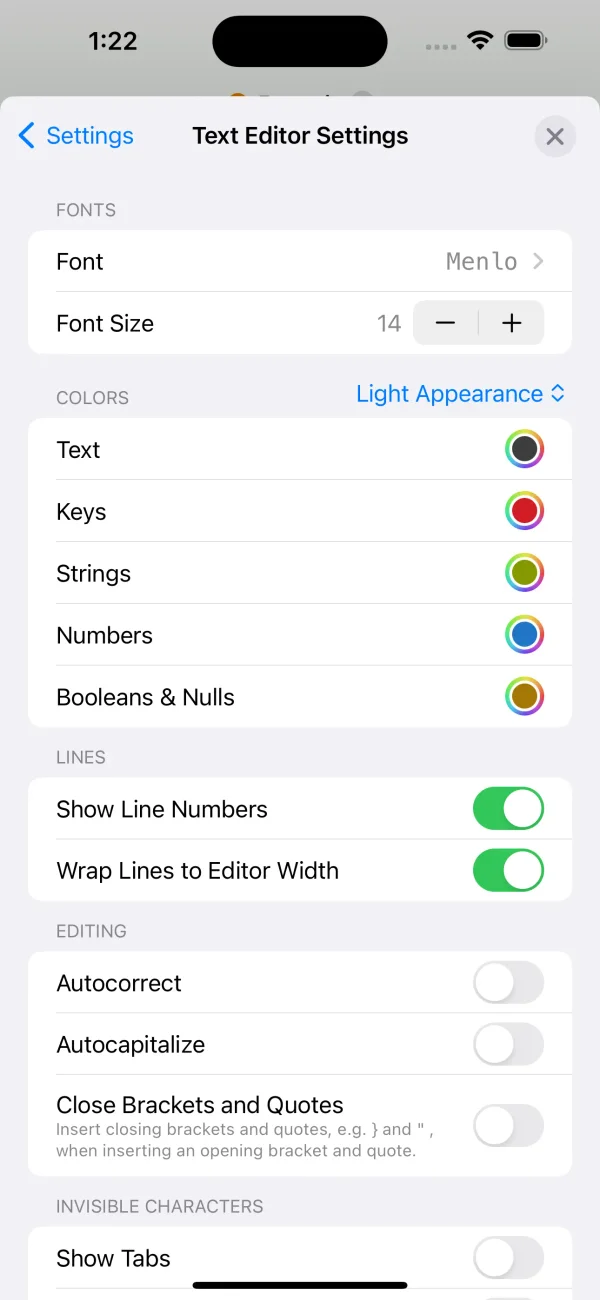
• Change font & font size for better readability
• Undo & redo
• More customization options available in "More ->Settings -> Outline Editor"
TEXT MODE
• Syntax coloring, auto-indentation and line numbers
• Customize the syntax colors, both for the light and dark appearances
• Validate the JSON document
• Highlight of the validation errors, along with a description of them
• Make the JSON document human readable or compact, even if it is not entirely valid
• Find & Replace
• Change font & font size for better readability
• Undo & redo
• More customization options available in "More -> Settings -> Text Editor"
IMPORTANT: JSON Editor is available as free to download, but a few features are disabled by default: Save documents, Find & Replace, Sort.
In order to get the most out of the app, and to enable the aforementioned features, "Premium" is recommended to be purchased ("Premium" is a one-time in-app purchase).
新機能
バージョン 1.3 · 2025/3/5
Improvements
• Settings now has an additional option which can sort all the children of all objects by key, either ascending or descending, when a document is openend or reverted. This option is available under "File Opening" section, as is titled "Sort Children of Objects by Key".
Fixes
• Fixed some cases where the text wasn't shown in the proper color when in Dark mode.
―――
If you enjoy JSON Editor Mobile and find it useful, please also consider JSON Editor, the sibling app specifically made for Mac.
We constantly want to improve the quality of our apps. For any feedback, questions and ideas please contact us at json.editor.contact@gmail.com
アプリのプライバシー
このアプリのデータの取り扱いについて、VDT LABS S.R.L.がApp Storeで申告している内容です。
-
データの収集なし
開発元はこのアプリからデータを収集しません。
プライバシーの取り扱いは、ご利用の機能やお客様の年齢などに応じて異なる場合があります。
情報
- 販売元
- VDT LABS S.R.L.
- カテゴリ
- 開発ツール
- バージョン
- 1.3
- 更新日
- 2025/3/5
- リリース
- 2024/4/30
- サイズ
- 10.5 MB
- 必要条件
- iOS 16.0以降
- 対象年齢
- 4+
- 価格
- 無料
- アプリ内課金
- あり
- 言語
- 英語
- 著作権
- © 2025 VDT Labs S.R.L.