- 対象年齢4+
- カテゴリ仕事効率化
- 開発元Stephen Robles
- 言語英語
- サイズ65.8 MB
App Storeの公式ページにリンクしています
Download.orgはKan Do: Project Managementのファイルを一切ホストしていません。ボタンを押すと、Stephen Roblesが公開しているApp Storeのアプリページが開きます。ページの最終確認:2026/11/26。
スクリーンショット


概要
開発元はこのテキストをお使いの言語で提供していません。
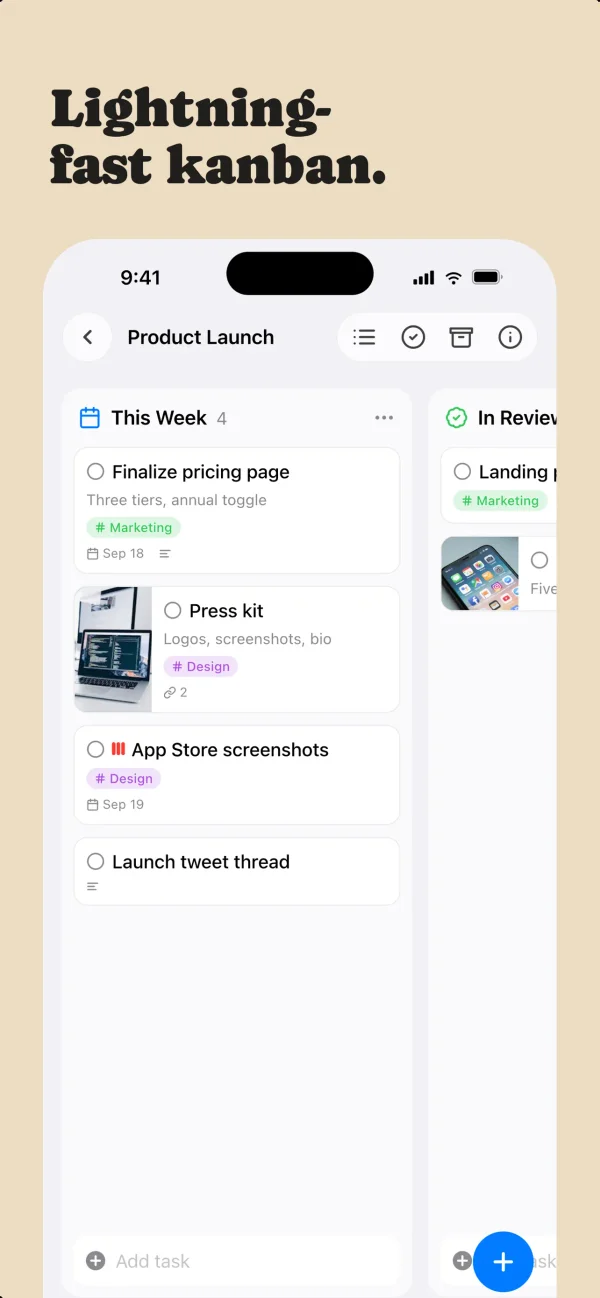
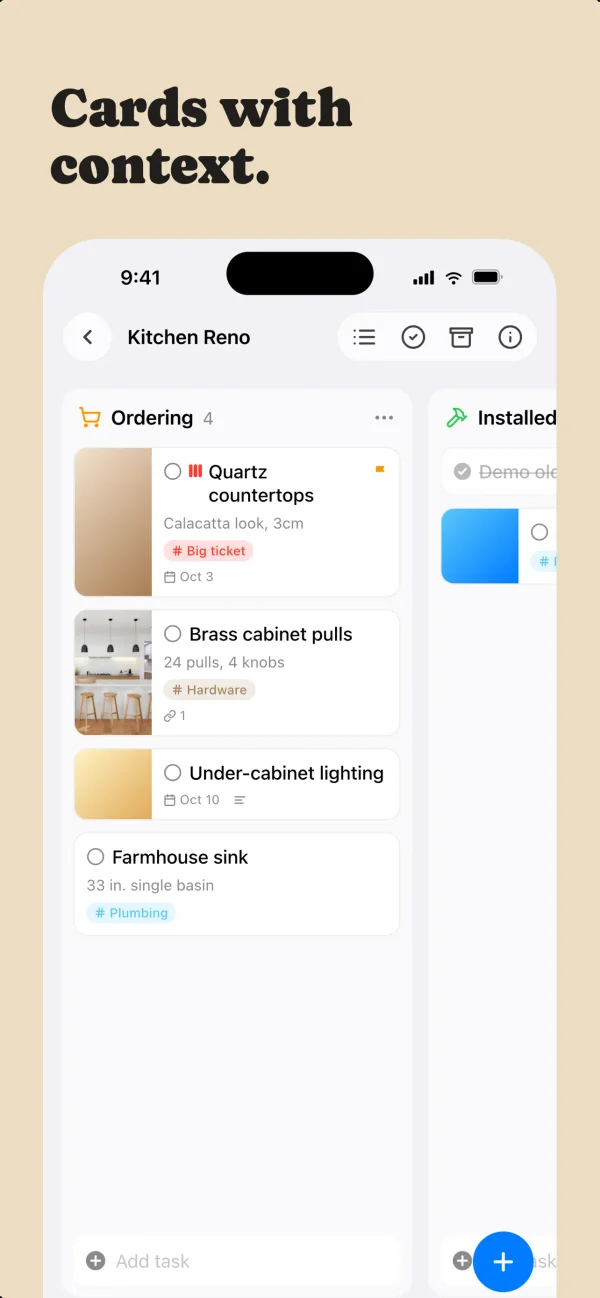
Organize your work into Spaces and Projects, then move tasks across the columns you define. Every card shows what matters at a glance: a cover image, subtitle, tags, priority, and due date. Open any task and you get a full markdown notes editor with headings, lists, checkboxes, images, and file attachments.
ORGANIZE YOUR WAY
• Kanban boards with drag-and-drop cards, columns, and dividers
• A list view for every project, with drag to reorder
• Spaces group your projects; tags cut across them
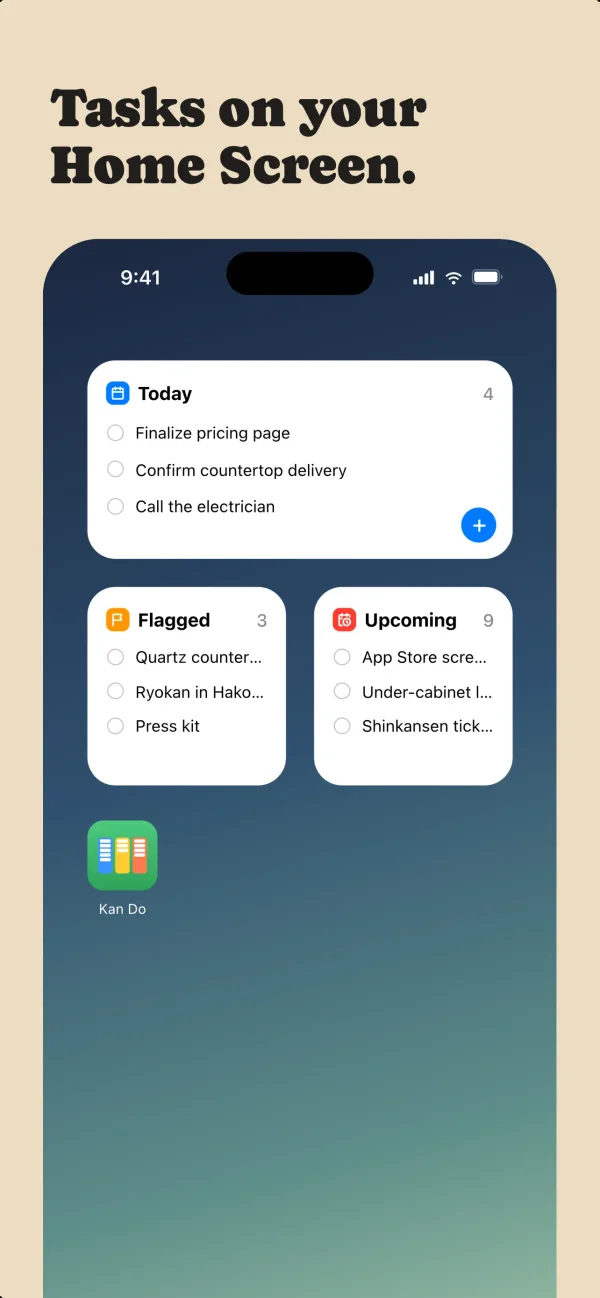
• Smart lists for Inbox, Today, Upcoming, and Flagged
• Archive completed work, or keep it crossed out on the board
CAPTURE THE DETAILS
• Rich notes on every task: headings, bold, lists, to-do checkboxes, quotes, and code
• Attach images and files right in the note
• Cover images, subtitles, priorities, flags, links, and due dates with reminders
EVERYWHERE YOU WORK
• Native on Mac, iPhone, iPad, and Apple Vision Pro
• iCloud sync keeps every device up to date
• Spotlight search and Shortcuts actions!
• Multi-select to move, complete, or delete tasks in bulk
• Light and Dark appearance, color themes, adjustable typography
No accounts. No subscriptions to manage your own tasks. Your data lives in your iCloud.
新機能
バージョン 1.7.8 · 2026/11/25
• Long subtasks wrap. A subtask too long for its row now runs onto as many as four lines instead of being cut off.
• A wider task pane on the Mac. Drag the pane's left edge and it opens to as much as 60% of the window.
• More room in notes. Paragraph Spacing now starts at 8 points, so paragraphs no longer run together. If you set the slider yourself, your setting stays.
アプリのプライバシー
このアプリのデータの取り扱いについて、Stephen RoblesがApp Storeで申告している内容です。
-
データの収集なし
開発元はこのアプリからデータを収集しません。
プライバシーの取り扱いは、ご利用の機能やお客様の年齢などに応じて異なる場合があります。
情報
- 販売元
- Stephen Robles
- カテゴリ
- 仕事効率化
- バージョン
- 1.7.8
- 更新日
- 2026/11/25
- リリース
- 2026/8/5
- サイズ
- 65.8 MB
- 必要条件
- iOS 26.0以降
- 対象年齢
- 4+
- 価格
- ¥500
- 言語
- 英語
- 著作権
- © 2026 Stephen Robles