- 対象年齢4+
- カテゴリ天気
- 開発元Sean Brennan
- 言語英語
- サイズ1.1 MB
App Storeの公式ページにリンクしています
Download.orgはkWxのファイルを一切ホストしていません。ボタンを押すと、Sean Brennanが公開しているApp Storeのアプリページが開きます。ページの最終確認:2026/11/20。
スクリーンショット


概要
開発元はこのテキストをお使いの言語で提供していません。
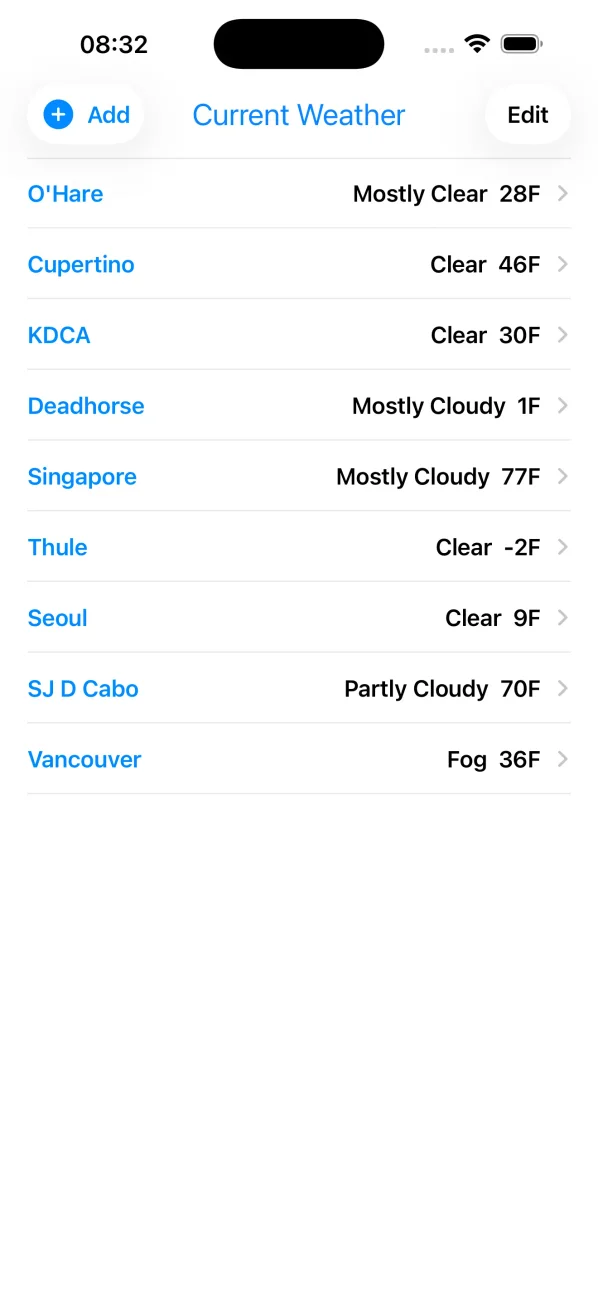
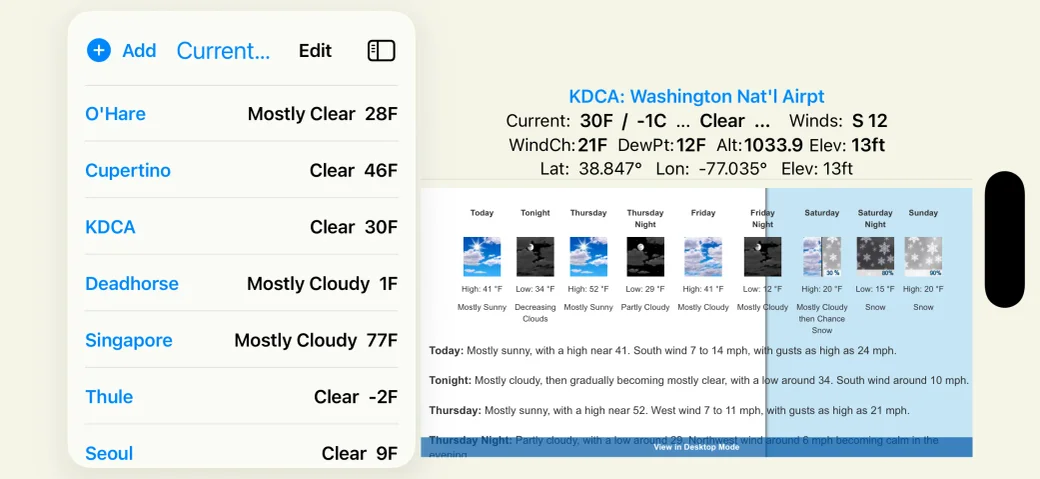
Minimize bandwidth and eliminate third-party data collection by directly asking official NOAA weather stations, which include many Canadian and Mexican stations. You can add/ rearrange /subtract from the list.
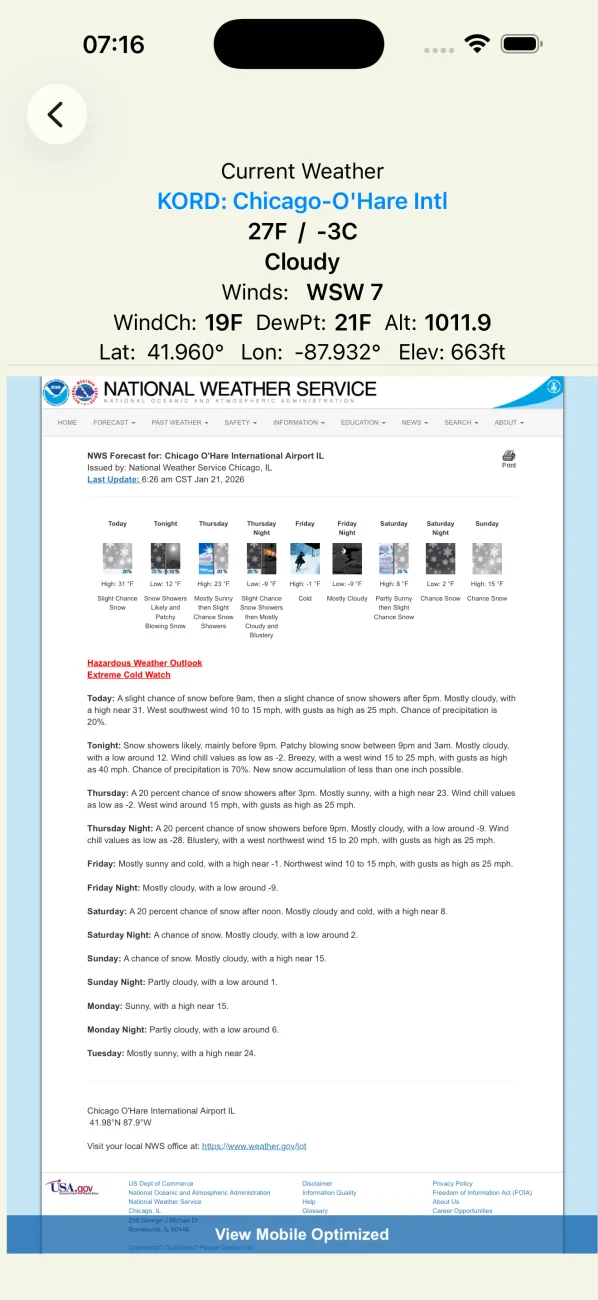
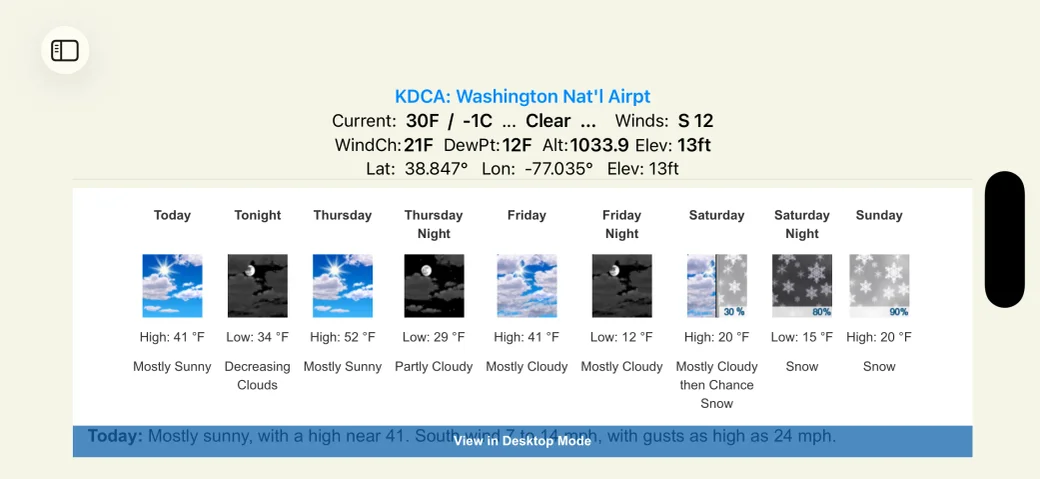
kWx retrieves data directly from weather.gov. Get the current conditions and temperature for most airports and then get the 7-day text forecast for those stations, or offset the forecast location from the weather station, e.g. use KNUQ (Moffett) for current temperature but set the latitude and longitude of Cupertino for the 7-day forecast. This is how NOAA reports the weather for any location. On the list page a station that has an asterisk means the forecast location is different from the weather station or you can rename that station to the actual location. Sometimes data are missing from weather.gov but available from aviationweather.gov (the FAA). These data are used as backup.
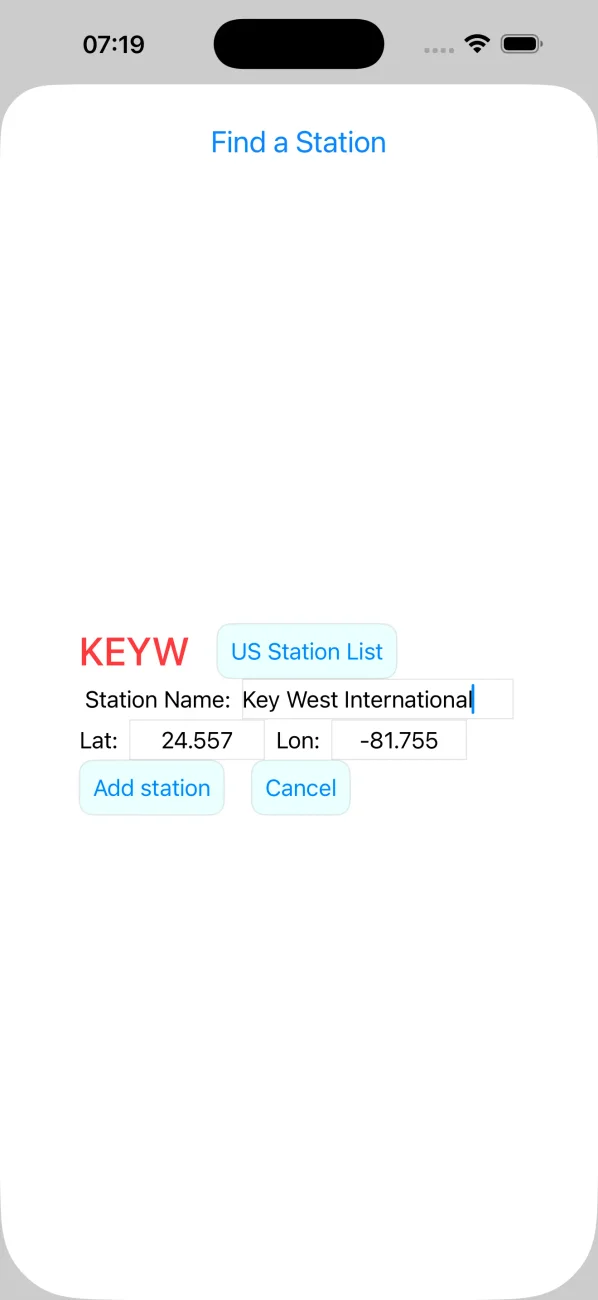
On the Add station screen you can click the "Get Location" button and using your favorite mapping app you can enter in the location for where you want the forecast to be from as well as naming the station. Find Station button links to new page that allows you to see all the stations for each State and Canadian Province. If the corrected lat/lon offset is within 0.02 degrees the asterisk is omitted.
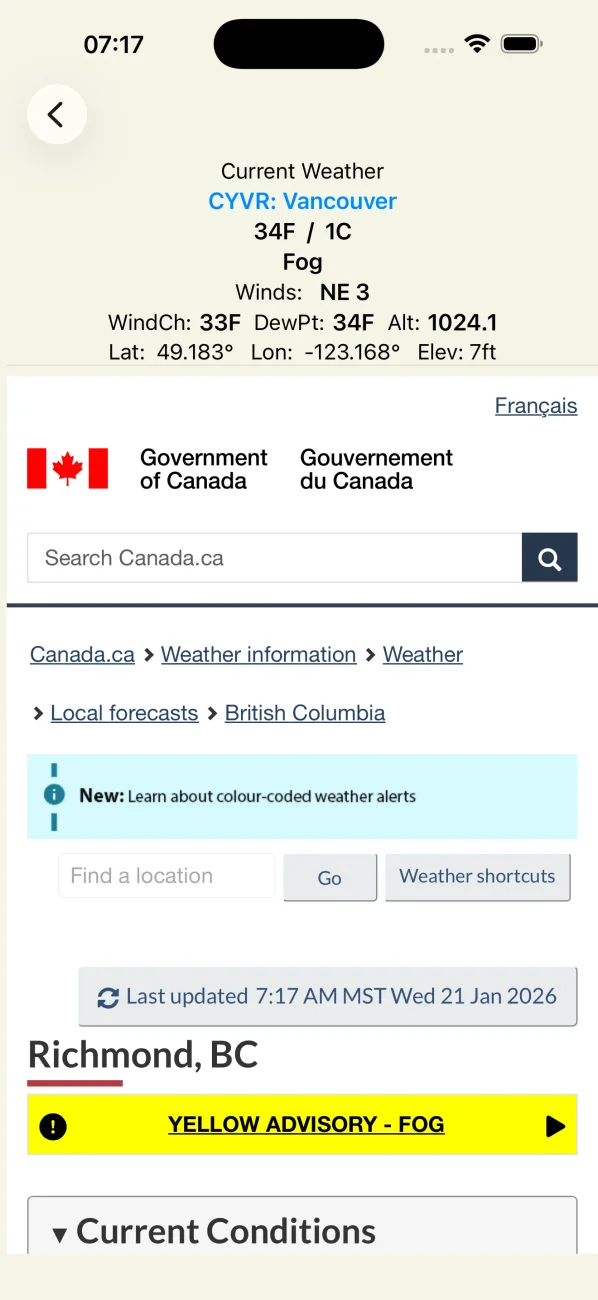
Most stations are K+ Airport Locator (e.g. KORD), but Alaska/Hawaii begin with PA/PH, and Canadian stations begin with C. Many Canadian stations are C+Airport Locator (e.g. CYVR for Vancouver) but others begin CW, CX and CZ. In-app lookup for both US and Canadian weather stations.
If available the Heat Index (combination of temperature and humidity) is presented. A heat index below 105F is in yellow, below 125F in orange, above that in red.
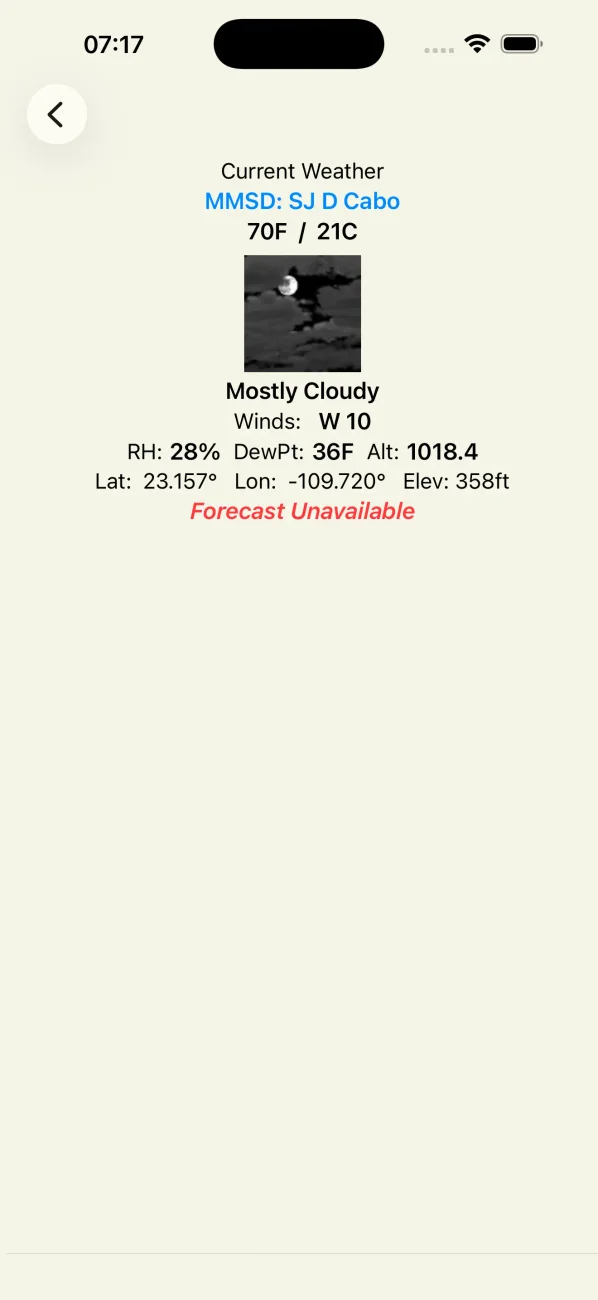
~40 Mexican stations are available, all start with MM rather than K (US) or C(Canada). No forecast for the Mexican stations, just current weather.
Most foreign airports have now been added. Enter the ICAO code and aviationweather.gov will return the current temperature, conditions and winds for that airport. ICAO codes are different from IATA codes, which are typically 3 letters. ICAO codes are 4 letters and info about the region the airport is based in. All existing US weather stations (e.g. KORD) are ICAO codes but overseas they tend to be more obscure, eg Heathrow, which has an IATA code of LHR, has an ICAO code of EGLL, Narita is RIAA, CDG is LFPG, Seoul is RKSS, etc. The webs are pretty good at coming up with the right ICAO code for a given airport. Note that there is no forecast within these data, just the current conditions. We are tapping into METAR data for each airport. Try it and see!
The app requires iOS 15
新機能
バージョン 3.79 · 2026/4/12
minor bug-squashing update.
アプリのプライバシー
このアプリのデータの取り扱いについて、Sean BrennanがApp Storeで申告している内容です。
-
データの収集なし
開発元はこのアプリからデータを収集しません。
プライバシーの取り扱いは、ご利用の機能やお客様の年齢などに応じて異なる場合があります。
情報
- 販売元
- Sean Brennan
- カテゴリ
- 天気
- バージョン
- 3.79
- 更新日
- 2026/4/12
- リリース
- 2020/2/23
- サイズ
- 1.1 MB
- 必要条件
- iOS 15.0以降
- 対象年齢
- 4+
- 価格
- 無料
- 言語
- 英語
- 著作権
- © Fairview Associates 2020