
kWx
lightweight Weather server
Được thiết kế cho iPhone, iPad, iPod touch
Miễn phí
- Độ tuổi4+
- Danh mụcThời Tiết
- Nhà phát triểnSean Brennan
- Ngôn ngữTiếng Anh
- Kích thước1,1 MB
Liên kết đến trang App Store chính thức
Download.org không lưu trữ tệp nào của kWx. Nút này mở trang ứng dụng trên App Store, nơi Sean Brennan phát hành ứng dụng. Trang được kiểm tra lần cuối: 20/11/2026.
Ảnh chụp màn hình


Giới thiệu
Nhà phát triển chưa cung cấp nội dung này bằng ngôn ngữ của bạn.
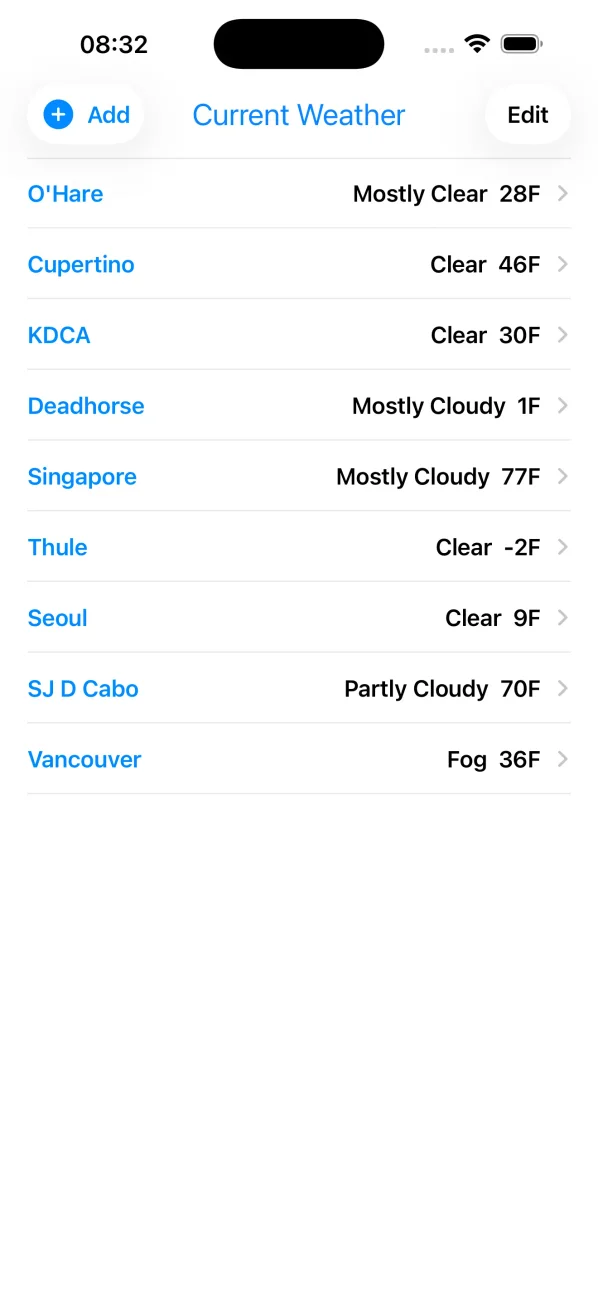
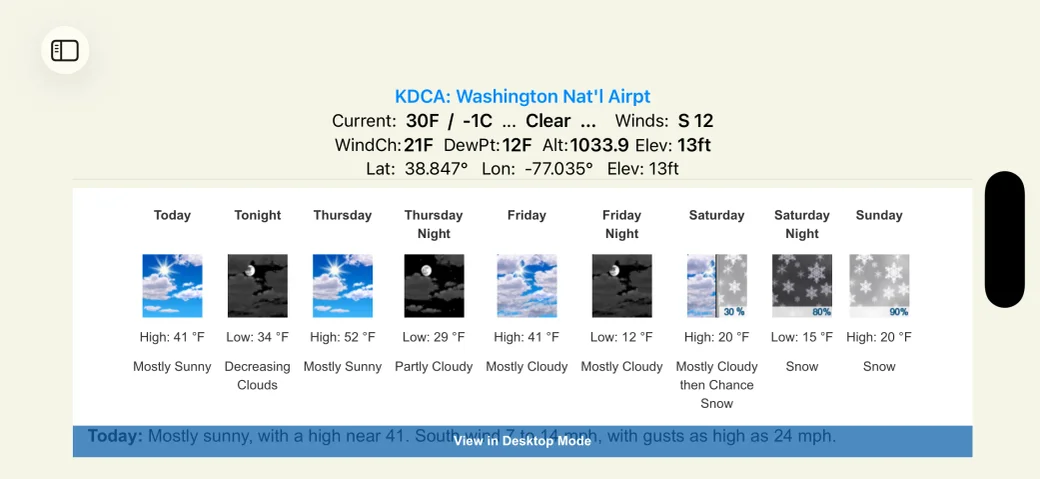
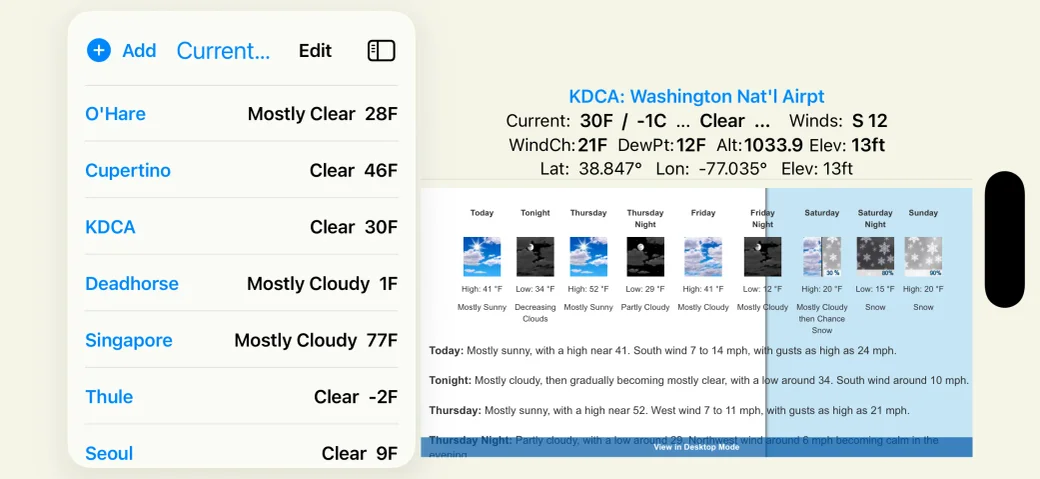
Minimize bandwidth and eliminate third-party data collection by directly asking official NOAA weather stations, which include many Canadian and Mexican stations. You can add/ rearrange /subtract from the list.
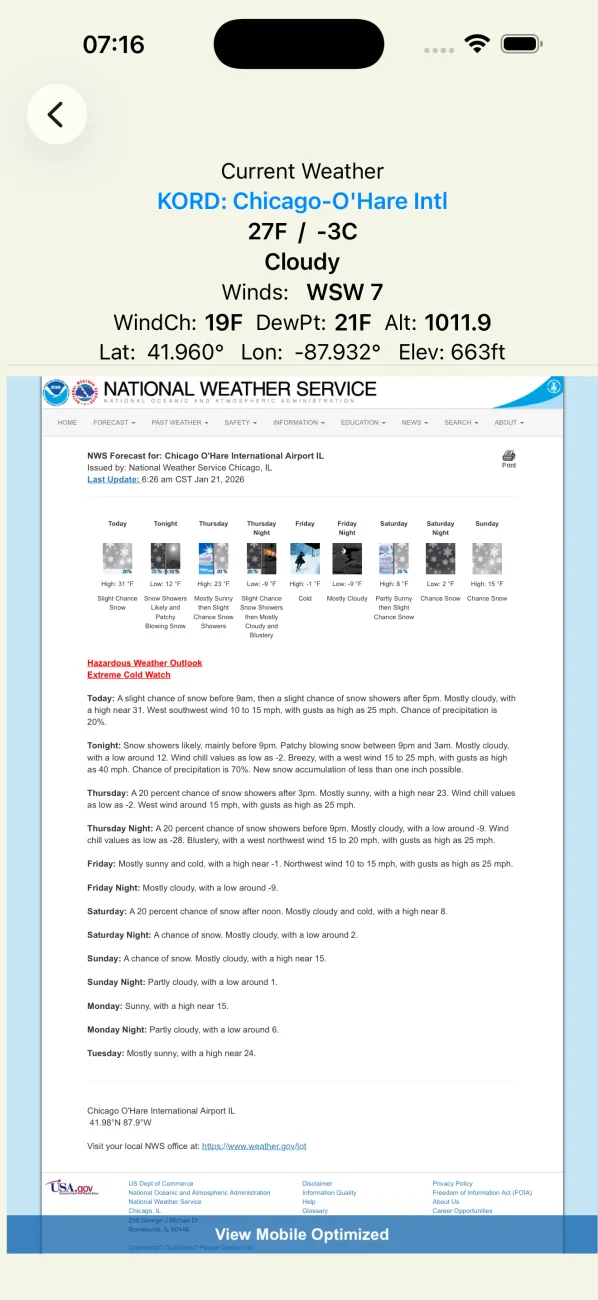
kWx retrieves data directly from weather.gov. Get the current conditions and temperature for most airports and then get the 7-day text forecast for those stations, or offset the forecast location from the weather station, e.g. use KNUQ (Moffett) for current temperature but set the latitude and longitude of Cupertino for the 7-day forecast. This is how NOAA reports the weather for any location. On the list page a station that has an asterisk means the forecast location is different from the weather station or you can rename that station to the actual location. Sometimes data are missing from weather.gov but available from aviationweather.gov (the FAA). These data are used as backup.
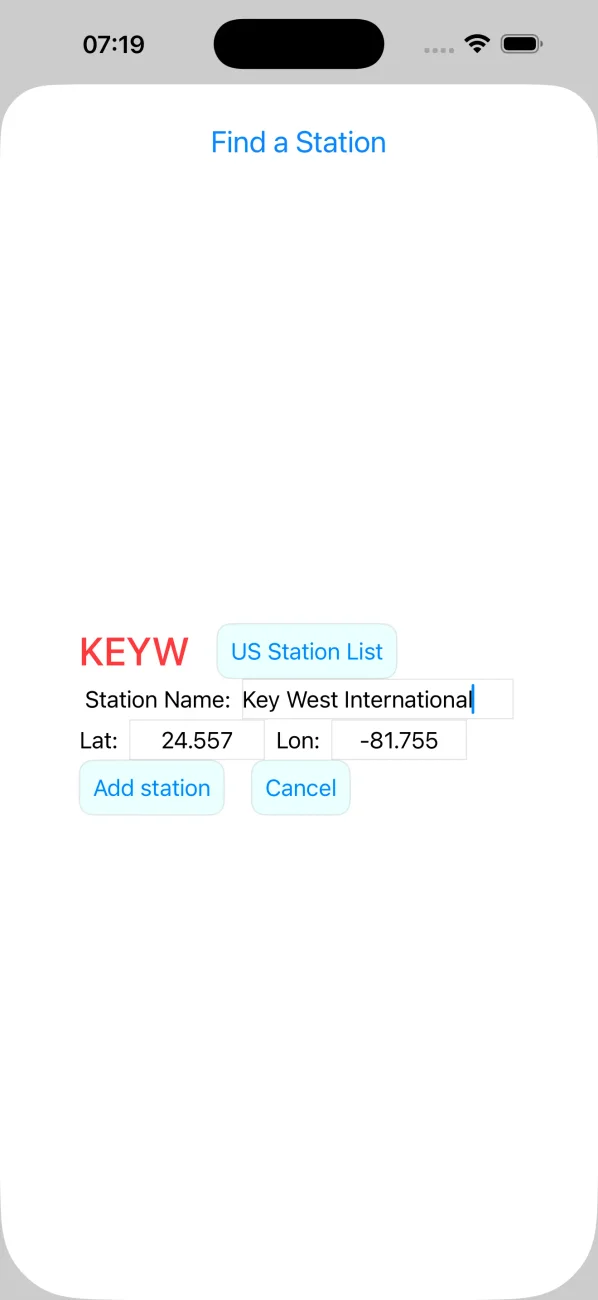
On the Add station screen you can click the "Get Location" button and using your favorite mapping app you can enter in the location for where you want the forecast to be from as well as naming the station. Find Station button links to new page that allows you to see all the stations for each State and Canadian Province. If the corrected lat/lon offset is within 0.02 degrees the asterisk is omitted.
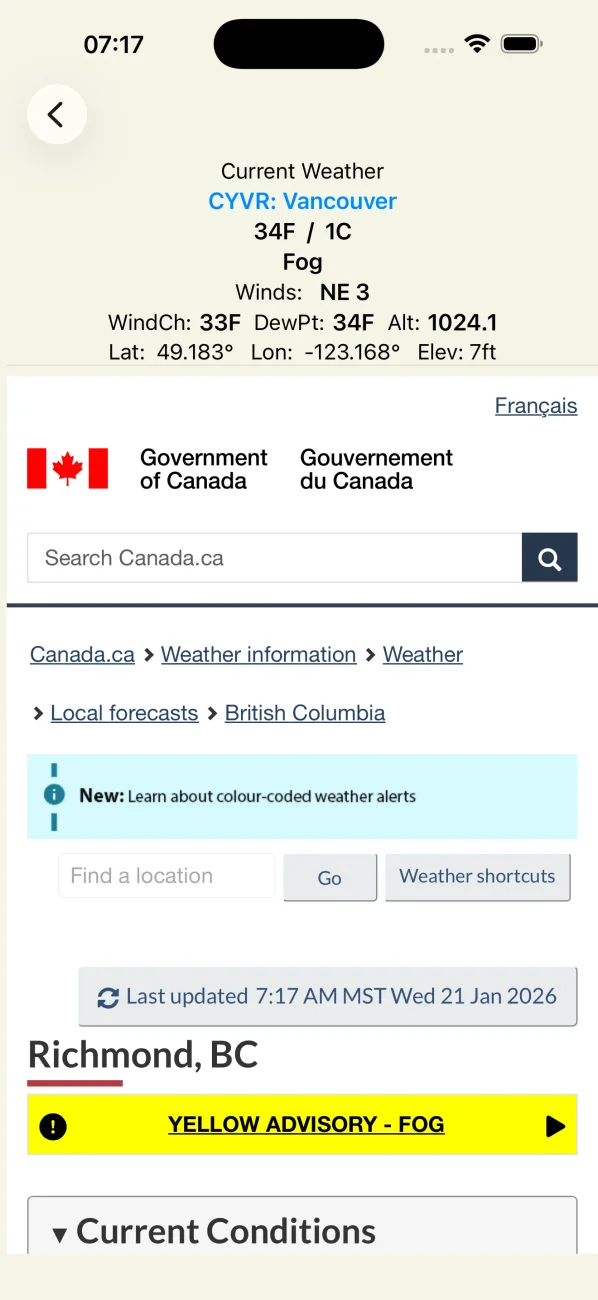
Most stations are K+ Airport Locator (e.g. KORD), but Alaska/Hawaii begin with PA/PH, and Canadian stations begin with C. Many Canadian stations are C+Airport Locator (e.g. CYVR for Vancouver) but others begin CW, CX and CZ. In-app lookup for both US and Canadian weather stations.
If available the Heat Index (combination of temperature and humidity) is presented. A heat index below 105F is in yellow, below 125F in orange, above that in red.
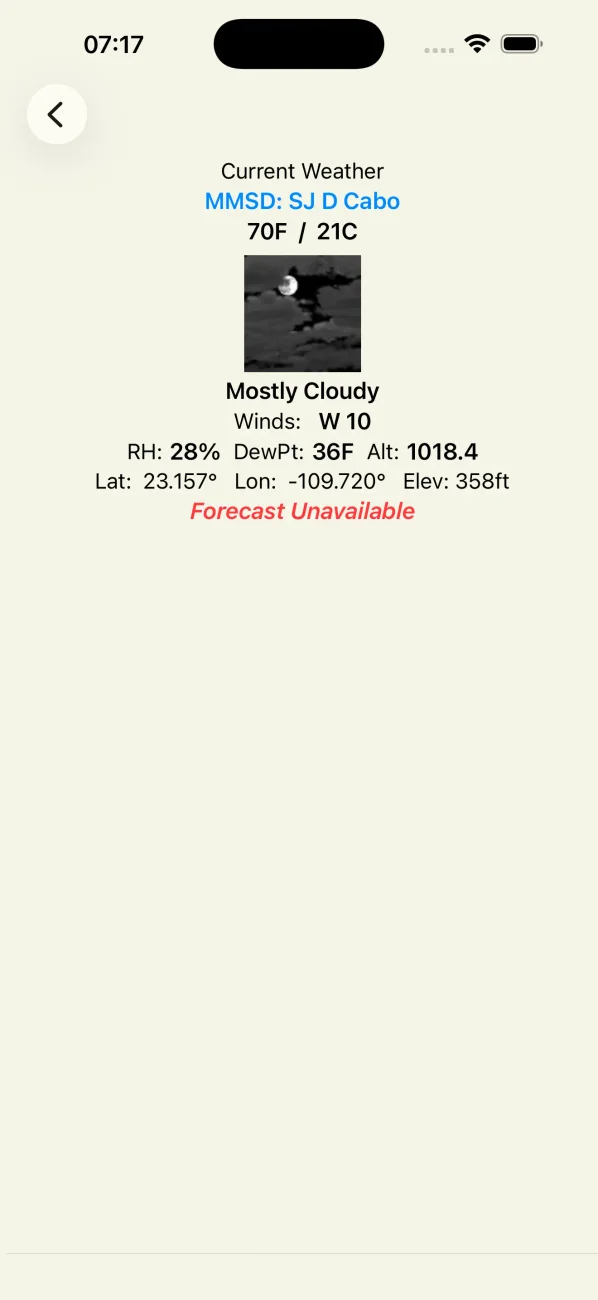
~40 Mexican stations are available, all start with MM rather than K (US) or C(Canada). No forecast for the Mexican stations, just current weather.
Most foreign airports have now been added. Enter the ICAO code and aviationweather.gov will return the current temperature, conditions and winds for that airport. ICAO codes are different from IATA codes, which are typically 3 letters. ICAO codes are 4 letters and info about the region the airport is based in. All existing US weather stations (e.g. KORD) are ICAO codes but overseas they tend to be more obscure, eg Heathrow, which has an IATA code of LHR, has an ICAO code of EGLL, Narita is RIAA, CDG is LFPG, Seoul is RKSS, etc. The webs are pretty good at coming up with the right ICAO code for a given airport. Note that there is no forecast within these data, just the current conditions. We are tapping into METAR data for each airport. Try it and see!
The app requires iOS 15
Có gì mới
Phiên bản 3.79 · 12/04/2026
minor bug-squashing update.
Quyền riêng tư của ứng dụng
Những gì Sean Brennan khai báo trên App Store về cách ứng dụng này xử lý dữ liệu.
-
Dữ liệu không được thu thập
Nhà phát triển không thu thập bất kỳ dữ liệu nào từ ứng dụng này.
Phương thức đảm bảo quyền riêng tư có thể khác nhau, chẳng hạn như tuỳ theo các tính năng bạn sử dụng hoặc độ tuổi của bạn.
Thông tin
- Người bán
- Sean Brennan
- Danh mục
- Thời Tiết
- Phiên bản
- 3.79
- Cập nhật
- 12/04/2026
- Phát hành
- 23/02/2020
- Kích thước
- 1,1 MB
- Yêu cầu
- iOS 15.0 trở lên
- Độ tuổi
- 4+
- Giá
- Miễn phí
- Ngôn ngữ
- Tiếng Anh
- Bản quyền
- © Fairview Associates 2020
Có thể bạn cũng thích
-
 Radar AR Pro - Doppler RadarThời Tiết
-
 ClearSky: Airport METAR WidgetThời Tiết
-
 Rainy Skies - Weather AppThời Tiết
-
 Sky Note-weather forecast rainThời Tiết
-
 Past Weather for AviationThời Tiết
-
 Fahrenheit Celsius Dual DegreeThời Tiết
-
 Historical WeatherThời Tiết
-
 Thermometer SThời Tiết
-
 NWS Weather Report: NOAA RadarThời Tiết
-
 Weather NOAAThời Tiết