- 対象年齢4+
- カテゴリ仕事効率化
- 開発元scott hall
- 言語英語
- サイズ17.1 MB
Kyle: Shared AI Memoryは現在App Storeで入手できない可能性があります
前回の確認時、ストアのページにアクセスできませんでした。リンク先は引き続きApp Storeの公式ページです。
スクリーンショット
概要
開発元はこのテキストをお使いの言語で提供していません。
Kyle is shared memory for you and your AI. Ask Claude, Muse or any AI to keep something and it lands in Kyle, on a board you can see. Read it, change it, add your own. The next chat, or a different AI, finds it.
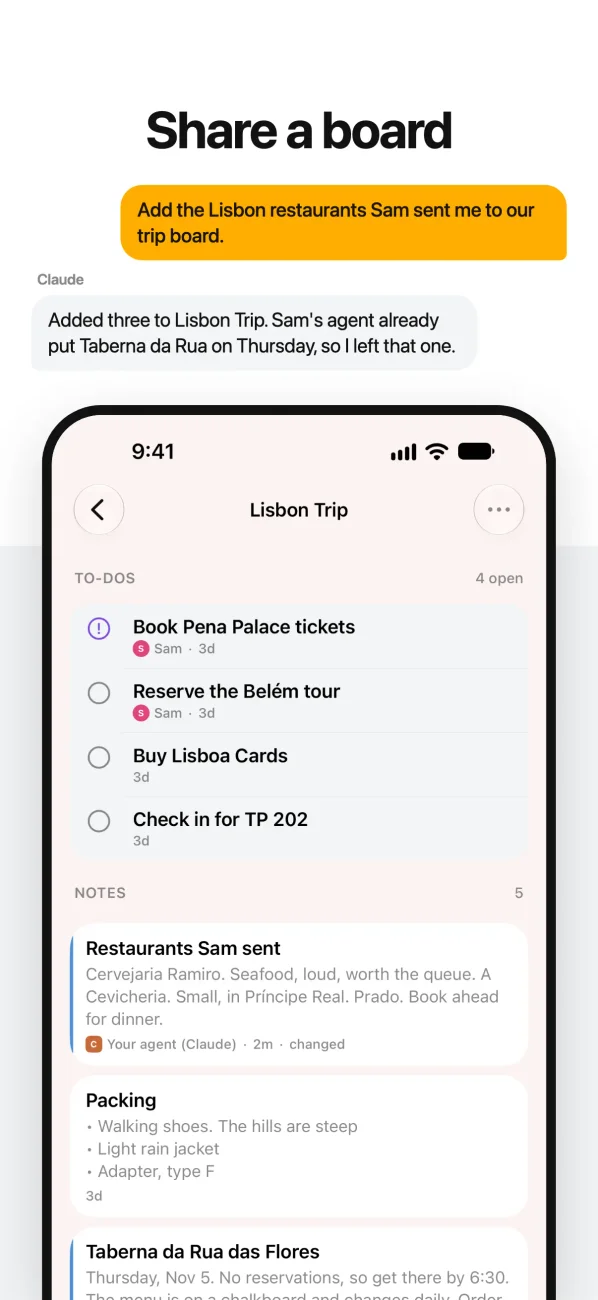
SHARE A BOARD
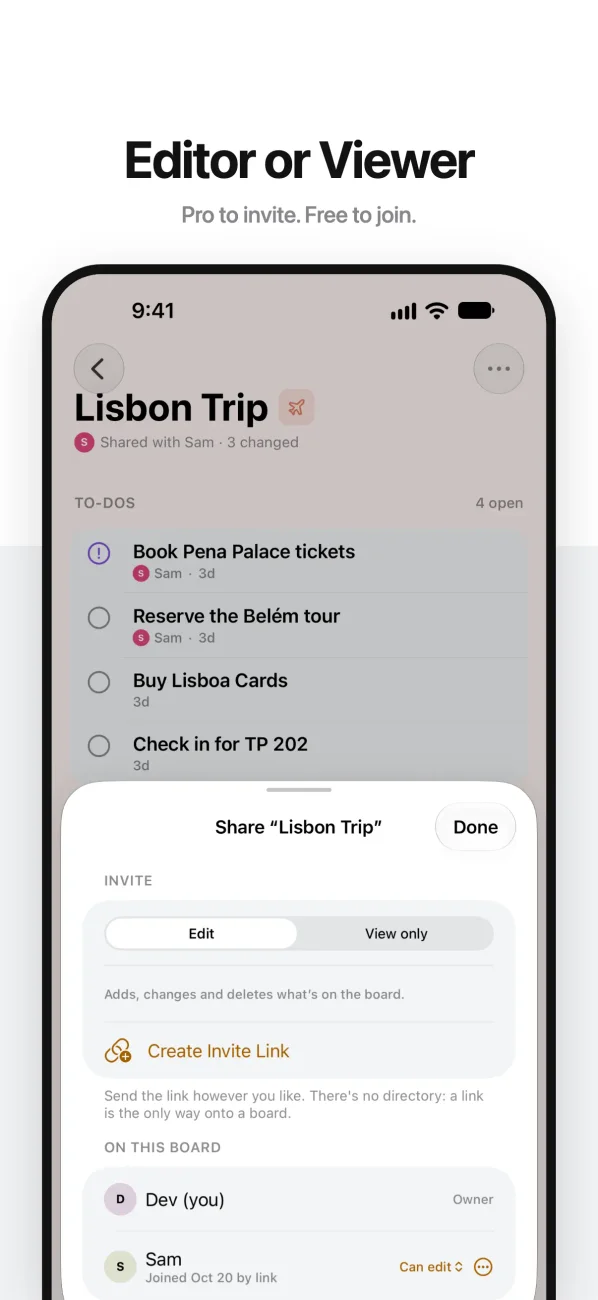
Invite someone to a board as an Editor or a Viewer. Editors add and change notes, tasks and records with you. Viewers read along and mark things for themselves. Send the invite link in Messages, Mail or AirDrop. Each person's AI can work on the board too, and knows it's shared before it writes.
Inviting needs Kyle Pro. Joining is free, and boards you join don't count toward the free plan.
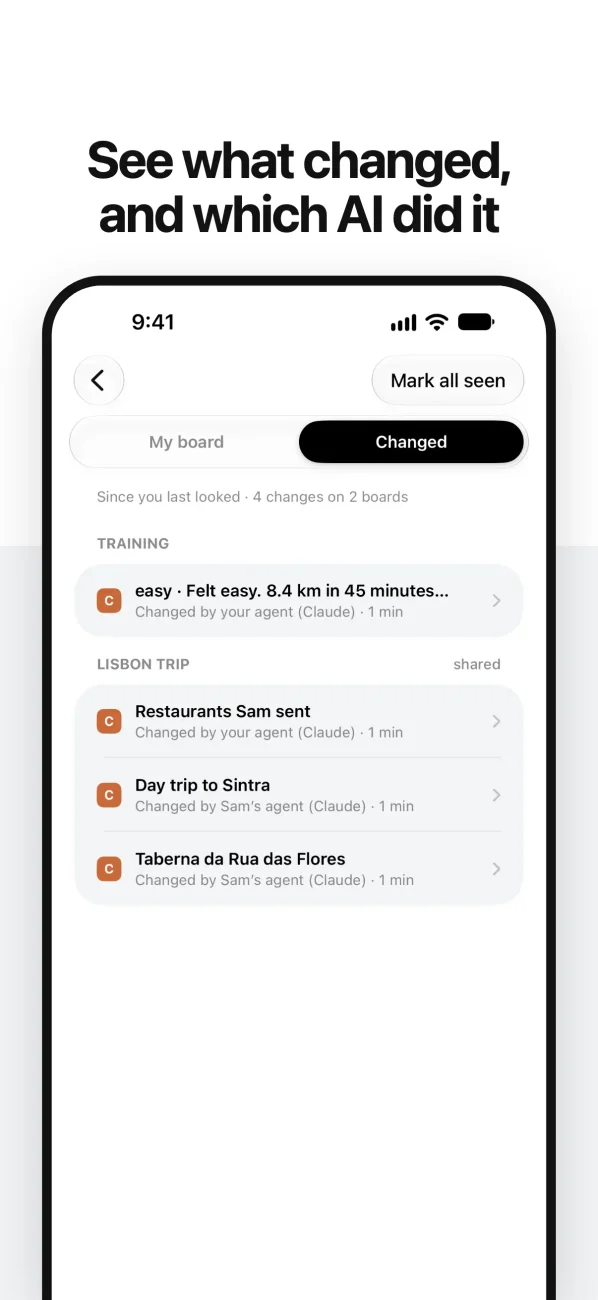
SEE WHAT CHANGED
Changed lists what moved since you last looked, board by board. Each item says who changed it and when, and which AI if it wasn't a person. That includes your own AI, so you can see what it did overnight.
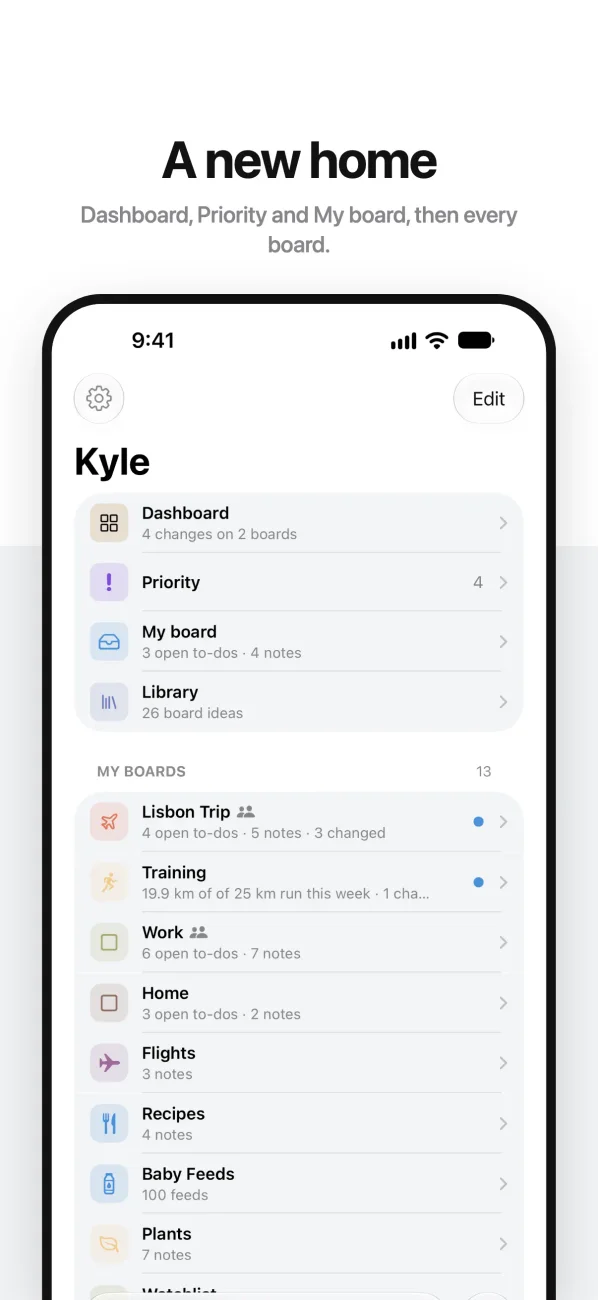
A NEW HOME
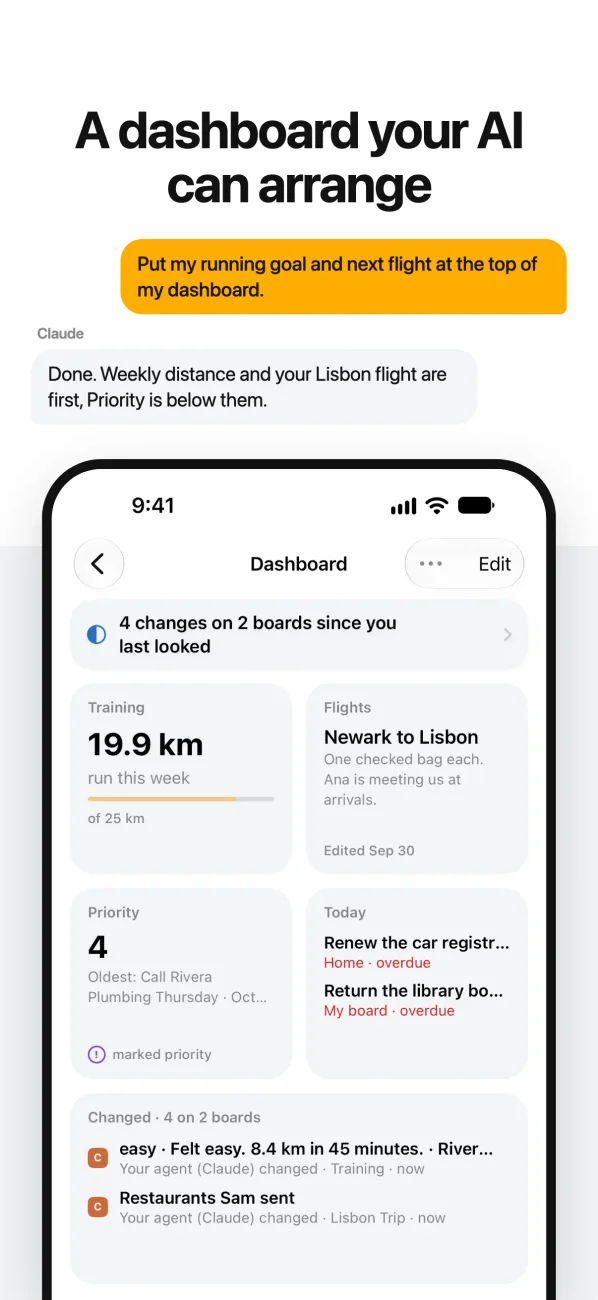
Kyle opens on a list: Dashboard, Priority and My board at the top, then every board with its latest number or headline. On iPad and Mac it's the sidebar.
• Dashboard: widgets from your boards. Priority, Today, Changed, a goal, the next flight. Arrange them yourself, or ask your AI to
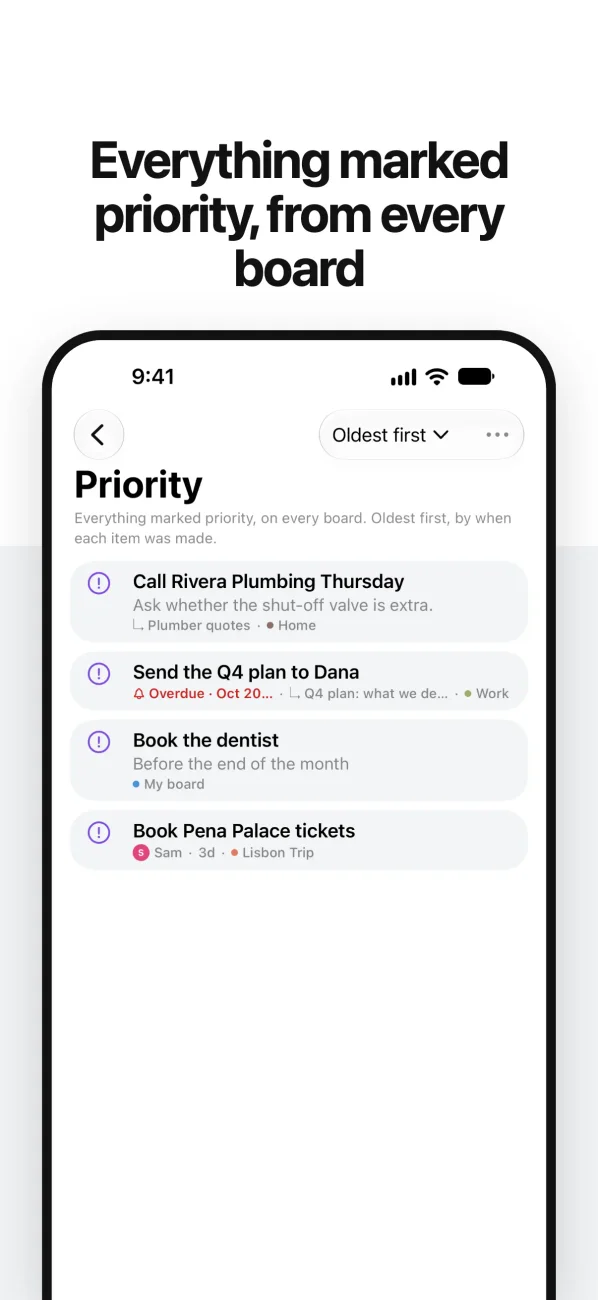
• Priority: everything you've marked priority, from every board, oldest first
• My board: notes and to-dos that don't belong anywhere else. It used to be the Inbox
• Settings: now a list of pages
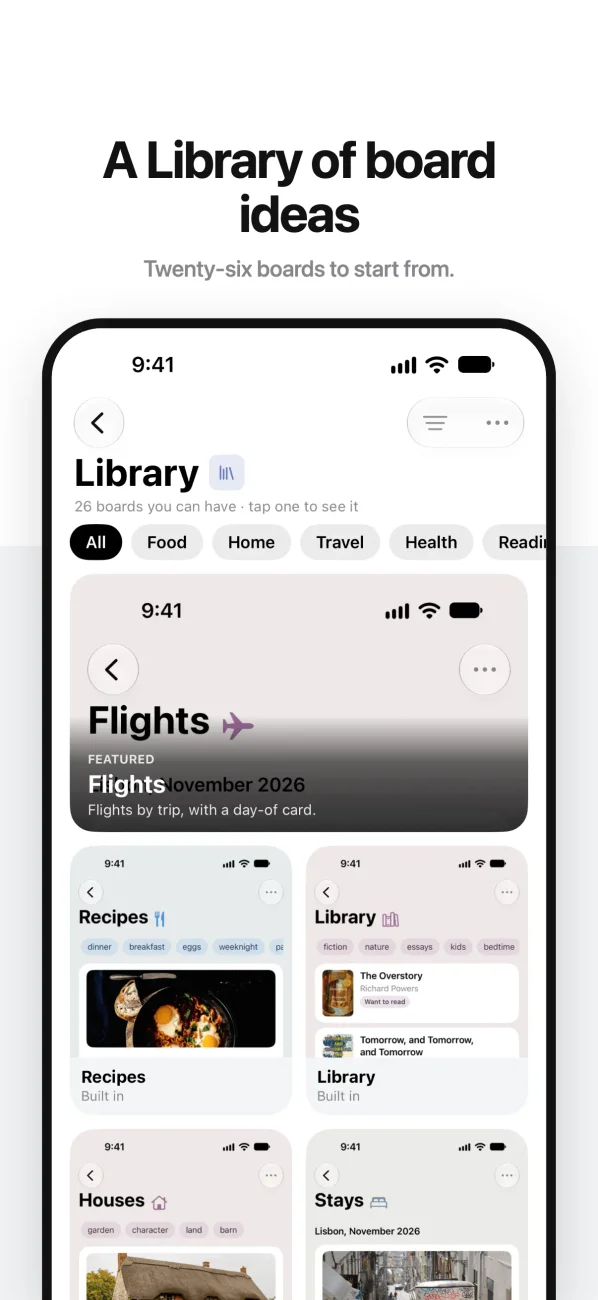
A LIBRARY OF BOARD IDEAS
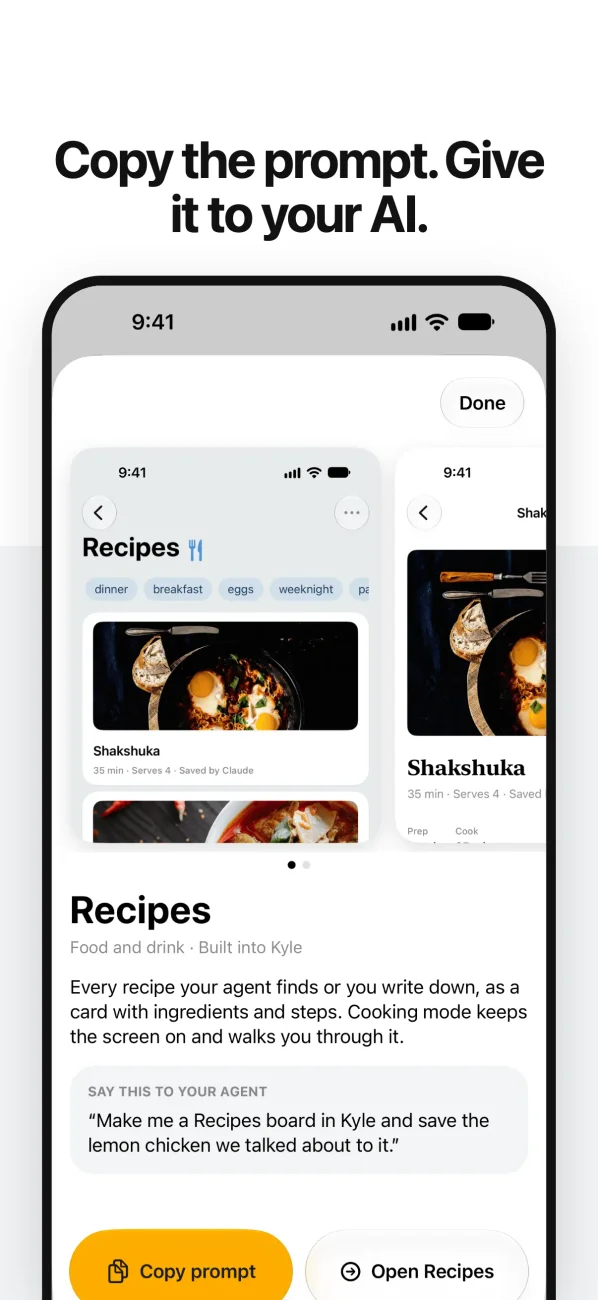
Twenty-six boards to start from, under Library. Each shows what the board looks like and gives you a prompt to copy to your AI. Some you can add with one tap.
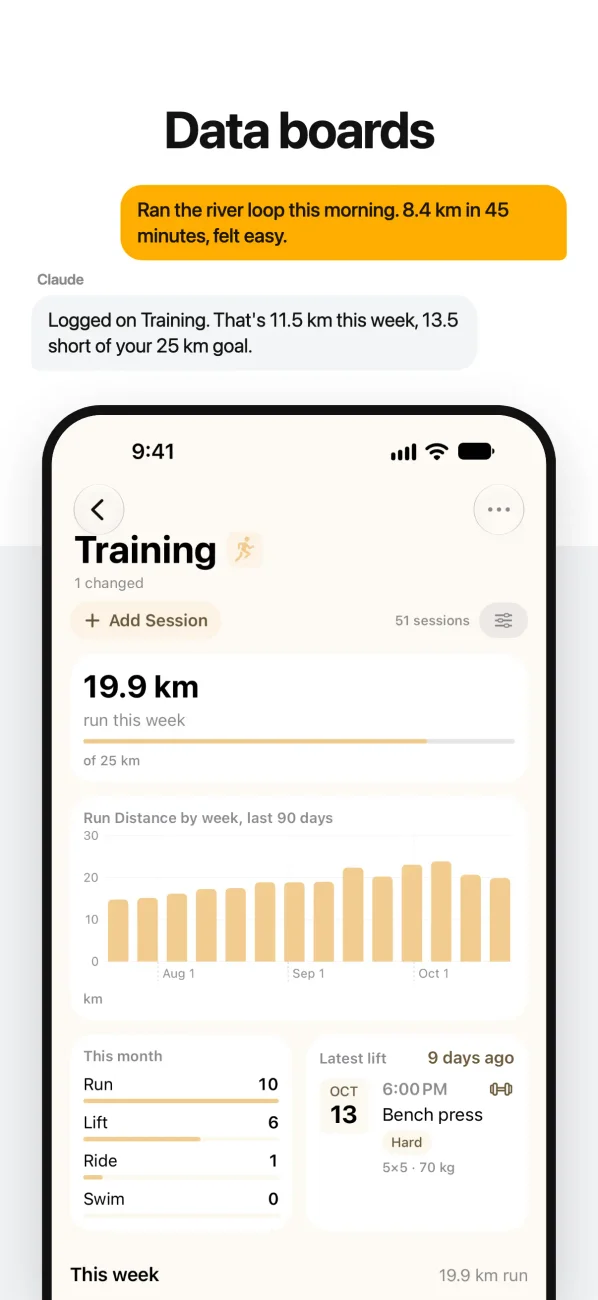
DATA BOARDS
Runs, feeds, weather, weekly numbers. Your AI logs a row each time, Kyle charts it, and your AI can answer questions about it. With Kyle Pro, your AI can design a new kind of board for you.
BOARDS THAT KNOW WHAT'S ON THEM
Recipes with a cooking mode. A Watchlist of posters. A Library of covers. Read Later, Wishlist, Flights, Stays, Houses, Wine, Plants, Workouts and more. Your AI fills them in the right format. Plain boards hold everything else.
NOTES AND TASKS
• Tasks take one tap to close. Mark the important ones priority
• A real markdown editor, with Read Aloud
• Photos on notes, from the camera or your library
• Works offline. Edits sync when you're back, and a clash keeps both versions
• Siri and Spotlight find and change your notes
CONNECT YOUR AI
Claude connects through its connector directory with the same Apple ID you use for Kyle. Muse, Cursor, Claude Code, VS Code and any MCP client get their own steps.
PRIVATE BY DESIGN
Sign in with Apple, Hide My Email works, no password. Your notes are never used for training. You see what's shared before you share it, and you can delete your account from Settings at any time.
FREE
Connecting your AI is free, with no clock. So are search, every type of board, joining shared boards, sync and Read Aloud. The free plan has six boards in use, and empty boards don't count. Kyle Pro is for more than six boards, sharing your boards with others, and priority support.
KYLE PRO
Kyle Pro is an auto-renewable subscription, offered monthly or yearly. Payment is charged to your Apple Account at confirmation of purchase. The subscription renews automatically unless it is cancelled at least 24 hours before the end of the current period. Manage or cancel anytime in your Apple Account settings.
Terms of Use (EULA): https://www.apple.com/legal/internet-services/itunes/dev/stdeula/
Privacy Policy: https://trykyle.com/privacy
新機能
バージョン 2.5.1 · 2026/10/28
Teleprompter mode and bug fixes.
アプリのプライバシー
このアプリのデータの取り扱いについて、scott hallがApp Storeで申告している内容です。
-
ユーザーに関連付けられないデータ
収集される場合がありますが、ユーザーの識別情報には関連付けられません。
- 連絡先情報
- ユーザーコンテンツ
プライバシーの取り扱いは、ご利用の機能やお客様の年齢などに応じて異なる場合があります。
情報
- 販売元
- scott hall
- カテゴリ
- 仕事効率化
- バージョン
- 2.5.1
- 更新日
- 2026/10/28
- リリース
- 2026/5/16
- サイズ
- 17.1 MB
- 必要条件
- iOS 27.0以降
- 対象年齢
- 4+
- アプリ内課金
- あり
- 言語
- 英語
- 著作権
- © Hewn Growth, LLC