
Kyle: Shared AI Memory
AI Notes, Tasks & Data
Designed for iPhone, iPad, Mac
Free · In-app purchases
- Age rating4+
- CategoryProductivity
- Developerscott hall
- LanguagesEnglish
- Size17.1 MB
Links to the official App Store page
Download.org hosts no file of Kyle: Shared AI Memory. The button opens its official App Store page, published by scott hall. Listing last checked on Nov 18, 2026.
Screenshots



About
Kyle is shared memory for you and your AI. Ask Claude, Muse or any AI to keep something and it lands in Kyle, on a board you can see. Read it, change it, add your own. The next chat, or a different AI, finds it.
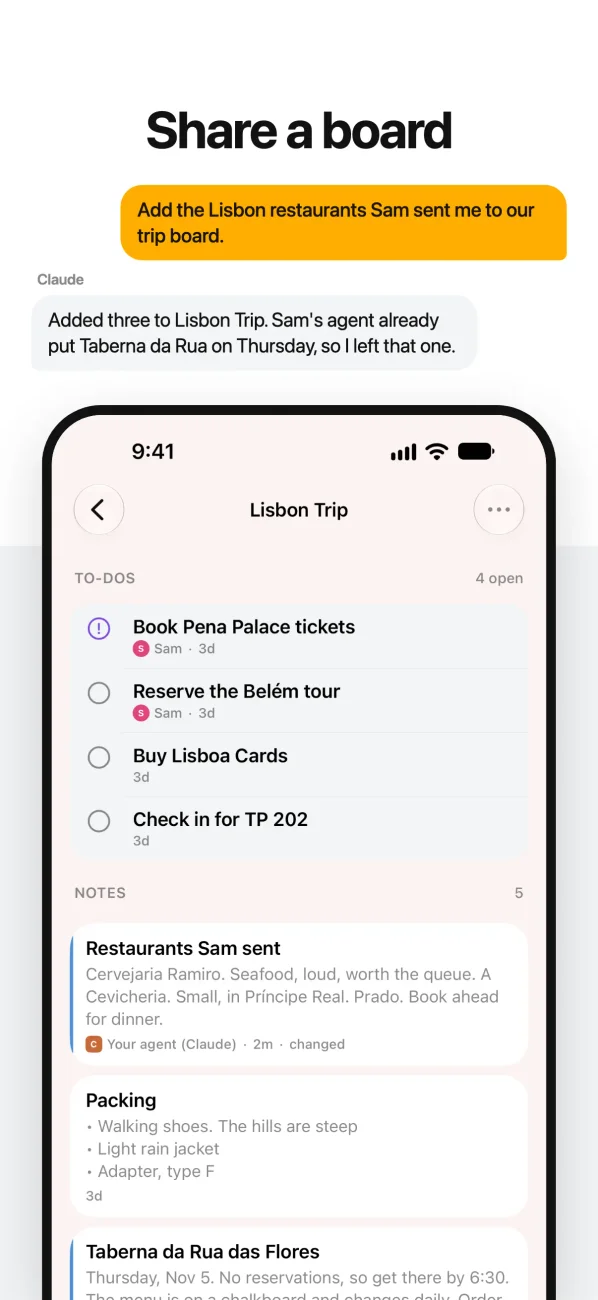
SHARE A BOARD
Invite someone to a board as an Editor or a Viewer. Editors add and change notes, tasks and records with you. Viewers read along and mark things for themselves. Send the invite link in Messages, Mail or AirDrop. Each person's AI can work on the board too, and knows it's shared before it writes.
Inviting needs Kyle Pro. Joining is free, and boards you join don't count toward the free plan.
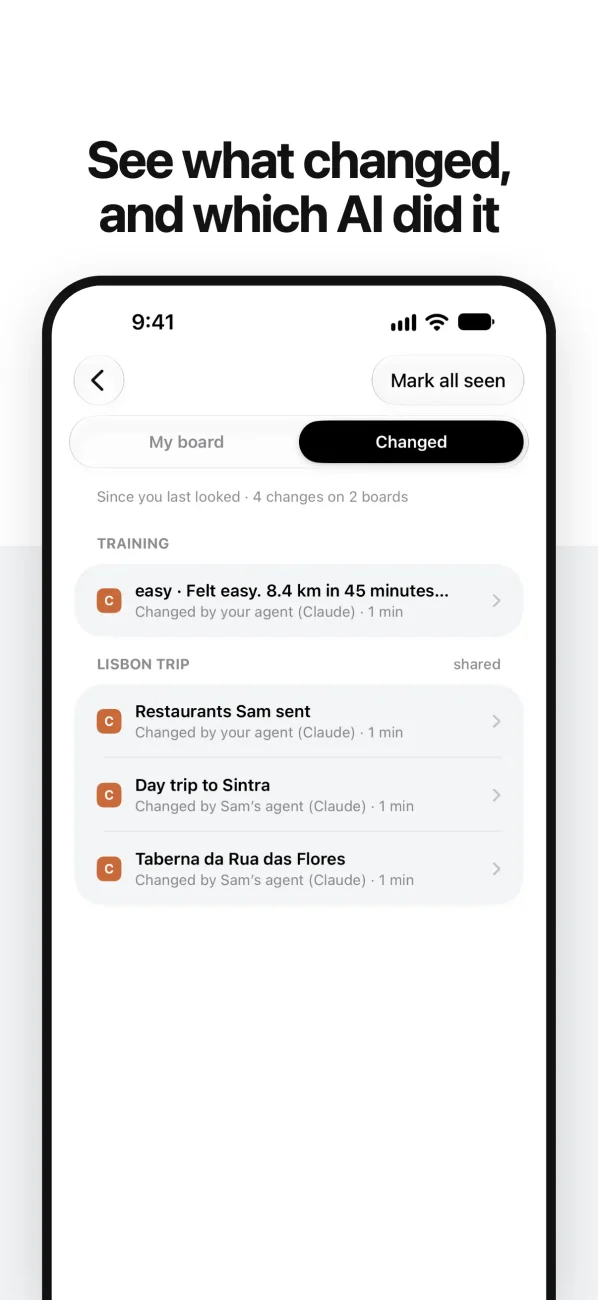
SEE WHAT CHANGED
Changed lists what moved since you last looked, board by board. Each item says who changed it and when, and which AI if it wasn't a person. That includes your own AI, so you can see what it did overnight.
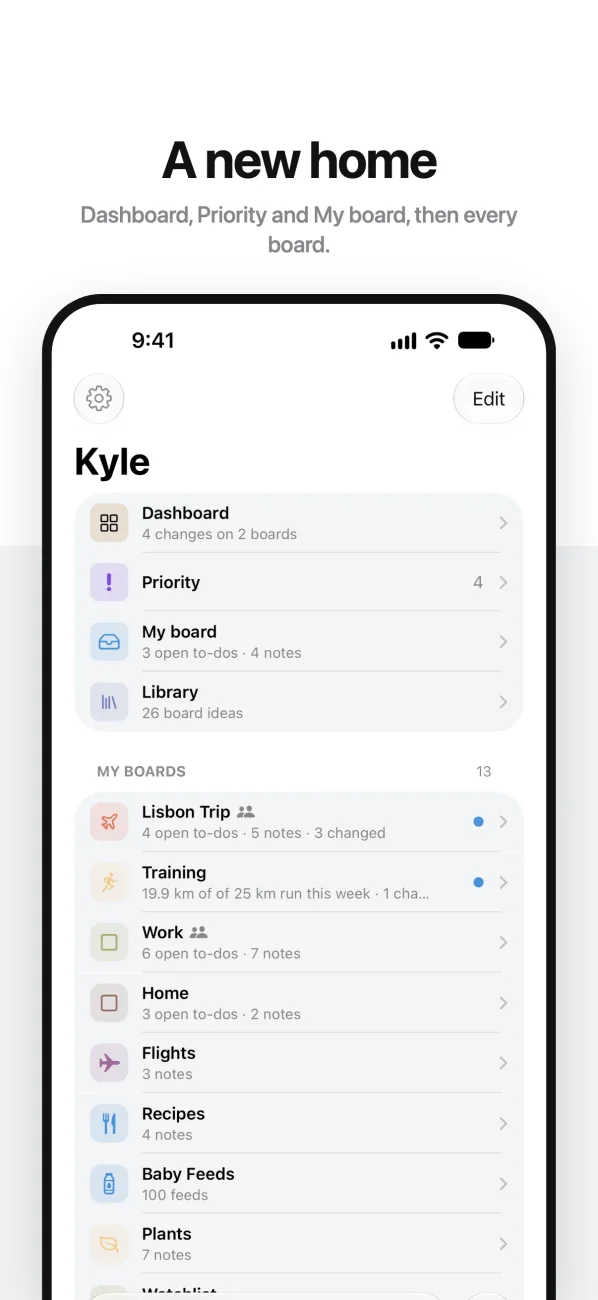
A NEW HOME
Kyle opens on a list: Dashboard, Priority and My board at the top, then every board with its latest number or headline. On iPad and Mac it's the sidebar.
• Dashboard: widgets from your boards. Priority, Today, Changed, a goal, the next flight. Arrange them yourself, or ask your AI to
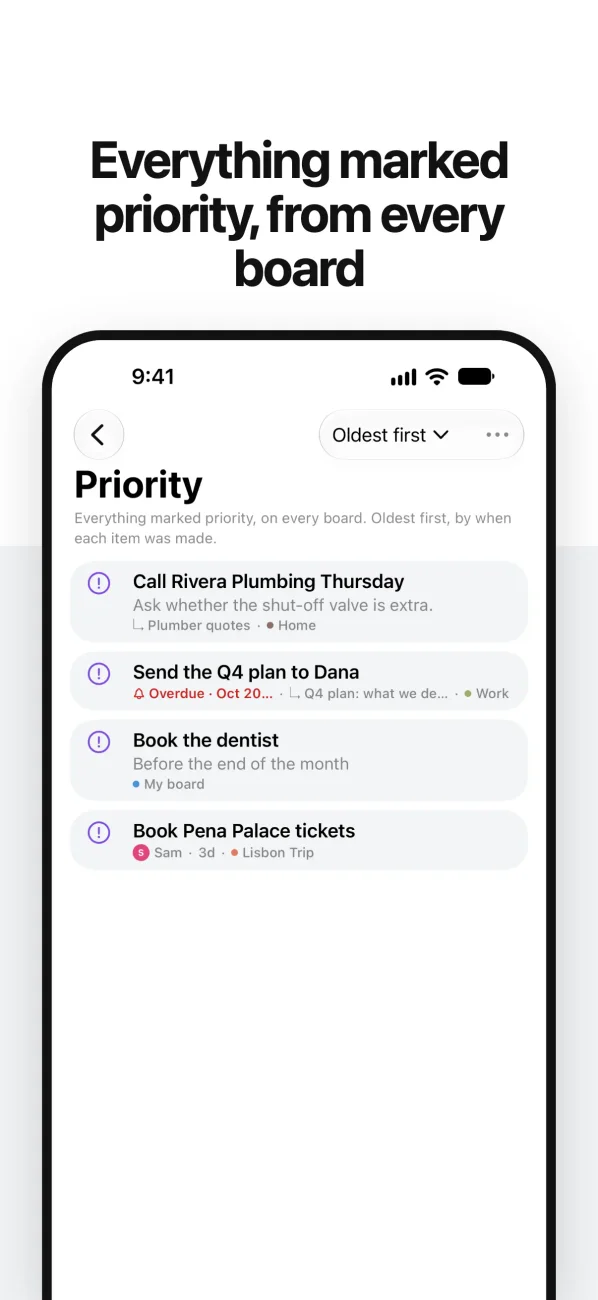
• Priority: everything you've marked priority, from every board, oldest first
• My board: notes and to-dos that don't belong anywhere else. It used to be the Inbox
• Settings: now a list of pages
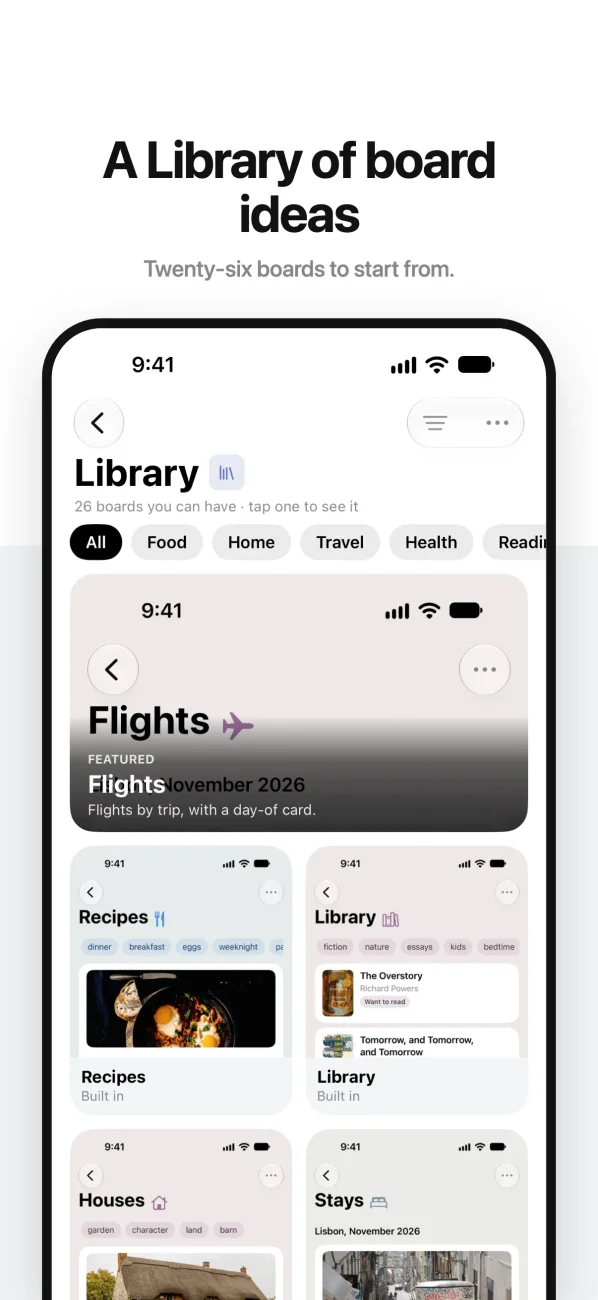
A LIBRARY OF BOARD IDEAS
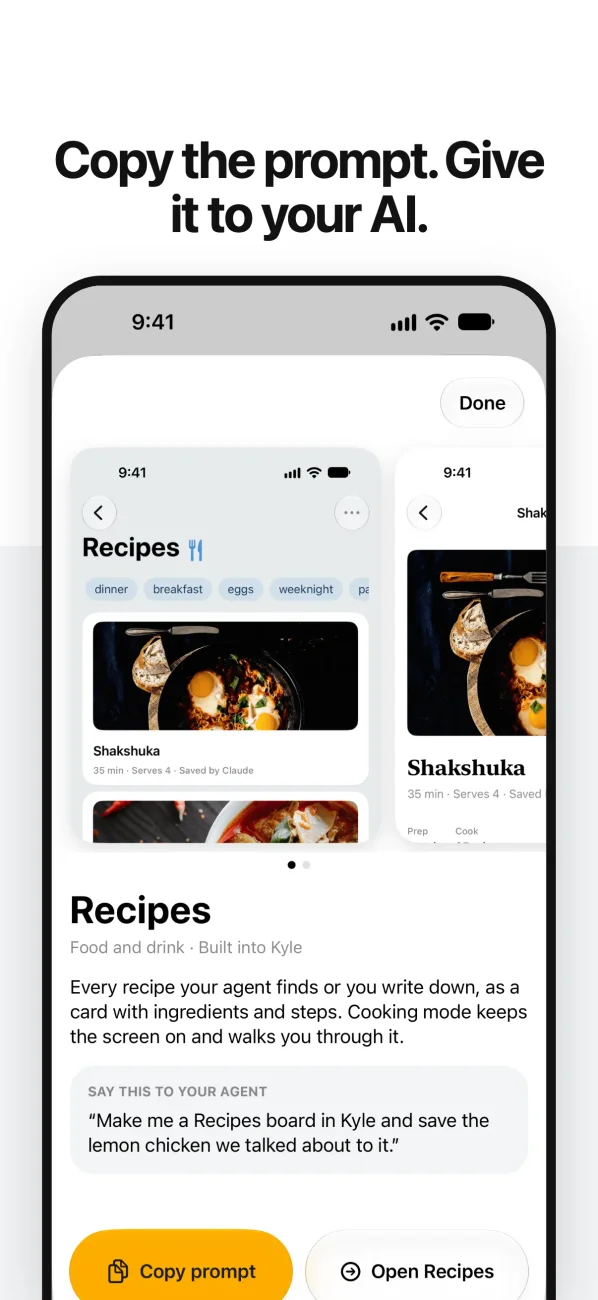
Twenty-six boards to start from, under Library. Each shows what the board looks like and gives you a prompt to copy to your AI. Some you can add with one tap.
DATA BOARDS
Runs, feeds, weather, weekly numbers. Your AI logs a row each time, Kyle charts it, and your AI can answer questions about it. With Kyle Pro, your AI can design a new kind of board for you.
BOARDS THAT KNOW WHAT'S ON THEM
Recipes with a cooking mode. A Watchlist of posters. A Library of covers. Read Later, Wishlist, Flights, Stays, Houses, Wine, Plants, Workouts and more. Your AI fills them in the right format. Plain boards hold everything else.
NOTES AND TASKS
• Tasks take one tap to close. Mark the important ones priority
• A real markdown editor, with Read Aloud
• Photos on notes, from the camera or your library
• Works offline. Edits sync when you're back, and a clash keeps both versions
• Siri and Spotlight find and change your notes
CONNECT YOUR AI
Claude connects through its connector directory with the same Apple ID you use for Kyle. Muse, Cursor, Claude Code, VS Code and any MCP client get their own steps.
PRIVATE BY DESIGN
Sign in with Apple, Hide My Email works, no password. Your notes are never used for training. You see what's shared before you share it, and you can delete your account from Settings at any time.
FREE
Connecting your AI is free, with no clock. So are search, every type of board, joining shared boards, sync and Read Aloud. The free plan has six boards in use, and empty boards don't count. Kyle Pro is for more than six boards, sharing your boards with others, and priority support.
KYLE PRO
Kyle Pro is an auto-renewable subscription, offered monthly or yearly. Payment is charged to your Apple Account at confirmation of purchase. The subscription renews automatically unless it is cancelled at least 24 hours before the end of the current period. Manage or cancel anytime in your Apple Account settings.
Terms of Use (EULA): https://www.apple.com/legal/internet-services/itunes/dev/stdeula/
Privacy Policy: https://trykyle.com/privacy
What’s new
Version 2.5.1 · Oct 28, 2026
Teleprompter mode and bug fixes.
App privacy
What scott hall declares on the App Store about how this app handles data.
-
Data not linked to you
May be collected but is not linked to your identity.
- Contact info
- User content
Privacy practices may vary, for example with the features you use or your age.
Information
- Seller
- scott hall
- Category
- Productivity
- Version
- 2.5.1
- Updated
- Oct 28, 2026
- Released
- May 16, 2026
- Size
- 17.1 MB
- Requires
- iOS 27.0 or later
- Age rating
- 4+
- Price
- Free
- In-app purchases
- Yes
- Languages
- English
- Copyright
- © Hewn Growth, LLC
You might also like
-
 ThinkStowPick up where you left off
-
 Text CleanText cleanup with macros
-
 Cue: Smart RemindersType once, never miss a thing
-
 Semnia: Screenshot ManagerClickable screenshots, sorted
-
 Opus: AI Daily Planner & GoalsTurn any goal into a plan.
-
 1SecCopy: Clipboard & KeyboardSave once, paste anywhere
-
 Writers StudioAI Fiction & Worldbuilding
-
 DigitalTwin AI: AI KeyboardYour twin replies for you
-
 Skill AtlasSkill catalog for your bot
-
 AgentOS - AI Agent HostYour Personal AI Agent