- 対象年齢4+
- カテゴリユーティリティ
- 開発元BMP Research LLC
- 言語英語
- サイズ1.7 MB
App Storeの公式ページにリンクしています
Download.orgはLabelDeckのファイルを一切ホストしていません。ボタンを押すと、BMP Research LLCが公開しているApp Storeのアプリページが開きます。ページの最終確認:2026/11/12。
スクリーンショット



概要
開発元はこのテキストをお使いの言語で提供していません。
Print labels straight from your iPhone to the label printer on your network.
LabelDeck speaks ZPL directly to your printer over Wi-Fi. There is no cloud
service in the middle, no account to create, and nothing to install on a
computer.
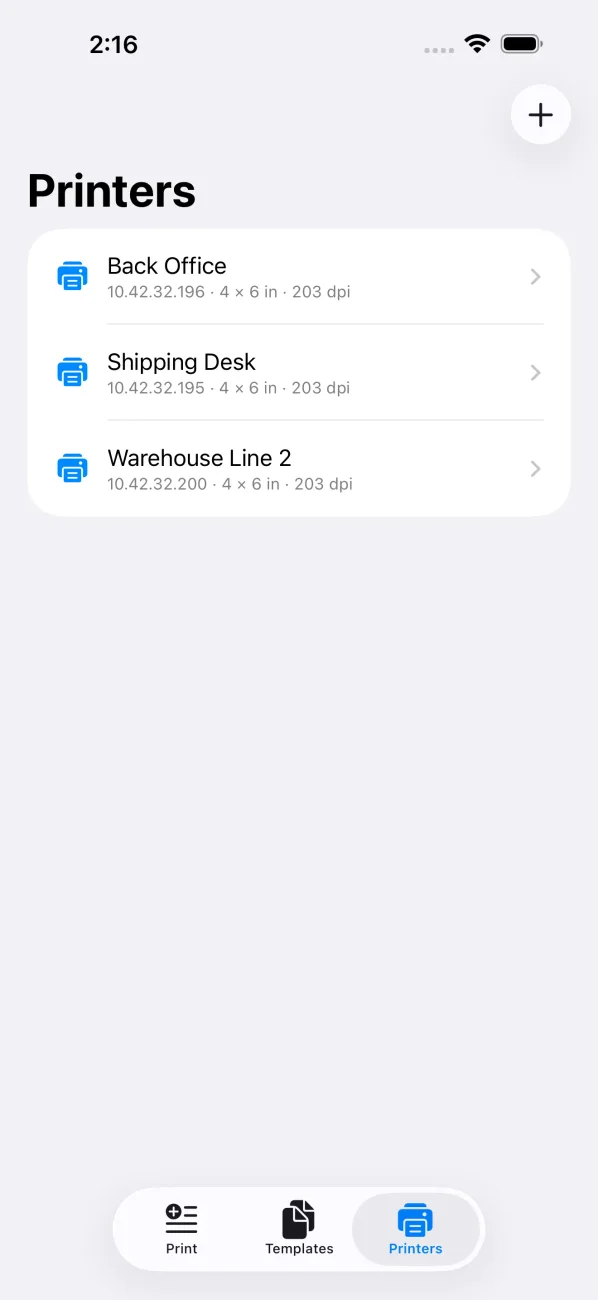
FIND YOUR PRINTER
• Sweep your network and list every label printer that answers
• Or enter an IP address directly — for a printer on another subnet, or with
network discovery switched off
• Detect Settings asks the printer to describe itself and fills in the form,
marking which values are measured facts and which are only settings
• Live status: ready, out of media, head open, paused, labels remaining
• Mark one printer as the default and it is preselected everywhere
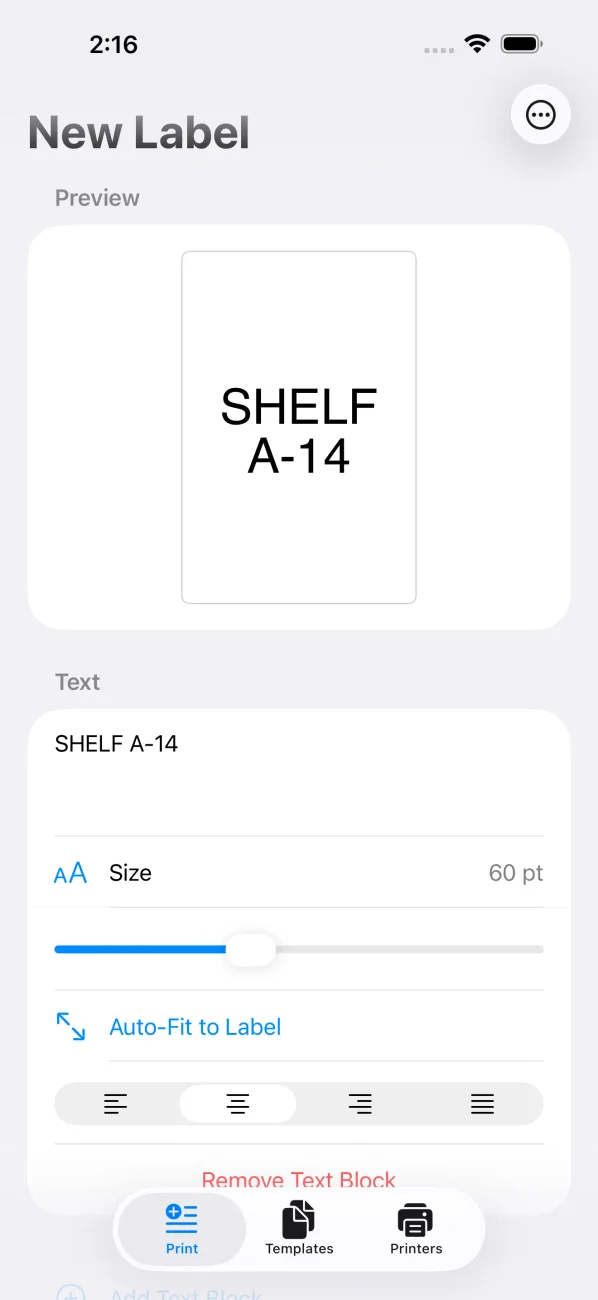
COMPOSE A LABEL
• Multi-line text, wrapped to the printable width
• Font size in points, converted against each printer's own print density — the
same saved label comes out the same physical size on a 203 and a 300 dpi unit
• Auto-Fit picks the largest size that still fits, allowing for a barcode
• Left, center, right and justified alignment
• Rotate 0°, 90°, 180° or 270°
• Code 128 and QR barcodes, sized to fit automatically
• 1 to 99 copies
• Live preview, and the exact command stream on request before anything is sent
SAVE AND REUSE
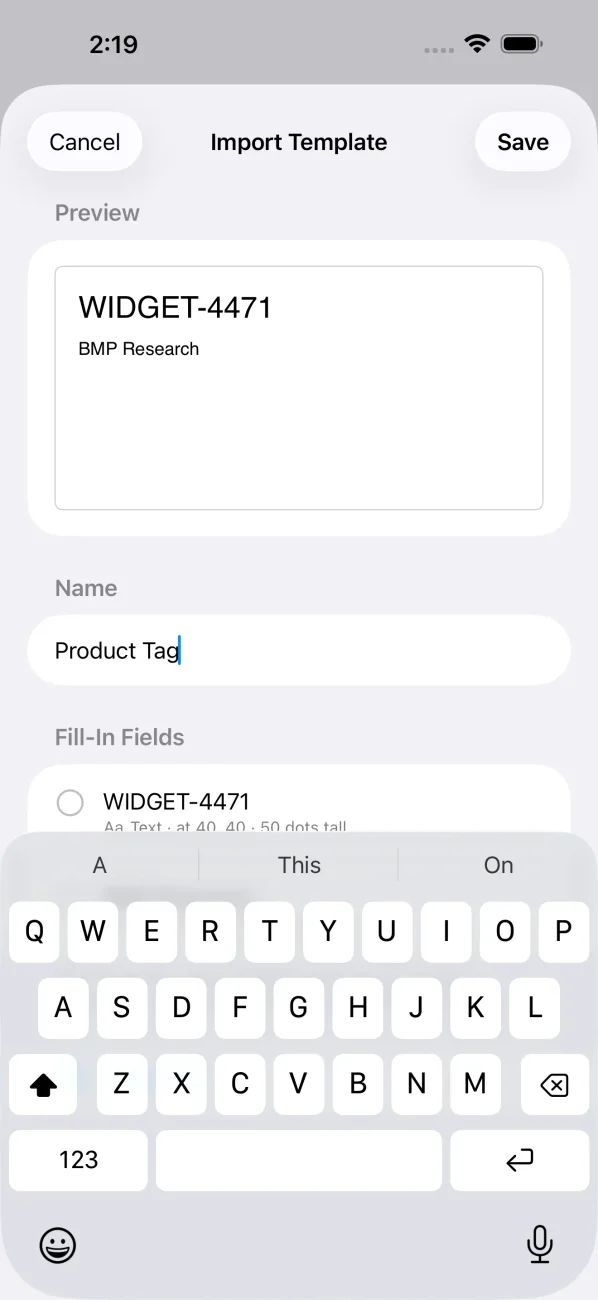
Keep any label you compose and reopen it later to edit. Import labels designed
elsewhere — from the printer's own storage, from a file, from the clipboard, or
through the share sheet.
FILL-IN-THE-BLANK FIELDS
Label design software bakes the sample text you typed at design time into the
export as fixed data. Normally the fix is opening the file in a text editor.
LabelDeck lists every text and barcode value it finds, and you tap the ones that
should be variable and name them. Printing then shows a short form of just those
fields, remembers the values you used last time, and previews the filled label
before sending.
Labels pulled from the printer's own storage arrive with their variable fields
already declared and named, so there is nothing to mark by hand.
Text that no longer fits is shrunk to fit, and the app tells you which field it
shrank — rather than letting a long value run off the edge of the label.
PRIVACY
Your labels, templates and printer list stay on your device. There is no
account, no sign-in, and nothing you create is uploaded anywhere.
COMPATIBILITY
Requires a label printer that accepts ZPL over a raw TCP connection on your
local network — including Zebra® ZD and ZT series. Bluetooth and USB-only
printers are not supported.
LabelDeck is an independent app and is not affiliated with, endorsed by, or
sponsored by Zebra Technologies Corporation. Zebra and ZPL are trademarks of
Zebra Technologies Corporation.
アプリのプライバシー
このアプリのデータの取り扱いについて、BMP Research LLCがApp Storeで申告している内容です。
-
データの収集なし
開発元はこのアプリからデータを収集しません。
プライバシーの取り扱いは、ご利用の機能やお客様の年齢などに応じて異なる場合があります。
情報
- 販売元
- BMP Research LLC
- カテゴリ
- ユーティリティ
- バージョン
- 1.0
- 更新日
- 2026/8/17
- リリース
- 2026/8/17
- サイズ
- 1.7 MB
- 必要条件
- iOS 18.0以降
- 対象年齢
- 4+
- 価格
- 無料
- 言語
- 英語
- 著作権
- © 2026 BMP Research LLC