- Độ tuổi4+
- Danh mụcTiện Ích
- Nhà phát triểnBMP Research LLC
- Ngôn ngữTiếng Anh
- Kích thước1,7 MB
Liên kết đến trang App Store chính thức
Download.org không lưu trữ tệp nào của LabelDeck. Nút này mở trang ứng dụng trên App Store, nơi BMP Research LLC phát hành ứng dụng. Trang được kiểm tra lần cuối: 12/11/2026.
Ảnh chụp màn hình



Giới thiệu
Nhà phát triển chưa cung cấp nội dung này bằng ngôn ngữ của bạn.
Print labels straight from your iPhone to the label printer on your network.
LabelDeck speaks ZPL directly to your printer over Wi-Fi. There is no cloud
service in the middle, no account to create, and nothing to install on a
computer.
FIND YOUR PRINTER
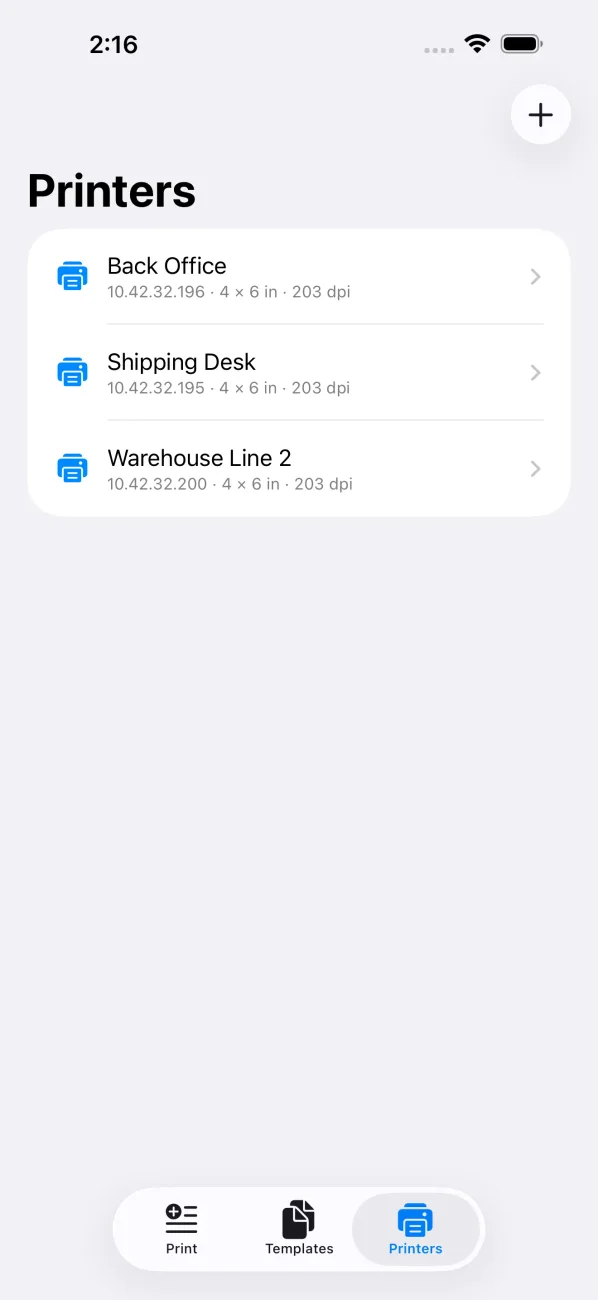
• Sweep your network and list every label printer that answers
• Or enter an IP address directly — for a printer on another subnet, or with
network discovery switched off
• Detect Settings asks the printer to describe itself and fills in the form,
marking which values are measured facts and which are only settings
• Live status: ready, out of media, head open, paused, labels remaining
• Mark one printer as the default and it is preselected everywhere
COMPOSE A LABEL
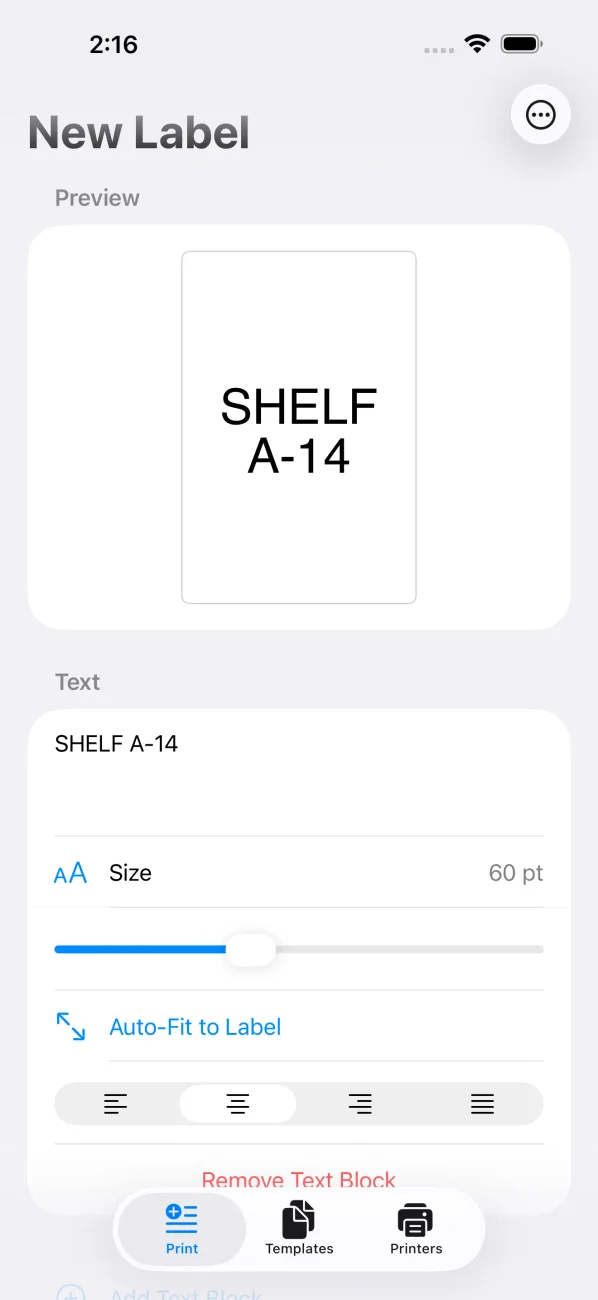
• Multi-line text, wrapped to the printable width
• Font size in points, converted against each printer's own print density — the
same saved label comes out the same physical size on a 203 and a 300 dpi unit
• Auto-Fit picks the largest size that still fits, allowing for a barcode
• Left, center, right and justified alignment
• Rotate 0°, 90°, 180° or 270°
• Code 128 and QR barcodes, sized to fit automatically
• 1 to 99 copies
• Live preview, and the exact command stream on request before anything is sent
SAVE AND REUSE
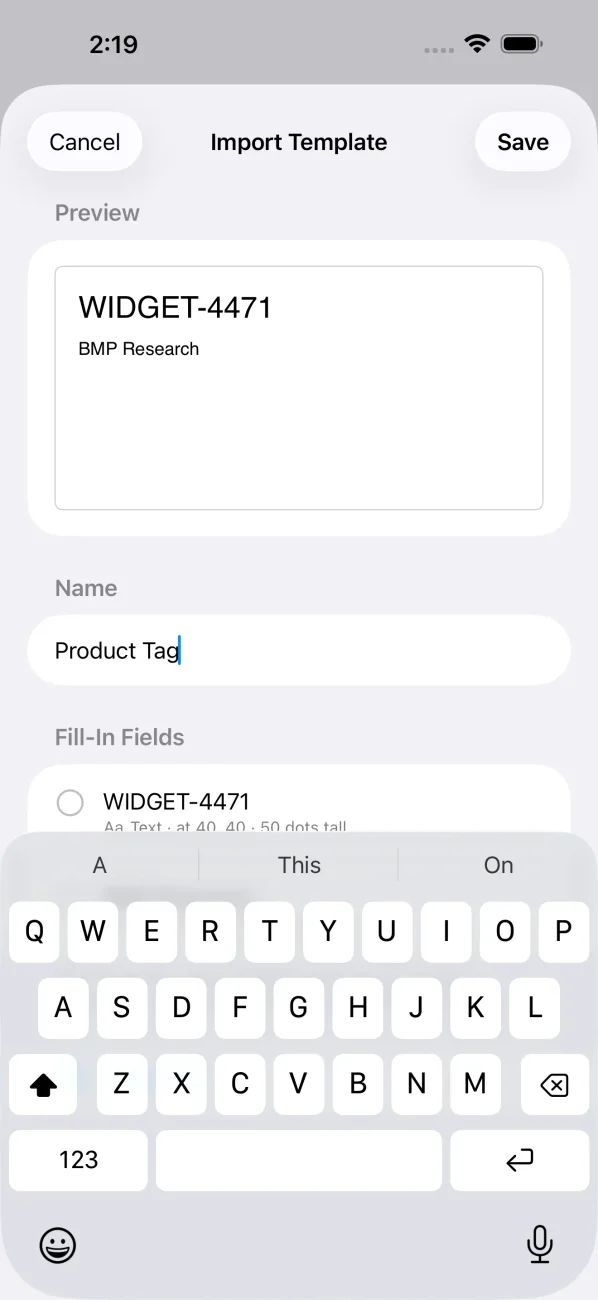
Keep any label you compose and reopen it later to edit. Import labels designed
elsewhere — from the printer's own storage, from a file, from the clipboard, or
through the share sheet.
FILL-IN-THE-BLANK FIELDS
Label design software bakes the sample text you typed at design time into the
export as fixed data. Normally the fix is opening the file in a text editor.
LabelDeck lists every text and barcode value it finds, and you tap the ones that
should be variable and name them. Printing then shows a short form of just those
fields, remembers the values you used last time, and previews the filled label
before sending.
Labels pulled from the printer's own storage arrive with their variable fields
already declared and named, so there is nothing to mark by hand.
Text that no longer fits is shrunk to fit, and the app tells you which field it
shrank — rather than letting a long value run off the edge of the label.
PRIVACY
Your labels, templates and printer list stay on your device. There is no
account, no sign-in, and nothing you create is uploaded anywhere.
COMPATIBILITY
Requires a label printer that accepts ZPL over a raw TCP connection on your
local network — including Zebra® ZD and ZT series. Bluetooth and USB-only
printers are not supported.
LabelDeck is an independent app and is not affiliated with, endorsed by, or
sponsored by Zebra Technologies Corporation. Zebra and ZPL are trademarks of
Zebra Technologies Corporation.
Quyền riêng tư của ứng dụng
Những gì BMP Research LLC khai báo trên App Store về cách ứng dụng này xử lý dữ liệu.
-
Dữ liệu không được thu thập
Nhà phát triển không thu thập bất kỳ dữ liệu nào từ ứng dụng này.
Phương thức đảm bảo quyền riêng tư có thể khác nhau, chẳng hạn như tuỳ theo các tính năng bạn sử dụng hoặc độ tuổi của bạn.
Thông tin
- Người bán
- BMP Research LLC
- Danh mục
- Tiện Ích
- Phiên bản
- 1.0
- Cập nhật
- 17/08/2026
- Phát hành
- 17/08/2026
- Kích thước
- 1,7 MB
- Yêu cầu
- iOS 18.0 trở lên
- Độ tuổi
- 4+
- Giá
- Miễn phí
- Ngôn ngữ
- Tiếng Anh
- Bản quyền
- © 2026 BMP Research LLC