- 対象年齢4+
- カテゴリ開発ツール
- 開発元Andrew Hoffart
- 言語英語
- サイズ36.7 MB
App Storeの公式ページにリンクしています
Download.orgはLaunchCutのファイルを一切ホストしていません。ボタンを押すと、Andrew Hoffartが公開しているApp Storeのアプリページが開きます。ページの最終確認:2026/11/18。
スクリーンショット
概要
開発元はこのテキストをお使いの言語で提供していません。
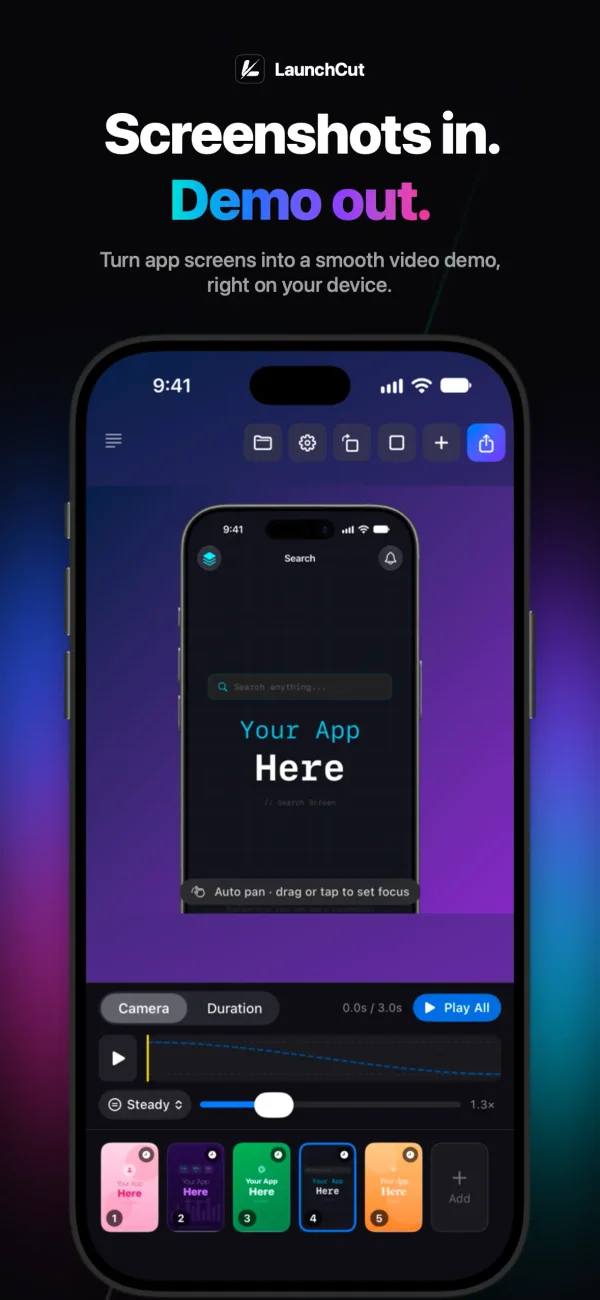
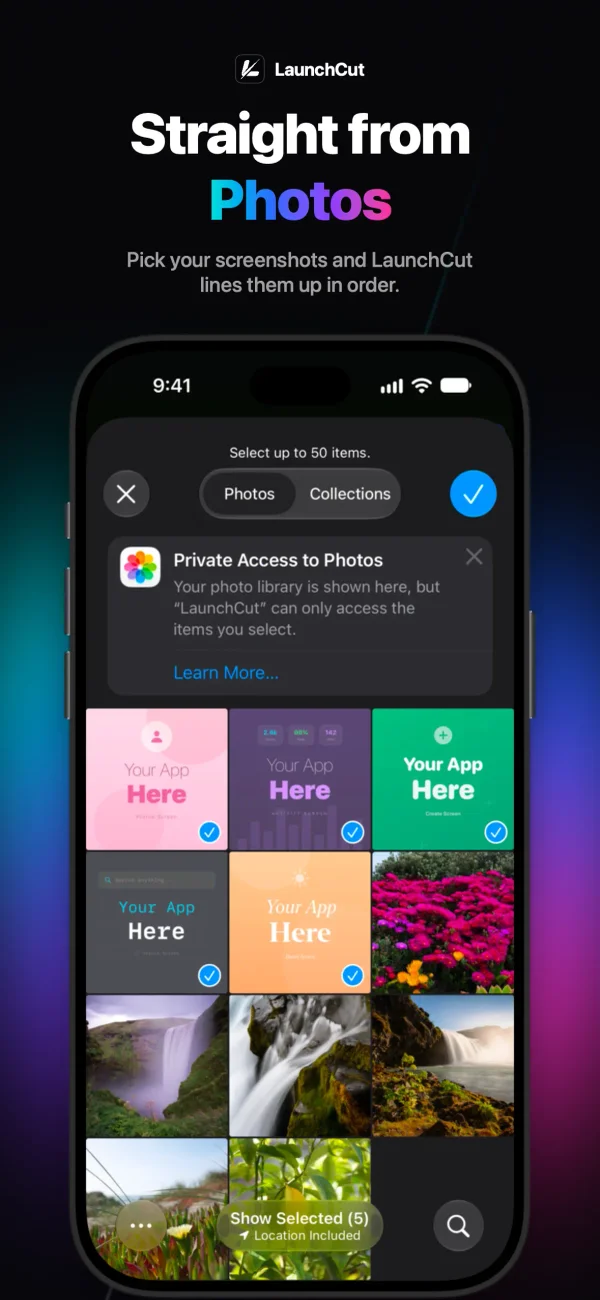
Turn your app screenshots into a polished video demo or a clickable prototype, right on your iPhone or iPad. Import screens from your photo library, frame them in real device bezels, and share a demo people can watch or tap through in minutes.
No Mac required. No simulator. Just the screenshots and screen recordings you already have.
NEW: VIDEO DEMOS Drop in screenshots and clips and LaunchCut plth smooth camera moves, zooms, and transitions. Tap or drag to set the focus on each screen, pick a steady or lively camera, and set how long every screen stays up. Export a finished video for social posts, relee.
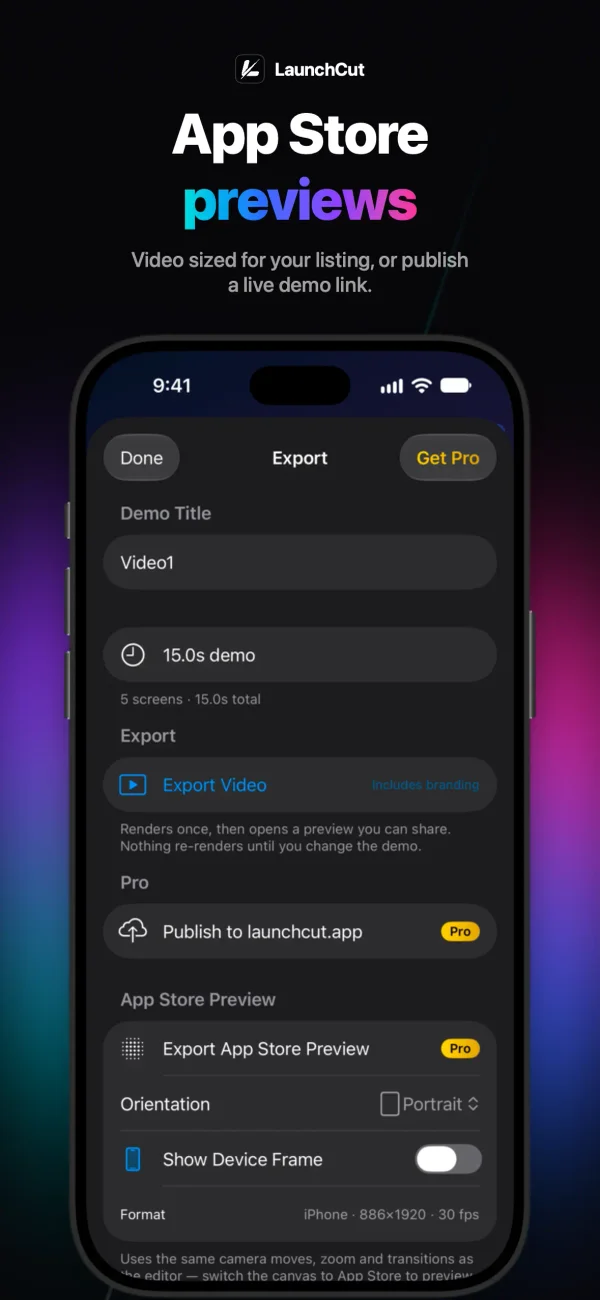
NEW: APP STORE PREVIEWS (Pro)
Export an App Store preview video that is ready to upload: the right size, frame rate, and length for App Store Connect, in portrait or landscape, with or wit
NEW: IPHONE DUO AND APPLE WATCH
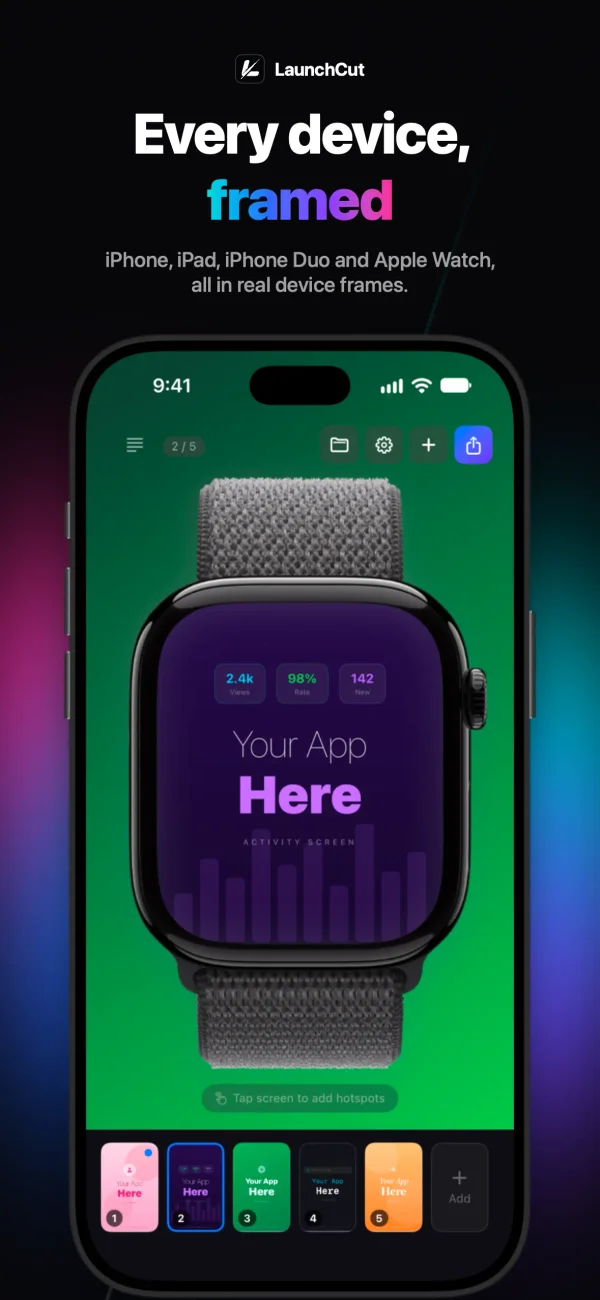
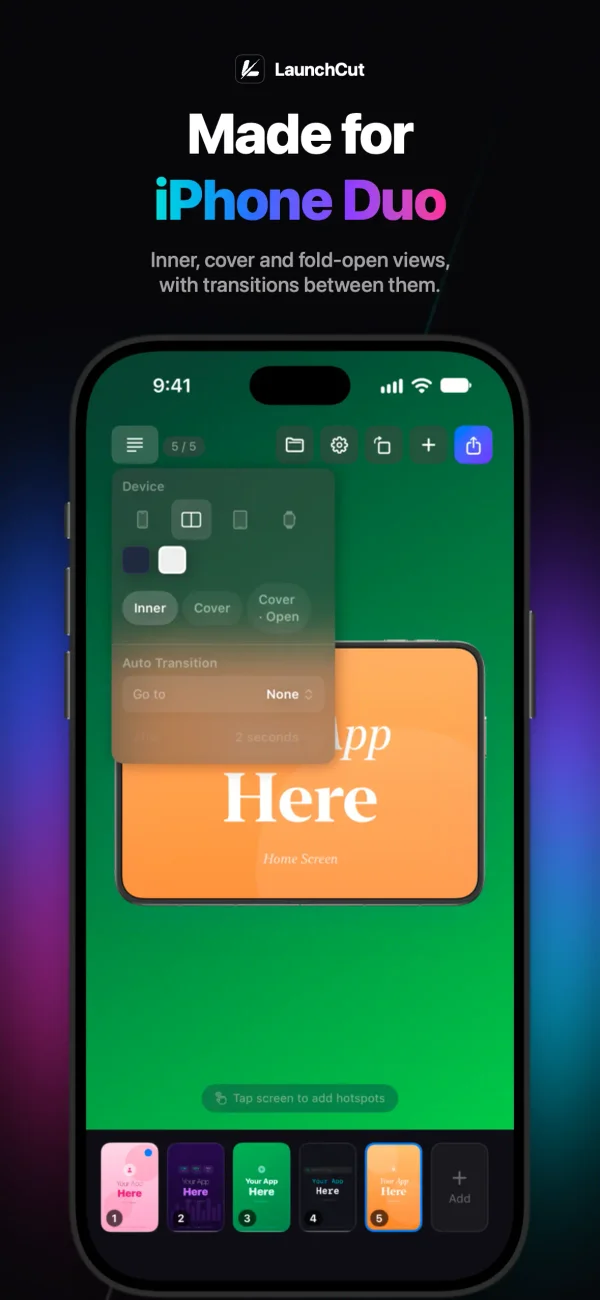
Show your app on iPhone Duo with inner, cover, and fold-open views, plus a fold transition between them. Apple Watch frames are included too.
INTERACTIVE DEMOS
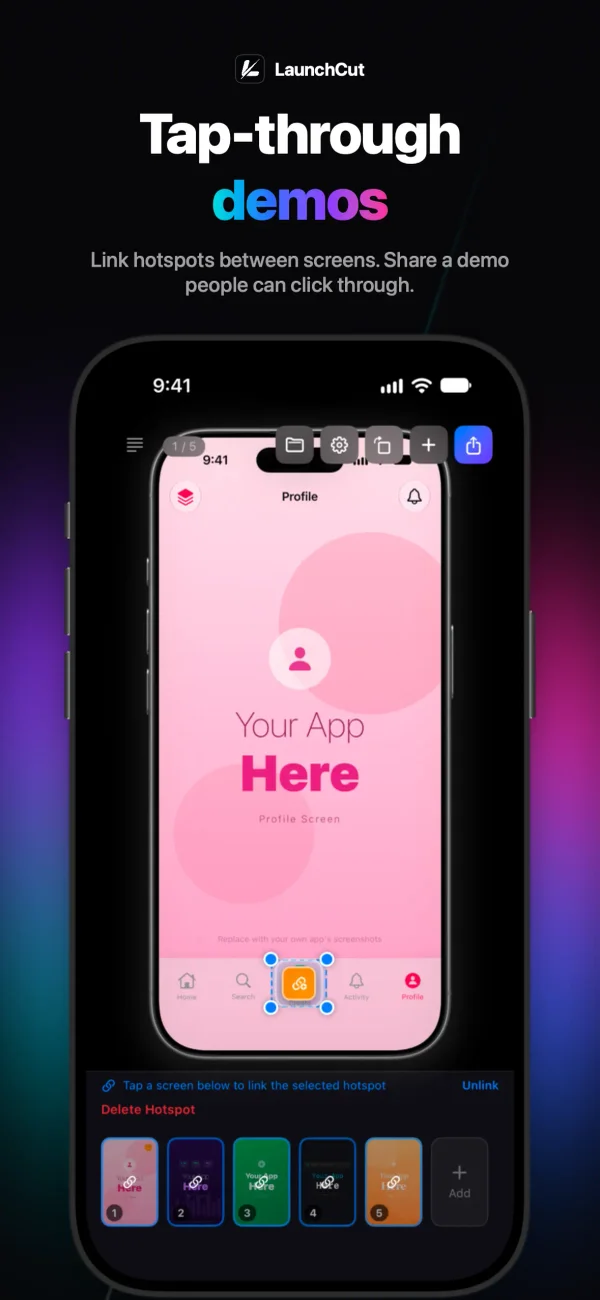
Draw tap zones on each screen that link to the next, and LaunchCut builds a prototype that looks and feels like the real app. Share it as a single HTML file that ublish it to a hosted link.
How It Works
1. Choose an Interactive Demo or a Video Demo
2. Import screenshots or video clips from your
3. Pick a device: iPhone, iPhone Duo, iPad, or Apple Watch
4. Add hotspots, or set camera moves and trans
5. Preview the demo right in the app
6. Export a video or a self-contained HTML fil
7. (Pro) Publish to a shareable launchcut.app link or export an App Store preview
Key Features
• Video Demos. Camera moves, zoom, and cut, fations
• Device Bezels. iPhone, iPhone Duo, iPad, and Apple Watch frames
• Hotspot Editor. Draw tap zones that navigate
• Video Support. Import screen recordings and trim to the perfect clip
• Backgrounds. Choose from solid colors and gre
• Self-Contained Export. Fully offline HTML file with no dependencies (Free)
• Video Export. Share a finished demo video (Franding)
• App Store Previews. Upload-ready preview videos (Pro)
• Publishing and Hosted Links. Generate a shar(Pro)
• Transparent Backgrounds. Embed demos seamlessly on any website (Pro)
• Multiple Projects. Organize demos by product
• iPad and iPhone Duo Optimized. Full side-by-side editing when you have the room
Embed Anywhere with Transparent Backgrounds (Pro)
LaunchCut Pro includes transparent background export, perfect for embedding demos directly into marketing pages,
documentation, and portfolios. Your device fraackgrounds, brand colors, and complex designswith no color matching and no awkward edges.
Free vs Pro
LaunchCut is free to use with full import, HTML export, and video export.
Upgrade to LaunchCut Pro to unlock:
• App Store preview video export
• Branding-free videos
• Hosted publishing with shareable links
• Transparent backgrounds for clean embeds
• Easy link-based sharing (no file handling)
• Future Pro-only enhancements
Perfect For
• Indie developers making App Store previews a
• Designers building portfolio case studies
• Developers showcasing apps without TestFligh
• Product managers collecting stakeholder feedback
• Indie hackers prepping for Product Hunt or A
• Teams creating onboarding walkthroughs and app tours
• Marketing pages, landing pages, and social p
All processing happens on your device. No accoport. No tracking.
Learn more at https://launchcut.app
This app uses Apple's standard Terms of Use (E
https://www.apple.com/legal/internet-services/itunes/dev/stdeula/
Privacy Policy: https://launchcut.app/privacy/
新機能
バージョン 1.3.1 · 2026/10/30
LaunchCut 1.3.1 adds video demos, our biggest update yet.
• Video Demos: turn screenshots and clips into a video with smooth camera moves, zoom, and cut, fade, or slide transitions. Tap or drag to set the focus on each screen.
• App Store Previews (Pro): export a preview video sized and timed for App Store Connect, in portrait or landscape, with or without the device frame.
• iPhone Duo: show inner, cover, and fold-open views, with a fold transition between them.
• Video export for everyone, plus publishing videos to a launchcut.app link (Pro).
• New background colors and gradients, and a default hotspot style setting.
• A refreshed editor with side-by-side editing on iPad and iPhone Duo.
• Performance improvements and bug fixes.
アプリのプライバシー
このアプリのデータの取り扱いについて、Andrew HoffartがApp Storeで申告している内容です。
-
データの収集なし
開発元はこのアプリからデータを収集しません。
プライバシーの取り扱いは、ご利用の機能やお客様の年齢などに応じて異なる場合があります。
情報
- 販売元
- Andrew Hoffart
- カテゴリ
- 開発ツール
- バージョン
- 1.3.1
- 更新日
- 2026/10/30
- リリース
- 2026/4/30
- サイズ
- 36.7 MB
- 必要条件
- iOS 18.0以降
- 対象年齢
- 4+
- 価格
- 無料
- アプリ内課金
- あり
- 言語
- 英語
- 著作権
- © 2026 Andrew Hoffart
こちらもおすすめ
-
 RemoteSimシミュレータをスマホで確認・操作
-
 OctaLab開発ツール
-
 SF TabBar for SwiftUI開発ツール
-
 dHP: AIでアプリを、HTMLで。HTMLを実行・保存。ビューア&エディタ。
-
 Screenfully:アプリデモ作成ツールモバイルアプリ向け Screen Studio
-
 Rust RecipesRustとSQL、その場で実行
-
 TermBean - SSH SFTP Client開発ツール
-
 Launch Canvas開発ツール
-
 AI Agent Builder ArchitectBuild AI agents the right way
-
 ShipSwift - MCP Codebase開発ツール