LaunchCut
Create Interactive App Demos
iPhone, iPad, Mac için tasarlandı
Ücretsiz · Uygulama içi satın alma
- Yaş sınırı4+
- KategoriGeliştirici Araçları
- GeliştiriciAndrew Hoffart
- Dillerİngilizce
- Boyut36,7 MB
Resmi App Store sayfasına bağlanır
Download.org, LaunchCut için hiçbir dosya barındırmaz. Düğme, uygulamanın App Store üzerindeki sayfasını açar; uygulamayı orada Andrew Hoffart yayınlar. Sayfanın son kontrolü: 18.11.2026.
Ekran görüntüleri
Hakkında
Geliştirici bu metni dilinizde sunmamış.
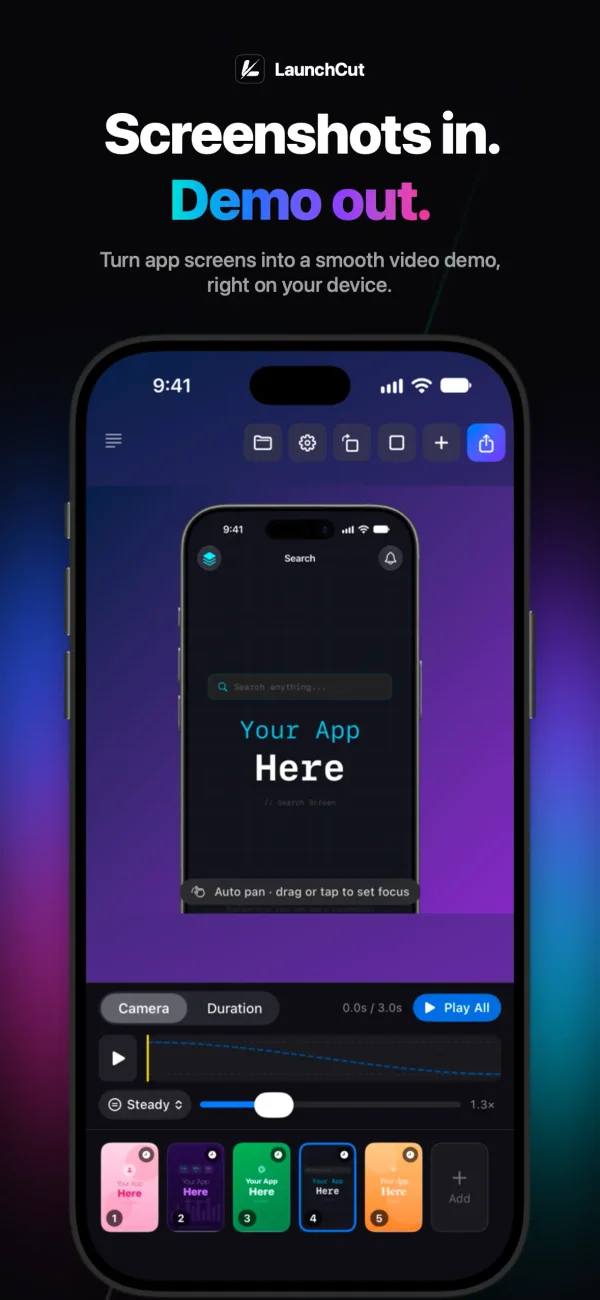
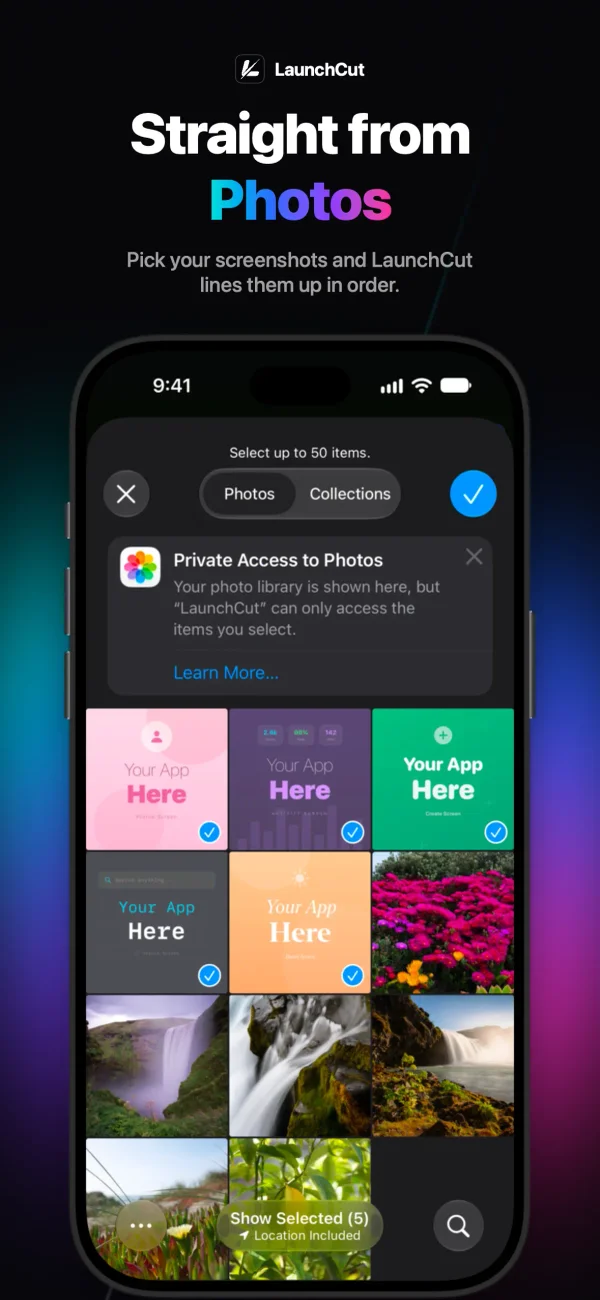
Turn your app screenshots into a polished video demo or a clickable prototype, right on your iPhone or iPad. Import screens from your photo library, frame them in real device bezels, and share a demo people can watch or tap through in minutes.
No Mac required. No simulator. Just the screenshots and screen recordings you already have.
NEW: VIDEO DEMOS Drop in screenshots and clips and LaunchCut plth smooth camera moves, zooms, and transitions. Tap or drag to set the focus on each screen, pick a steady or lively camera, and set how long every screen stays up. Export a finished video for social posts, relee.
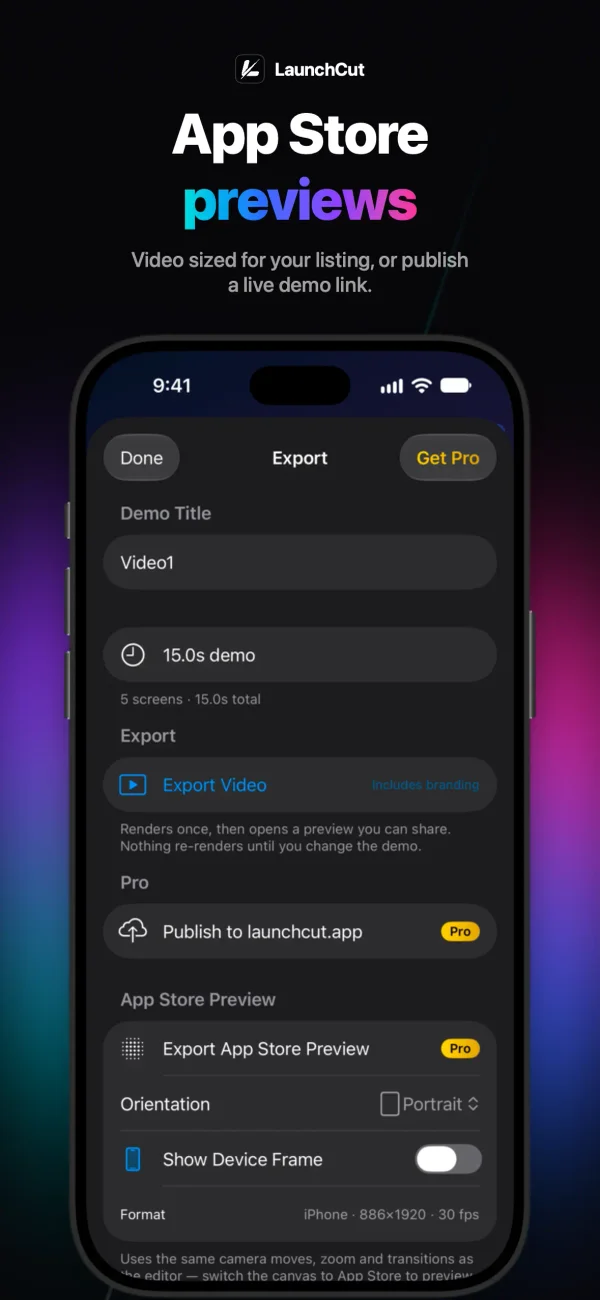
NEW: APP STORE PREVIEWS (Pro)
Export an App Store preview video that is ready to upload: the right size, frame rate, and length for App Store Connect, in portrait or landscape, with or wit
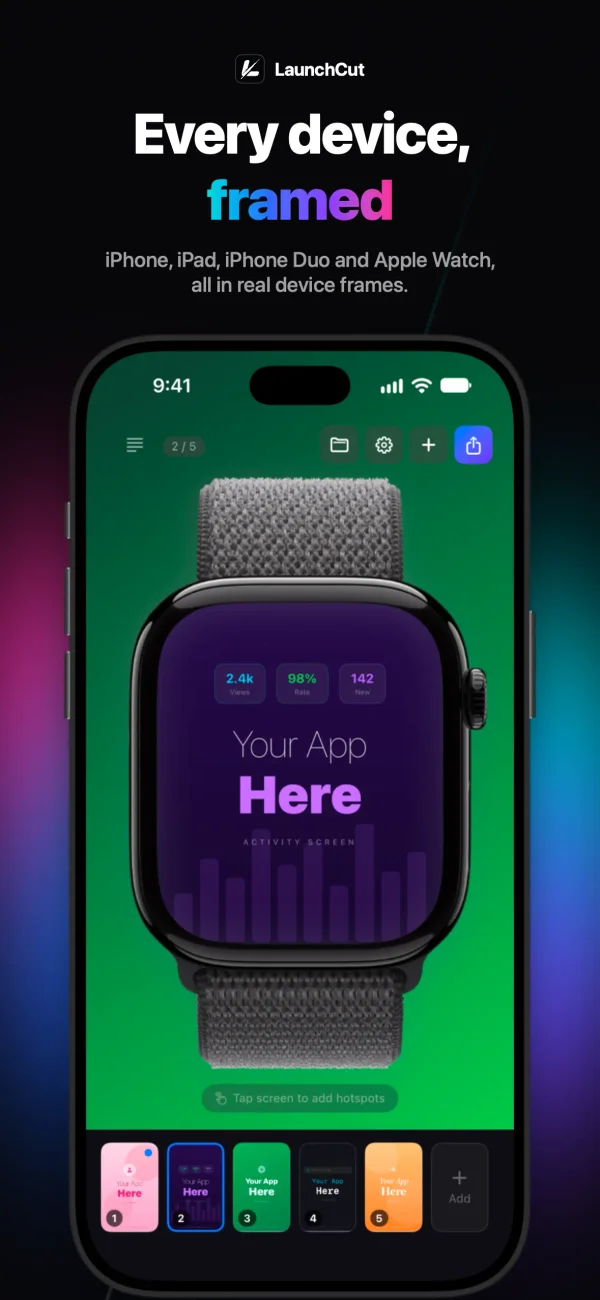
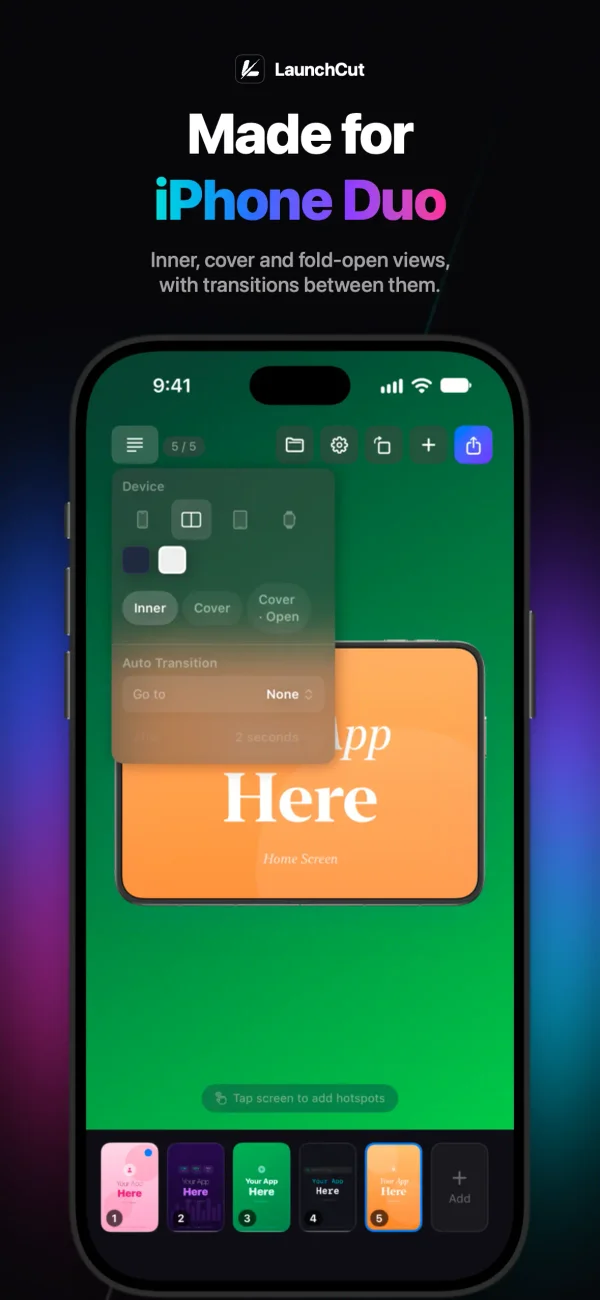
NEW: IPHONE DUO AND APPLE WATCH
Show your app on iPhone Duo with inner, cover, and fold-open views, plus a fold transition between them. Apple Watch frames are included too.
INTERACTIVE DEMOS
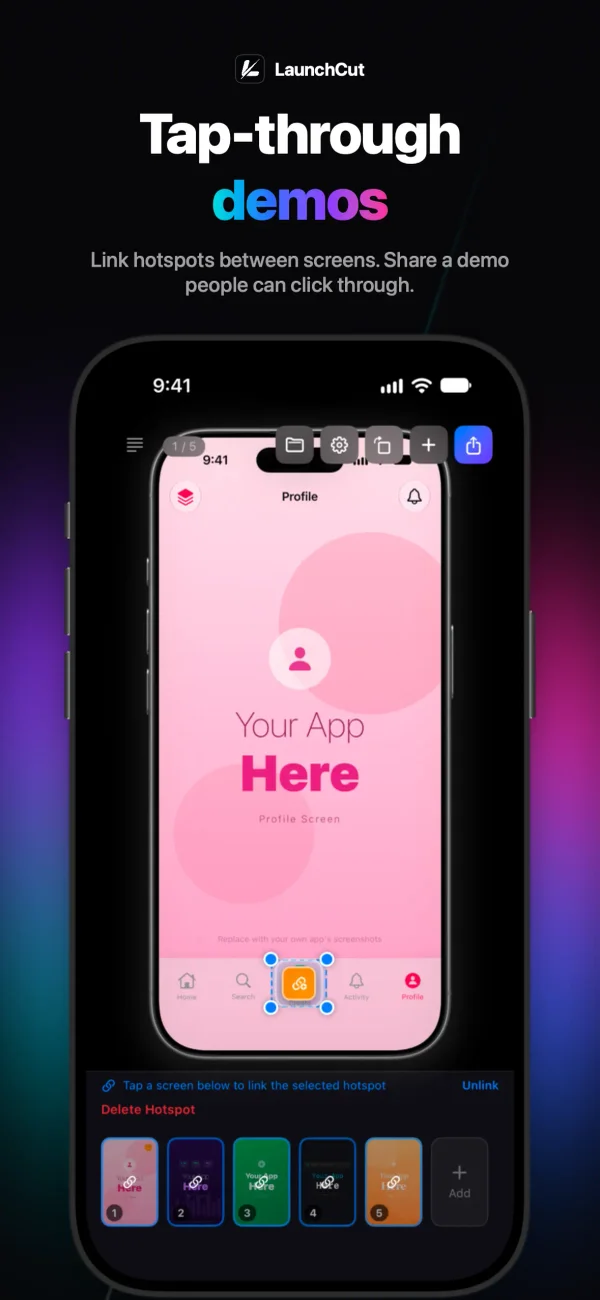
Draw tap zones on each screen that link to the next, and LaunchCut builds a prototype that looks and feels like the real app. Share it as a single HTML file that ublish it to a hosted link.
How It Works
1. Choose an Interactive Demo or a Video Demo
2. Import screenshots or video clips from your
3. Pick a device: iPhone, iPhone Duo, iPad, or Apple Watch
4. Add hotspots, or set camera moves and trans
5. Preview the demo right in the app
6. Export a video or a self-contained HTML fil
7. (Pro) Publish to a shareable launchcut.app link or export an App Store preview
Key Features
• Video Demos. Camera moves, zoom, and cut, fations
• Device Bezels. iPhone, iPhone Duo, iPad, and Apple Watch frames
• Hotspot Editor. Draw tap zones that navigate
• Video Support. Import screen recordings and trim to the perfect clip
• Backgrounds. Choose from solid colors and gre
• Self-Contained Export. Fully offline HTML file with no dependencies (Free)
• Video Export. Share a finished demo video (Franding)
• App Store Previews. Upload-ready preview videos (Pro)
• Publishing and Hosted Links. Generate a shar(Pro)
• Transparent Backgrounds. Embed demos seamlessly on any website (Pro)
• Multiple Projects. Organize demos by product
• iPad and iPhone Duo Optimized. Full side-by-side editing when you have the room
Embed Anywhere with Transparent Backgrounds (Pro)
LaunchCut Pro includes transparent background export, perfect for embedding demos directly into marketing pages,
documentation, and portfolios. Your device fraackgrounds, brand colors, and complex designswith no color matching and no awkward edges.
Free vs Pro
LaunchCut is free to use with full import, HTML export, and video export.
Upgrade to LaunchCut Pro to unlock:
• App Store preview video export
• Branding-free videos
• Hosted publishing with shareable links
• Transparent backgrounds for clean embeds
• Easy link-based sharing (no file handling)
• Future Pro-only enhancements
Perfect For
• Indie developers making App Store previews a
• Designers building portfolio case studies
• Developers showcasing apps without TestFligh
• Product managers collecting stakeholder feedback
• Indie hackers prepping for Product Hunt or A
• Teams creating onboarding walkthroughs and app tours
• Marketing pages, landing pages, and social p
All processing happens on your device. No accoport. No tracking.
Learn more at https://launchcut.app
This app uses Apple's standard Terms of Use (E
https://www.apple.com/legal/internet-services/itunes/dev/stdeula/
Privacy Policy: https://launchcut.app/privacy/
Yenilikler
Sürüm 1.3.1 · 30.10.2026
LaunchCut 1.3.1 adds video demos, our biggest update yet.
• Video Demos: turn screenshots and clips into a video with smooth camera moves, zoom, and cut, fade, or slide transitions. Tap or drag to set the focus on each screen.
• App Store Previews (Pro): export a preview video sized and timed for App Store Connect, in portrait or landscape, with or without the device frame.
• iPhone Duo: show inner, cover, and fold-open views, with a fold transition between them.
• Video export for everyone, plus publishing videos to a launchcut.app link (Pro).
• New background colors and gradients, and a default hotspot style setting.
• A refreshed editor with side-by-side editing on iPad and iPhone Duo.
• Performance improvements and bug fixes.
Uygulama gizliliği
Bu uygulamanın verileri nasıl işlediği hakkında Andrew Hoffart tarafından App Store üzerinde yapılan beyan.
-
Veri toplanmıyor
Geliştirici bu uygulamadan hiçbir veri toplamıyor.
Gizlilik uygulamaları, örneğin kullandığınız özelliklere veya yaşınıza göre değişiklik gösterebilir.
Bilgiler
- Satıcı
- Andrew Hoffart
- Kategori
- Geliştirici Araçları
- Sürüm
- 1.3.1
- Güncellendi
- 30.10.2026
- Yayın tarihi
- 30.04.2026
- Boyut
- 36,7 MB
- Gereksinim
- iOS 18.0 veya sonrası
- Yaş sınırı
- 4+
- Fiyat
- Ücretsiz
- Uygulama içi satın alma
- Evet
- Diller
- İngilizce
- Telif hakkı
- © 2026 Andrew Hoffart
Bunları da beğenebilirsiniz
-
 RemoteSimGeliştirici Araçları
-
 OctaLabGeliştirici Araçları
-
 SF TabBar for SwiftUIGeliştirici Araçları
-
 dHP: Make Apps with AI & HTMLGeliştirici Araçları
-
 Screenfully: App Demo CreatorGeliştirici Araçları
-
 Rust RecipesGeliştirici Araçları
-
 TermBean - SSH SFTP ClientGeliştirici Araçları
-
 Launch CanvasGeliştirici Araçları
-
 AI Agent Builder ArchitectGeliştirici Araçları
-
 ShipSwift - MCP CodebaseGeliştirici Araçları