- 対象年齢9+
- カテゴリ教育
- 開発元Muhammad Umair
- 言語英語
- サイズ80.2 MB
App Storeの公式ページにリンクしています
Download.orgはLearn Cloud Computingのファイルを一切ホストしていません。ボタンを押すと、Muhammad Umairが公開しているApp Storeのアプリページが開きます。ページの最終確認:2026/11/17。
スクリーンショット






概要
開発元はこのテキストをお使いの言語で提供していません。
Learn Cloud Computing is an educational app designed to help you explore cloud computing through organized chapters, structured lessons, topic-based quizzes, and learning tools. Study fundamental concepts, follow your progress, and build a consistent learning routine at your own pace.
EXPLORE CLOUD COMPUTING
Start with Introduction to Cloud Computing and explore What is Cloud Computing?, Evolution of Cloud Computing, and Characteristics of Cloud Computing. Continue with Cloud Deployment Models (Public, Private, Hybrid, Community) and Cloud Service Models (IaaS, PaaS, SaaS).
Other visible learning topics include Virtualization & Cloud Infrastructure, Cloud Storage & Databases, Cloud Security & Compliance, and Cloud Migration & Management. Browse categories and lessons to find the subjects you want to review.
ORGANIZED CHAPTERS AND LESSONS
Explore learning material arranged into chapters and individual lessons. Each lesson screen shows useful details such as reading time, quiz questions, and completion status. Track completed lessons, see chapter progress, and return to unfinished material when you are ready to continue.
PRACTICE WITH TOPIC QUIZZES
Use quizzes to review the concepts you study. The My Quizzes section lists quizzes by topic and shows the number of questions. View completed and not-attempted status labels, check previous scores for completed quizzes, and retake a quiz to practice again.
TRACK YOUR OVERALL PROGRESS
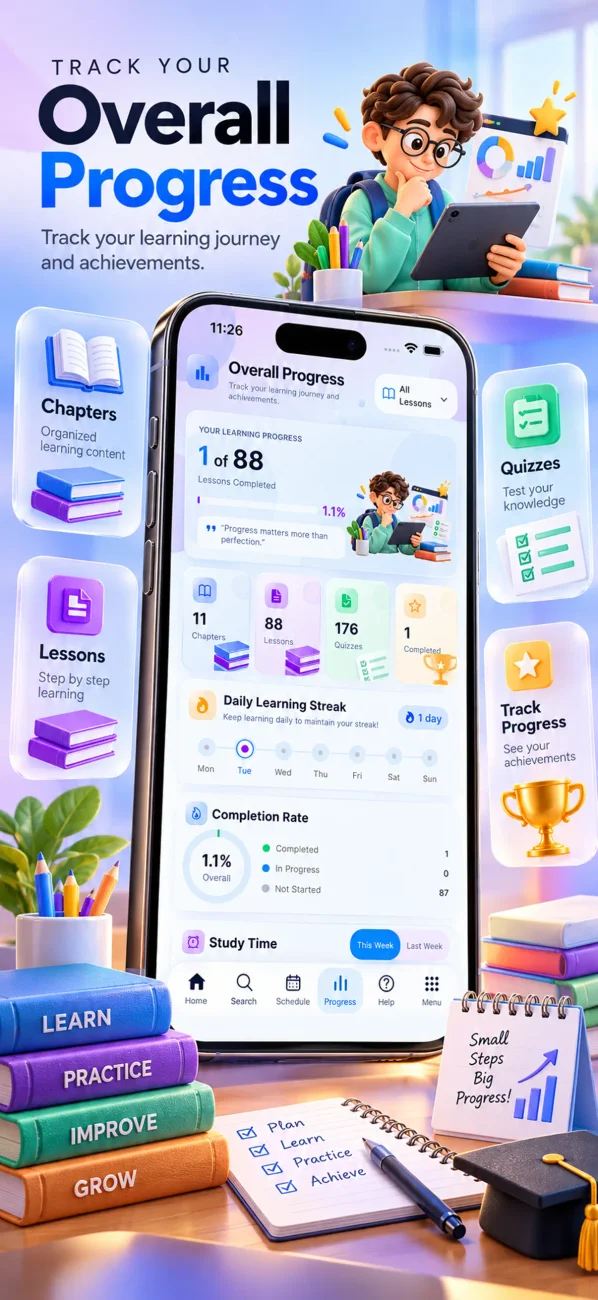
The Overall Progress screen brings your learning activity together. View chapters, lessons, quizzes, and completed items. Follow your completion rate, daily learning streak, and study time. Use the visible progress information to understand how much content you have finished and what remains to explore.
PLAN A DAILY LEARNING SCHEDULE
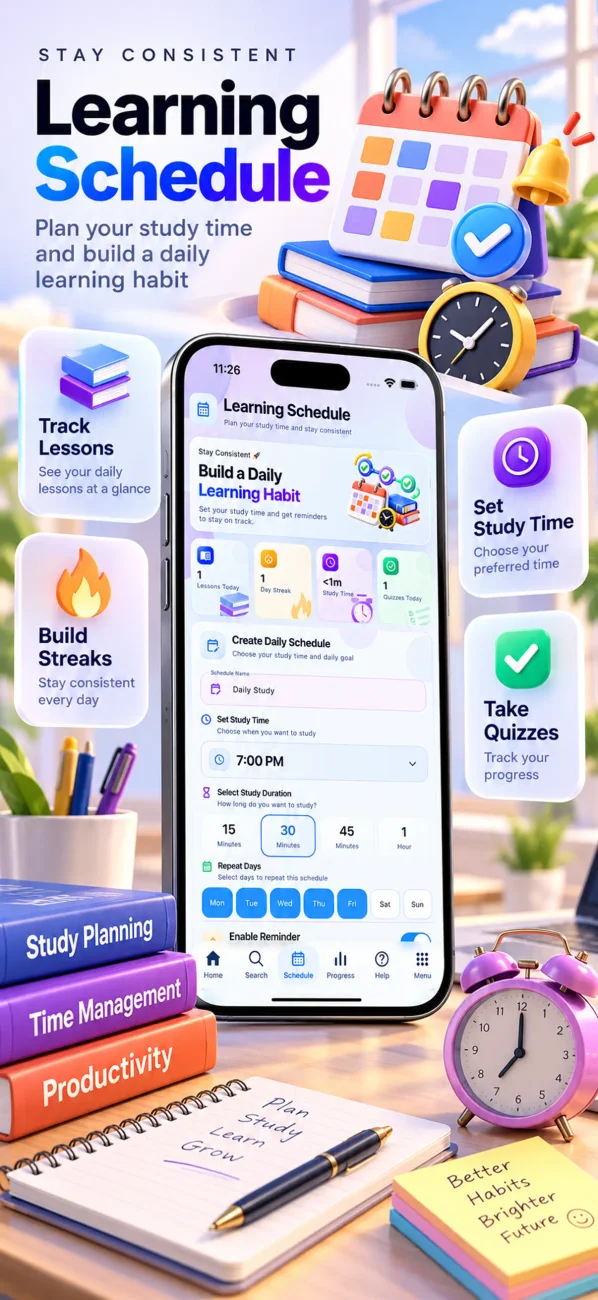
Create a study routine that fits your day. Choose your preferred study time, select a duration, and set repeat days. The Learning Schedule screen includes a reminder option and daily learning information, including lessons, quizzes, and streak activity. Return to your schedule to stay organized as you learn.
SEARCH LESSONS AND TOPICS
Find content through the Search screen. Search lessons, topics, and categories, browse popular topics, and access recent searches. Switch between available content filters to explore material relevant to your interests.
SAVE NOTES AND BOOKMARKS
Keep important points in study notes and revisit bookmarked lessons. Access your notes and saved lessons from the app's learning tools, making it easier to return to topics you want to review.
EXPLORE COMMUNITY HELP
Use Community Help to ask questions, search existing questions and answers, and browse questions by topic. Explore trending questions, saved questions, popular topics, community guidelines, and learning tips. The community section gives you another place to find discussions related to your learning.
PERSONALIZE YOUR LEARNING EXPERIENCE
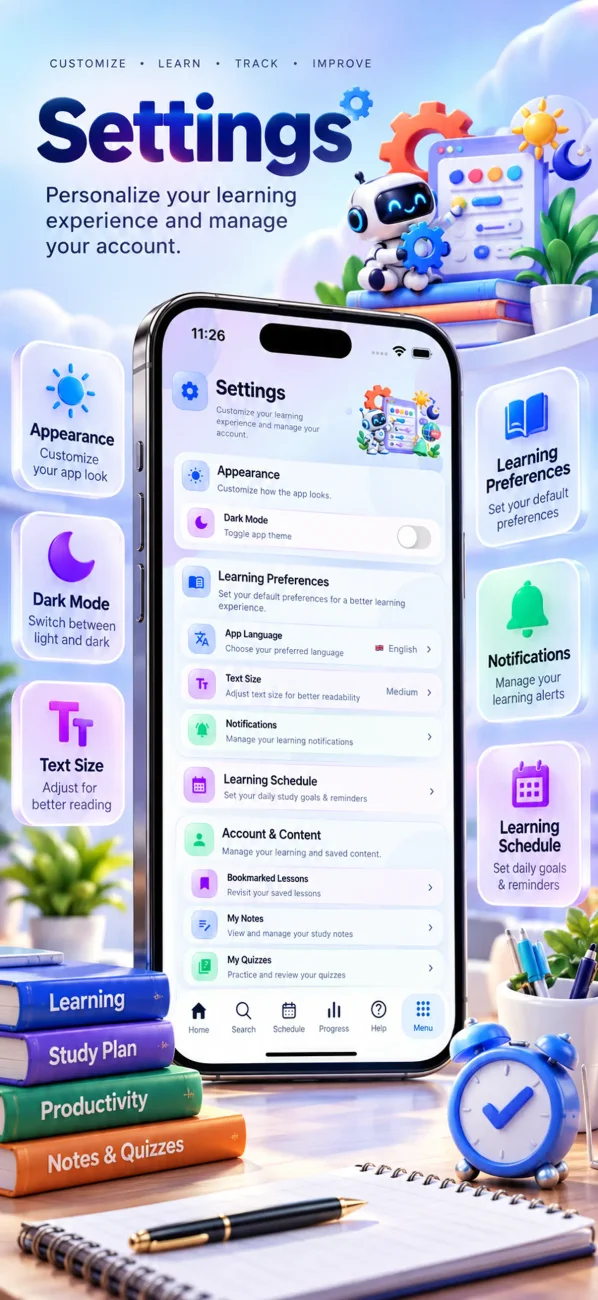
Use Settings to adjust the app to your preferences. Choose light or dark appearance, adjust text size, select an app language, and manage notifications. Settings also provides access to your learning schedule, bookmarked lessons, study notes, and quizzes.
LEARN, PRACTICE, AND REVIEW
Learn Cloud Computing combines organized educational content with practical study tools. Read lessons, revisit cloud computing topics, answer quizzes, monitor your progress, and plan regular study sessions. Whether you are exploring cloud fundamentals, deployment models, service models, infrastructure, or security concepts, you can move between learning and review in one app.
STUDY WITH CLEAR LEARNING DETAILS
See lesson counts and quiz totals alongside chapter information. Check progress bars and completion percentages to follow your activity. Use Start Quiz for topics you have not attempted, or Retake Quiz for completed topics. With study notes, bookmarked lessons, daily schedules and community questions, you can revisit concepts in ways that suit your routine.
新機能
バージョン 1.1 · 2026/10/27
New User Interface
Fixed Bugs
Added New Features
アプリのプライバシー
このアプリのデータの取り扱いについて、Muhammad UmairがApp Storeで申告している内容です。
-
データの収集なし
開発元はこのアプリからデータを収集しません。
プライバシーの取り扱いは、ご利用の機能やお客様の年齢などに応じて異なる場合があります。
情報
- 販売元
- Muhammad Umair
- カテゴリ
- 教育
- バージョン
- 1.1
- 更新日
- 2026/10/27
- リリース
- 2026/1/9
- サイズ
- 80.2 MB
- 必要条件
- iOS 15.6以降
- 対象年齢
- 9+
- 価格
- ¥500
- 言語
- 英語
- 著作権
- © Muhammad Umair