- 対象年齢4+
- カテゴリ写真/ビデオ
- 開発元Mikolaj Adamowicz
- 言語英語
- サイズ5.1 MB
App Storeの公式ページにリンクしています
Download.orgはLens Labのファイルを一切ホストしていません。ボタンを押すと、Mikolaj Adamowiczが公開しているApp Storeのアプリページが開きます。ページの最終確認:2026/11/17。
スクリーンショット


概要
開発元はこのテキストをお使いの言語で提供していません。
Edit, transform, and export your photos with a complete creative image editor.
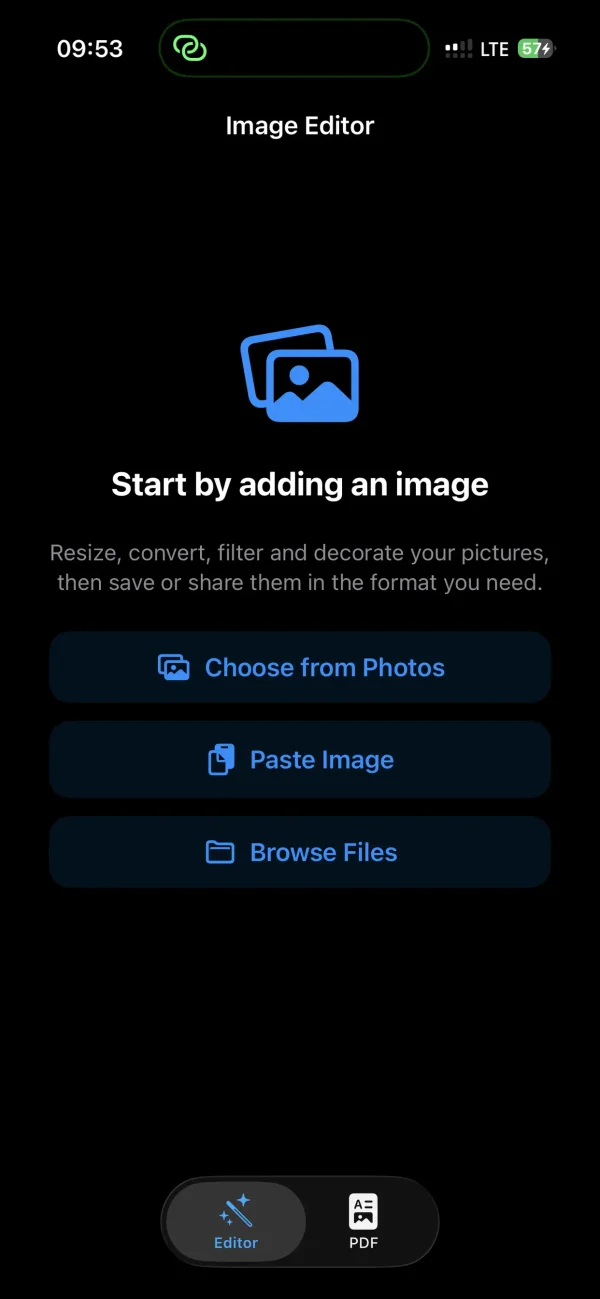
This app gives you practical photo editing tools in one clean workspace. Add a photo, adjust it, apply visual effects, layer other images on top, and export the final result as JPEG, PNG, HEIC, or PDF.
Features:
• Photo adjustments
Fine-tune brightness, contrast, saturation, warmth, and sharpness.
• Filters
Apply classic looks including Mono, Noir, Tonal, Sepia, Chrome, Fade, Instant, Process, Transfer, Vibrant, Invert, Bloom, Comic, Pixel, Frosted, Film Grain, and Halftone.
• Glass and surface effects
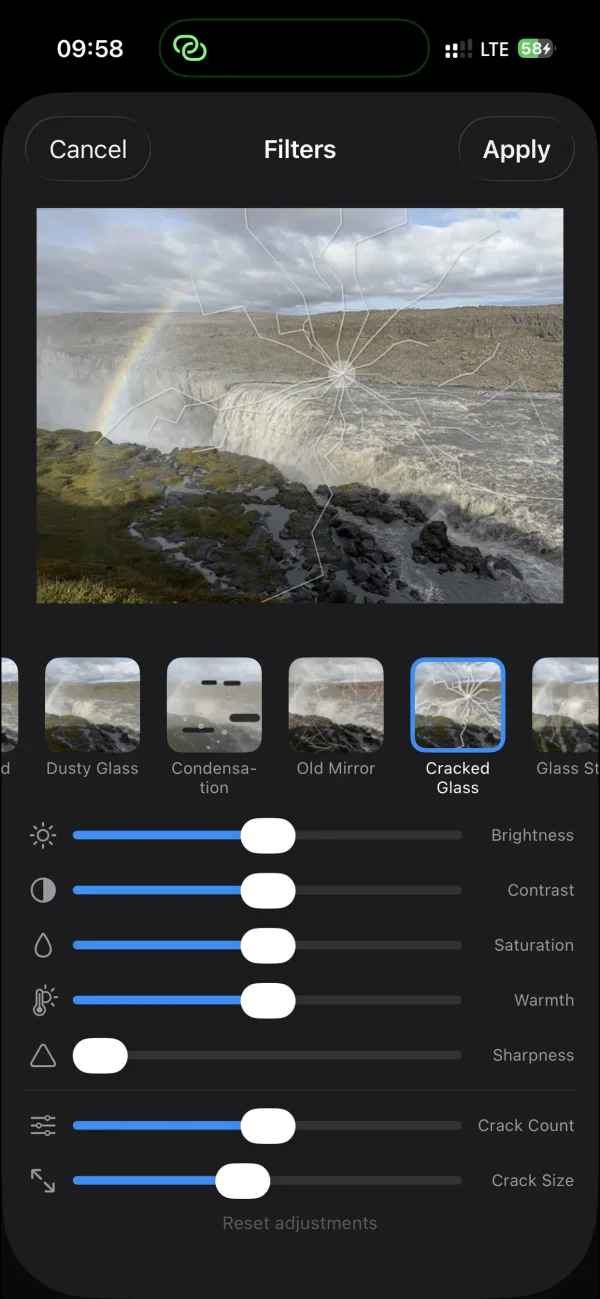
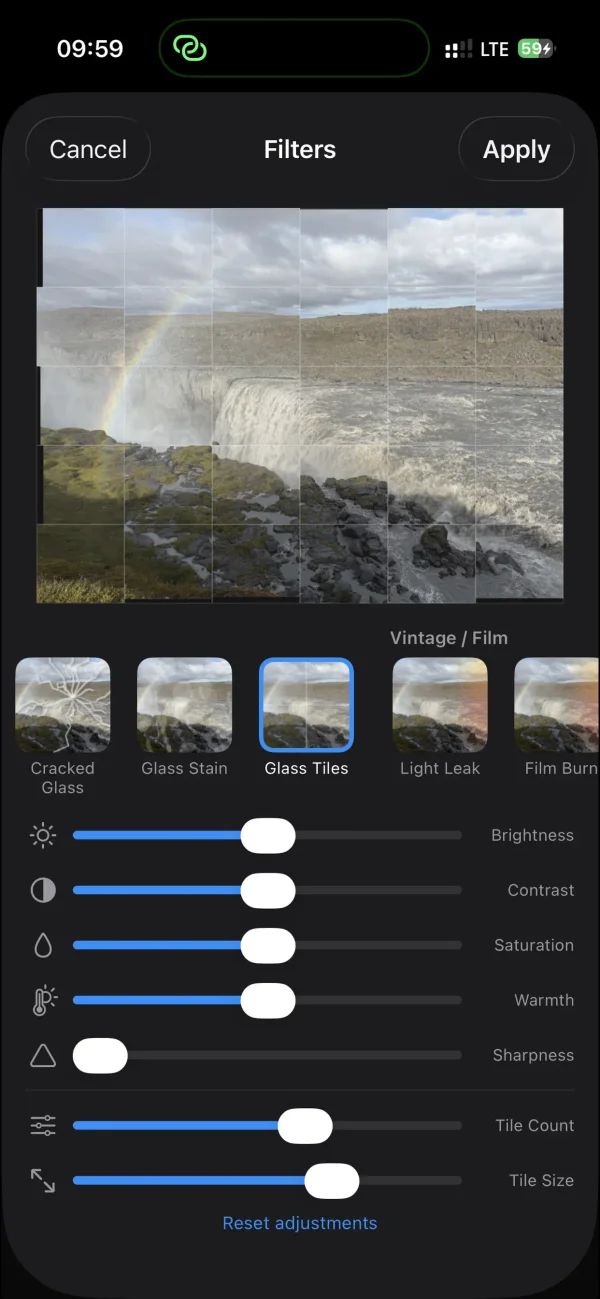
Create stylized glass-based edits with Droplets, Rainy Window, Fogged Glass, Ice Glass, Scratched Lens, Dusty Glass, Condensation, Old Mirror, Cracked Glass, Glass Stain, and Glass Tiles.
• Vintage and film effects
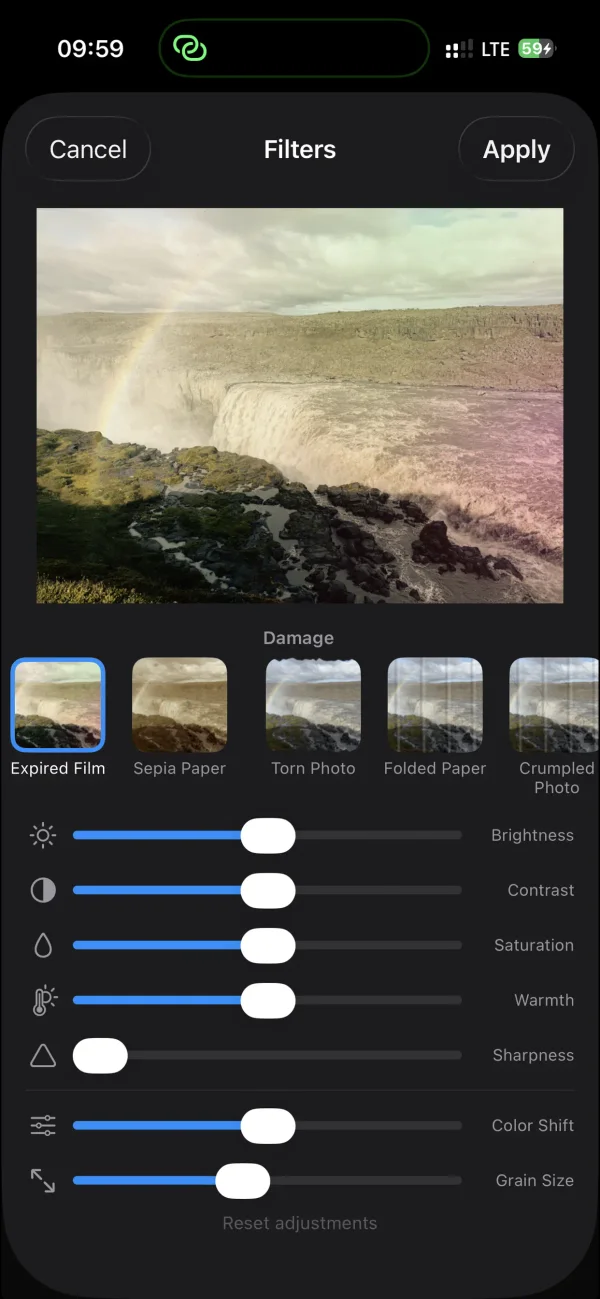
Add retro looks such as Light Leak, Film Burn, VHS, Polaroid Fade, Expired Film, and Sepia Paper.
• Damage effects
Give photos a worn or distressed look with Torn Photo, Folded Paper, Crumpled Photo, Burned Edges, Water Damage, and Ink Bleed.
• Artistic effects
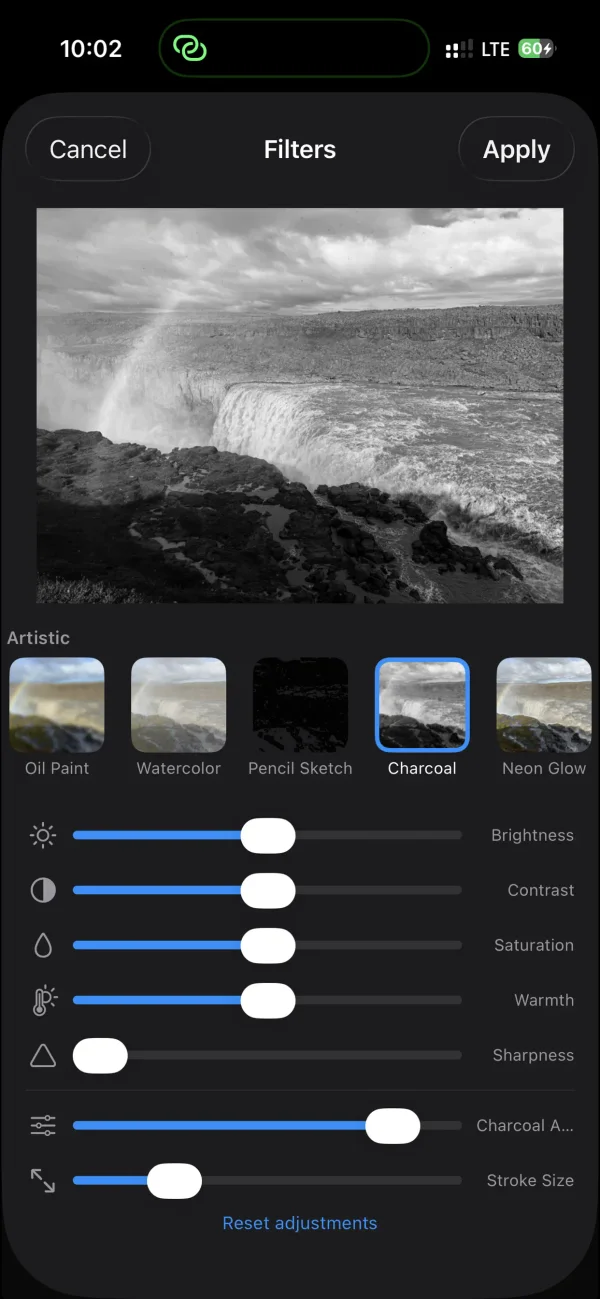
Turn images into creative styles with Oil Paint, Watercolor, Pencil Sketch, Charcoal, Neon Glow, and Duotone.
• Modern effects
Create bold digital edits with Glitch RGB, Chromatic Aberration, Cyberpunk, Dream Glow, Background Blur, and Vignette Focus.
• Adjustable effect controls
Many effects include intensity, size, count, blur, grain, glow, distortion, or texture controls, depending on the selected effect.
• Image layers
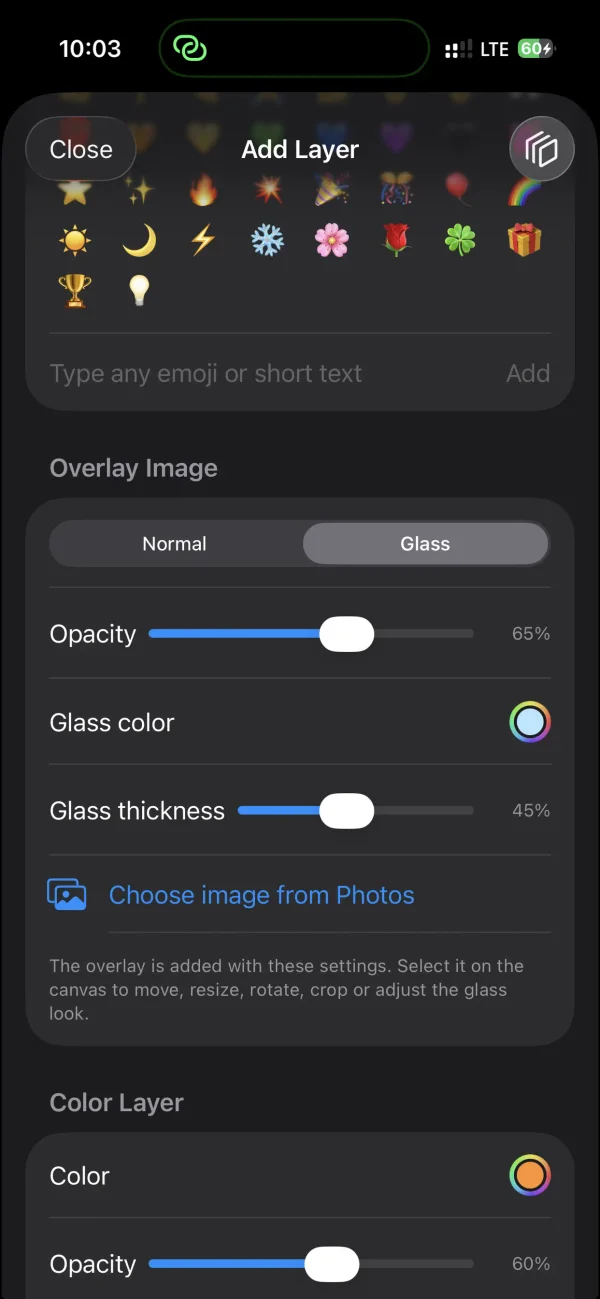
Add overlays on top of your photo, including emoji, text, color layers, and additional images.
• Glass overlay layers
Place one image over another as a glass-style layer. Adjust opacity, glass color, and glass thickness, then move, resize, rotate, crop, or reorder the layer.
• Crop and rotate tools
Rotate, flip, and crop your image with simple editing controls.
• Resize tools
Resize images for social media, screens, print, and custom dimensions. Choose stretch, crop, or fit modes with background fill options.
• Borders and frames
Add solid frames, rounded corners, torn paper edges, ripped edges, scalloped edges, Polaroid-style frames, and vignette borders.
• PDF tools
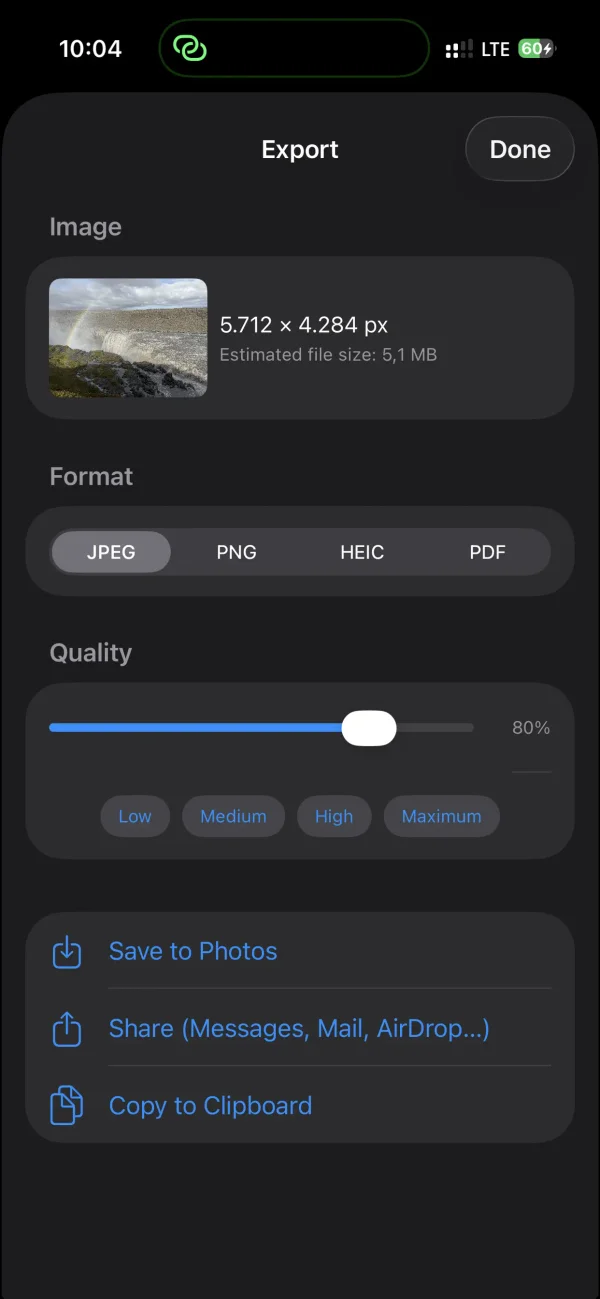
Export a single edited image as a PDF, or create multi-image PDF documents with page size, layout, frame, and quality options.
• Export options
Save or share your final image as JPEG, PNG, HEIC, or PDF. Use quality controls to balance image quality and file size.
Whether you want a quick photo adjustment, a glass distortion effect, a vintage film look, layered image composition, or a polished PDF export, this app gives you flexible tools for creative editing.
アプリのプライバシー
このアプリのデータの取り扱いについて、Mikolaj AdamowiczがApp Storeで申告している内容です。
-
データの収集なし
開発元はこのアプリからデータを収集しません。
プライバシーの取り扱いは、ご利用の機能やお客様の年齢などに応じて異なる場合があります。
情報
- 販売元
- Mikolaj Adamowicz
- カテゴリ
- 写真/ビデオ
- バージョン
- 1.0.0
- 更新日
- 2026/9/24
- リリース
- 2026/9/24
- サイズ
- 5.1 MB
- 必要条件
- iOS 17.6以降
- 対象年齢
- 4+
- 価格
- ¥1,000
- 言語
- 英語
- 著作権
- © 2026 Mikolaj Adamowicz