
- 対象年齢4+
- カテゴリ仕事効率化
- 開発元thelightware
- 言語英語
- サイズ43.1 MB
App Storeの公式ページにリンクしています
Download.orgはLightScroll: Limit Screen Timeのファイルを一切ホストしていません。ボタンを押すと、thelightwareが公開しているApp Storeのアプリページが開きます。ページの最終確認:2026/11/22。
スクリーンショット
概要
開発元はこのテキストをお使いの言語で提供していません。
LightScroll helps you take control of your screen time, spend less time on distracting apps and websites, and build healthier digital habits you can actually stick to.
Instead of relying on willpower alone, LightScroll lets you decide ahead of time how you want to use your attention. Set screen time limits, add friction before distracting apps open, and choose what it takes to stay on track, from waiting it out to asking an accountability partner for an unlock code.
SET SCREEN TIME LIMITS THAT FIT YOUR LIFE
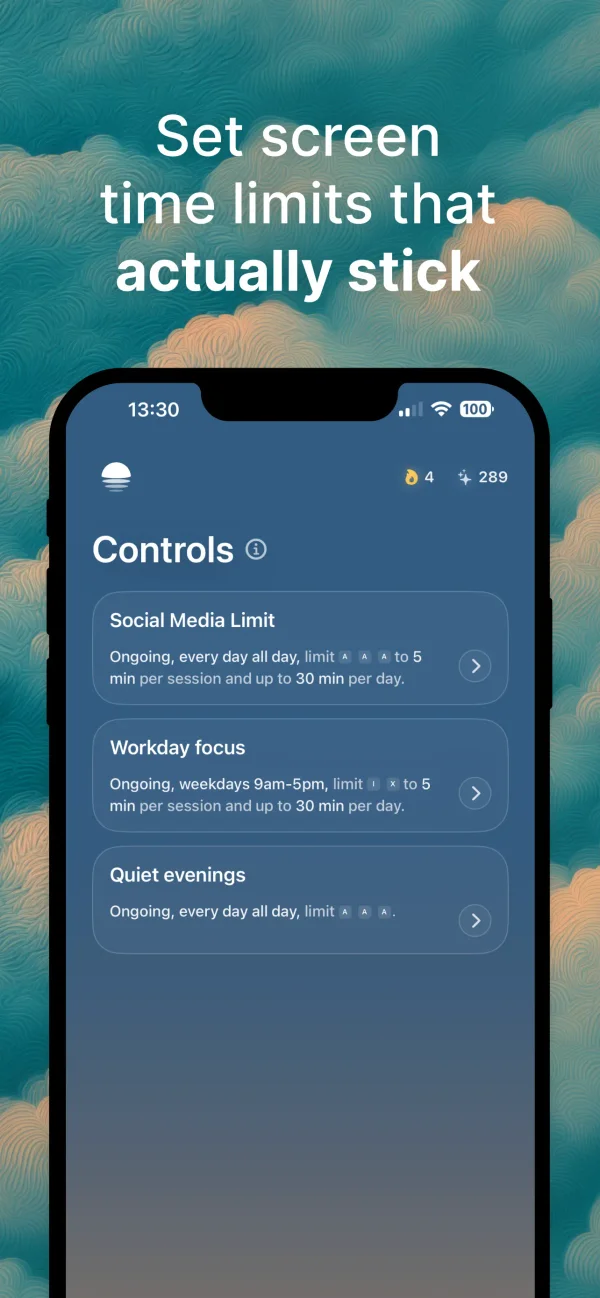
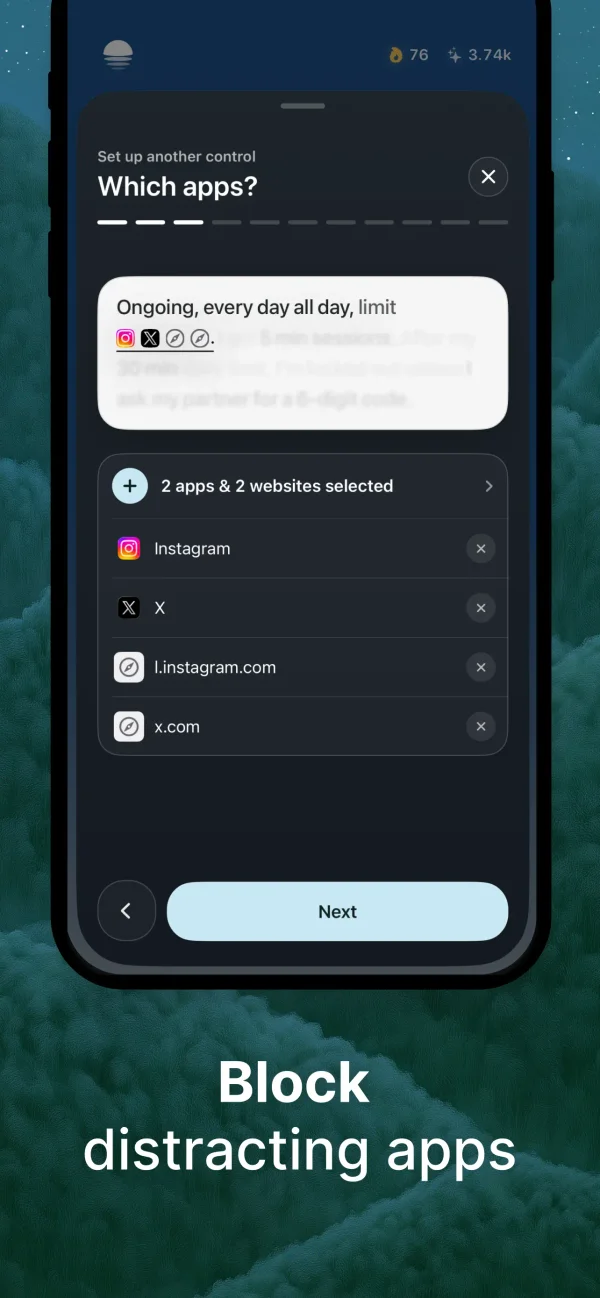
Create flexible Controls for the apps and websites that pull you in. Choose when they apply, set daily or per-session limits, allow no time at all, or create an ongoing routine you can return to.
Whether you want fewer social media distractions, more focus while working or studying, or simply less time spent scrolling, your Controls are built around the boundaries you choose.
ADD FRICTION BEFORE YOU SCROLL
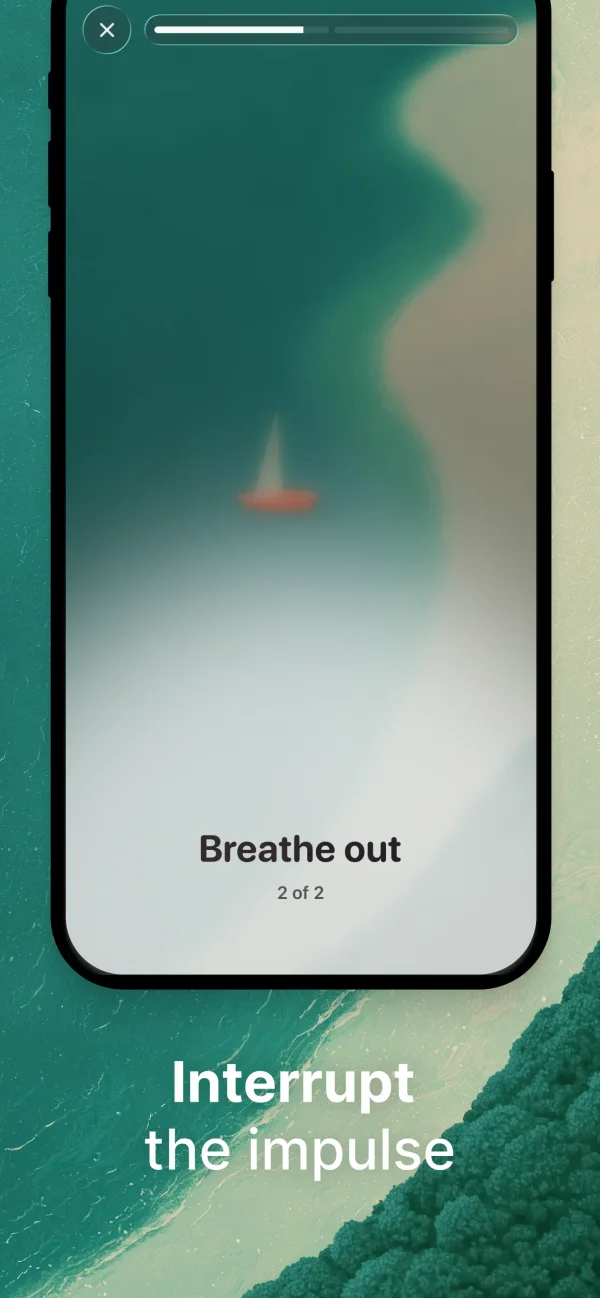
Interrupt the impulse before a distracting app or website opens.
Add a deliberate moment before an allowed session starts. Choose a short wait, a quick minigame, a mindful breath, inspiring facts and quotes, or randomized Friction to create space between impulse and action.
The goal isn’t to make your phone unusable. It’s to give you enough time to remember what you meant to do, choose again, and continue when it really matters.
CHOOSE WHAT HAPPENS AT YOUR LIMIT
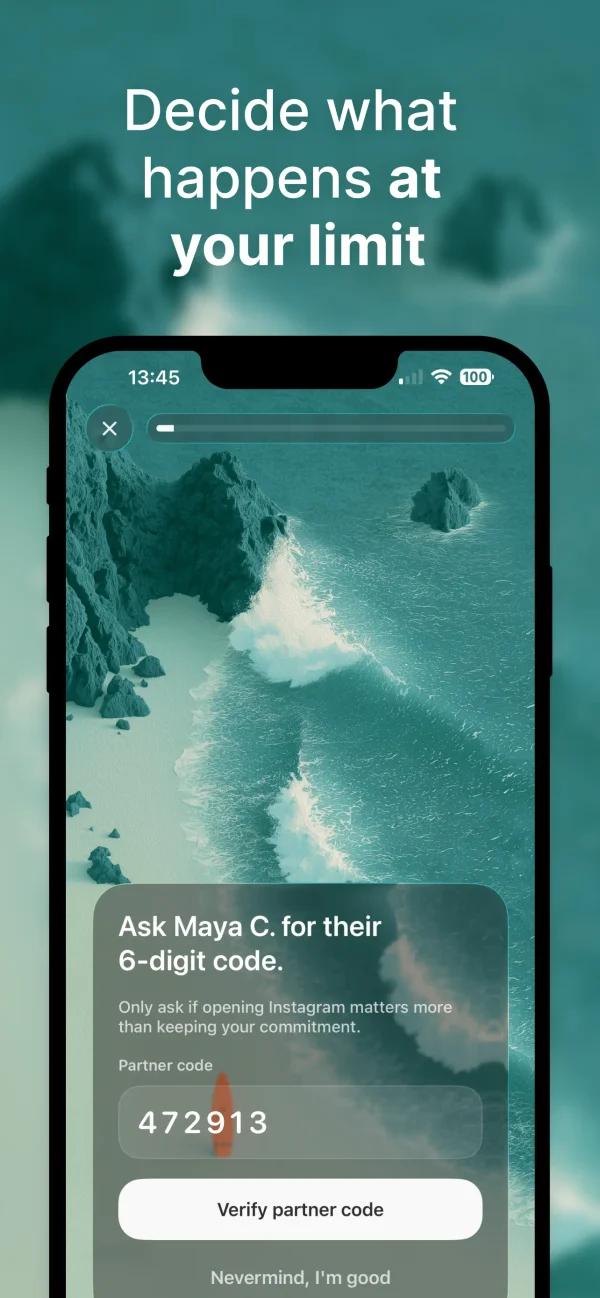
When you reach a screen time limit, you decide ahead of time what it should take to continue.
Choose an Override such as:
• Ask a trusted partner for a 6-digit code
• Wait before an over-limit session can begin
• Choose No Way Out when you don’t want an Override at all
If you override a limit, your commitment for that Control ends for the day, adding a meaningful consequence without locking you out when life genuinely changes.
BUILD BETTER HABITS WITH FRIENDS
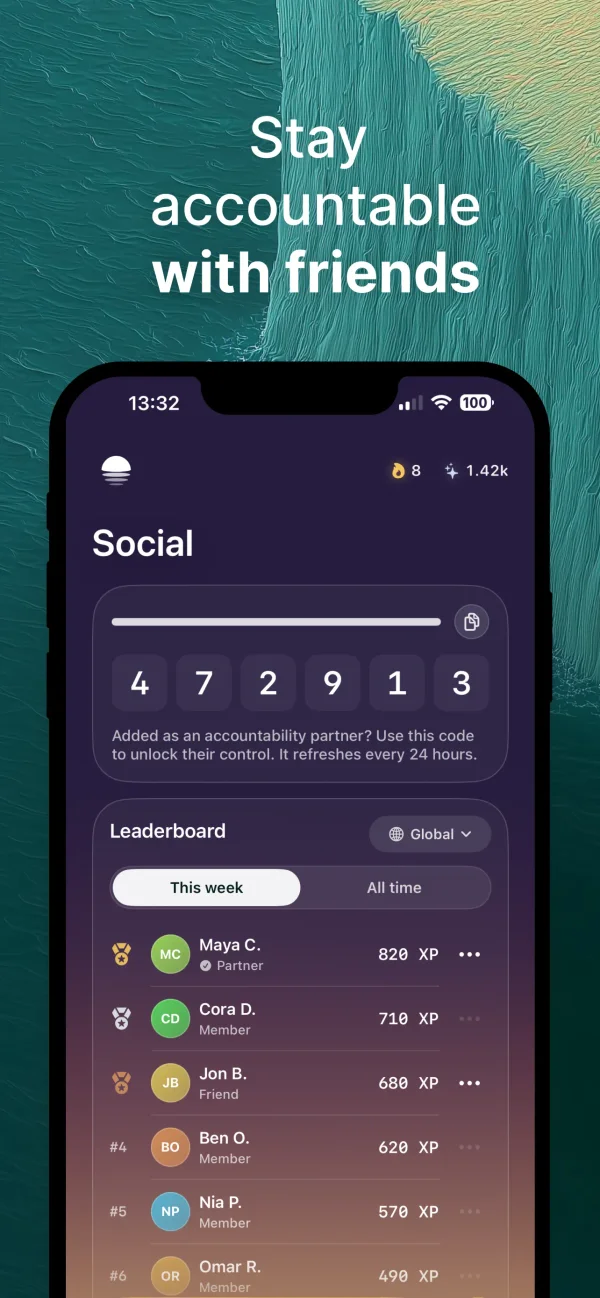
Add friends and family, share Controls as challenges, compare progress, and choose one person as your accountability partner. When Partner Code is your Override, only they can give you the code you need to continue.
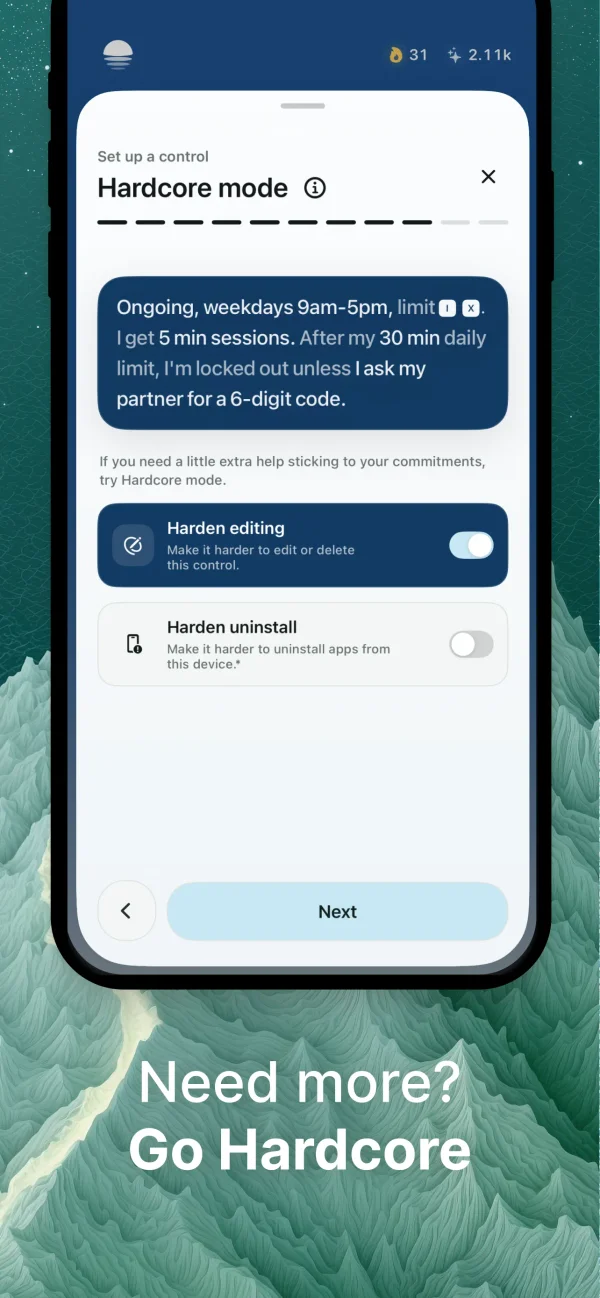
GO HARDCORE WHEN YOU NEED MORE
Hardcore mode can require your chosen Override before editing or deleting a Control or quitting LightScroll, making impulsive changes harder while leaving room for real life.
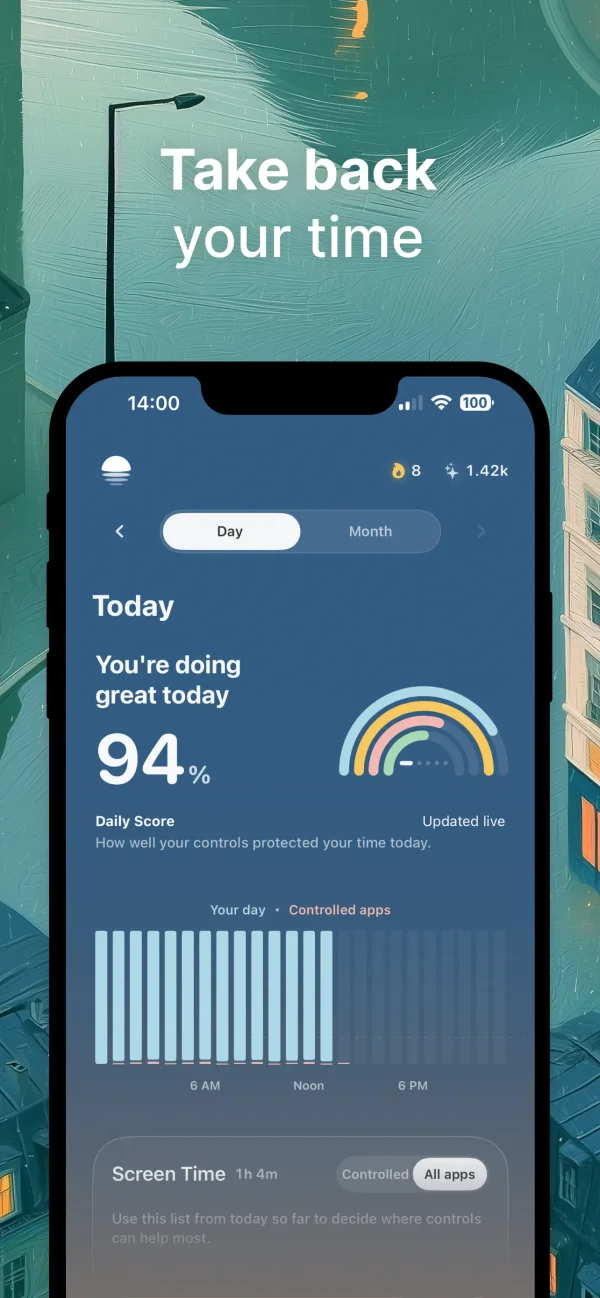
TRACK PROGRESS, NOT PERFECTION
• Build your streak by following your Controls
• Earn XP from your Daily Score
• Compare progress with friends
• Recover from missed days and keep moving forward
MAKE ROOM FOR LIFE BEYOND THE SCREEN
LightScroll is built for anyone who wants to reduce screen time, stop doomscrolling, block distracting apps and websites, focus while working or studying, set boundaries around social media, and use technology more intentionally.
Your attention is finite.
LightScroll helps you decide what deserves it before the impulse hits and gives you the limits, friction, accountability, and progress tracking to follow through.
Make room for life beyond the screen.
Some advanced features require a monthly or annual LightScroll Plus subscription. Available plans and localized prices are shown before purchase.
Privacy Policy: https://www.lightscroll.app/privacy
Terms of Use: https://www.lightscroll.app/terms
Terms of Use (EULA): https://www.apple.com/legal/internet-services/itunes/dev/stdeula/
新機能
バージョン 1.0.6 · 2026/11/17
LightScroll 1.0.6 makes Controls easier to create and adjust, with simpler schedules and improvements to everyday reliability.
- Streamlined Control setup with clearer limits, Friction, and Override settings
- Easier scheduling with day and hour presets, precise custom times, and support for your preferred 12- or 24-hour clock
- Minigame feedback no longer interrupts your music
- More reliable Control saving and clearer guidance when Screen Time authorization fails
アプリのプライバシー
このアプリのデータの取り扱いについて、thelightwareがApp Storeで申告している内容です。
-
ユーザーに関連付けられたデータ
収集され、ユーザーの識別情報に関連付けられる場合があります。
- 購入
- 連絡先情報
- ID
- 使用状況データ
プライバシーの取り扱いは、ご利用の機能やお客様の年齢などに応じて異なる場合があります。
情報
- 販売元
- NAREBY S.A.
- カテゴリ
- 仕事効率化
- バージョン
- 1.0.6
- 更新日
- 2026/11/17
- リリース
- 2026/9/4
- サイズ
- 43.1 MB
- 必要条件
- iOS 26.0以降
- 対象年齢
- 4+
- 価格
- 無料
- アプリ内課金
- あり
- 言語
- 英語
- 著作権
- © 2026 NAREBY S.A.
こちらもおすすめ
-
 Rest: stop scrolling for hours仕事効率化
-
 Atone: Screen Time Limit仕事効率化
-
 Opaque: Screen Time Control仕事効率化
-
 Blockr: Stop Scrolling仕事効率化
-
 Pact: Focus & App Blocker仕事効率化
-
 Orbin: Focus & App Blocker仕事効率化
-
 Clarent – Minimal Todo仕事効率化
-
 SmartCalendar AI - Photo2Task仕事効率化
-
 Nulma: Daily Routine Planner仕事効率化
-
 TaskMiny: Task Manager仕事効率化