LightScroll: Limit Screen Time
App Blocker & Time Control
Được thiết kế cho iPhone
Miễn phí · Mua hàng trong ứng dụng
- Độ tuổi4+
- Danh mụcHiệu Suất
- Nhà phát triểnthelightware
- Ngôn ngữTiếng Anh
- Kích thước43,1 MB
Liên kết đến trang App Store chính thức
Download.org không lưu trữ tệp nào của LightScroll: Limit Screen Time. Nút này mở trang ứng dụng trên App Store, nơi thelightware phát hành ứng dụng. Trang được kiểm tra lần cuối: 22/11/2026.
Ảnh chụp màn hình
Giới thiệu
Nhà phát triển chưa cung cấp nội dung này bằng ngôn ngữ của bạn.
LightScroll helps you take control of your screen time, spend less time on distracting apps and websites, and build healthier digital habits you can actually stick to.
Instead of relying on willpower alone, LightScroll lets you decide ahead of time how you want to use your attention. Set screen time limits, add friction before distracting apps open, and choose what it takes to stay on track, from waiting it out to asking an accountability partner for an unlock code.
SET SCREEN TIME LIMITS THAT FIT YOUR LIFE
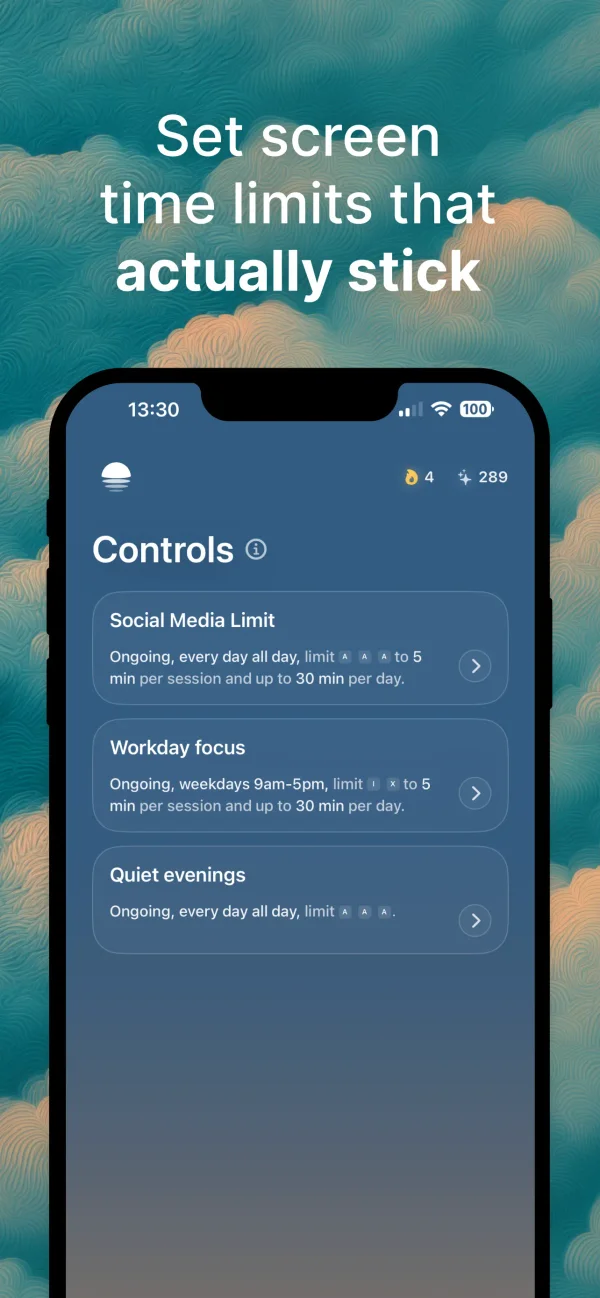
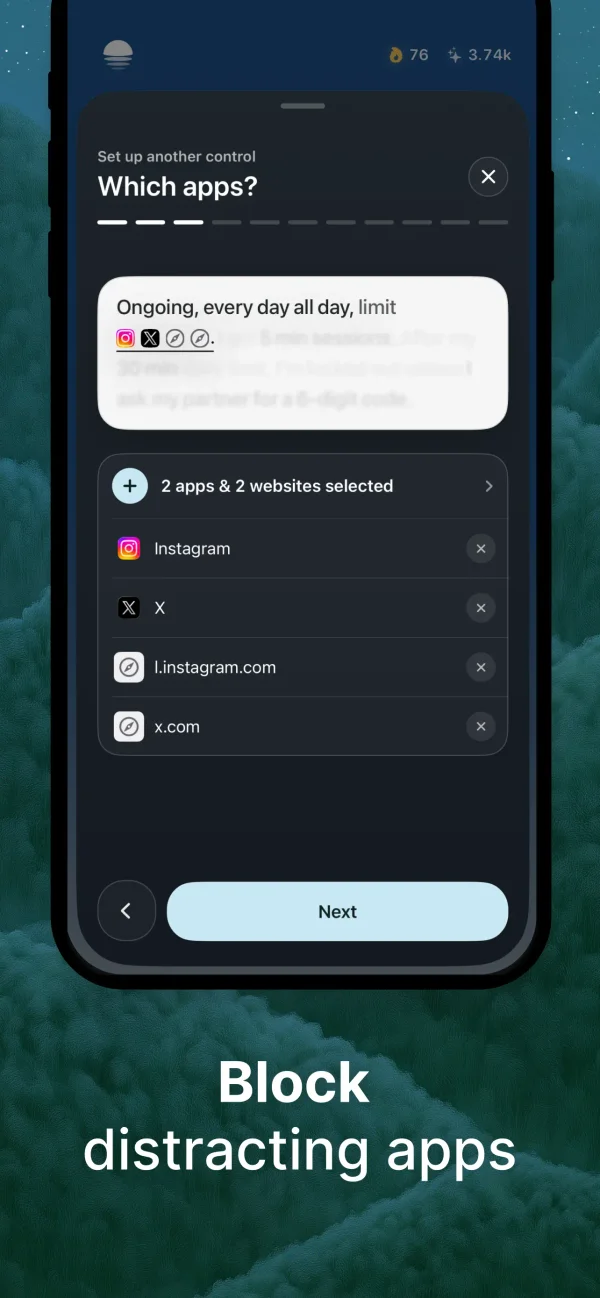
Create flexible Controls for the apps and websites that pull you in. Choose when they apply, set daily or per-session limits, allow no time at all, or create an ongoing routine you can return to.
Whether you want fewer social media distractions, more focus while working or studying, or simply less time spent scrolling, your Controls are built around the boundaries you choose.
ADD FRICTION BEFORE YOU SCROLL
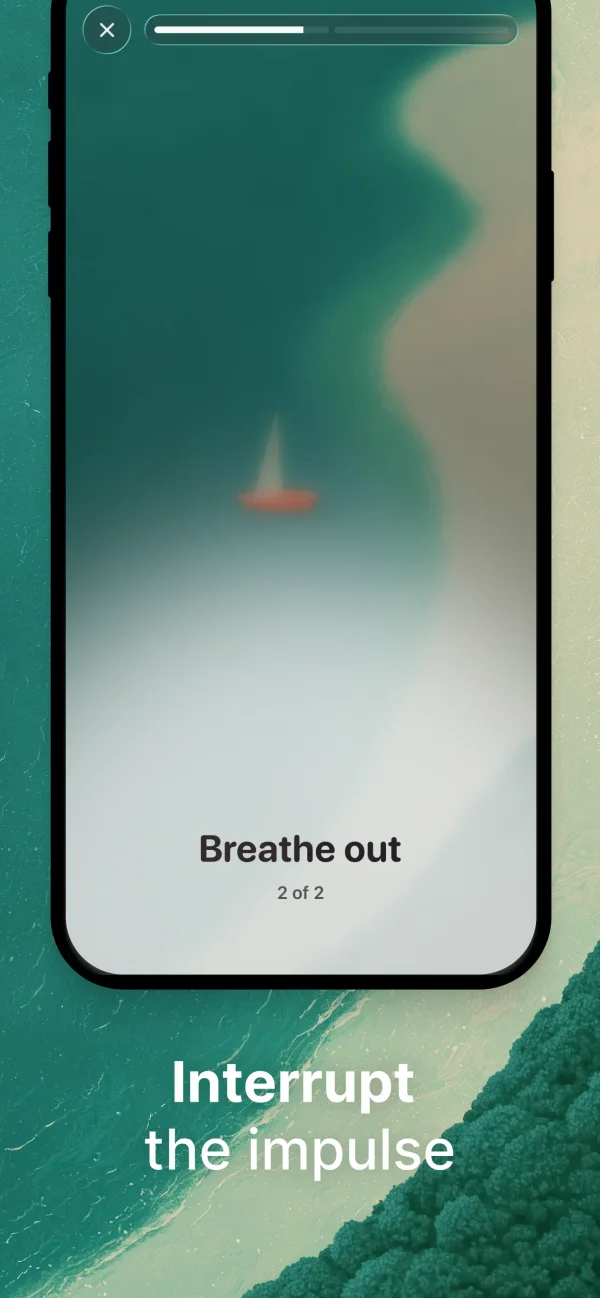
Interrupt the impulse before a distracting app or website opens.
Add a deliberate moment before an allowed session starts. Choose a short wait, a quick minigame, a mindful breath, inspiring facts and quotes, or randomized Friction to create space between impulse and action.
The goal isn’t to make your phone unusable. It’s to give you enough time to remember what you meant to do, choose again, and continue when it really matters.
CHOOSE WHAT HAPPENS AT YOUR LIMIT
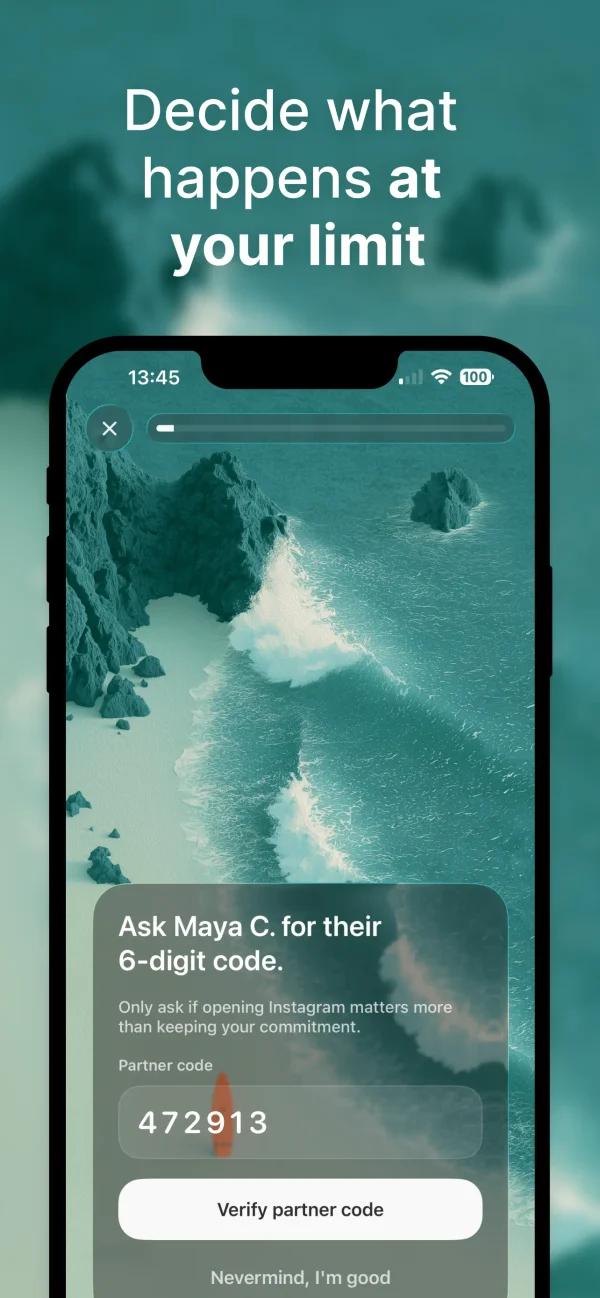
When you reach a screen time limit, you decide ahead of time what it should take to continue.
Choose an Override such as:
• Ask a trusted partner for a 6-digit code
• Wait before an over-limit session can begin
• Choose No Way Out when you don’t want an Override at all
If you override a limit, your commitment for that Control ends for the day, adding a meaningful consequence without locking you out when life genuinely changes.
BUILD BETTER HABITS WITH FRIENDS
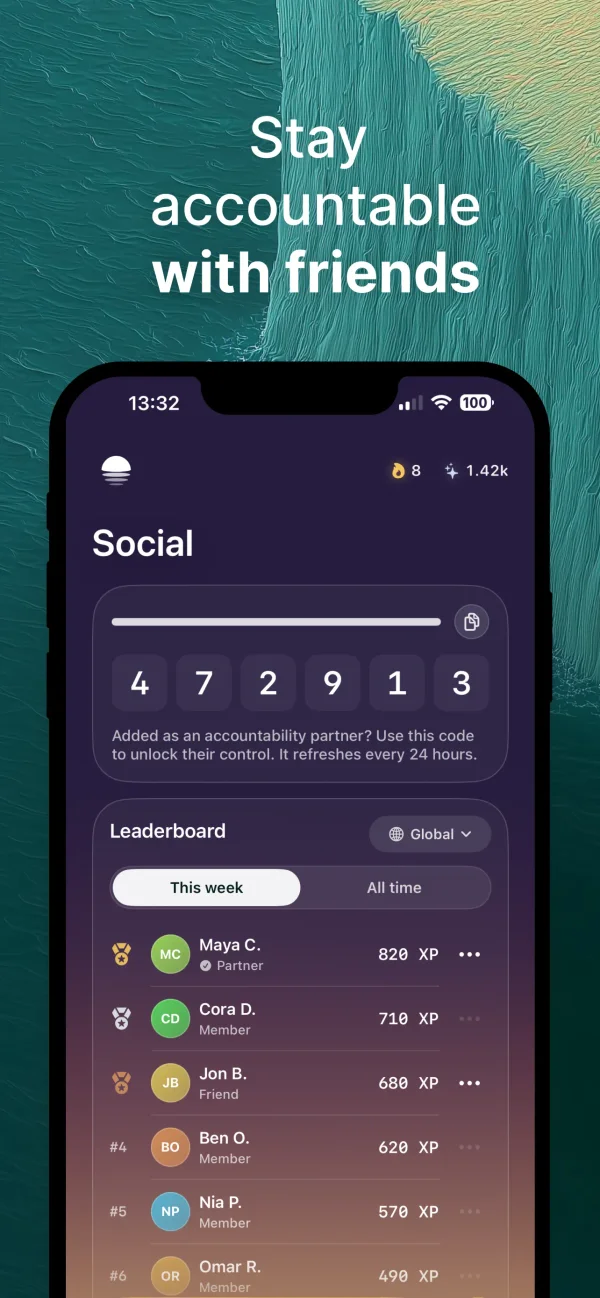
Add friends and family, share Controls as challenges, compare progress, and choose one person as your accountability partner. When Partner Code is your Override, only they can give you the code you need to continue.
GO HARDCORE WHEN YOU NEED MORE
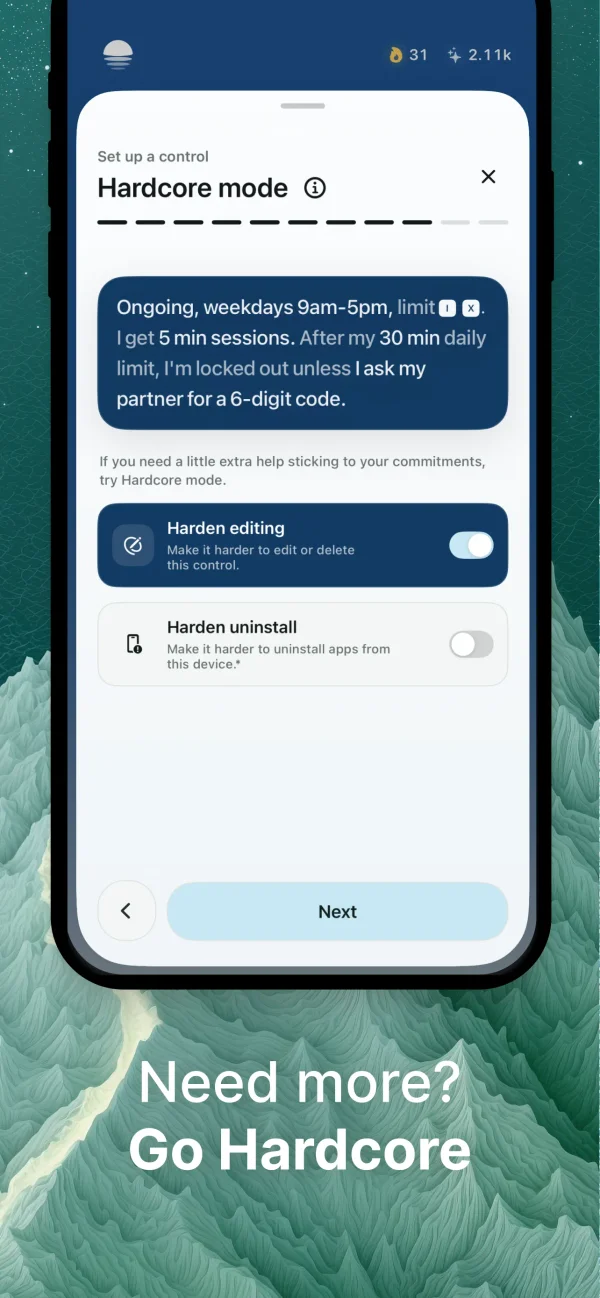
Hardcore mode can require your chosen Override before editing or deleting a Control or quitting LightScroll, making impulsive changes harder while leaving room for real life.
TRACK PROGRESS, NOT PERFECTION
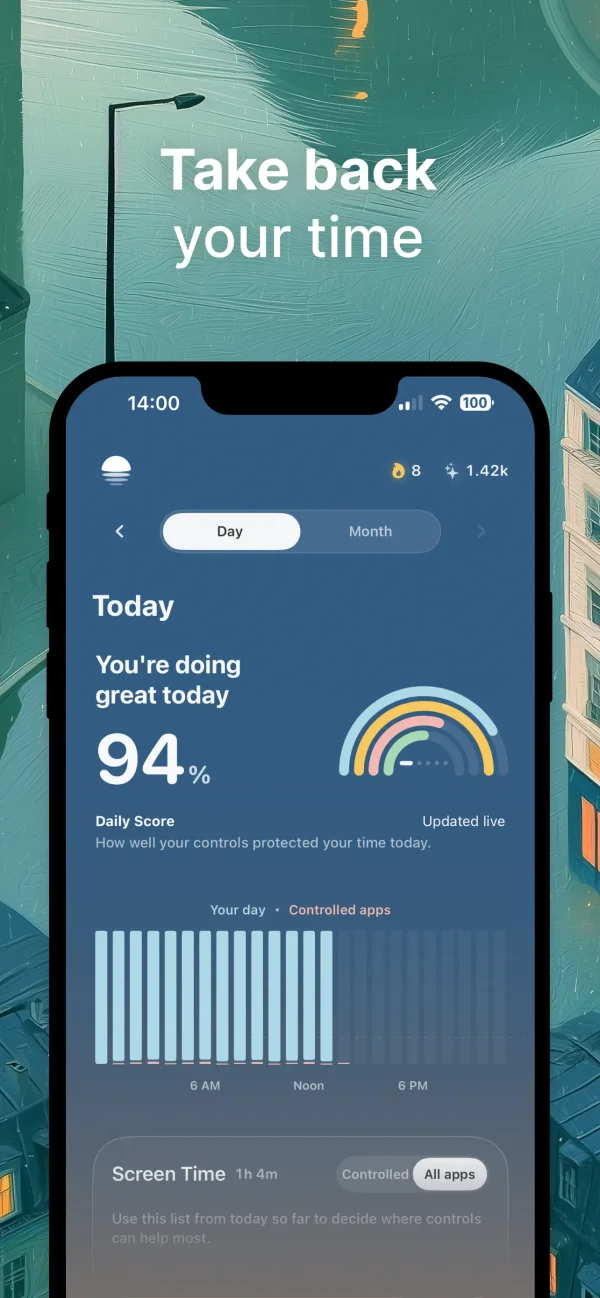
• Build your streak by following your Controls
• Earn XP from your Daily Score
• Compare progress with friends
• Recover from missed days and keep moving forward
MAKE ROOM FOR LIFE BEYOND THE SCREEN
LightScroll is built for anyone who wants to reduce screen time, stop doomscrolling, block distracting apps and websites, focus while working or studying, set boundaries around social media, and use technology more intentionally.
Your attention is finite.
LightScroll helps you decide what deserves it before the impulse hits and gives you the limits, friction, accountability, and progress tracking to follow through.
Make room for life beyond the screen.
Some advanced features require a monthly or annual LightScroll Plus subscription. Available plans and localized prices are shown before purchase.
Privacy Policy: https://www.lightscroll.app/privacy
Terms of Use: https://www.lightscroll.app/terms
Terms of Use (EULA): https://www.apple.com/legal/internet-services/itunes/dev/stdeula/
Có gì mới
Phiên bản 1.0.6 · 17/11/2026
LightScroll 1.0.6 makes Controls easier to create and adjust, with simpler schedules and improvements to everyday reliability.
- Streamlined Control setup with clearer limits, Friction, and Override settings
- Easier scheduling with day and hour presets, precise custom times, and support for your preferred 12- or 24-hour clock
- Minigame feedback no longer interrupts your music
- More reliable Control saving and clearer guidance when Screen Time authorization fails
Quyền riêng tư của ứng dụng
Những gì thelightware khai báo trên App Store về cách ứng dụng này xử lý dữ liệu.
-
Dữ liệu liên kết với bạn
Có thể được thu thập và liên kết với danh tính của bạn.
- Mục mua
- Thông tin liên hệ
- Mã định danh
- Dữ liệu sử dụng
Phương thức đảm bảo quyền riêng tư có thể khác nhau, chẳng hạn như tuỳ theo các tính năng bạn sử dụng hoặc độ tuổi của bạn.
Thông tin
- Người bán
- NAREBY S.A.
- Danh mục
- Hiệu Suất
- Phiên bản
- 1.0.6
- Cập nhật
- 17/11/2026
- Phát hành
- 04/09/2026
- Kích thước
- 43,1 MB
- Yêu cầu
- iOS 26.0 trở lên
- Độ tuổi
- 4+
- Giá
- Miễn phí
- Mua hàng trong ứng dụng
- Có
- Ngôn ngữ
- Tiếng Anh
- Bản quyền
- © 2026 NAREBY S.A.
Có thể bạn cũng thích
-
 Rest: stop scrolling for hoursHiệu Suất
-
 Atone: Screen Time LimitHiệu Suất
-
 Opaque: Screen Time ControlHiệu Suất
-
 Blockr: Stop ScrollingHiệu Suất
-
 Pact: Focus & App BlockerHiệu Suất
-
 Orbin: Focus & App BlockerHiệu Suất
-
 Clarent – Minimal TodoHiệu Suất
-
 SmartCalendar AI - Photo2TaskHiệu Suất
-
 Nulma: Daily Routine PlannerHiệu Suất
-
 TaskMiny: Task ManagerHiệu Suất