- 対象年齢17+
- カテゴリユーティリティ
- 開発元David Gross
- 言語英語
- サイズ3.4 MB
Map Measurement Toolは現在App Storeで入手できない可能性があります
前回の確認時、ストアのページにアクセスできませんでした。リンク先は引き続きApp Storeの公式ページです。
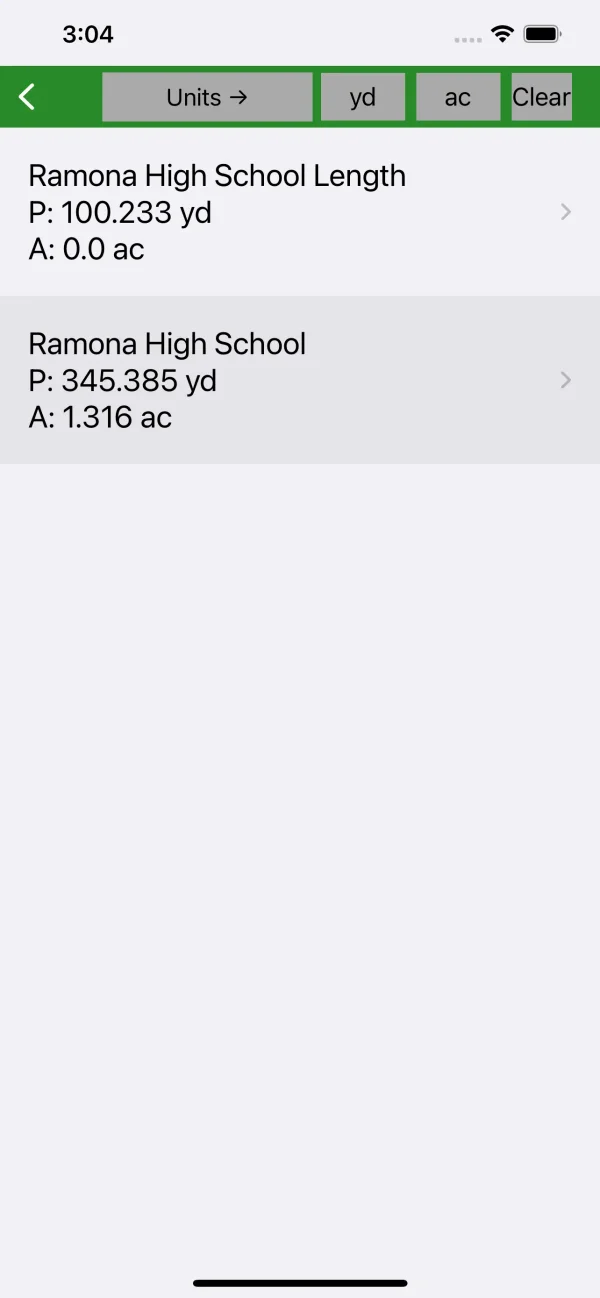
スクリーンショット

概要
開発元はこのテキストをお使いの言語で提供していません。
Measure the size of a home lot, plat of land, crop circle, park, sports field, walking route, etc.
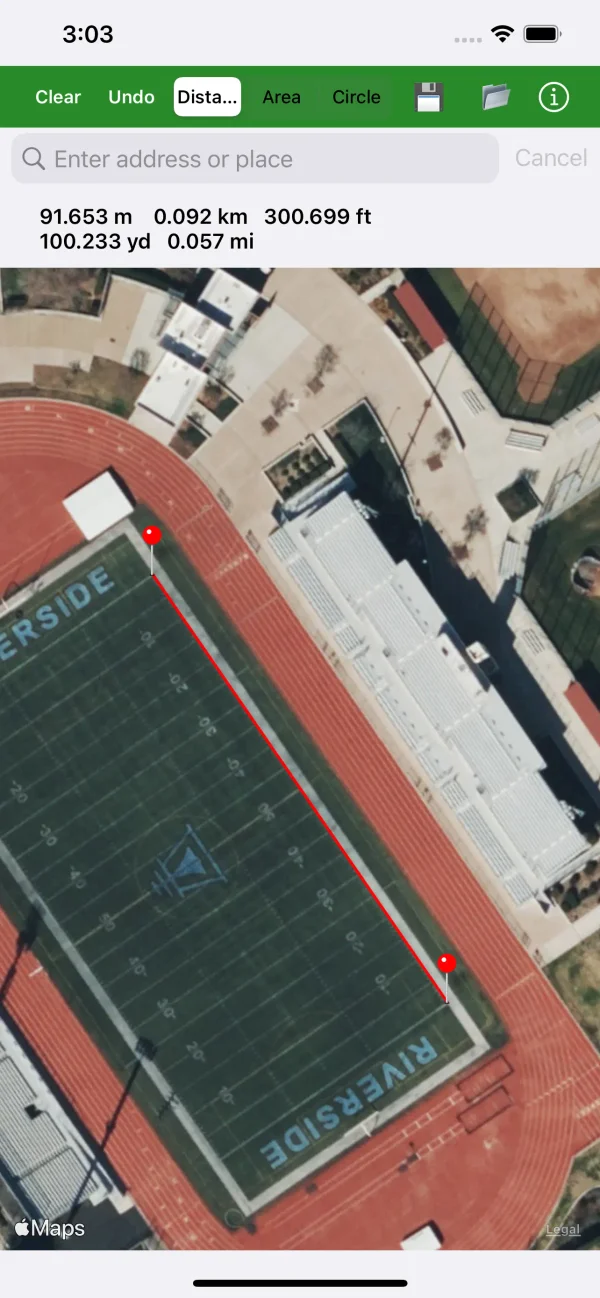
Apple Maps™ are used. A careful measurement's error is about 1% to 3% for area and 0.1% to 0.5% for perimeter. Tap on the map to drop a pin. Undo a dropped pin with the "Undo" button. Press and hold a pin to move it.
Search any address worldwide using Apple or Mapbox. If your primary geocoder fails, the app prompts an instant fallback to the alternative.
Save and load your measurements with a table interface. Select between Hybrid, Hybrid Flyover, or Standard maps.
There is current location access to measure your surroundings.
Distance results in meters, kilometers, feet, yards, and miles all at once.
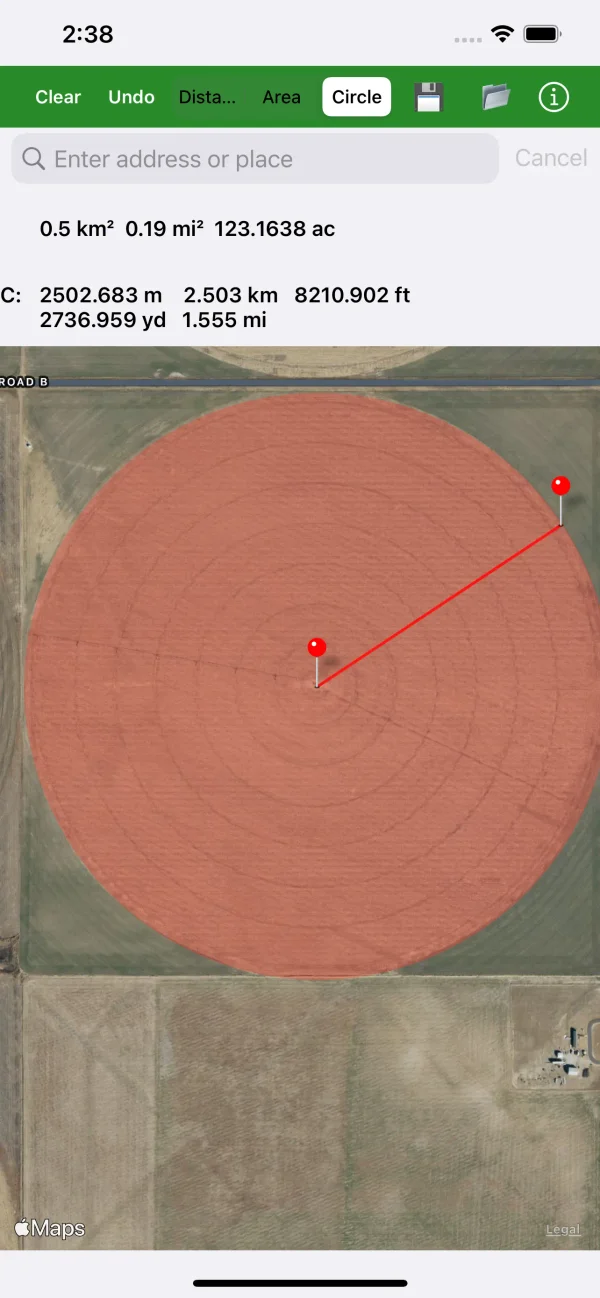
Area results in square meters, feet, yards, kilometers, miles, and acres all at once.
A circle mode is available, too, to easily measure crop circles or other circular objects. Tap in the center of the crop circle to drop a pin, and then on the edge; a circle will be rendered and the circumference and area displayed.
Create a KML file with your measurements and open it in the Google Earth™ app or desktop browser version to view all your measurements at once. This also allows for Apple Maps to Google Maps comparisons.
Export all your measurements locally to your iOS device to save your work with a Map Measurement Tool-specific KML file. You can then import your measurements from this specific KML file.
新機能
バージョン 1.8.3 · 2026/4/28
Upgraded Search Capabilities: I migrated the Apple Maps search from the legacy address geocoder to MKLocalSearch. The app can now reliably find Points of Interest (POIs) like stadiums, parks, and businesses alongside standard street addresses.
Intelligent Geocoder Fallback: Users can now set their preferred primary geocoder (Apple or Mapbox) in the Info settings. If a search fails, the app intelligently prompts the user to instantly retry the search using the alternate service.
Developer Debug Tab: I’ve implemented a new internal Debug mode. This allows you to view, copy, and email the raw JSON API responses directly from the app.
Under-the-Hood Stability: Resolved several threading issues related to background network calls and removed dangerous data-parsing logic that was responsible for edge-case crashes.
アプリのプライバシー
このアプリのデータの取り扱いについて、David GrossがApp Storeで申告している内容です。
-
ユーザーのトラッキングに使用されるデータ
他社のアプリやウェブサイトを横断してユーザーをトラッキングする目的で使用される場合があります。
- ID
- 使用状況データ
- 診断
-
ユーザーに関連付けられたデータ
収集され、ユーザーの識別情報に関連付けられる場合があります。
- ユーザーコンテンツ
-
ユーザーに関連付けられないデータ
収集される場合がありますが、ユーザーの識別情報には関連付けられません。
- 位置情報
- ID
- 使用状況データ
- 診断
プライバシーの取り扱いは、ご利用の機能やお客様の年齢などに応じて異なる場合があります。
情報
- 販売元
- David Gross
- カテゴリ
- ユーティリティ
- バージョン
- 1.8.3
- 更新日
- 2026/4/28
- リリース
- 2019/4/6
- サイズ
- 3.4 MB
- 必要条件
- iOS 16.6以降
- 対象年齢
- 17+
- アプリ内課金
- あり
- 言語
- 英語
- 著作権
- © 2018-2026 David Gross