
Map Measurement Tool
Measure distance and area
Được thiết kế cho iPhone, iPad
Mua hàng trong ứng dụng
- Độ tuổi17+
- Danh mụcTiện Ích
- Nhà phát triểnDavid Gross
- Ngôn ngữTiếng Anh
- Kích thước3,4 MB
Map Measurement Tool hiện có thể không có trên App Store
Ở lần kiểm tra gần nhất, chúng tôi không truy cập được trang trên cửa hàng. Liên kết vẫn dẫn đến trang App Store chính thức.
Ảnh chụp màn hình

Giới thiệu
Nhà phát triển chưa cung cấp nội dung này bằng ngôn ngữ của bạn.
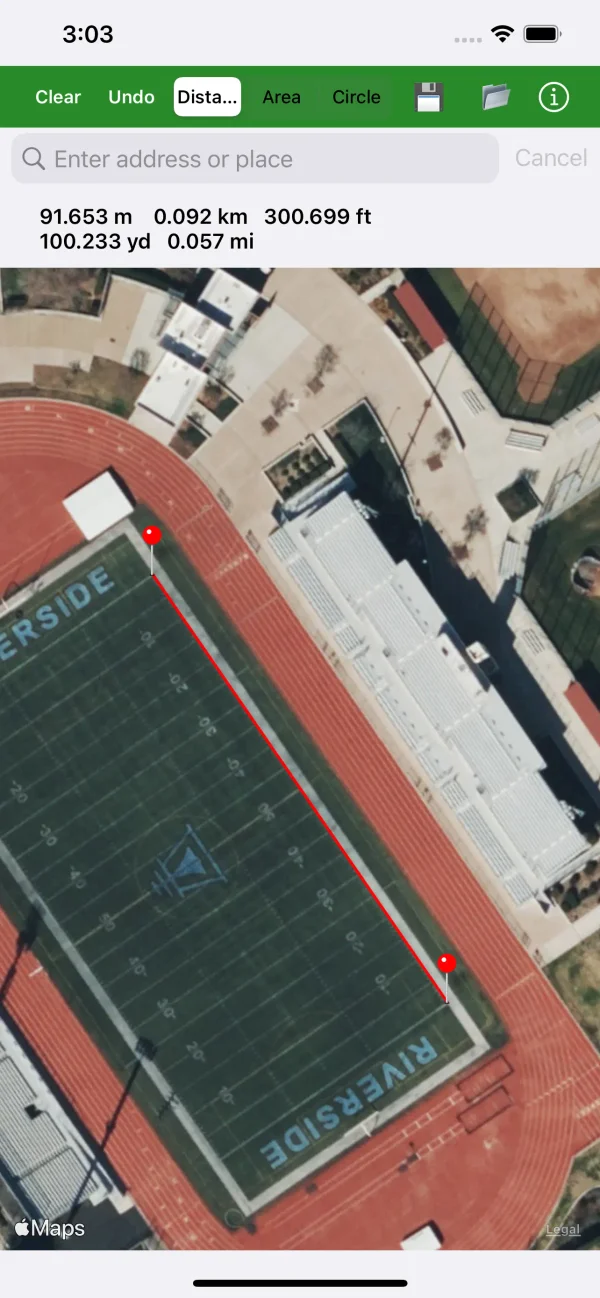
Measure the size of a home lot, plat of land, crop circle, park, sports field, walking route, etc.
Apple Maps™ are used. A careful measurement's error is about 1% to 3% for area and 0.1% to 0.5% for perimeter. Tap on the map to drop a pin. Undo a dropped pin with the "Undo" button. Press and hold a pin to move it.
Search any address worldwide using Apple or Mapbox. If your primary geocoder fails, the app prompts an instant fallback to the alternative.
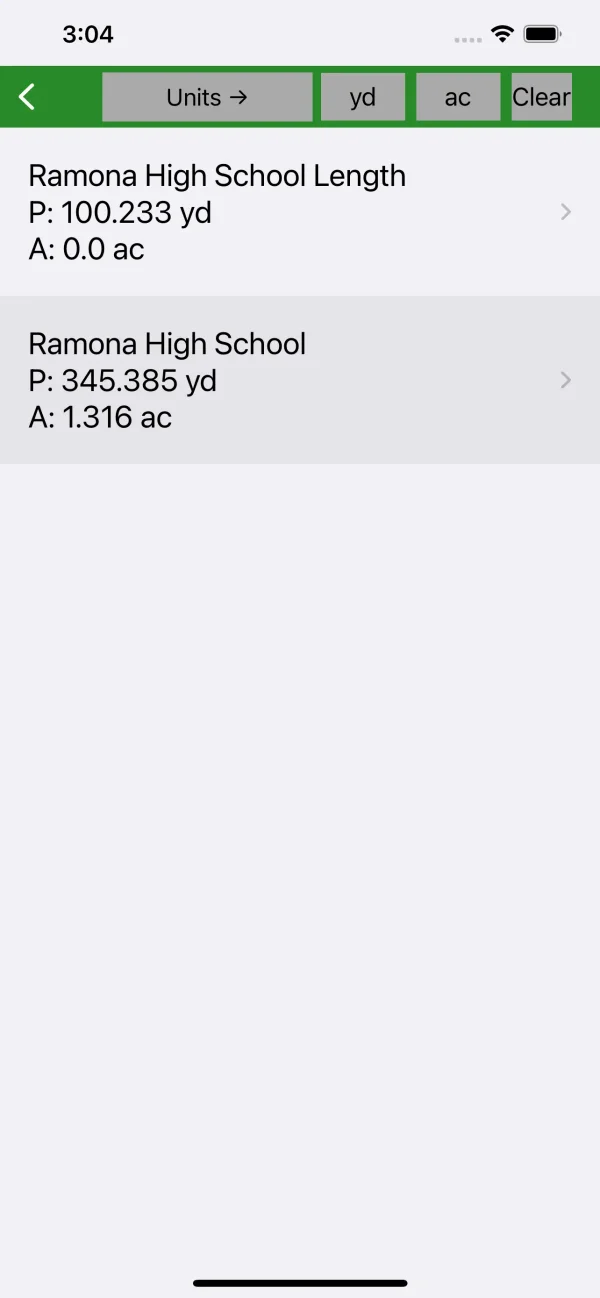
Save and load your measurements with a table interface. Select between Hybrid, Hybrid Flyover, or Standard maps.
There is current location access to measure your surroundings.
Distance results in meters, kilometers, feet, yards, and miles all at once.
Area results in square meters, feet, yards, kilometers, miles, and acres all at once.
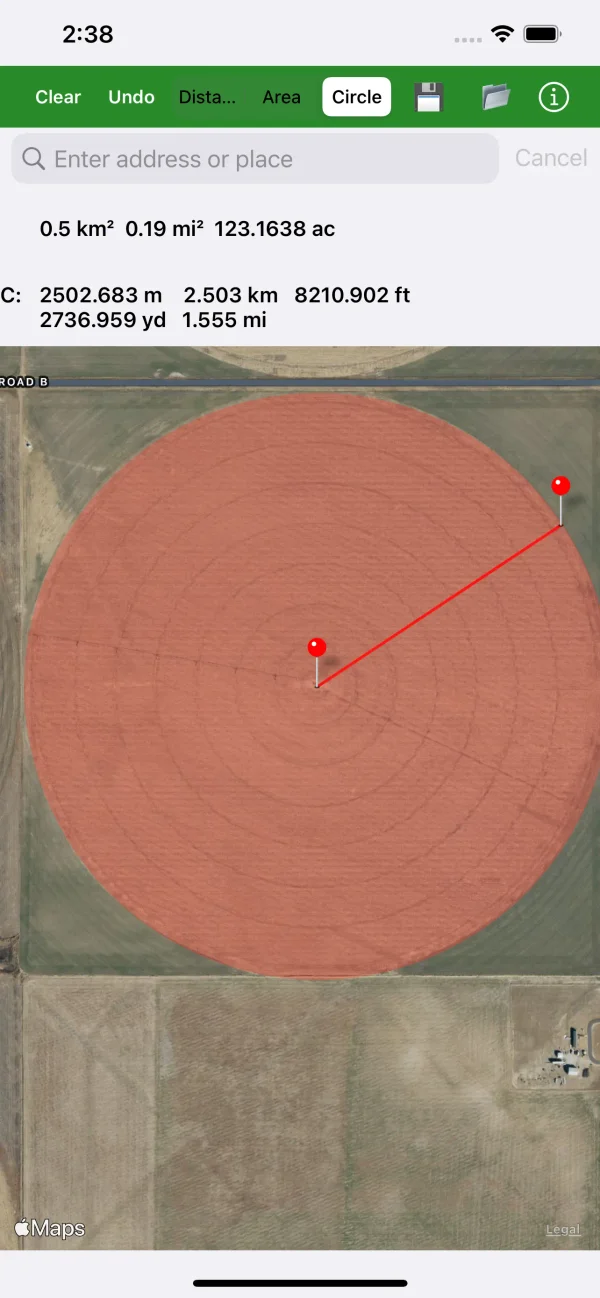
A circle mode is available, too, to easily measure crop circles or other circular objects. Tap in the center of the crop circle to drop a pin, and then on the edge; a circle will be rendered and the circumference and area displayed.
Create a KML file with your measurements and open it in the Google Earth™ app or desktop browser version to view all your measurements at once. This also allows for Apple Maps to Google Maps comparisons.
Export all your measurements locally to your iOS device to save your work with a Map Measurement Tool-specific KML file. You can then import your measurements from this specific KML file.
Có gì mới
Phiên bản 1.8.3 · 28/04/2026
Upgraded Search Capabilities: I migrated the Apple Maps search from the legacy address geocoder to MKLocalSearch. The app can now reliably find Points of Interest (POIs) like stadiums, parks, and businesses alongside standard street addresses.
Intelligent Geocoder Fallback: Users can now set their preferred primary geocoder (Apple or Mapbox) in the Info settings. If a search fails, the app intelligently prompts the user to instantly retry the search using the alternate service.
Developer Debug Tab: I’ve implemented a new internal Debug mode. This allows you to view, copy, and email the raw JSON API responses directly from the app.
Under-the-Hood Stability: Resolved several threading issues related to background network calls and removed dangerous data-parsing logic that was responsible for edge-case crashes.
Quyền riêng tư của ứng dụng
Những gì David Gross khai báo trên App Store về cách ứng dụng này xử lý dữ liệu.
-
Dữ liệu được sử dụng để theo dõi bạn
Có thể được sử dụng để theo dõi bạn trên các ứng dụng và trang web do công ty khác sở hữu.
- Mã định danh
- Dữ liệu sử dụng
- Chẩn đoán
-
Dữ liệu liên kết với bạn
Có thể được thu thập và liên kết với danh tính của bạn.
- Nội dung của người dùng
-
Dữ liệu không liên kết với bạn
Có thể được thu thập nhưng không liên kết với danh tính của bạn.
- Vị trí
- Mã định danh
- Dữ liệu sử dụng
- Chẩn đoán
Phương thức đảm bảo quyền riêng tư có thể khác nhau, chẳng hạn như tuỳ theo các tính năng bạn sử dụng hoặc độ tuổi của bạn.
Thông tin
- Người bán
- David Gross
- Danh mục
- Tiện Ích
- Phiên bản
- 1.8.3
- Cập nhật
- 28/04/2026
- Phát hành
- 06/04/2019
- Kích thước
- 3,4 MB
- Yêu cầu
- iOS 16.6 trở lên
- Độ tuổi
- 17+
- Mua hàng trong ứng dụng
- Có
- Ngôn ngữ
- Tiếng Anh
- Bản quyền
- © 2018-2026 David Gross
Có thể bạn cũng thích
-
 Land SizeTiện Ích
-
 Planimeter for map measureTiện Ích
-
 GPS bản đo diện tích đấtĐo Khoảng Cách & Khu Vực
-
 Free Map ToolsTiện Ích
-
 Measure Map ProDiện tích, cự ly và địa hình
-
 Measure Distance On MapTiện Ích
-
 Đo diện tích thực địa GPSMáy tính diện tích trên bản đồ
-
 GPS Land Measurement & SurveyTiện Ích
-
 Đo Đất - Measure MapCông Cụ Thông Minh, Tiện Dụng
-
 Distance ToolTiện Ích