- 対象年齢4+
- カテゴリ仕事効率化
- 開発元cartney Jones
- 言語英語
- サイズ2.6 MB
App Storeの公式ページにリンクしています
Download.orgはMarginalia Notes & Plannerのファイルを一切ホストしていません。ボタンを押すと、cartney Jonesが公開しているApp Storeのアプリページが開きます。ページの最終確認:2026/11/23。
スクリーンショット
概要
開発元はこのテキストをお使いの言語で提供していません。
Write by hand. Plan your day. Keep everything together.
Marginalia is a handwriting notebook and planner for iPad, built around Apple Pencil. It connects to Apple Calendar and Reminders, so your notes sit next to your meetings and your to-dos.
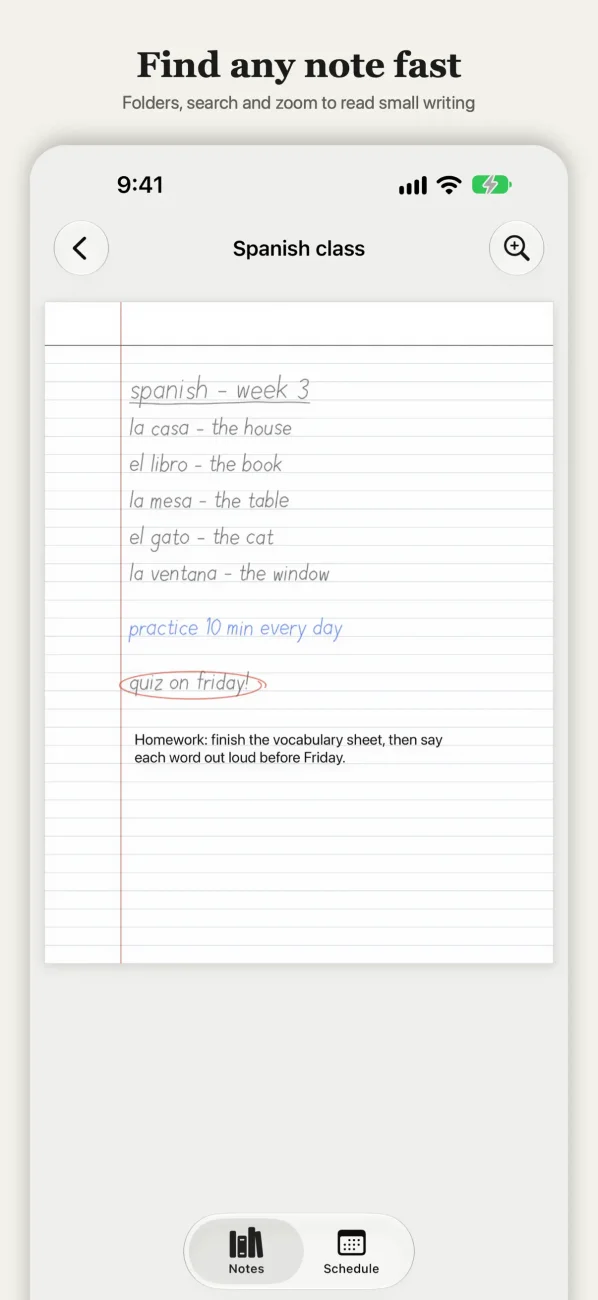
On iPhone, Marginalia is a viewer. Writing, typing, recording and editing happen on your iPad; your notes, folders, meeting links and daily memos sync to your iPhone through your own iCloud account so you can read them anywhere. Viewing on iPhone is free.
WRITE
• Natural handwriting with Apple Pencil, using the system tools: pens, highlighter, eraser, rulers and colours
• Palm rejection: only the Pencil writes, and your finger scrolls (you can change this in Settings)
• Pages that fit the way you work: blank, ruled, wide ruled, notebook paper with a margin, grid, graph paper, dot grid, Cornell and meeting notes
• Import your own template from an image or PDF
• Import a PDF as a multi-page note and write on top of it
• Export any note as a PDF
ORGANISE
• Folders and subfolders, with drag and drop to move notes
• Sort by last edited, date created or title, and filter by folder
• Search across note titles, folders and recording transcripts
• Lock a note with Face ID, Touch ID or your passcode
MEETINGS AND PLANNING
• A day view with an hour-by-hour agenda, plus week and month views
• Start a meeting note straight from any calendar event, with the title, time and attendees filled in
• Link any note to a meeting, and jump from the note back to that day
• Choose which calendars and reminder lists you see
• See your reminders beside your schedule, tick them off, and add new ones, even from inside a note
• A quick handwritten memo page for every day, which you can turn into a full note
AUDIO
• Record audio inside a note, with pause and resume, in the background
• Play it back with 15-second skips and speed control
• Turn a recording into text on your iPad, with timestamps you can tap to play from that point
• With Apple Intelligence on a supported iPad, get a short summary and a list of action items, and add them to Reminders in one tap
• Transcription and summaries run on your iPad. Your audio is not sent to us or to anyone else.
LOOKS
• White, warm paper, or an E-ink look: grey paper, charcoal ink, no colour and no animation
ON IPHONE (VIEW ONLY)
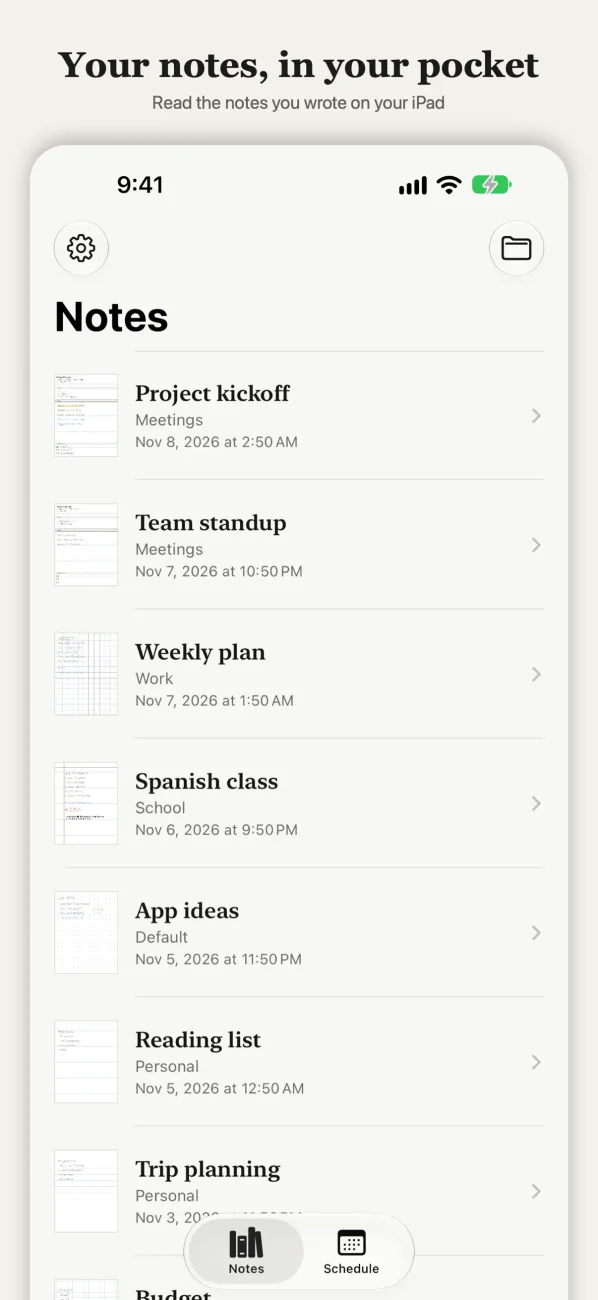
- Browse and search your notes and folders
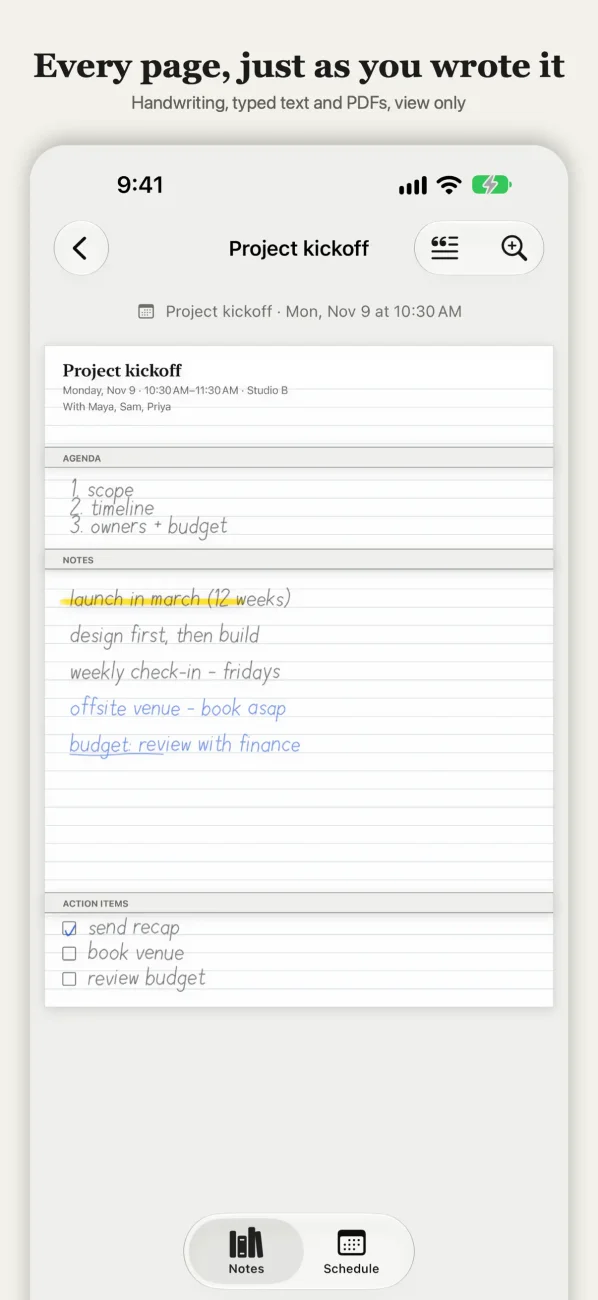
- Read every page as you wrote it: handwriting, typed text, imported PDFs and templates, with zoom
- Read transcripts and summaries of your recordings
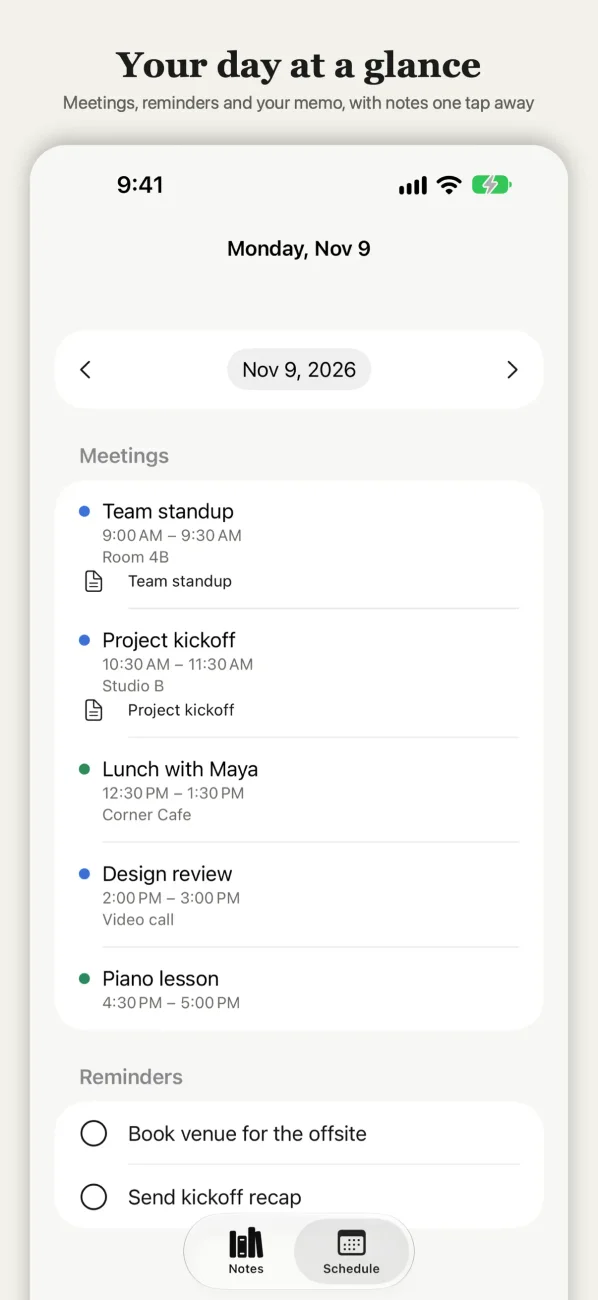
- See your day: meetings, reminders and your daily memo, with linked notes one tap away
- Locked notes still ask for Face ID, Touch ID or your passcode
- Editing, writing and recording need an iPad
SYNC AND PRIVACY
• Your notes, recordings and settings sync between your devices through your own iCloud account
• No account to create and no ads
• We do not collect your data
Apple Intelligence summaries need an iPad that supports Apple Intelligence and iPadOS 26 or later. Transcription needs iPadOS 17 or later; language support depends on your iPad.
新機能
バージョン 1.2 · 2026/11/11
- New: read your notes and schedule on iPhone. Sign in to the same iCloud account and your notes appear, view only. Writing and recording stay on iPad.
アプリのプライバシー
このアプリのデータの取り扱いについて、cartney JonesがApp Storeで申告している内容です。
-
データの収集なし
開発元はこのアプリからデータを収集しません。
プライバシーの取り扱いは、ご利用の機能やお客様の年齢などに応じて異なる場合があります。
情報
- 販売元
- cartney Jones
- カテゴリ
- 仕事効率化
- バージョン
- 1.2
- 更新日
- 2026/11/11
- リリース
- 2026/11/5
- サイズ
- 2.6 MB
- 必要条件
- iOS 17.0以降
- 対象年齢
- 4+
- 価格
- 無料
- アプリ内課金
- あり
- 言語
- 英語
- 著作権
- © Cartney Jones
こちらもおすすめ
-
 Hush: Quiet Your Phone仕事効率化
-
 SyncThemCalendars仕事効率化
-
 Pencilo仕事効率化
-
 alfred_: AI Work Assistant仕事効率化
-
 Nemos: スクショ整理・リンク保存・文字起こし情報整理の第二の脳・ブックマーク・あとで読む
-
 DayJournal: 手書き手帳とノートカレンダーに直接手書き
-
 MailBoom: Gmail Inbox Cleaner仕事効率化
-
 sort & find documents: DocSort仕事効率化
-
 RealOr | Detect & Analyze仕事効率化
-
 Countdown Reminder: Days Left仕事効率化