- Altersfreigabe4+
- KategorieProduktivität
- Entwicklercartney Jones
- SprachenEnglisch
- Größe2,6 MB
Verlinkt auf die offizielle App Store-Seite
Download.org hostet keine Datei von Marginalia Notes & Planner. Die Schaltfläche öffnet die App-Seite bei App Store, wo cartney Jones die App veröffentlicht. Eintrag zuletzt geprüft am 23.11.2026.
Screenshots
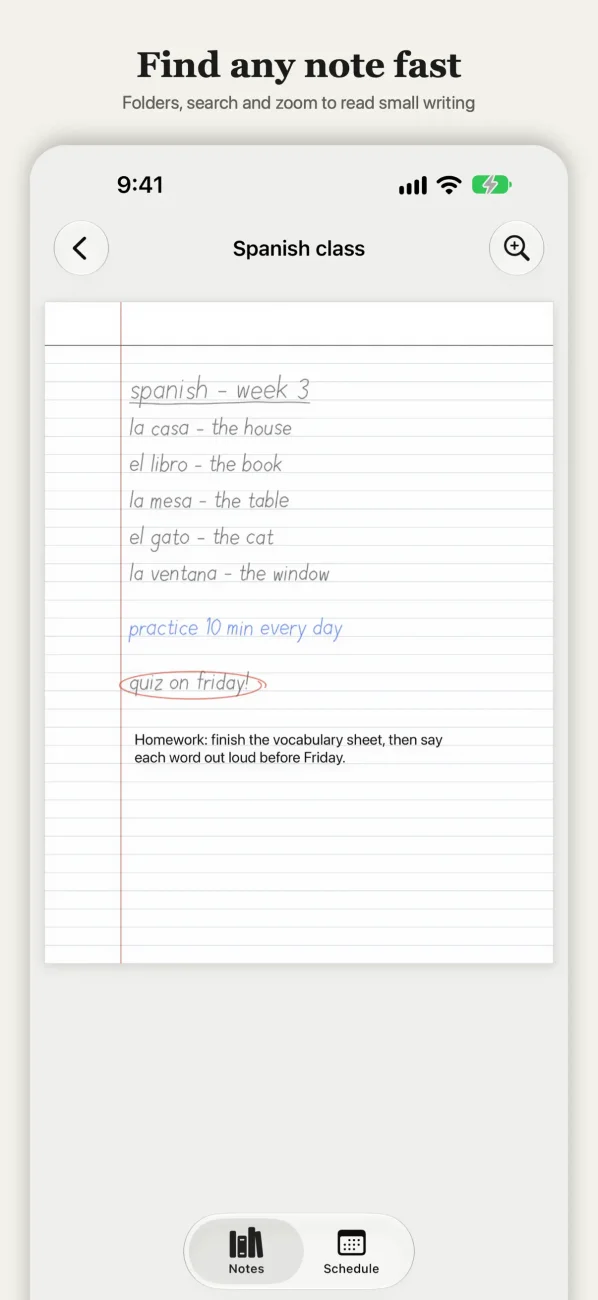
Info
Der Entwickler hat diesen Text nicht in Ihrer Sprache bereitgestellt.
Write by hand. Plan your day. Keep everything together.
Marginalia is a handwriting notebook and planner for iPad, built around Apple Pencil. It connects to Apple Calendar and Reminders, so your notes sit next to your meetings and your to-dos.
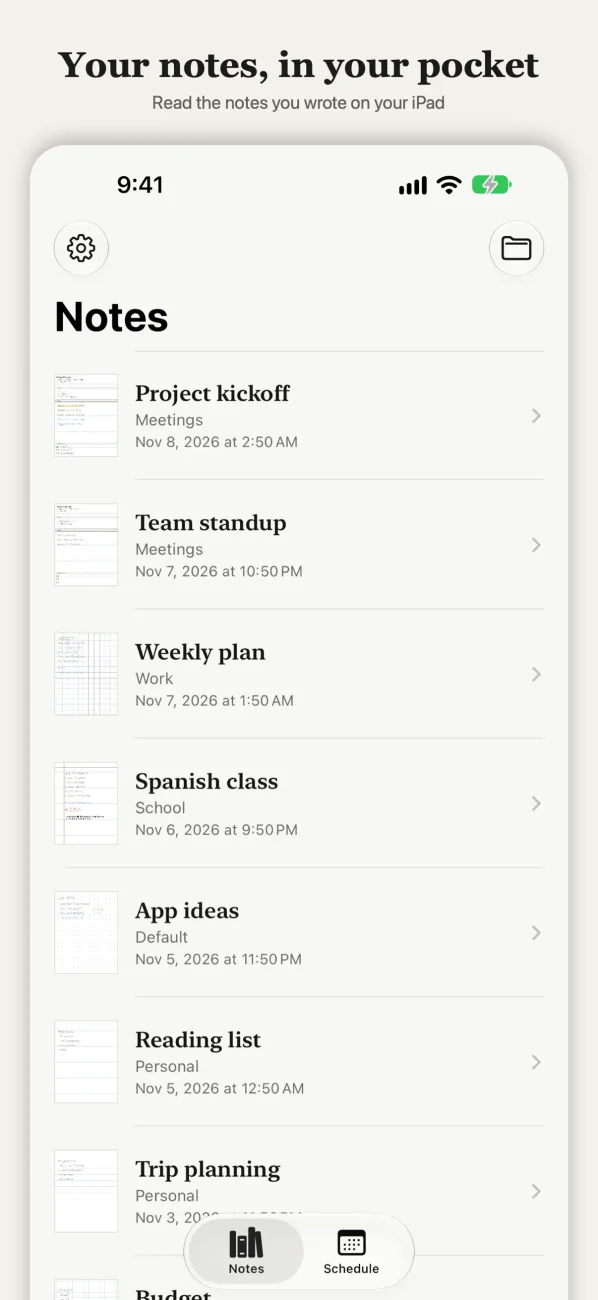
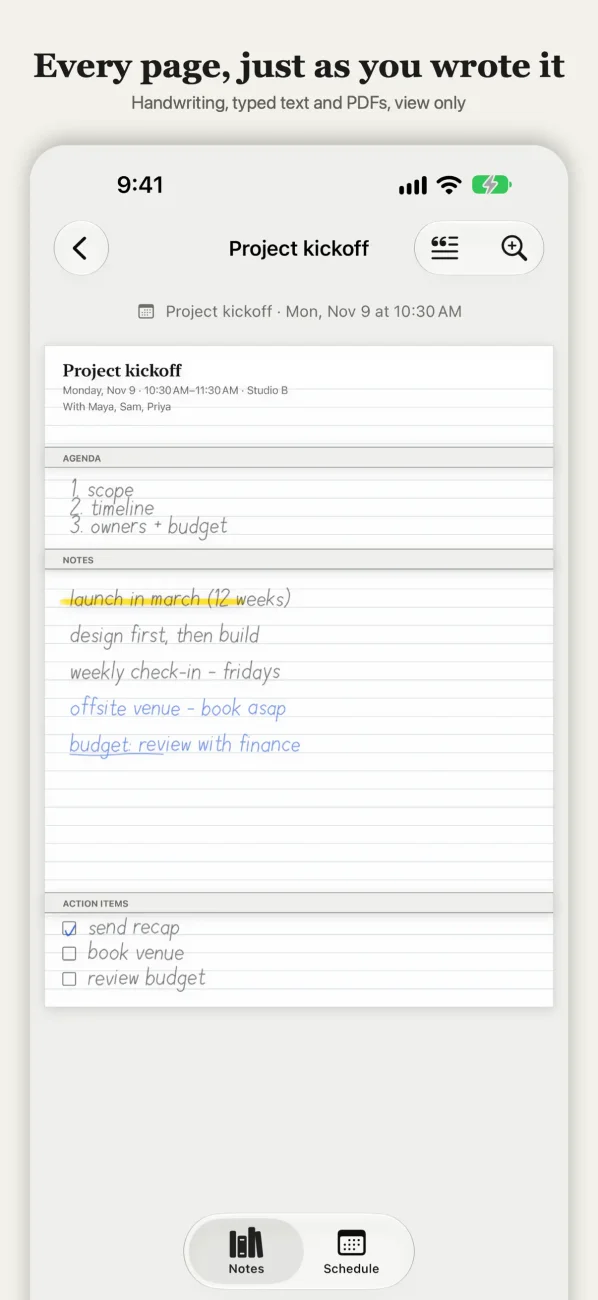
On iPhone, Marginalia is a viewer. Writing, typing, recording and editing happen on your iPad; your notes, folders, meeting links and daily memos sync to your iPhone through your own iCloud account so you can read them anywhere. Viewing on iPhone is free.
WRITE
• Natural handwriting with Apple Pencil, using the system tools: pens, highlighter, eraser, rulers and colours
• Palm rejection: only the Pencil writes, and your finger scrolls (you can change this in Settings)
• Pages that fit the way you work: blank, ruled, wide ruled, notebook paper with a margin, grid, graph paper, dot grid, Cornell and meeting notes
• Import your own template from an image or PDF
• Import a PDF as a multi-page note and write on top of it
• Export any note as a PDF
ORGANISE
• Folders and subfolders, with drag and drop to move notes
• Sort by last edited, date created or title, and filter by folder
• Search across note titles, folders and recording transcripts
• Lock a note with Face ID, Touch ID or your passcode
MEETINGS AND PLANNING
• A day view with an hour-by-hour agenda, plus week and month views
• Start a meeting note straight from any calendar event, with the title, time and attendees filled in
• Link any note to a meeting, and jump from the note back to that day
• Choose which calendars and reminder lists you see
• See your reminders beside your schedule, tick them off, and add new ones, even from inside a note
• A quick handwritten memo page for every day, which you can turn into a full note
AUDIO
• Record audio inside a note, with pause and resume, in the background
• Play it back with 15-second skips and speed control
• Turn a recording into text on your iPad, with timestamps you can tap to play from that point
• With Apple Intelligence on a supported iPad, get a short summary and a list of action items, and add them to Reminders in one tap
• Transcription and summaries run on your iPad. Your audio is not sent to us or to anyone else.
LOOKS
• White, warm paper, or an E-ink look: grey paper, charcoal ink, no colour and no animation
ON IPHONE (VIEW ONLY)
- Browse and search your notes and folders
- Read every page as you wrote it: handwriting, typed text, imported PDFs and templates, with zoom
- Read transcripts and summaries of your recordings
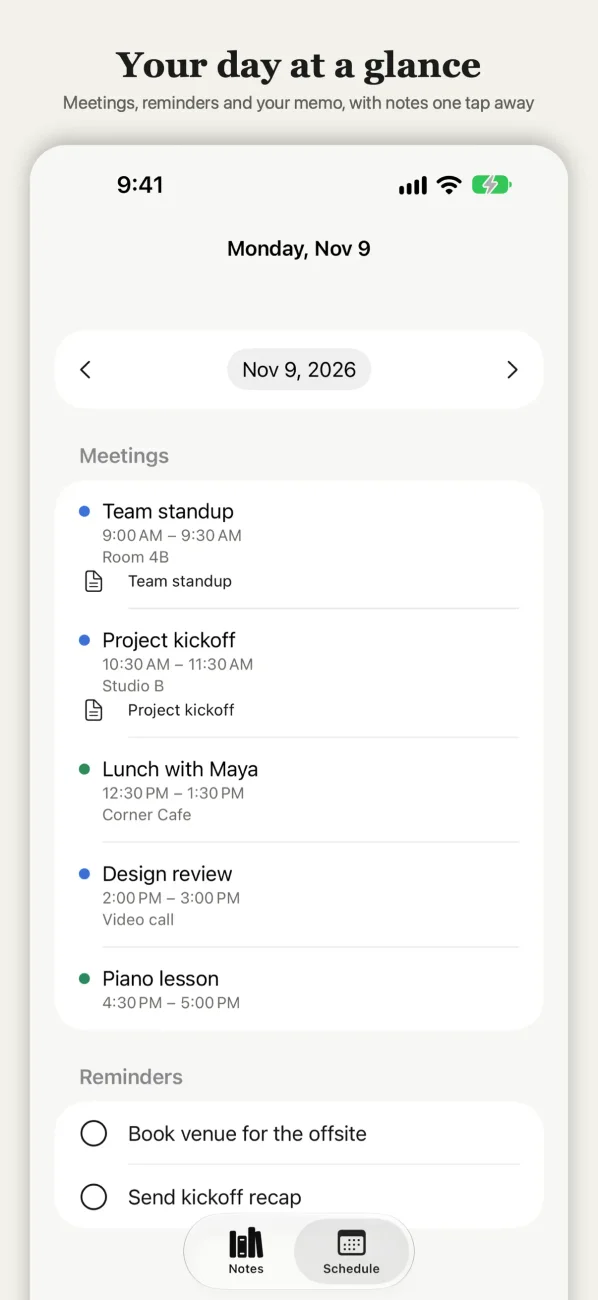
- See your day: meetings, reminders and your daily memo, with linked notes one tap away
- Locked notes still ask for Face ID, Touch ID or your passcode
- Editing, writing and recording need an iPad
SYNC AND PRIVACY
• Your notes, recordings and settings sync between your devices through your own iCloud account
• No account to create and no ads
• We do not collect your data
Apple Intelligence summaries need an iPad that supports Apple Intelligence and iPadOS 26 or later. Transcription needs iPadOS 17 or later; language support depends on your iPad.
Neue Funktionen
Version 1.2 · 11.11.2026
- New: read your notes and schedule on iPhone. Sign in to the same iCloud account and your notes appear, view only. Writing and recording stay on iPad.
App-Datenschutz
Was cartney Jones im App Store zum Umgang dieser App mit Daten angibt.
-
Keine Daten erfasst
Der Entwickler erfasst keine Daten von dieser App.
Die Datenschutzpraktiken können variieren, zum Beispiel je nach den von Ihnen verwendeten Funktionen oder Ihrem Alter.
Informationen
- Anbieter
- cartney Jones
- Kategorie
- Produktivität
- Version
- 1.2
- Aktualisiert
- 11.11.2026
- Veröffentlicht
- 05.11.2026
- Größe
- 2,6 MB
- Erfordert
- iOS 17.0 oder neuer
- Altersfreigabe
- 4+
- Preis
- Kostenlos
- In-App-Käufe
- Ja
- Sprachen
- Englisch
- Copyright
- © Cartney Jones
Das könnte Ihnen auch gefallen
-
 Hush: Quiet Your PhoneProduktivität
-
 SyncThemCalendarsProduktivität
-
 PenciloProduktivität
-
 alfred_: AI Work AssistantProduktivität
-
 Nemos: Zweites GehirnLinks & Screenshots speichern
-
 DayJournal: Planner & NotesProduktivität
-
 MailBoom: Gmail Inbox CleanerProduktivität
-
 sort & find documents: DocSortProduktivität
-
 RealOr | Detect & AnalyzeProduktivität
-
 Countdown Reminder: Days LeftProduktivität