- 対象年齢4+
- カテゴリ仕事効率化
- 開発元VGD TECHNOLOGIES PRIVATE LIMITED
- 言語英語
- サイズ20.6 MB
App Storeの公式ページにリンクしています
Download.orgはMarkdown.md - Notes & Previewのファイルを一切ホストしていません。ボタンを押すと、VGD TECHNOLOGIES PRIVATE LIMITEDが公開しているApp Storeのアプリページが開きます。ページの最終確認:2026/11/15。
スクリーンショット

概要
開発元はこのテキストをお使いの言語で提供していません。
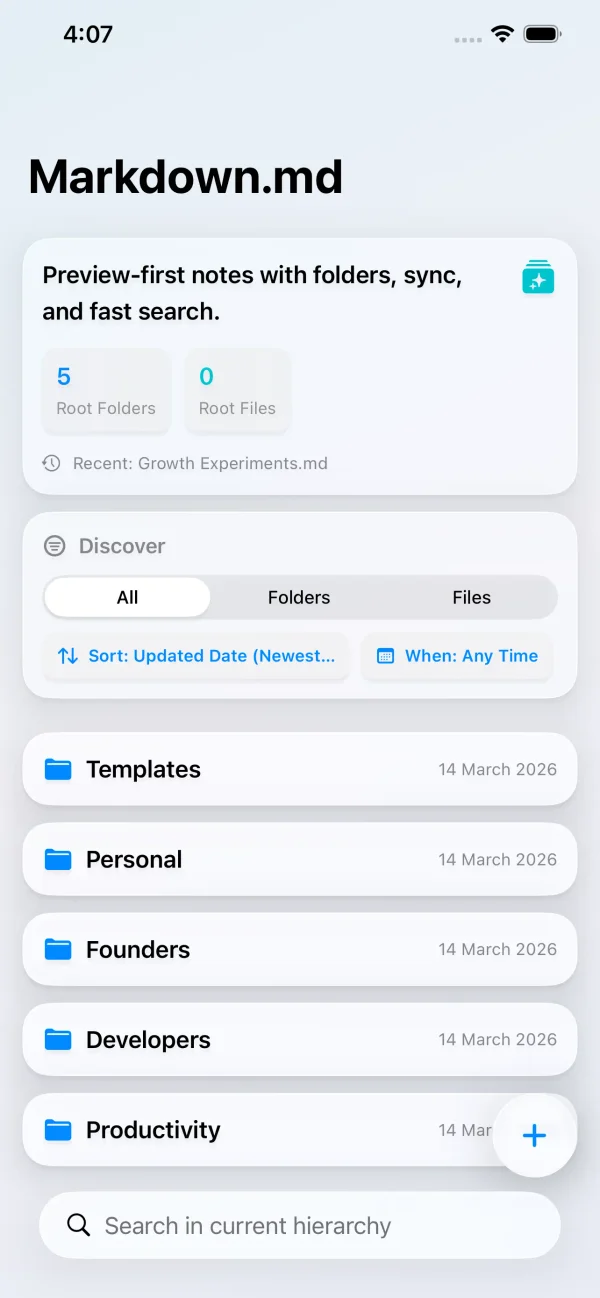
Markdown.md is a clean and focused Markdown workspace built for people who write and manage Markdown files every day.
Whether you are a developer writing documentation, a writer organizing notes, or a founder planning ideas, Markdown.md helps you keep Markdown files structured, searchable and synced across your Apple devices.
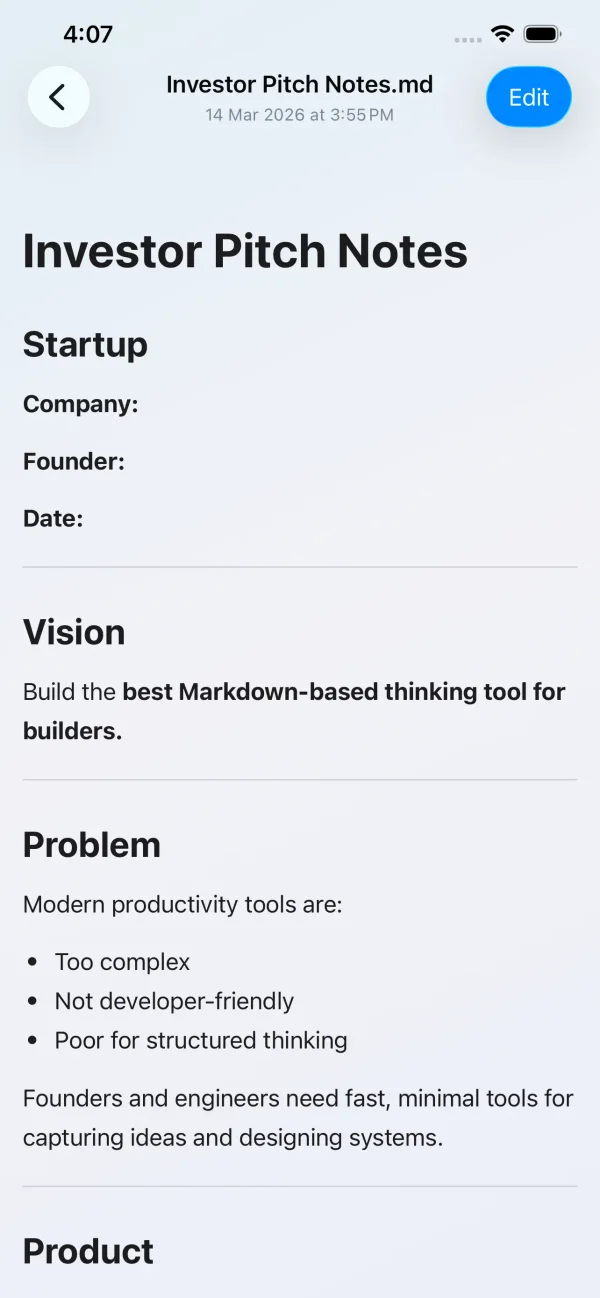
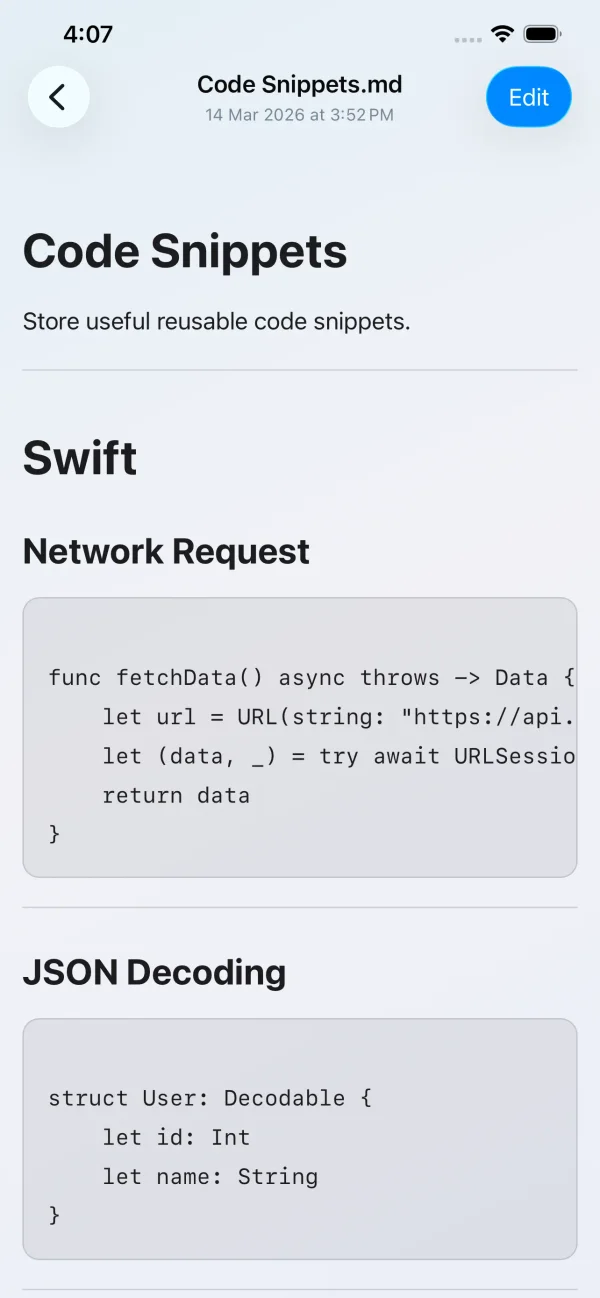
The app follows a preview first approach. You can read Markdown files rendered as rich HTML and switch to editing only when needed.
Preview First Reading
Markdown.md renders Markdown into clean HTML so you can read documents comfortably before editing them.
Supported formatting includes:
Headings H1 to H6
Bold and italic text
Inline code
Code blocks
Blockquotes
Ordered lists
Unordered lists
Links
Horizontal rules
Inline HTML
You can quickly switch between Preview mode and Edit mode whenever you want to make changes.
Organize Files with Folders
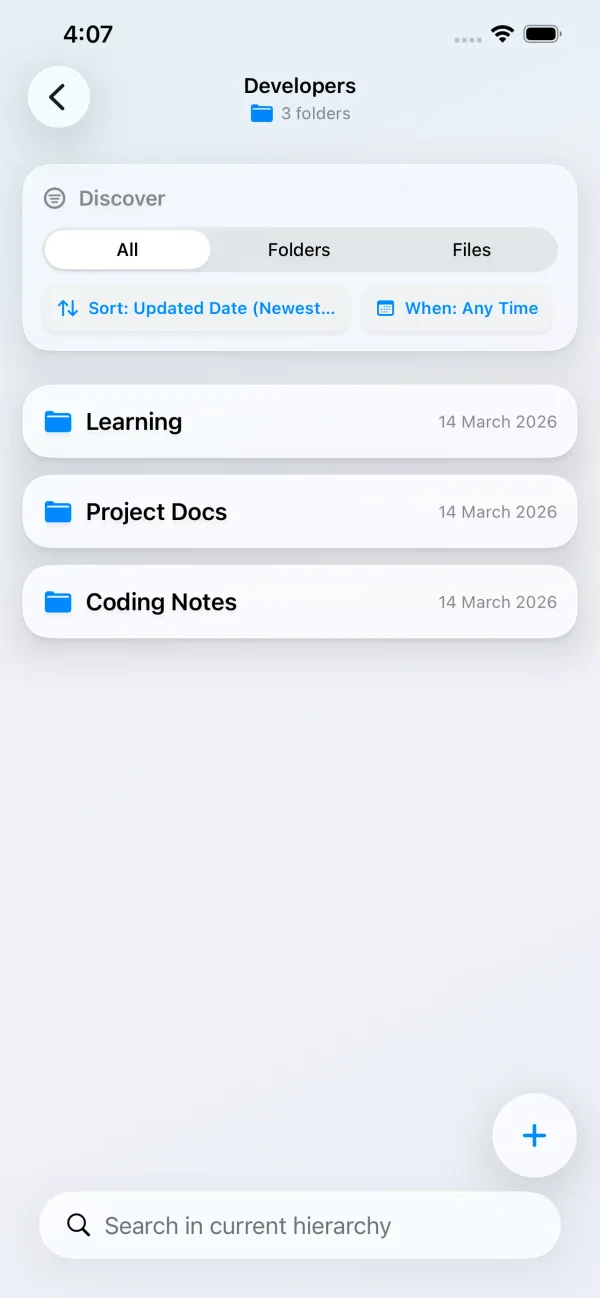
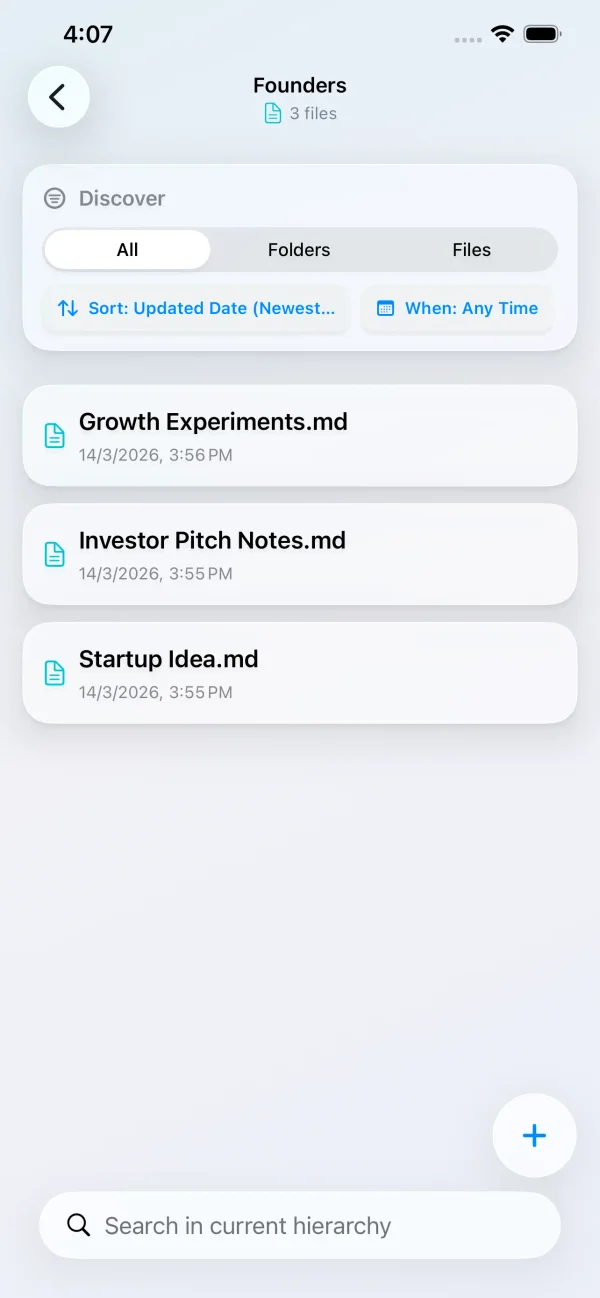
Keep Markdown files structured using folders.
Features include:
Create unlimited folders
Create Markdown files
Rename files and folders
Move files between folders
Delete files with confirmation
This structure makes it easy to manage developer documentation, project notes, knowledge bases, personal writing and startup planning documents.
Fast Markdown Editor
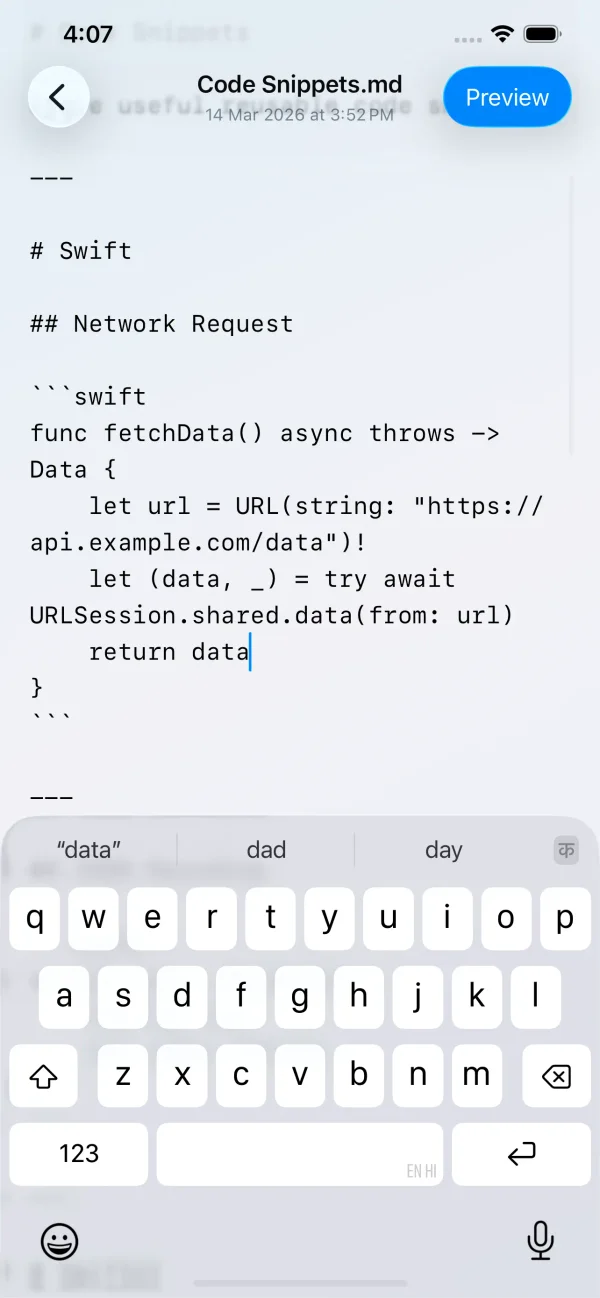
The editor is simple and distraction free.
Editing features include:
Plain text Markdown editing
Autosave
Undo and redo support
Quick preview switching
Write Markdown exactly the way you expect without complex formatting tools.
Search and Filter
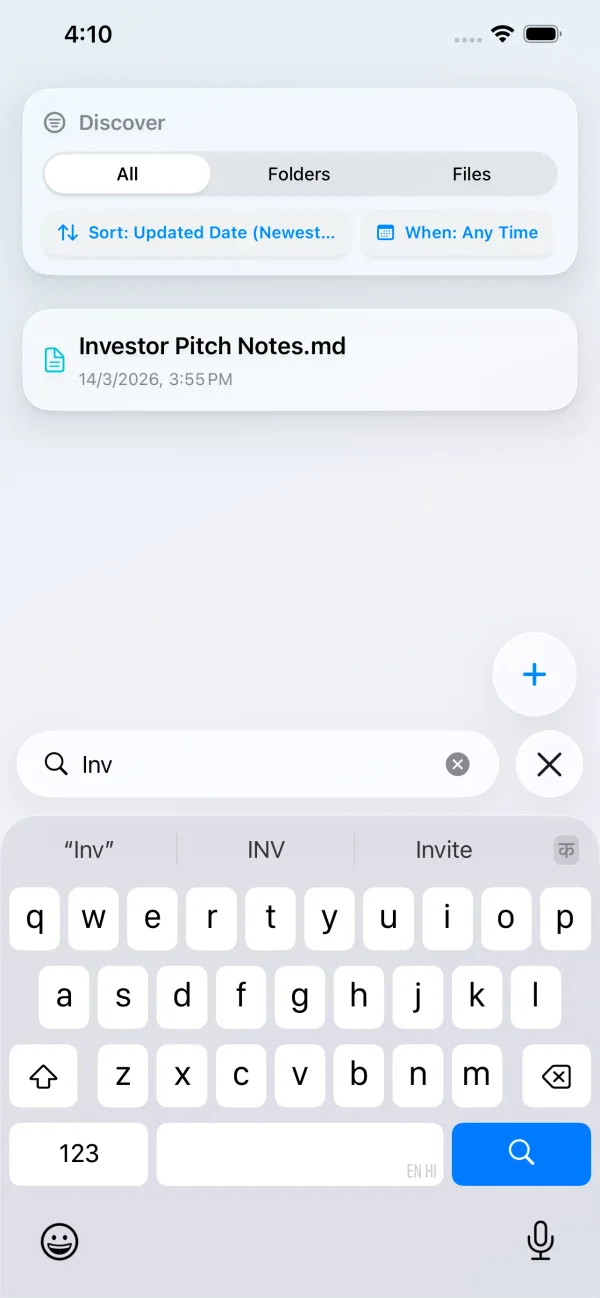
Find Markdown files quickly with built in search and filters.
You can search inside the current folder hierarchy, filter by folders or files, filter by time such as today, this week or this month and sort by name, created date, updated date or file type.
Import and Share Markdown Files
Bring Markdown files into your workspace easily.
Import .md files from your device
Drag and drop file import on macOS
Share extension support on iOS to save Markdown from other apps
Sync Across Devices with iCloud
Markdown.md keeps your files synced using iCloud and CloudKit.
Your Markdown library stays updated across iPhone, iPad and Mac.
The app works offline first. You can continue reading and editing files without internet. Sync will automatically continue when a connection is available.
Native Experience on Apple Platforms
Markdown.md is built with SwiftUI and SwiftData to provide a native experience.
iPhone and iPad
Full screen navigation
Floating action button for quick file creation
Share extension support
Mac
Sidebar navigation
Multiple windows
Native tab support
Drag and drop file import
Markdown.md is designed for people who rely on Markdown every day including developers, technical writers, founders, students and researchers.
新機能
バージョン 1.0.3 · 2026/4/18
- Introduced Split Editor for iPad. You can see live preview while editing markdown file.
- Performance improvements
アプリのプライバシー
このアプリのデータの取り扱いについて、VGD TECHNOLOGIES PRIVATE LIMITEDがApp Storeで申告している内容です。
-
ユーザーに関連付けられないデータ
収集される場合がありますが、ユーザーの識別情報には関連付けられません。
- 使用状況データ
- 診断
プライバシーの取り扱いは、ご利用の機能やお客様の年齢などに応じて異なる場合があります。
情報
- 販売元
- VGD TECHNOLOGIES PRIVATE LIMITED
- カテゴリ
- 仕事効率化
- バージョン
- 1.0.3
- 更新日
- 2026/4/18
- リリース
- 2026/3/18
- サイズ
- 20.6 MB
- 必要条件
- iOS 26以降
- 対象年齢
- 4+
- 価格
- 無料
- 言語
- 英語
- 著作権
- © Markdown.md Copyright 2026 Vikram Chaudhary. All rights reserved.