
markup - Markdown Previewer -
Markdown to Beautiful PDF
iPhone, iPad, Mac向けに設計
無料 · アプリ内課金
- 対象年齢4+
- カテゴリ仕事効率化
- 開発元Progressive Works, Inc.
- 言語英語
- サイズ66.2 MB
App Storeの公式ページにリンクしています
Download.orgはmarkup - Markdown Previewer -のファイルを一切ホストしていません。ボタンを押すと、Progressive Works, Inc.が公開しているApp Storeのアプリページが開きます。ページの最終確認:2026/11/16。
スクリーンショット

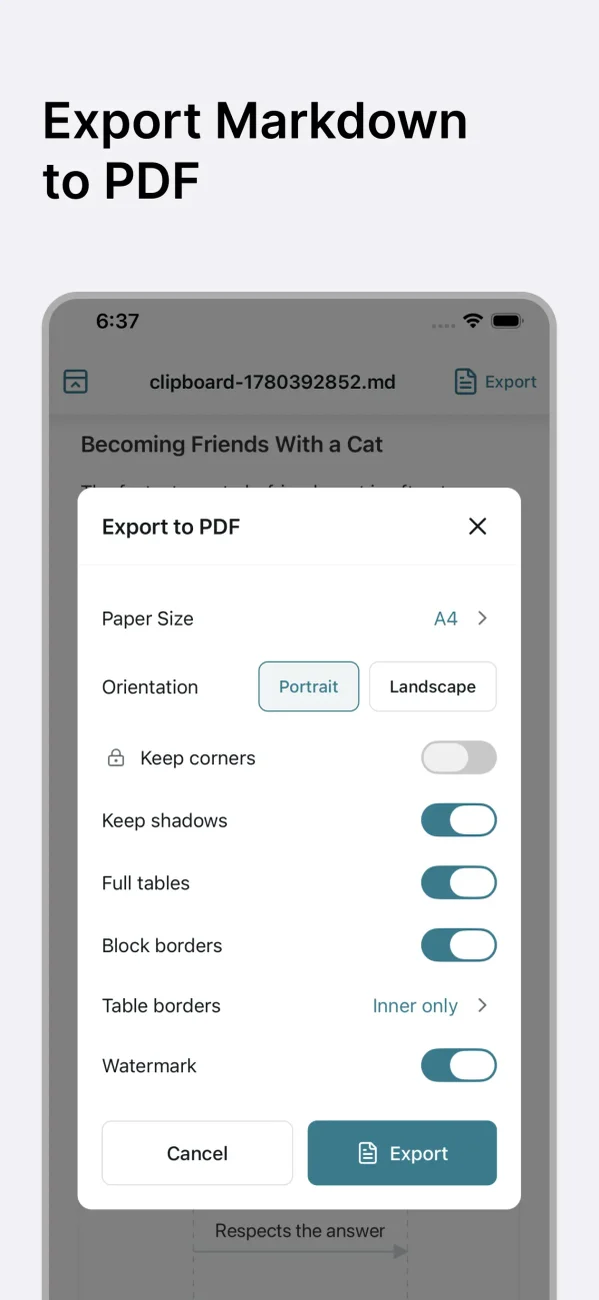
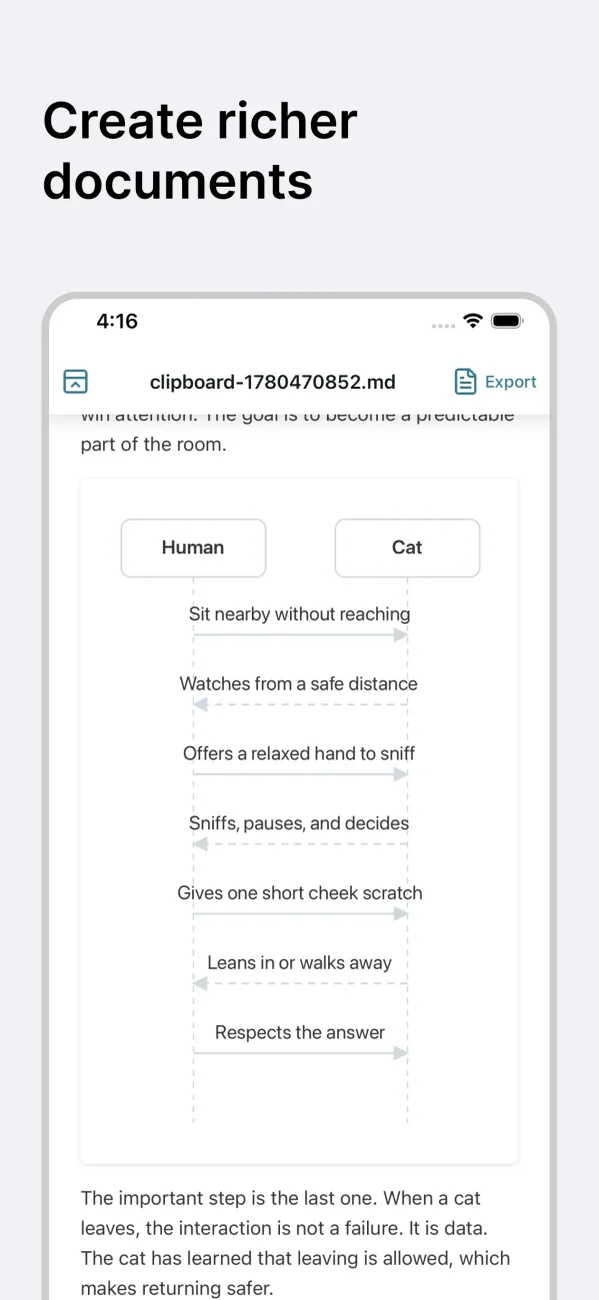
概要
開発元はこのテキストをお使いの言語で提供していません。
markup is a native iOS and iPadOS app for turning Markdown into clean, polished documents.
Open or paste Markdown, preview the result instantly, and export it as a professional-looking PDF. It is designed for writers, developers, and teams who want Markdown to stay simple while still producing output that looks refined.
With markup, you can:
- Preview Markdown in a focused mobile interface
- Edit Markdown directly on iPhone and iPad
- Export documents as PDFs for sharing or publishing
- Choose rendering styles, syntax themes, and typography
- Work with headings, tables, lists, block quotes, code blocks, task lists, and callouts
- Add supported fonts and customize document output
- Keep your writing workflow lightweight and distraction-free
markup is built for local-first document work. Your file contents and file names are not collected for analytics. Optional anonymous usage statistics may be used to improve rendering quality, and can be controlled from Settings.
Whether you are writing documentation, notes, technical specs, README files, or polished Markdown-based documents, markup helps you move from plain text to a finished preview with less friction.
Privacy Policy: https://markup.progressiveworks.co/privacy-policy
Terms of Use (EULA): https://www.apple.com/legal/internet-services/itunes/dev/stdeula/
新機能
バージョン 1.1.0 · 2026/7/9
Thank you for using markup.
This update introduces Reading Mode in Preview, giving your document more space by hiding surrounding controls while you read. The exit control can be moved to a convenient corner and collapses when it is not needed.
Rendering Options now lets you adjust the body font size from 12 to 24 px. Emoji shortcodes such as :rocket: and :+1: can also be rendered as emoji, while code spans and escaped shortcodes remain unchanged.
Preview can now apply supported document changes without replacing the entire rendered page. Markdown files can also be opened directly in markup from other apps, with a warning before unsaved work is replaced.
Landscape support has been refined across Preview, settings, licenses, web content, and dialogs. Controls stay within safe areas, longer modal content can scroll when space is limited, and repeated taps no longer trigger duplicate navigation.
As always, we’re continuing to refine markup so reading, shaping, and exporting Markdown feels calm and natural.
アプリのプライバシー
このアプリのデータの取り扱いについて、Progressive Works, Inc.がApp Storeで申告している内容です。
-
ユーザーに関連付けられないデータ
収集される場合がありますが、ユーザーの識別情報には関連付けられません。
- 使用状況データ
プライバシーの取り扱いは、ご利用の機能やお客様の年齢などに応じて異なる場合があります。
情報
- 販売元
- PROGRESSIVE WORKS K.K.
- カテゴリ
- 仕事効率化
- バージョン
- 1.1.0
- 更新日
- 2026/7/9
- リリース
- 2026/6/2
- サイズ
- 66.2 MB
- 必要条件
- iOS 16.4以降
- 対象年齢
- 4+
- 価格
- 無料
- アプリ内課金
- あり
- 言語
- 英語
- 著作権
- © 2026 Progressive Works, Inc.
こちらもおすすめ
-
 Coffee: Markdown Notes仕事効率化
-
 OnVault - 本人確認書類をすぐ検索クラウドに上げず端末内で保管
-
 Metis: Markdown Notes仕事効率化
-
 Pinq - Smart Notifications仕事効率化
-
 Ear RecorderPhone-style voice recorder
-
 Note.md:Markdown・HTMLビューアiCloudのノートを編集・読み上げ
-
 LocaNeco@LLMエージェントチャットと画像生成を端末内で
-
 Markdownビューアとエディタmdリーダー。pdfに変換。
-
 Kosshi OutlinerMarkdown、画像、デバイス間同期
-
 年表メーカー 推しの歴史も自分史も推し活・人生のタイムラインを画像で共有