
- 対象年齢4+
- カテゴリ仕事効率化
- 開発元Louis Cada
- 言語英語
- サイズ9.9 MB
App Storeの公式ページにリンクしています
Download.orgはmasterfileのファイルを一切ホストしていません。ボタンを押すと、Louis Cadaが公開しているApp Storeのアプリページが開きます。ページの最終確認:2026/11/20。
スクリーンショット

概要
開発元はこのテキストをお使いの言語で提供していません。
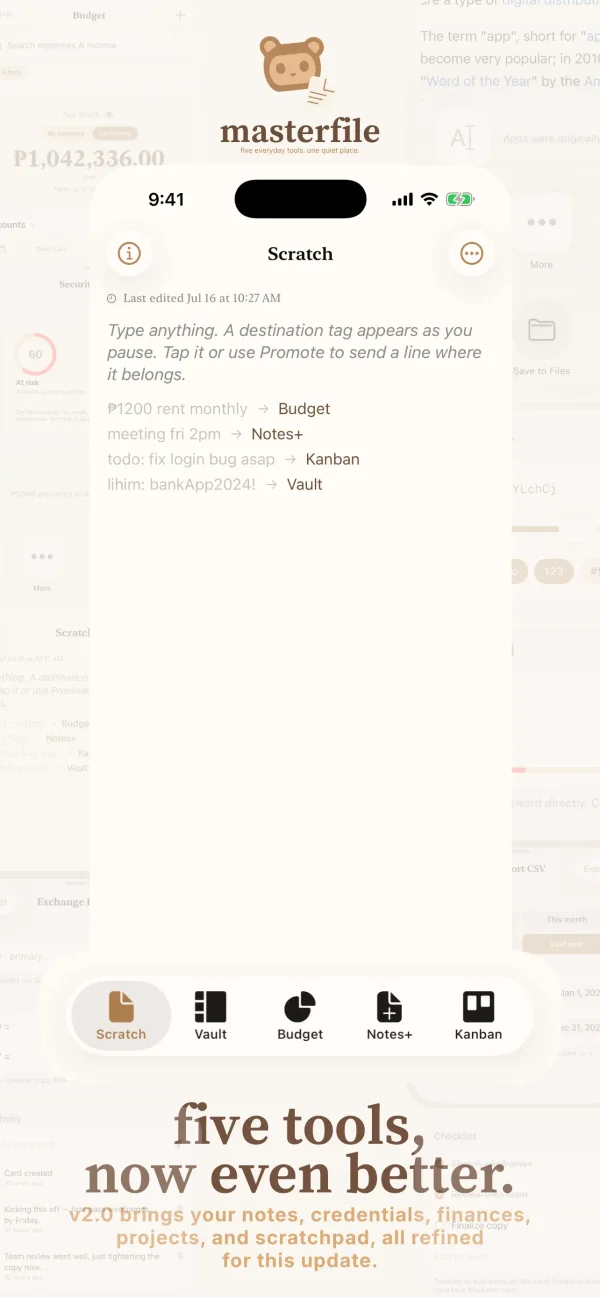
masterfile is five everyday tools in one quiet place. Scratch, Vault, Budget, Notes+, and Kanban. Built for people who'd rather think than juggle apps and for those ready to start tracking.
— Scratch —
Type anything. As you write, a chip appears suggesting where the line belongs, tap it to promote. Credentials go to Vault, money goes to Budget, ideas go to Notes+, tasks go to Kanban. One note keeps your mind clear, the modules keep your day organized.
— Vault —
Logins, cards, and credential keys, locked behind your device's authentication and stored only on your device. No account, no sync, no tracking. Real device-level encryption underneath as masterfile just makes it pleasant to use.
— Budget —
Multi-currency budgeting that actually understands how Filipinos, especially freelancers and remote workers earn. ₱, $, ¥, €, and 20+ more currencies tracked in parallel. Net worth stacked by currency, category-level budgets, calendar view, and a calm pie chart of where the month went.
— Notes+ —
Plain notes for the quick stuff, rich notes when you need them. Folders, tags, internal linking, checklists, bookmarks, document-scanning, camera, attachments. Reading mode opens each note like a printed page you set yourself. Highlights, links, and headings all preserved where you put them.
— Kanban —
Every project, sorted into columns. Priority flags, due dates, color labels, archived cards, and an aging indicator that quietly tells you which cards have been waiting too long.
— Widgets, Notifications, the rest —
19 home-screen widgets across all five modules. Credit card due dates, budget thresholds, friendly nudges. Soft prompts to keep you tracking, organizing, and checking in. Every alert opt-in, every one off by default.
— How masterfile stays calm —
No account. No tracking. No ads. masterfile lives on your device, owned by you. One purchase unlocks every module, every widget, every alert. Yours forever, no subscription, no renewal.
Launch special — one-time unlock at the launch price, until July 31. Regular pricing returns on August 1.
新機能
バージョン 2.0 · 2026/8/2
v2.0 is here with major feature updates and improvements!
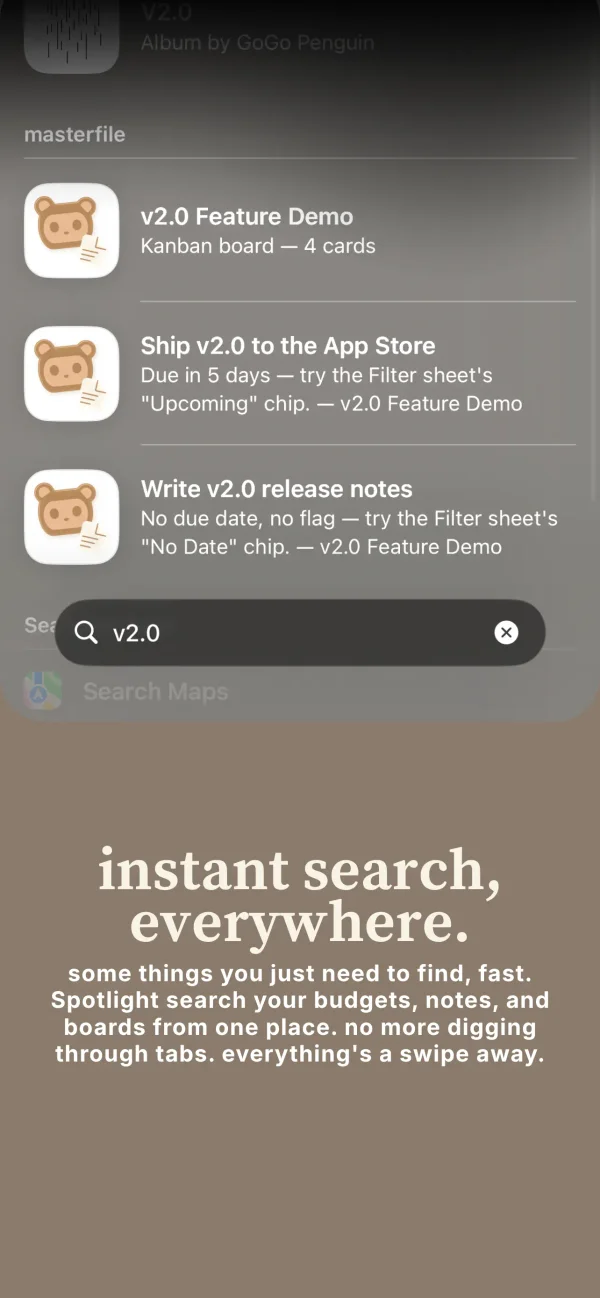
*Spotlight Search — Find what you need without even opening the app. Search entries in Budget, Notes+, and Kanban directly from iOS Spotlight.
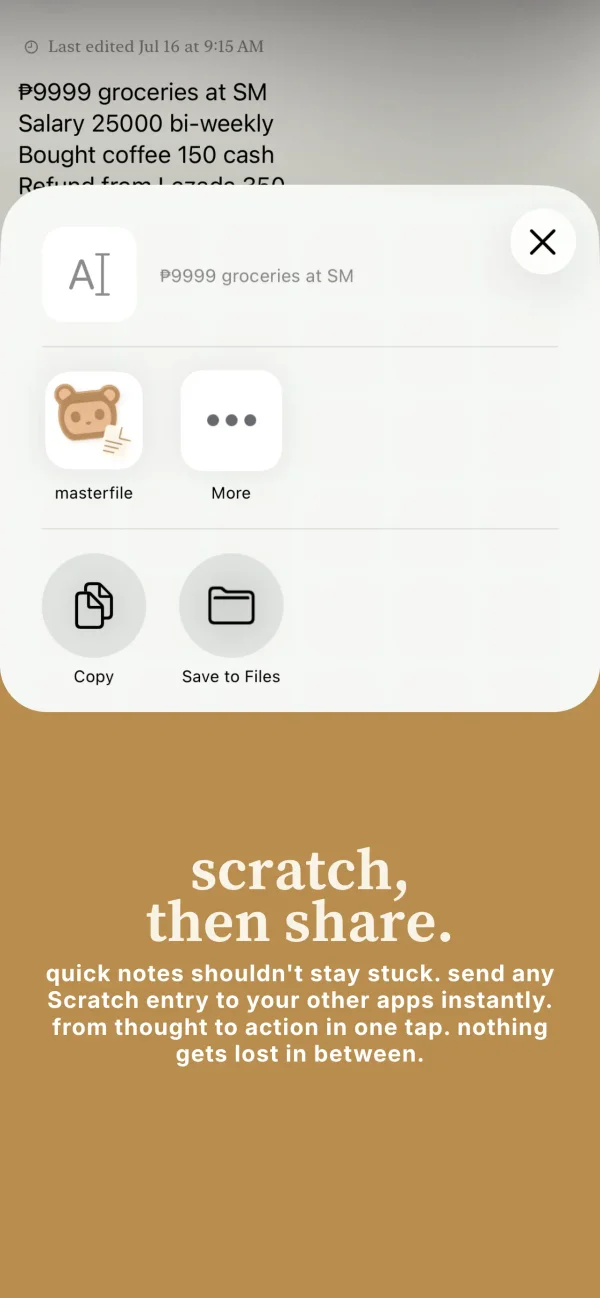
*Share Extension — Capture ideas the moment they happen. Share text and links from any app straight into masterfile using the iOS share sheet.
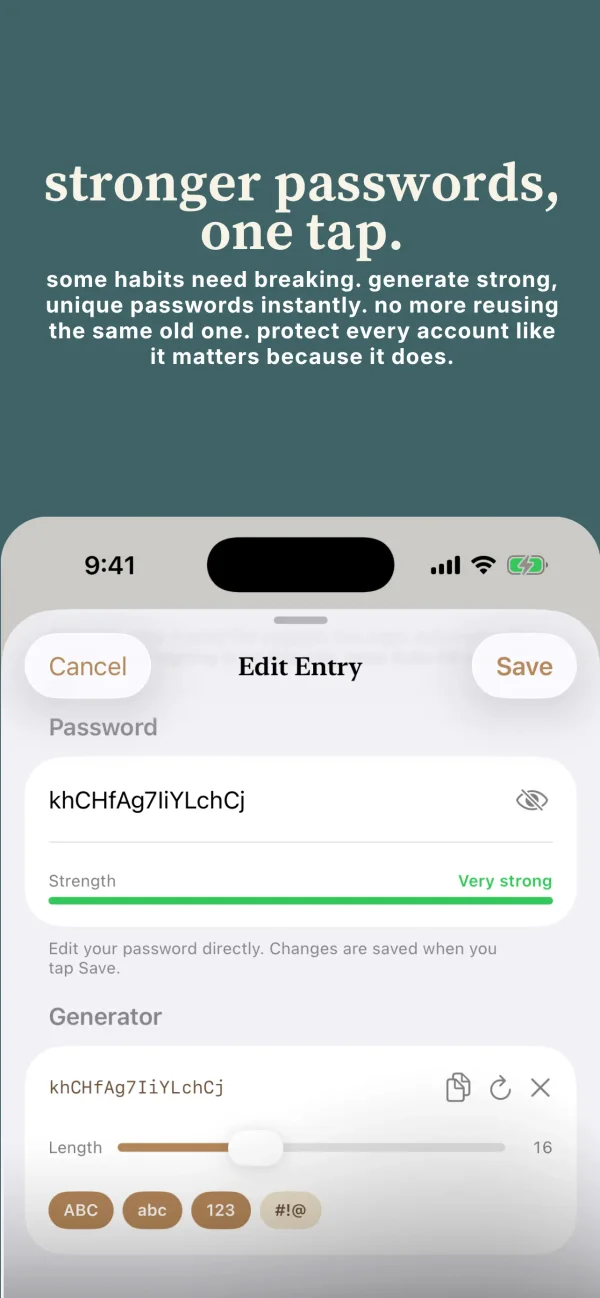
*Password Generator — Stop reusing the same old password. Vault can now generate strong, unique passwords for you, right when you need one.
*Password Strength Analysis — Know exactly how protected you are. Vault now analyzes every saved password and shows you its strength at a glance.
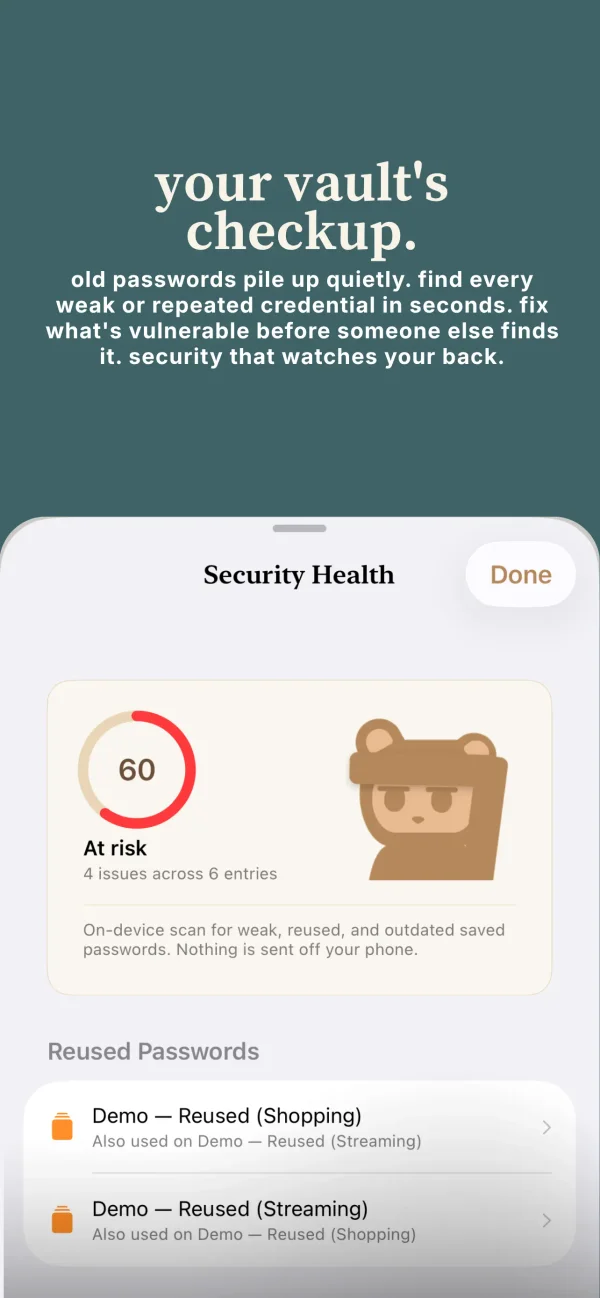
*Security Health — Your vault, watching your back. Security Health scans your saved credentials and flags any that are weak or reused, so nothing slips through unnoticed.
*Share Scratch Entries — Your quick notes don't have to stay stuck. Scratch entries can now be shared directly to other apps in a single tap.
*Rotating State Examples — A blank page is never truly blank anymore. Scratch now shows rotating example prompts to help spark your next thought.
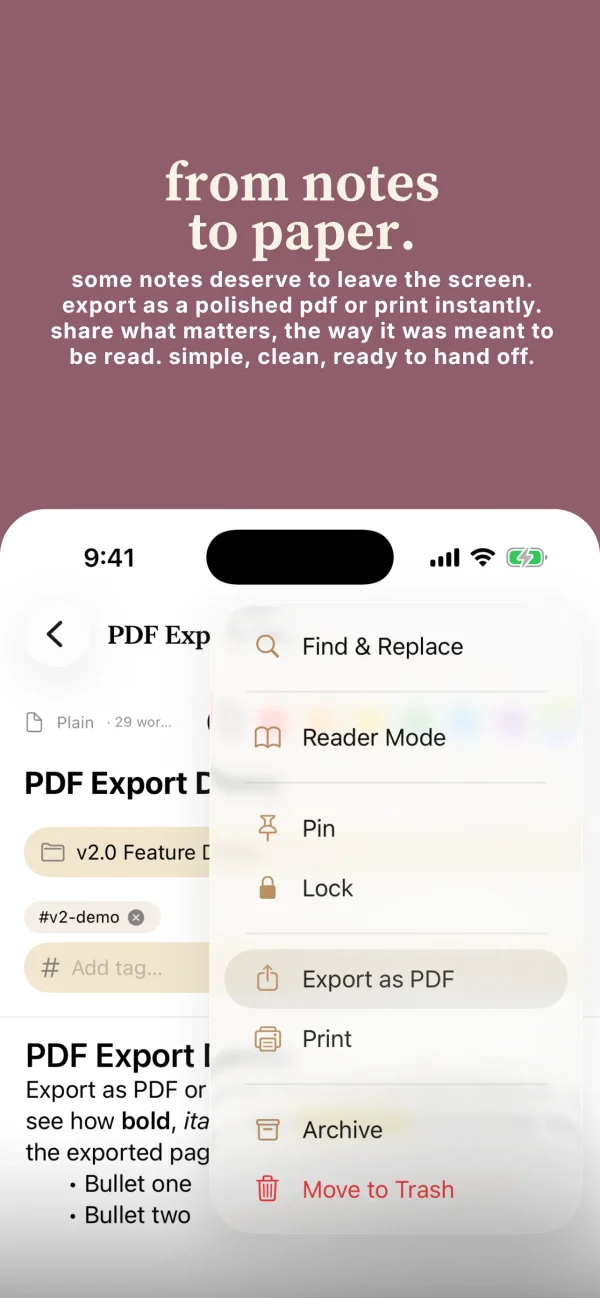
*Find and Replace — Edit smarter, not harder. Notes+ now supports find and replace, so you can update text across a note in seconds.
*Export PDF / Print — Some notes deserve to leave the screen. Plain notes in Notes+ can now be exported as a polished PDF or sent directly to print.
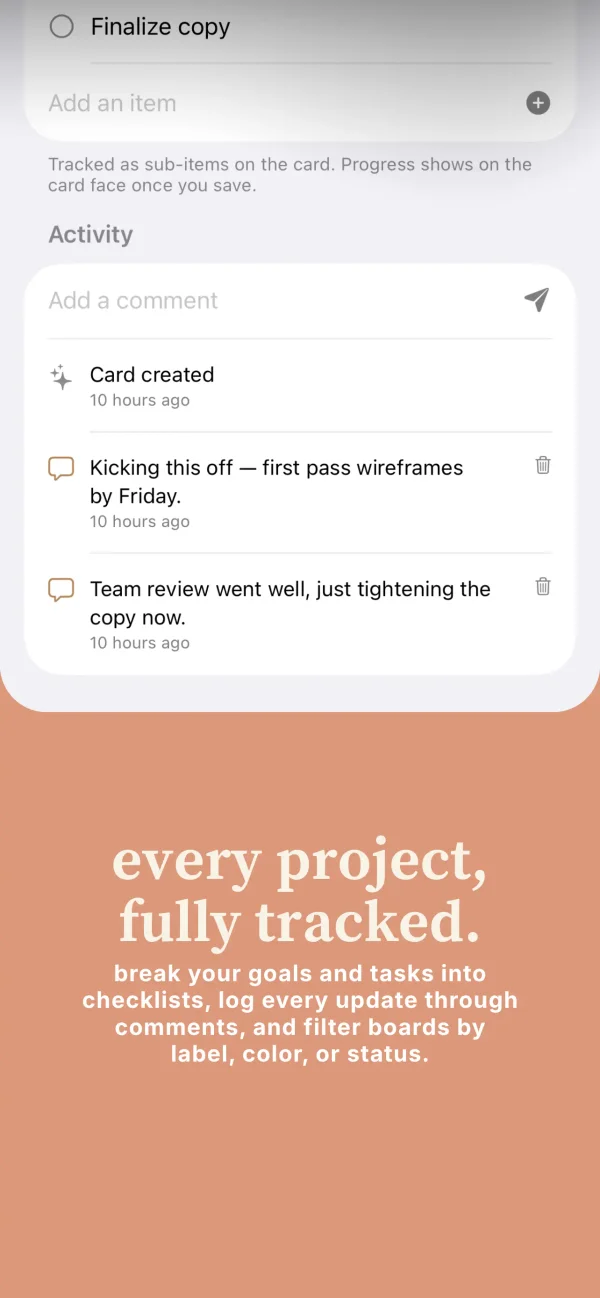
*Subtasks via Checklists — Break big tasks down. Kanban cards now support subtasks in the form of checklists, so you can track progress one small win at a time.
*Activity Log via Comments — Every update, remembered. Kanban cards now track a full activity log, and comments can be added directly to each card.
*Filter by Label, Color, and Status — Find your focus instantly. Kanban boards can now be filtered by priority, color, or status, so busy boards stay clear.
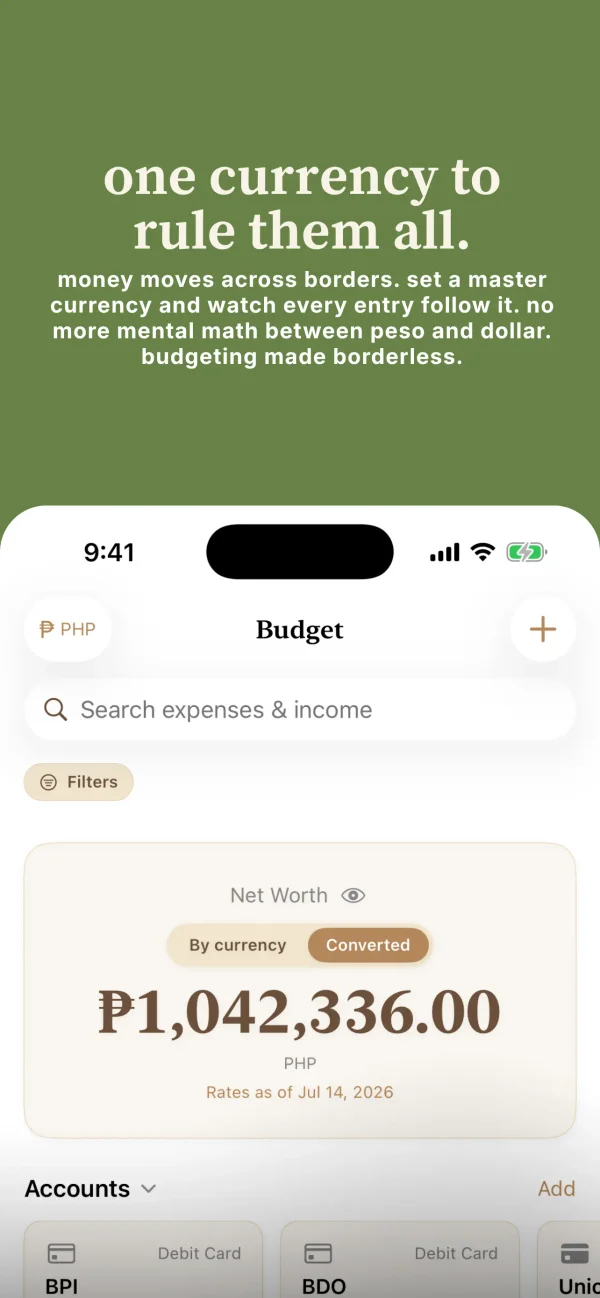
*Master Currency — Budgeting without borders. Set a master currency and watch every entry convert into one unified view automatically.
*Conversion Rates — Your numbers, always accurate. Enter custom conversion rates manually for precise multi-currency tracking in Budget.
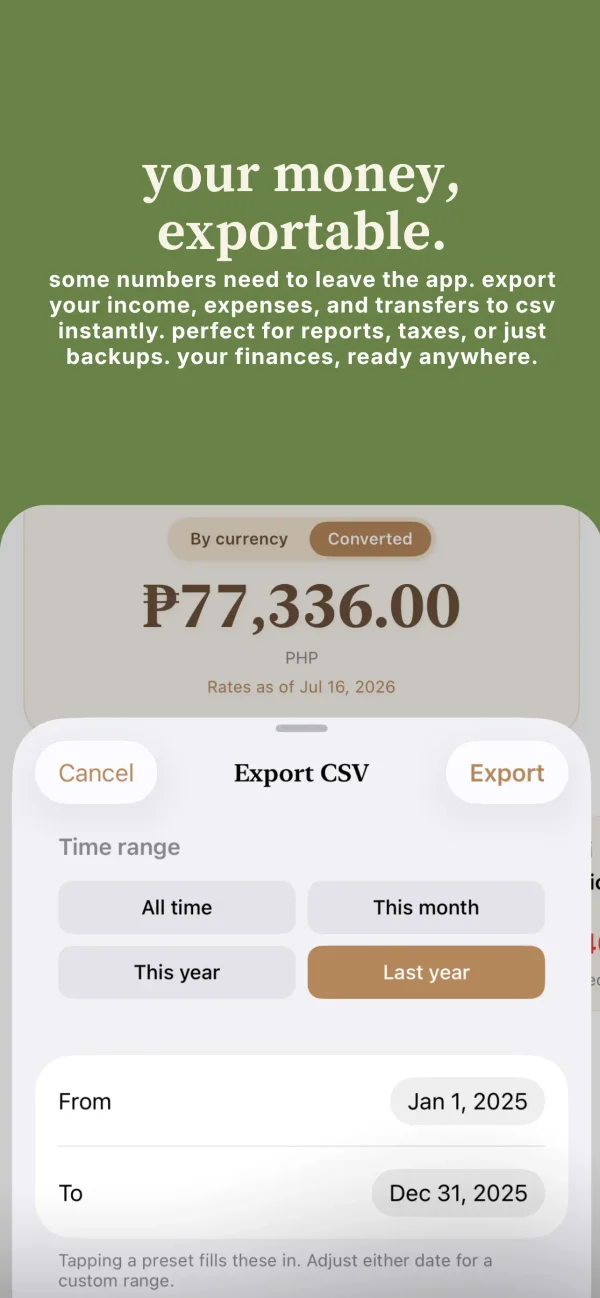
*Export to CSV — Your finances, ready anywhere. Income, expense, and transfer entries in Budget can now be exported to CSV in one tap.
*Search Income, Expenses, and Transfers — Stop scrolling, start searching. Budget now supports searching directly through every income, expense, and transfer entry.
*Bill & Recurring Transaction Reminders — Never miss a payment again. Budget now sends notifications before every bill and recurring transaction is due.
*UI/UX Improvements — Fixed hover button indication colors in dark mode for improved visibility.
*Bug Fixes — Fixed an issue affecting how notification logic was triggered, resolved a stutter when switching months in Budget by only rebuilding the calendar grid when needed, and fixed a parsing issue affecting Scratch content.
アプリのプライバシー
このアプリのデータの取り扱いについて、Louis CadaがApp Storeで申告している内容です。
-
データの収集なし
開発元はこのアプリからデータを収集しません。
プライバシーの取り扱いは、ご利用の機能やお客様の年齢などに応じて異なる場合があります。
情報
- 販売元
- Louis Cada
- カテゴリ
- 仕事効率化
- バージョン
- 2.0
- 更新日
- 2026/8/2
- リリース
- 2026/6/7
- サイズ
- 9.9 MB
- 必要条件
- iOS 18.6以降
- 対象年齢
- 4+
- 価格
- 無料
- アプリ内課金
- あり
- 言語
- 英語
- 著作権
- © 2026 Louis Cada