- 対象年齢4+
- カテゴリ仕事効率化
- 開発元Pawel Wichniewicz
- 言語英語ほか7言語
- サイズ50.1 MB
Memo Wizardは現在App Storeで入手できない可能性があります
前回の確認時、ストアのページにアクセスできませんでした。リンク先は引き続きApp Storeの公式ページです。
スクリーンショット
概要
開発元はこのテキストをお使いの言語で提供していません。
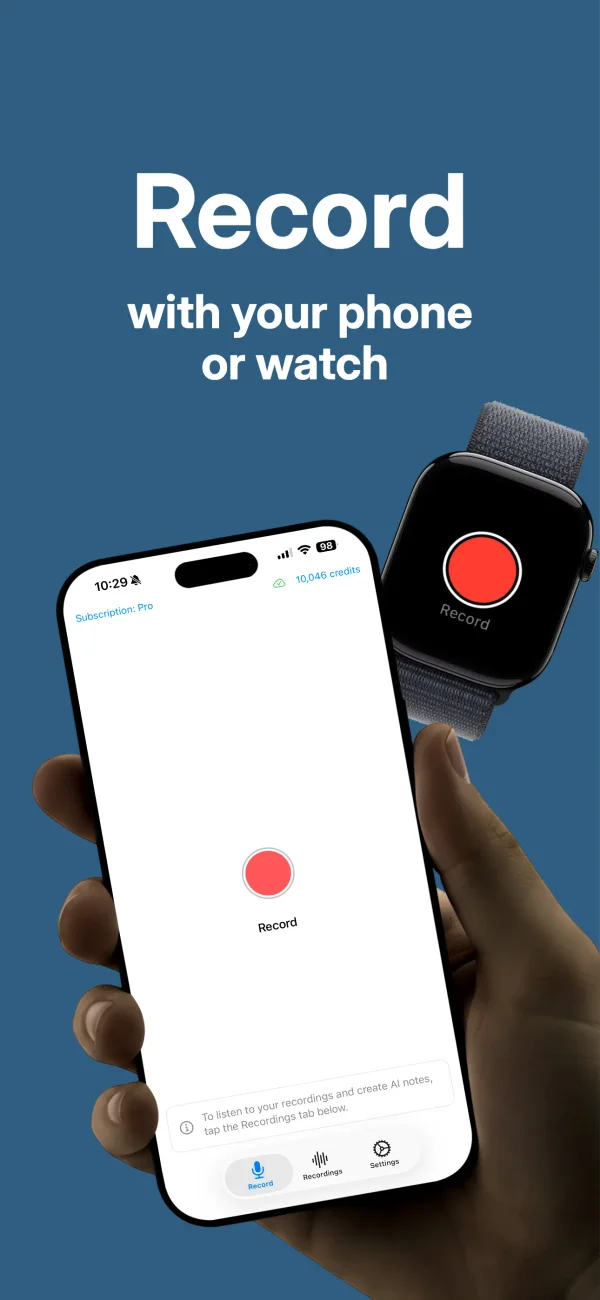
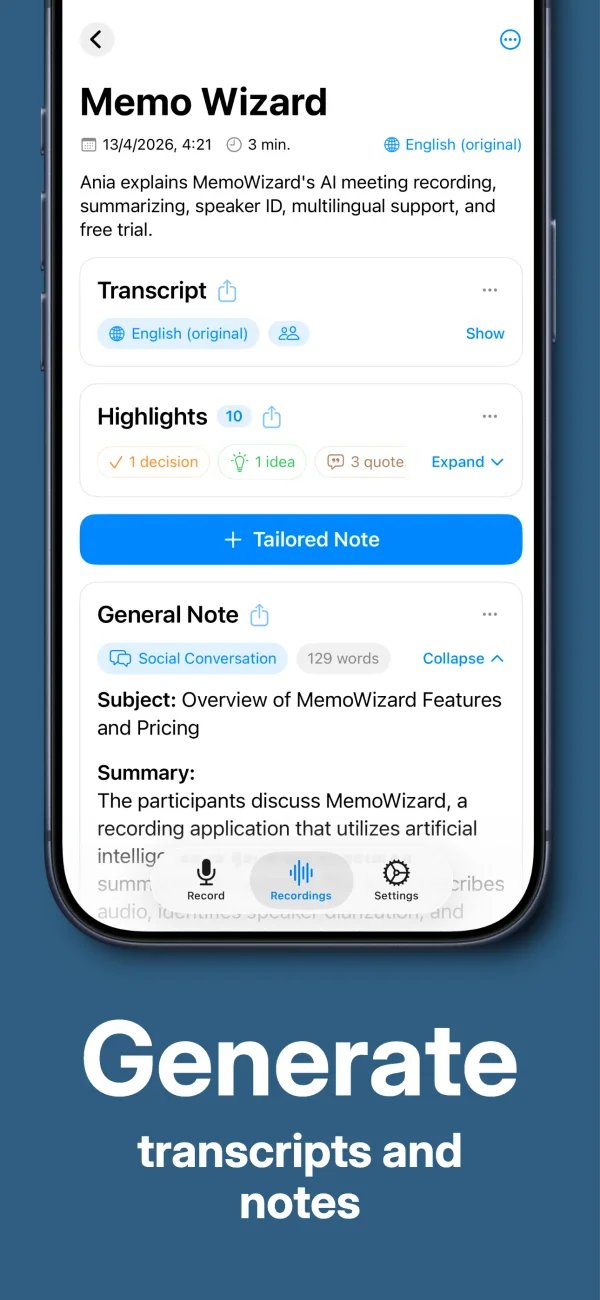
Memo Wizard turns meetings and conversations into structured notes you can actually use. Record on iPhone, iPad, Apple Watch, or Mac, then turn each recording into a transcript, summary, task list, quotes, and other key information.
WHY MEMO WIZARD
- Record on iPhone, iPad, Apple Watch, and Mac
- Capture audio conferences on Mac without adding a bot to the meeting
- Create high-quality transcripts and structured AI notes
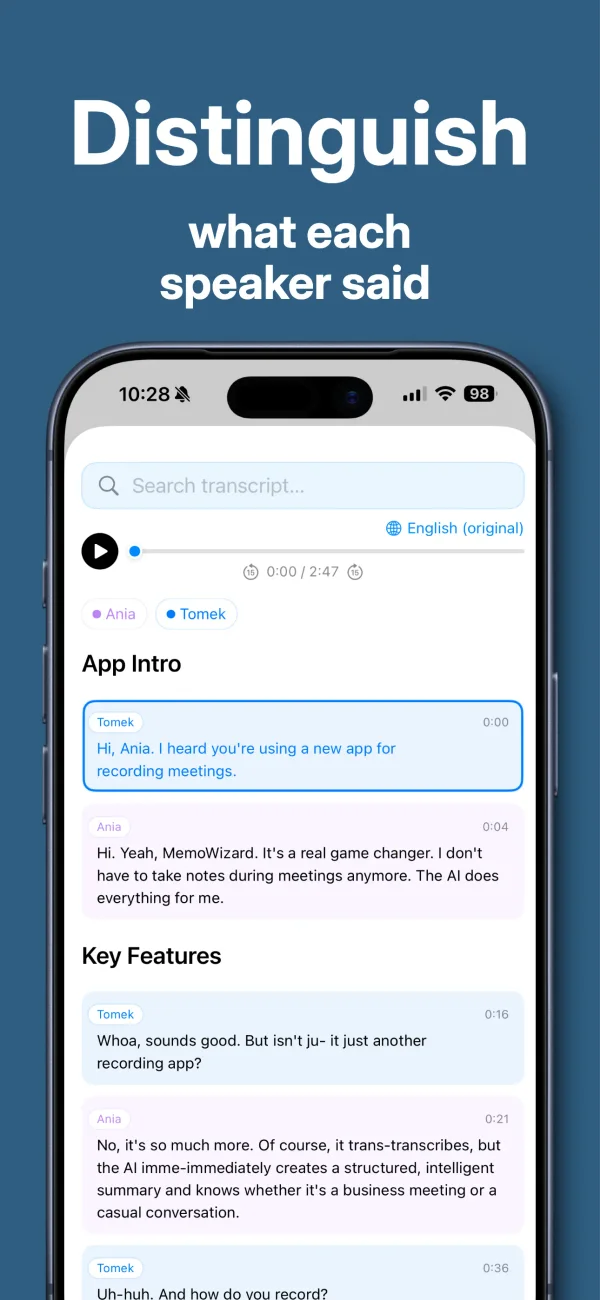
- Identify speakers and see who said what
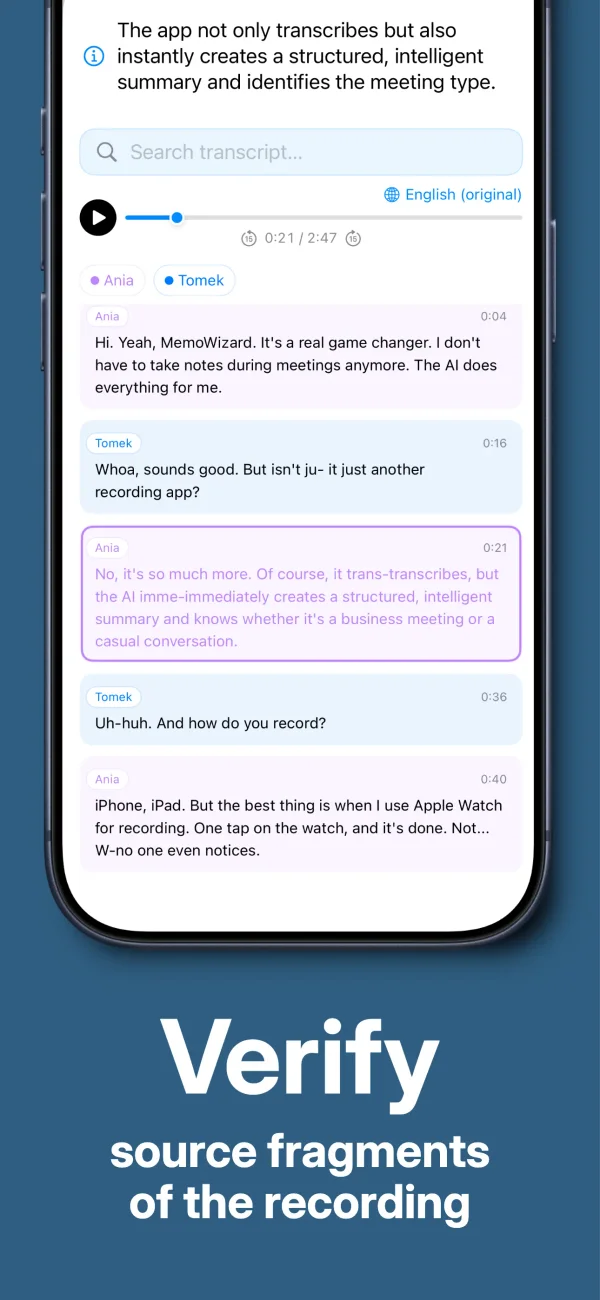
- Listen to recording segments linked to specific items in the summary
- Benefit from automatic language detection
- Generate notes tailored to your goal, audience, and context
- Import recordings from files and other apps
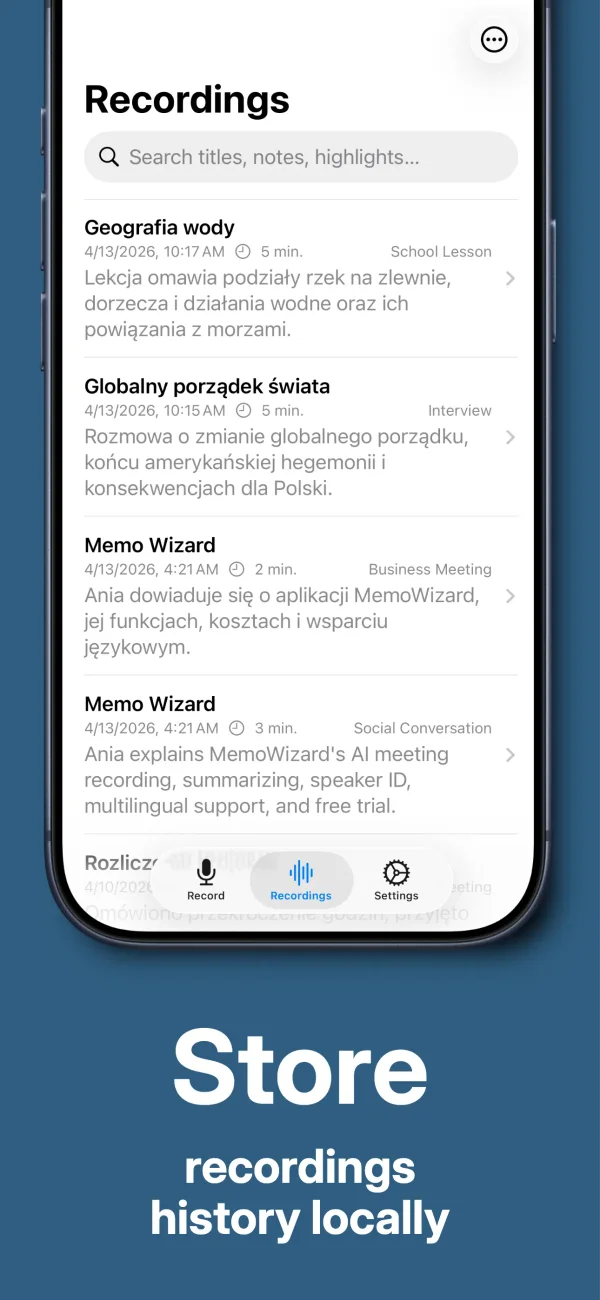
- Search across your entire library of recordings and notes
HOW IT WORKS
1. Record a meeting or import an audio file
2. Generate a transcript and an AI note
3. Browse the summary, decisions, tasks, quotes, ideas, and key facts
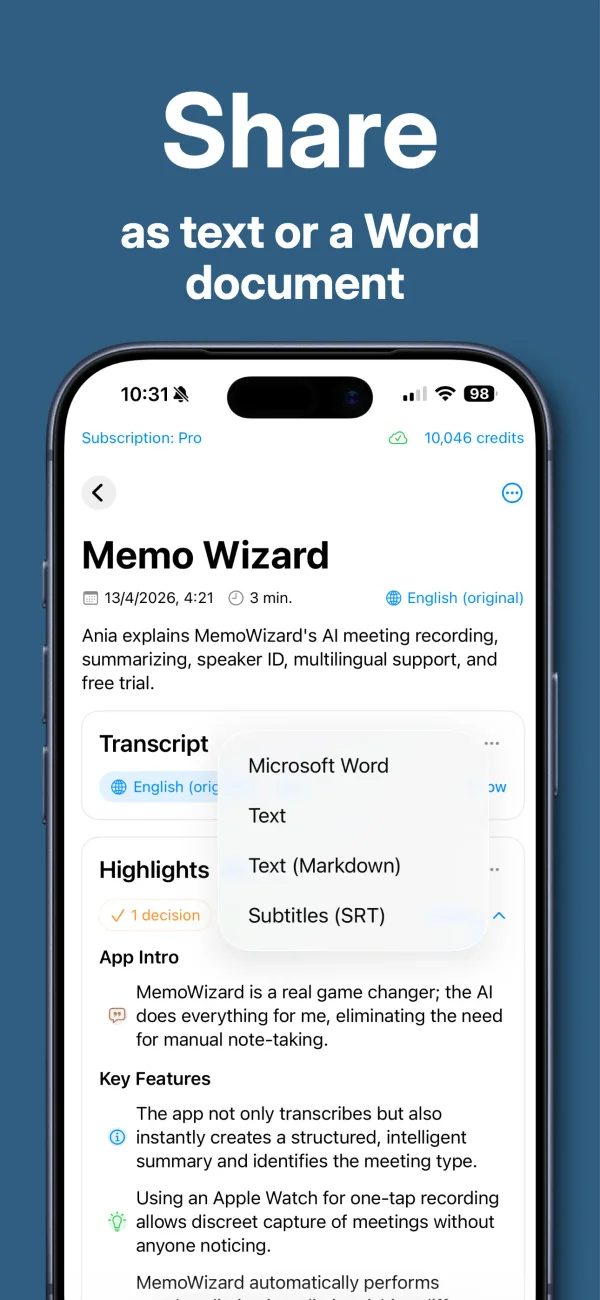
4. Export and share as TXT, Markdown, or SRT
5. With the Pro plan, also export to DOCX
ONE RECORDING, MANY TYPES OF NOTES
The same meeting may call for different notes: one for the team, one for management, and one as a reminder for yourself. Memo Wizard lets you create notes tailored to a specific purpose, so you can get exactly what you need from a single conversation. Just briefly describe what you need, and the app will prepare instructions for the AI and generate the right version of the note. You can save your own instructions and reuse them for future meetings.
PRIVACY AND SYNC
Store your recordings and notes on iPhone, iPad, and Mac in a library synced via iCloud. Recordings are sent to our cloud only for as long as needed to process them with AI.
FLEXIBLE USAGE MODEL
- Start for free with complimentary credits
- Purchase additional credits whenever you need them
- Choose a Pro subscription if you use the app regularly
MULTILINGUAL SUPPORT
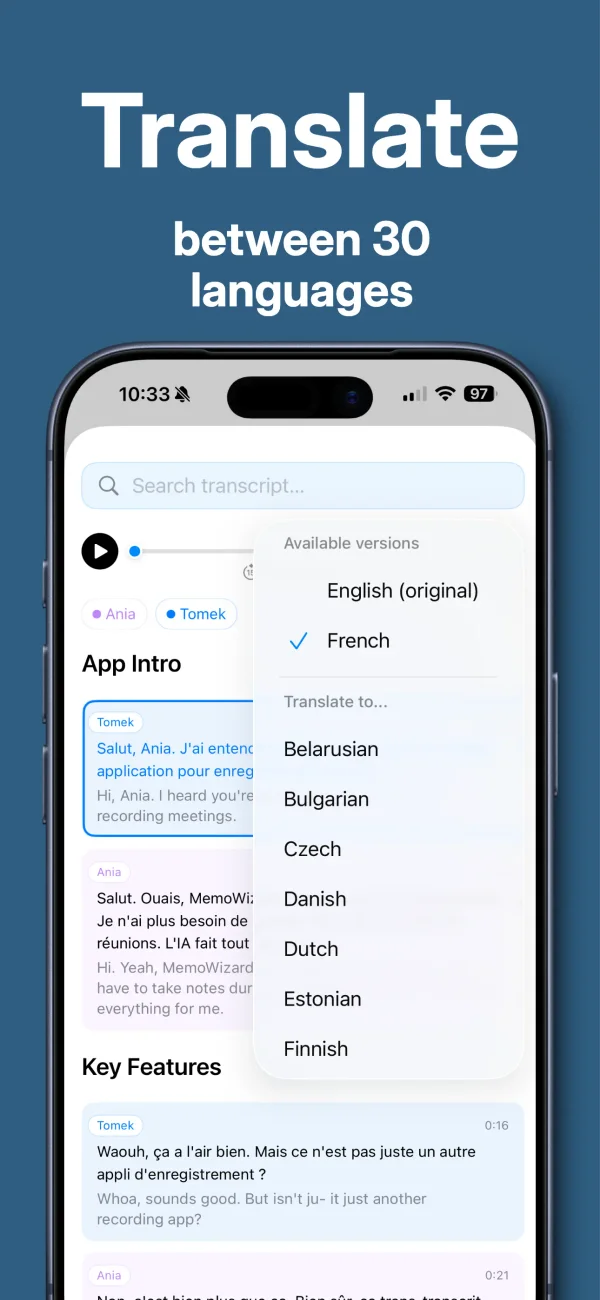
Create transcripts and notes in up to 30 languages: Polish, English, German, Czech, Spanish, French, Italian, Ukrainian, Indonesian, Russian, Japanese, Dutch, Swedish, Vietnamese, Slovak, Romanian, Turkish, Finnish, Portuguese, Norwegian, Serbian, Latvian, Danish, Greek, Macedonian, Malay, Bulgarian, Hungarian, Belarusian, and Estonian.
PERFECT FOR
- Professionals documenting meetings and action items
- Students recording lectures
- Journalists and researchers working with interviews
- Anyone who wants to revisit important information from conversations more quickly
This app is subject to Apple's standard EULA: https://www.apple.com/legal/internet-services/itunes/dev/stdeula/
Privacy Policy: https://memowizard.app/privacy-policy-en.html
新機能
バージョン 1.7.1 · 2026/11/6
Memo Wizard 1.7 introduces several experimental features that make it easier to capture information, turn it into useful knowledge, and move it into the tools you already use.
- Create tailored notes with selected images and export richer materials to Word, HTML, or ZIP.
- Export conversations to Notion or Obsidian, including transcripts, summaries, highlights, photos, and tailored notes.
- Automatically export each new voice note to Notion or Obsidian.
- Use Voice Typing on Mac to turn speech into polished text and insert it directly into the active app.
- Scan documents on iPhone and iPad and reconstruct them as readable Markdown.
- Add screenshots to Voice Log, browse long images more comfortably, and share images at their full stored resolution.
- Reorder and merge Voice Log entries, add voice comments to photos, and improve recognition with your personal dictionary.
- Connect Memo Wizard on Mac to Codex or Claude Code through an experimental, local, read-only MCP server. Search your library, retrieve transcript excerpts and notes, and inspect selected photos without exposing audio or allowing changes.
This update also improves image processing reliability, scrolling performance in large Voice Logs, iCloud sync diagnostics, and large Word and ZIP exports.
アプリのプライバシー
このアプリのデータの取り扱いについて、Pawel WichniewiczがApp Storeで申告している内容です。
-
ユーザーに関連付けられたデータ
収集され、ユーザーの識別情報に関連付けられる場合があります。
- 購入
- 連絡先情報
- ユーザーコンテンツ
- ID
- 使用状況データ
- 診断
-
ユーザーに関連付けられないデータ
収集される場合がありますが、ユーザーの識別情報には関連付けられません。
- 診断
プライバシーの取り扱いは、ご利用の機能やお客様の年齢などに応じて異なる場合があります。
情報
- 販売元
- Pawel Wichniewicz
- カテゴリ
- 仕事効率化
- バージョン
- 1.7.1
- 更新日
- 2026/11/6
- リリース
- 2025/10/1
- サイズ
- 50.1 MB
- 必要条件
- iOS 18.1以降
- 対象年齢
- 4+
- アプリ内課金
- あり
- 言語
- 英語, チェコ語, フランス語, ドイツ語, イタリア語, ポーランド語, スペイン語, ウクライナ語
- 著作権
- © 2026 Soloxus