Memo Wizard
Automatic meeting memos
Được thiết kế cho iPhone, iPad, Mac
Mua hàng trong ứng dụng
- Độ tuổi4+
- Danh mụcHiệu Suất
- Nhà phát triểnPawel Wichniewicz
- Ngôn ngữTiếng Anh+ 7 ngôn ngữ khác
- Kích thước50,1 MB
Memo Wizard hiện có thể không có trên App Store
Ở lần kiểm tra gần nhất, chúng tôi không truy cập được trang trên cửa hàng. Liên kết vẫn dẫn đến trang App Store chính thức.
Ảnh chụp màn hình
Giới thiệu
Nhà phát triển chưa cung cấp nội dung này bằng ngôn ngữ của bạn.
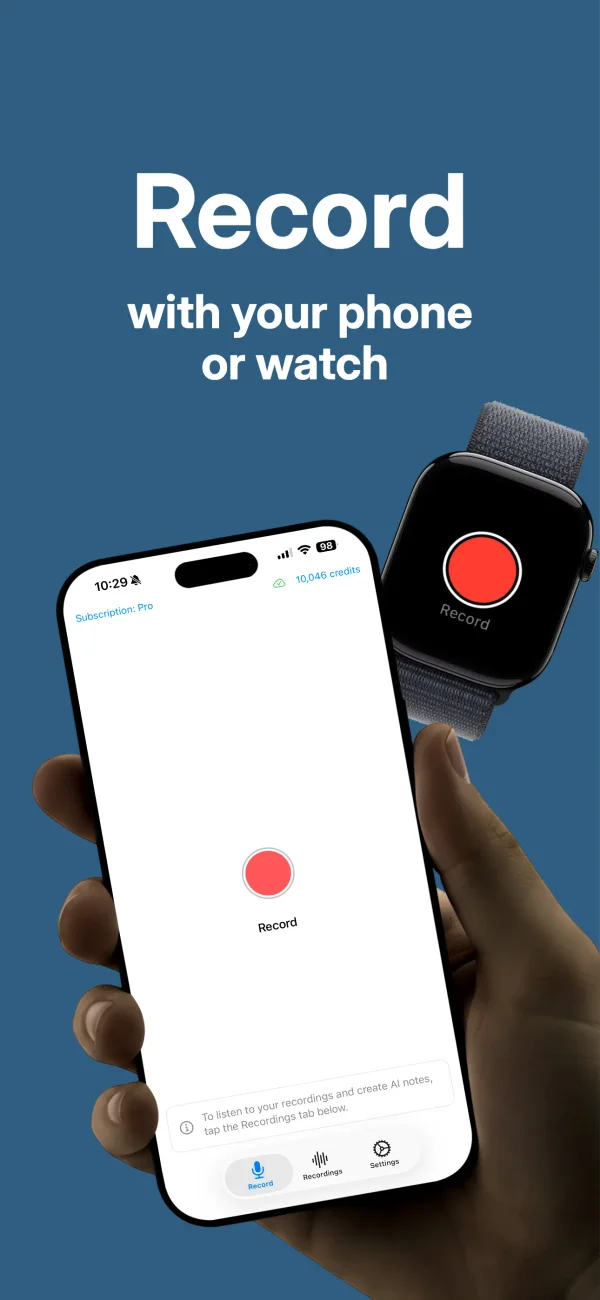
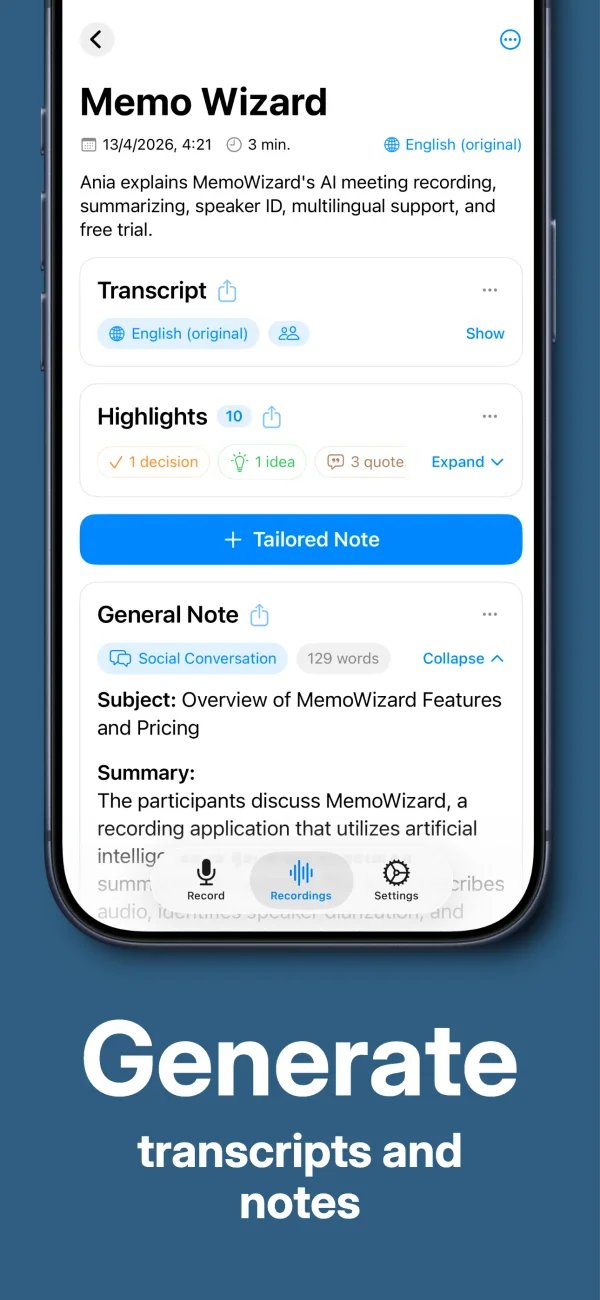
Memo Wizard turns meetings and conversations into structured notes you can actually use. Record on iPhone, iPad, Apple Watch, or Mac, then turn each recording into a transcript, summary, task list, quotes, and other key information.
WHY MEMO WIZARD
- Record on iPhone, iPad, Apple Watch, and Mac
- Capture audio conferences on Mac without adding a bot to the meeting
- Create high-quality transcripts and structured AI notes
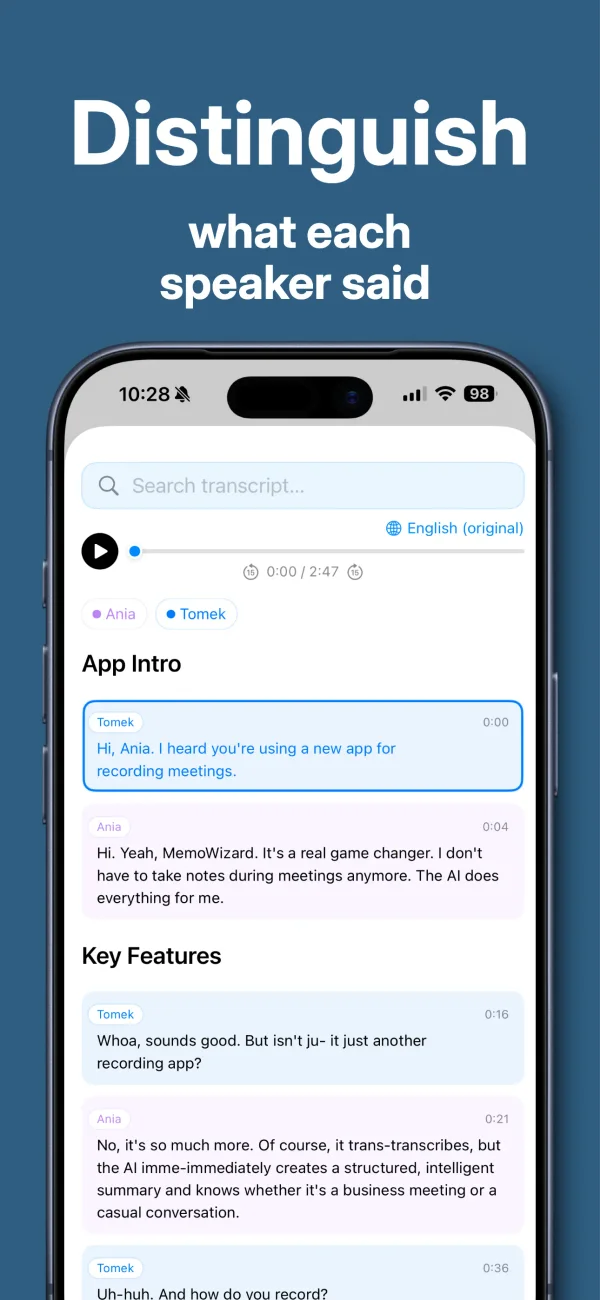
- Identify speakers and see who said what
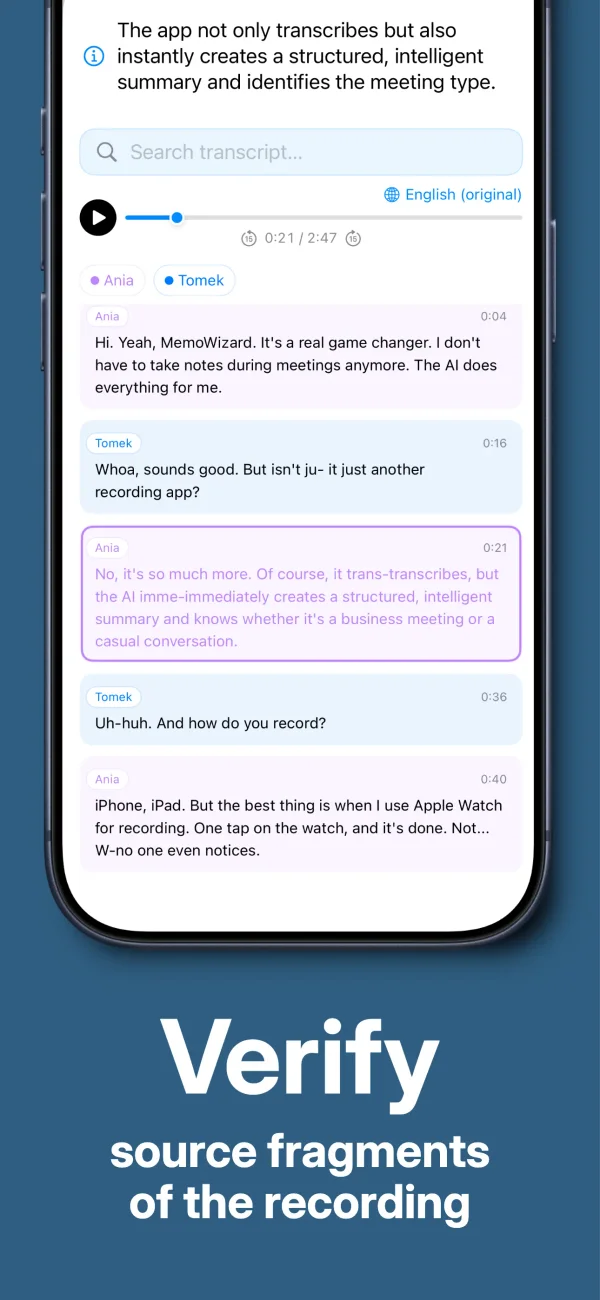
- Listen to recording segments linked to specific items in the summary
- Benefit from automatic language detection
- Generate notes tailored to your goal, audience, and context
- Import recordings from files and other apps
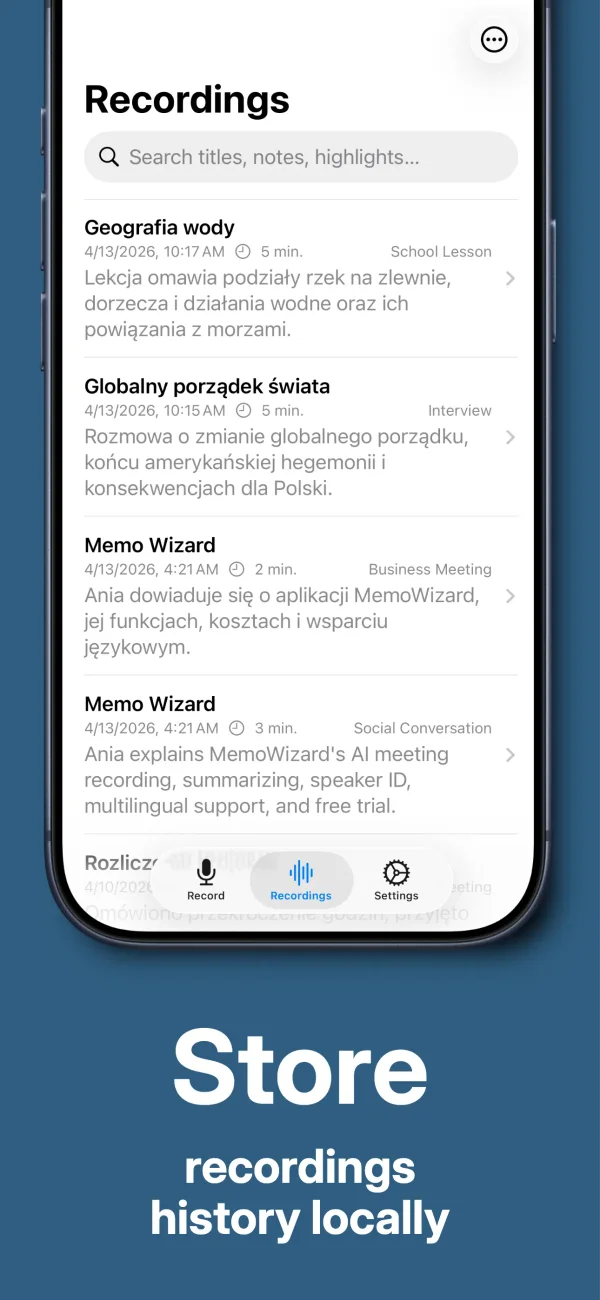
- Search across your entire library of recordings and notes
HOW IT WORKS
1. Record a meeting or import an audio file
2. Generate a transcript and an AI note
3. Browse the summary, decisions, tasks, quotes, ideas, and key facts
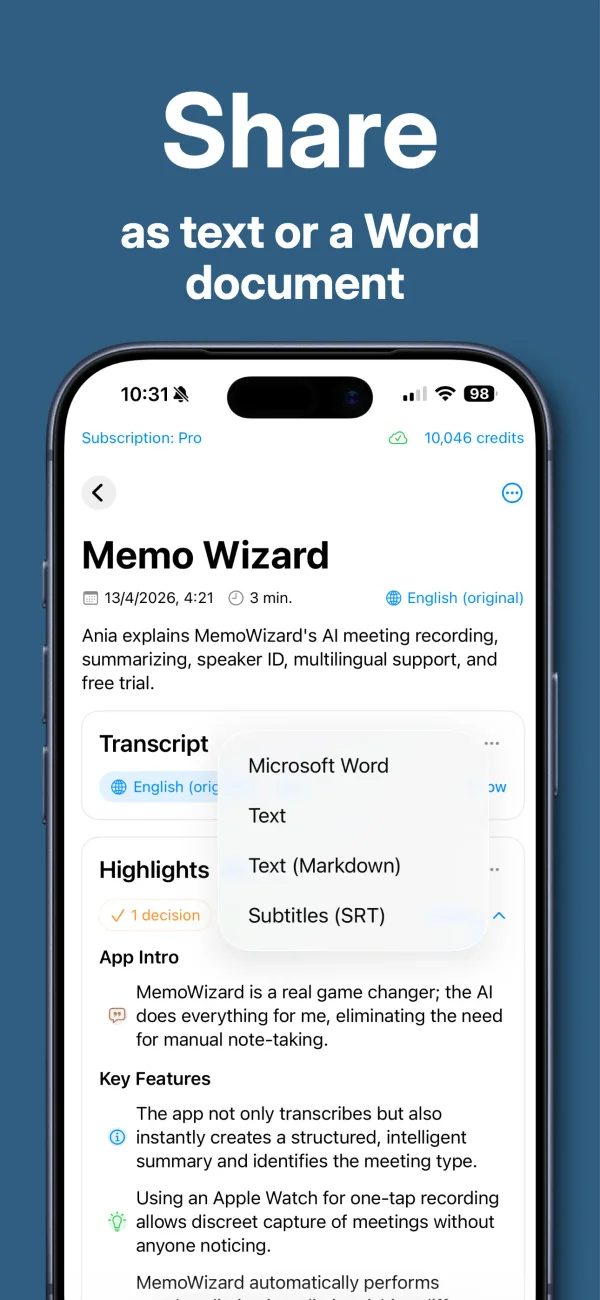
4. Export and share as TXT, Markdown, or SRT
5. With the Pro plan, also export to DOCX
ONE RECORDING, MANY TYPES OF NOTES
The same meeting may call for different notes: one for the team, one for management, and one as a reminder for yourself. Memo Wizard lets you create notes tailored to a specific purpose, so you can get exactly what you need from a single conversation. Just briefly describe what you need, and the app will prepare instructions for the AI and generate the right version of the note. You can save your own instructions and reuse them for future meetings.
PRIVACY AND SYNC
Store your recordings and notes on iPhone, iPad, and Mac in a library synced via iCloud. Recordings are sent to our cloud only for as long as needed to process them with AI.
FLEXIBLE USAGE MODEL
- Start for free with complimentary credits
- Purchase additional credits whenever you need them
- Choose a Pro subscription if you use the app regularly
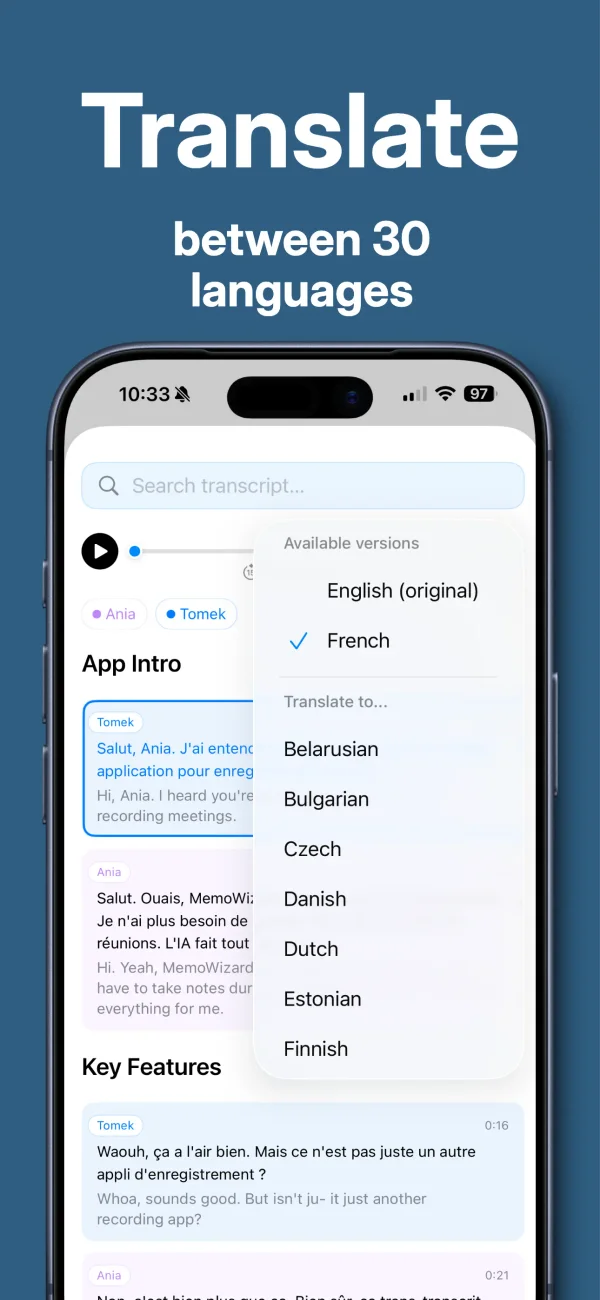
MULTILINGUAL SUPPORT
Create transcripts and notes in up to 30 languages: Polish, English, German, Czech, Spanish, French, Italian, Ukrainian, Indonesian, Russian, Japanese, Dutch, Swedish, Vietnamese, Slovak, Romanian, Turkish, Finnish, Portuguese, Norwegian, Serbian, Latvian, Danish, Greek, Macedonian, Malay, Bulgarian, Hungarian, Belarusian, and Estonian.
PERFECT FOR
- Professionals documenting meetings and action items
- Students recording lectures
- Journalists and researchers working with interviews
- Anyone who wants to revisit important information from conversations more quickly
This app is subject to Apple's standard EULA: https://www.apple.com/legal/internet-services/itunes/dev/stdeula/
Privacy Policy: https://memowizard.app/privacy-policy-en.html
Có gì mới
Phiên bản 1.7.1 · 06/11/2026
Memo Wizard 1.7 introduces several experimental features that make it easier to capture information, turn it into useful knowledge, and move it into the tools you already use.
- Create tailored notes with selected images and export richer materials to Word, HTML, or ZIP.
- Export conversations to Notion or Obsidian, including transcripts, summaries, highlights, photos, and tailored notes.
- Automatically export each new voice note to Notion or Obsidian.
- Use Voice Typing on Mac to turn speech into polished text and insert it directly into the active app.
- Scan documents on iPhone and iPad and reconstruct them as readable Markdown.
- Add screenshots to Voice Log, browse long images more comfortably, and share images at their full stored resolution.
- Reorder and merge Voice Log entries, add voice comments to photos, and improve recognition with your personal dictionary.
- Connect Memo Wizard on Mac to Codex or Claude Code through an experimental, local, read-only MCP server. Search your library, retrieve transcript excerpts and notes, and inspect selected photos without exposing audio or allowing changes.
This update also improves image processing reliability, scrolling performance in large Voice Logs, iCloud sync diagnostics, and large Word and ZIP exports.
Quyền riêng tư của ứng dụng
Những gì Pawel Wichniewicz khai báo trên App Store về cách ứng dụng này xử lý dữ liệu.
-
Dữ liệu liên kết với bạn
Có thể được thu thập và liên kết với danh tính của bạn.
- Mục mua
- Thông tin liên hệ
- Nội dung của người dùng
- Mã định danh
- Dữ liệu sử dụng
- Chẩn đoán
-
Dữ liệu không liên kết với bạn
Có thể được thu thập nhưng không liên kết với danh tính của bạn.
- Chẩn đoán
Phương thức đảm bảo quyền riêng tư có thể khác nhau, chẳng hạn như tuỳ theo các tính năng bạn sử dụng hoặc độ tuổi của bạn.
Thông tin
- Người bán
- Pawel Wichniewicz
- Danh mục
- Hiệu Suất
- Phiên bản
- 1.7.1
- Cập nhật
- 06/11/2026
- Phát hành
- 01/10/2025
- Kích thước
- 50,1 MB
- Yêu cầu
- iOS 18.1 trở lên
- Độ tuổi
- 4+
- Mua hàng trong ứng dụng
- Có
- Ngôn ngữ
- Tiếng Anh, Tiếng Séc, Tiếng Pháp, Tiếng Đức, Tiếng Ý, Tiếng Ba Lan, Tiếng Tây Ban Nha, Tiếng Ukraina
- Bản quyền
- © 2026 Soloxus