MemoKey - Quick Notes Keyboard
Text Snippets & Saved Replies
iPhone, iPad向けに設計
無料 · アプリ内課金
- 対象年齢4+
- カテゴリ仕事効率化
- 開発元Tran Cong Minh
- 言語英語ほか1言語
- サイズ67.6 MB
App Storeの公式ページにリンクしています
Download.orgはMemoKey - Quick Notes Keyboardのファイルを一切ホストしていません。ボタンを押すと、Tran Cong Minhが公開しているApp Storeのアプリページが開きます。ページの最終確認:2026/11/25。
スクリーンショット
概要
開発元はこのテキストをお使いの言語で提供していません。
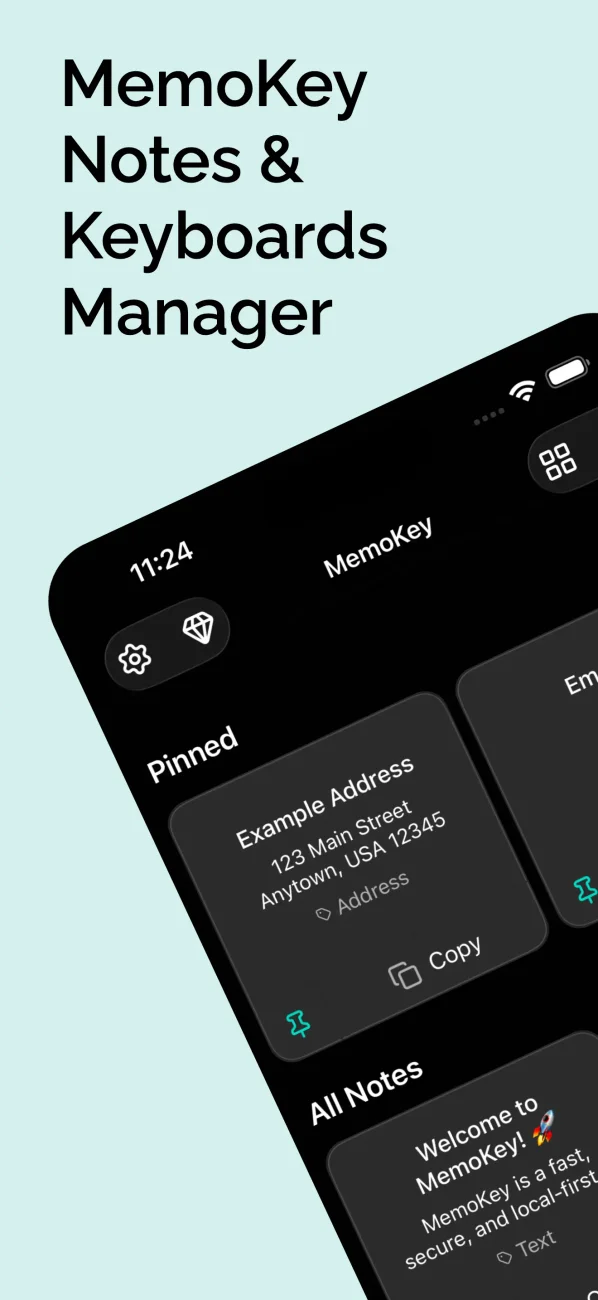
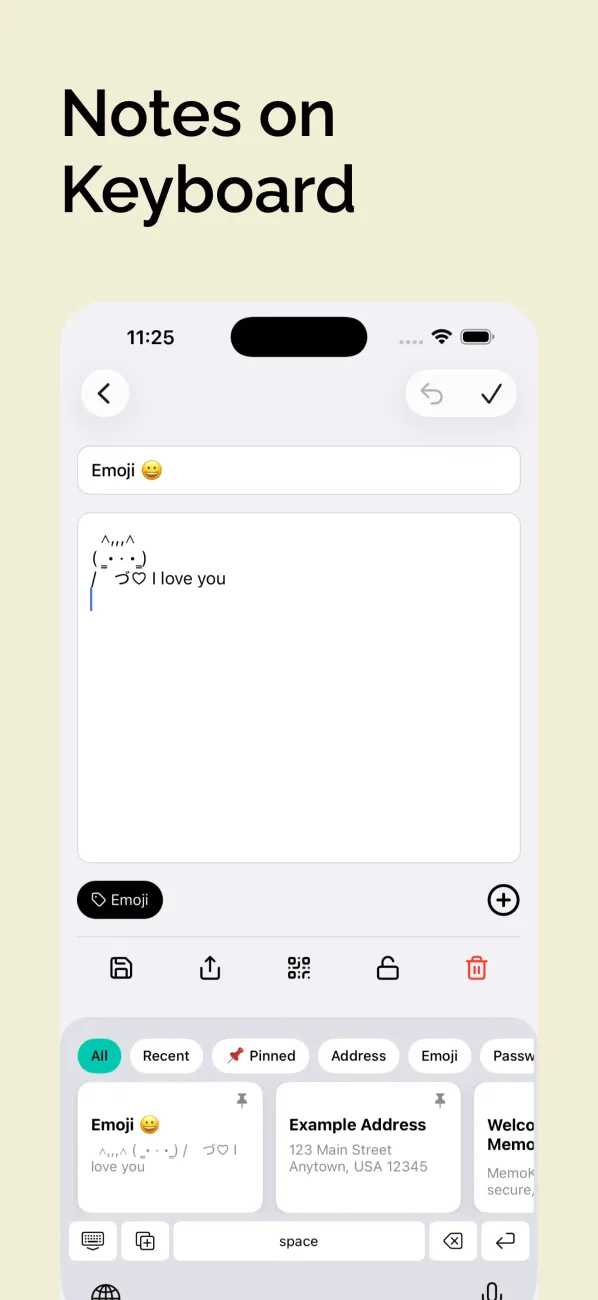
MemoKey keeps your text snippets, saved replies and message templates on your keyboard. Save a reply once, then paste it into any app with one tap.
PASTE FROM THE KEYBOARD
• Your notes in every app: Use your saved notes, quick replies and templates in Messages, WhatsApp, Gmail and any other app, filtered by tag, pinned or recent.
• Paste key: Insert what you copied without switching keyboards. It needs Allow Full Access and reads the clipboard only when you tap it.
• Smart placeholders: {date}, {time}, {date+3}, {clipboard} (keyboard: with Allow Full Access) and {cursor} fill in as you insert; Insert Placeholder in the editor adds them.
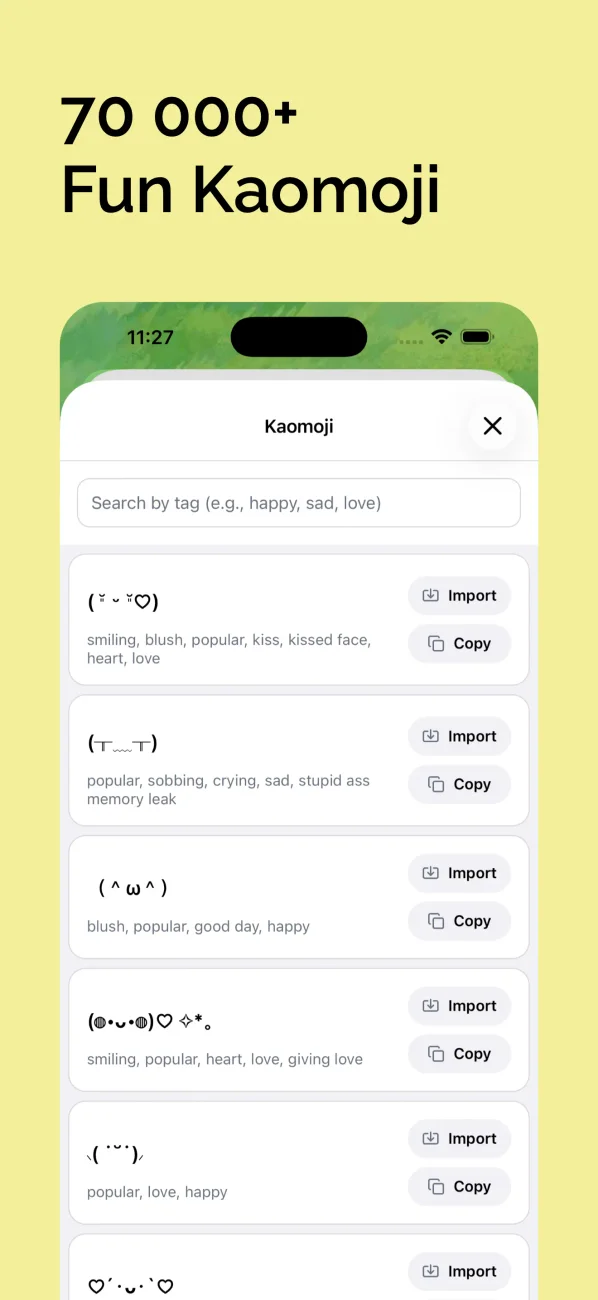
• Keyboard tabs: Notes, Keyboard, Draw and Kaomoji. The Keyboard tab is plain typing (letters, 123, VN), no autocorrect or word predictions; Kaomoji inserts by category, plus Recent. Both work while MemoKey is locked and without Full Access; nothing you type is stored.
• Fill-in fields: {ask:Name} asks for a value as you insert; the keyboard shows your last 5 answers as chips, on this device only and never for locked notes (off or Clear in Settings > Keyboard).
• Telex: The VN key types Vietnamese in the Keyboard tab and fill-in fields (Vieejt becomes Việt); touch and hold a letter to type it as is.
• Fill line by line: One note fills a form field by field. Tap once per field: name, then phone, email, address.
• AI rewrite (optional, off by default): Your own actions, like Shorter, rewrite the selected text with your own OpenAI or Anthropic key; it goes only to that provider, only when you tap (with Allow Full Access).
• Save note: Save what you just typed as a note, right from the keyboard (with Allow Full Access).
• Themes and sounds: 12 keyboard looks, from Cute to Mocha, Mono and Liquid Glass (iOS 26), and over 20 key sounds from mechanical switches.
ORGANIZE IN SECONDS
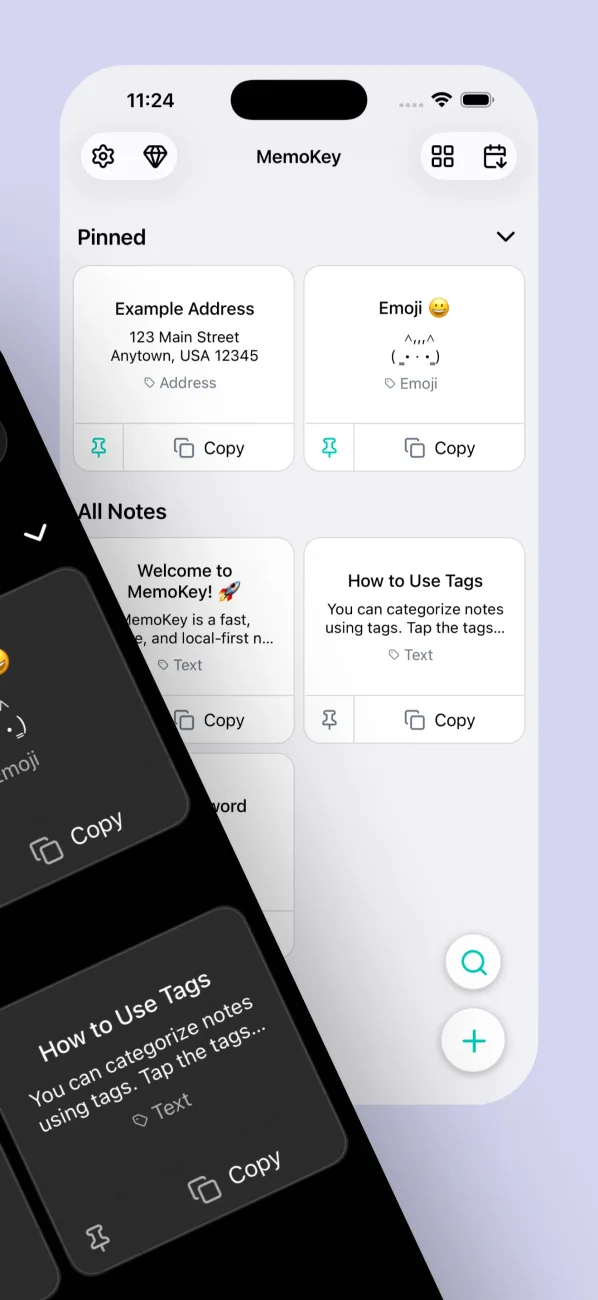
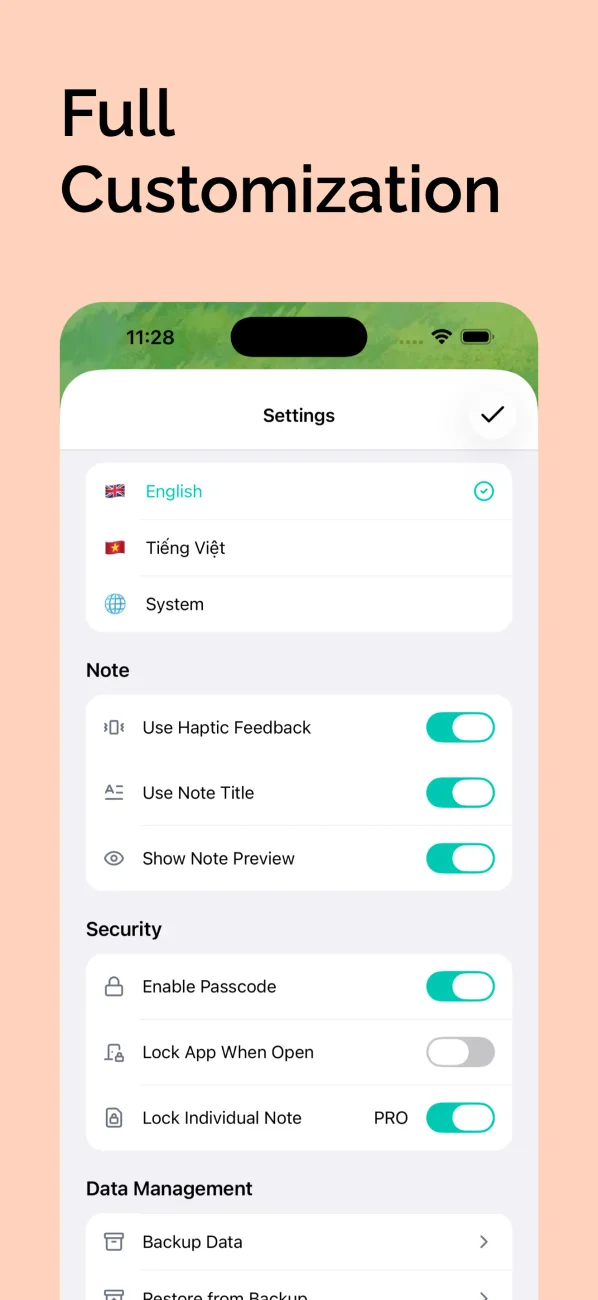
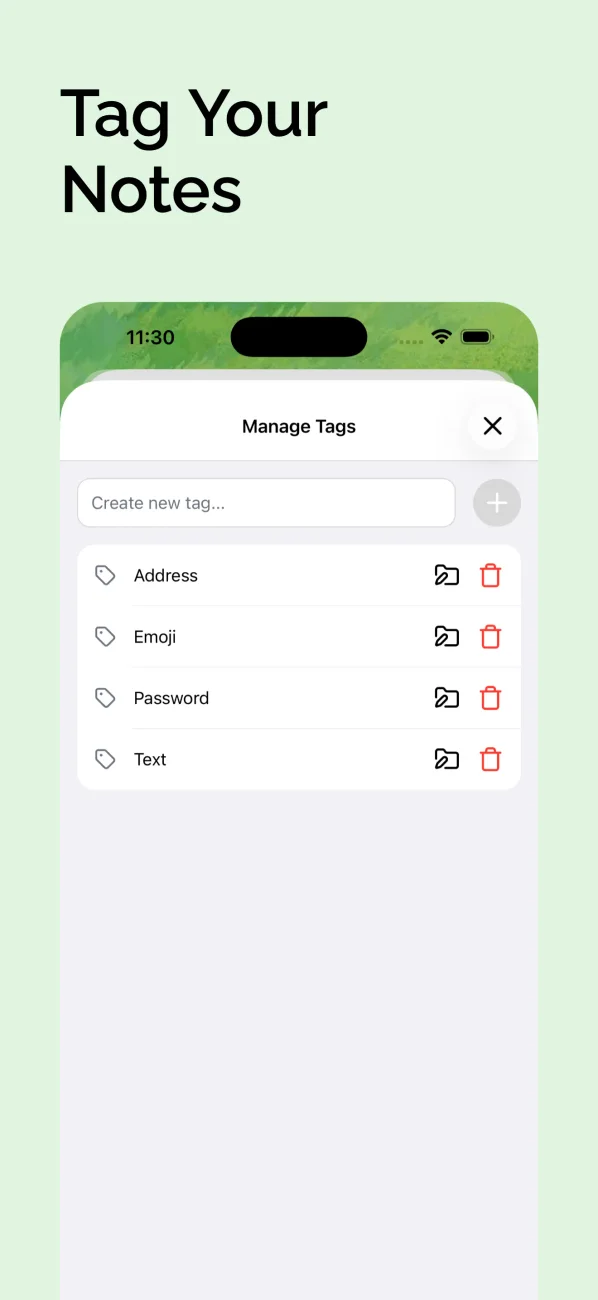
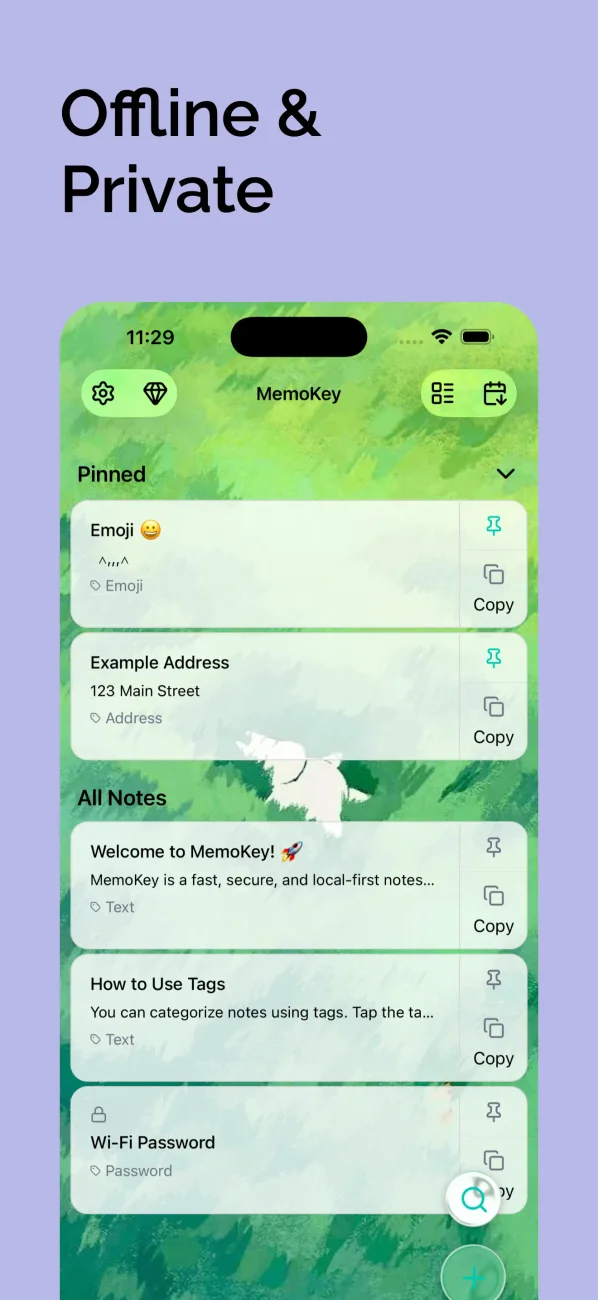
• Tags, pins and search: List or grid view, pin the important notes, drag pinned notes into your own order and find them in seconds.
• Tags that open by themselves in email, phone or web fields.
WIDGETS AND SHORTCUTS
• Home Screen widget: Your pinned notes, or the notes of one tag. On iOS 17 or later a tap copies a note. Locked notes are never shown.
• Lock Screen and Control Center: New note, Search notes and Copy note in one tap, also from the Action button (iOS 18 or later).
• Shortcuts app: Use a note's text in any shortcut, save text as a new note, or add text to a note with Append to MemoKey Note (iPhone and iPad).
PRIVATE AND OFFLINE
• No account, no ads, no tracking and no MemoKey servers. MemoKey collects no data, and your notes stay on your device; AI rewrite, if on, sends only the text you rewrite to your provider.
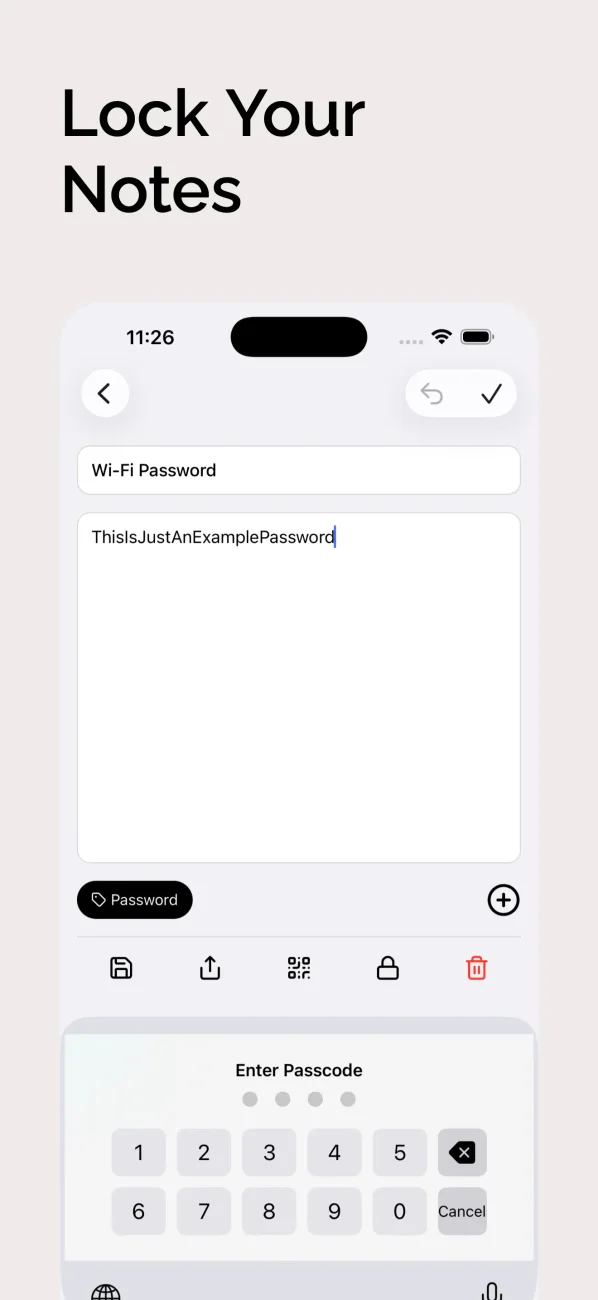
• Protect the app with a passcode, Face ID or Touch ID, and change your passcode any time.
• Lock single notes behind your passcode (PRO).
YOUR DATA, YOUR WAY
• Backup to iCloud or Files: Back up to your own iCloud or a folder in Files (Google Drive, Dropbox), automatically if you like, with a reminder after 30 days. Nothing is uploaded unless you turn it on.
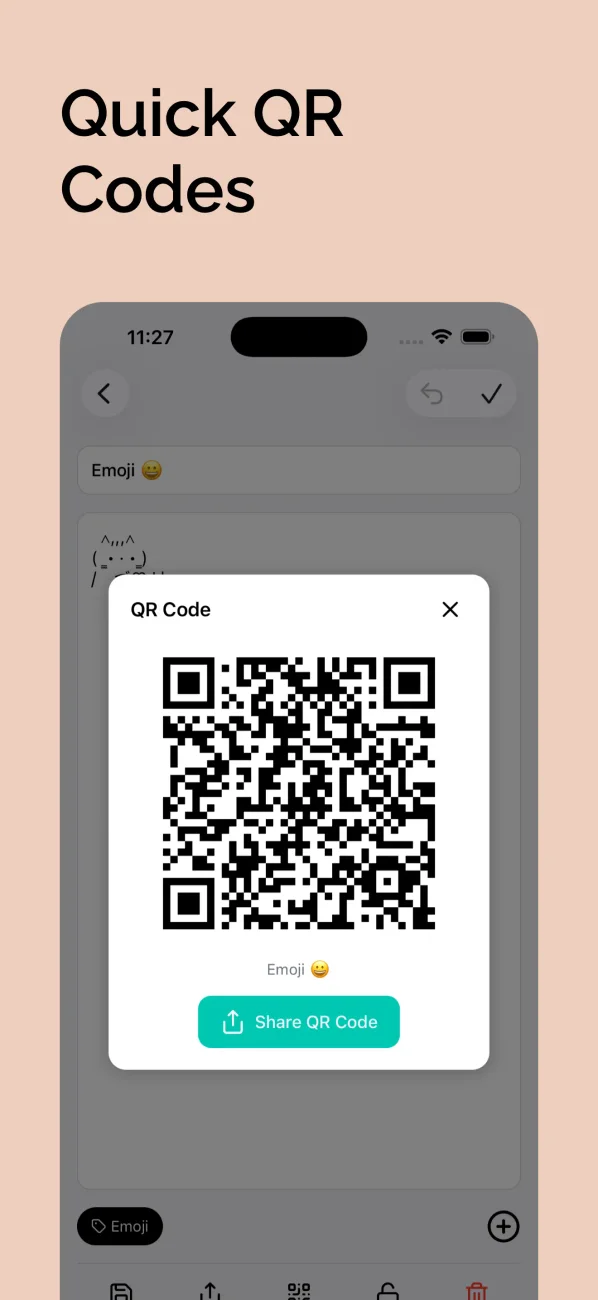
• Export: JSON and CSV backups, or all notes in one Markdown file that MemoKey can restore.
• Bring your notes along: Import Google Keep (.json), Evernote (.enex), .txt and .md files, Mac Text Replacements and the Gboard dictionary.
MORE BUILT IN
• 60,000+ kaomoji: A huge library of text emoticons (^_^) by category, searchable in English and Vietnamese.
• Scan text: Add the printed text of up to 10 photos at once to a note.
MAKE IT YOURS (PRO)
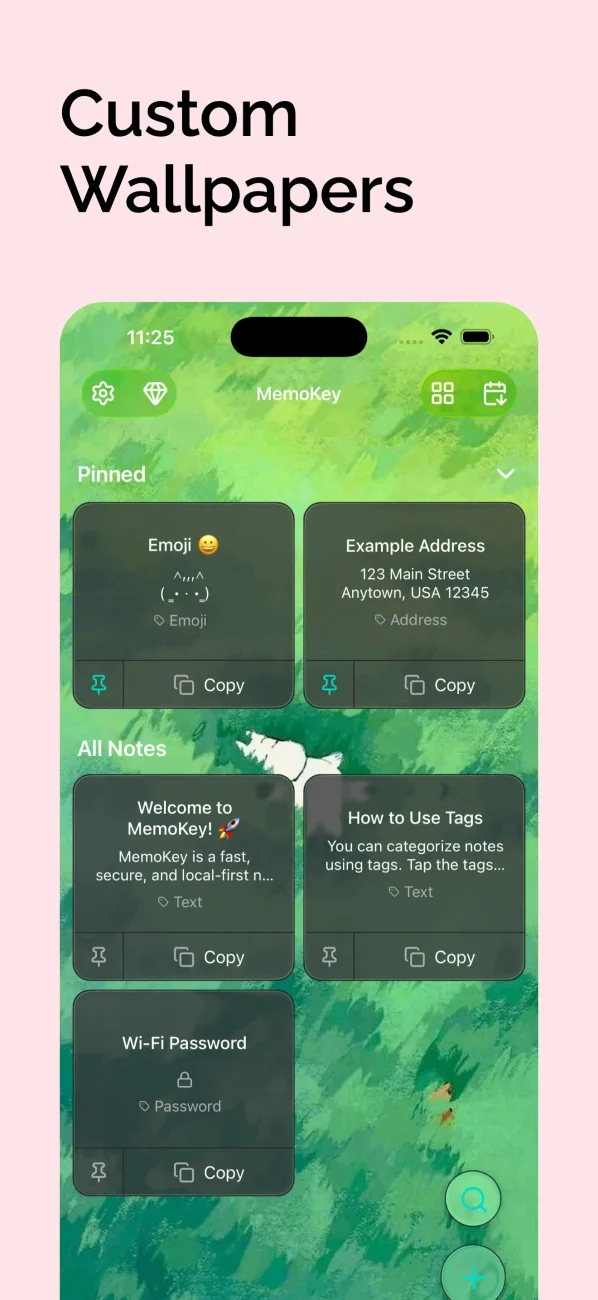
Unlimited tags (free: 10), locked notes, custom colors and your own background image. What you set up with Pro stays yours if Pro ends.
---
Terms of Use: https://www.apple.com/legal/internet-services/itunes/dev/stdeula/
新機能
バージョン 4.0 · 2026/11/24
- Typing right after a fast Send in a chat app no longer puts letters of the sent message into the new one.
- MemoKey keeps a safety copy of your notes on your iPhone, ready for the next big update.
アプリのプライバシー
このアプリのデータの取り扱いについて、Tran Cong MinhがApp Storeで申告している内容です。
-
データの収集なし
開発元はこのアプリからデータを収集しません。
プライバシーの取り扱いは、ご利用の機能やお客様の年齢などに応じて異なる場合があります。
情報
- 販売元
- Tran Cong Minh
- カテゴリ
- 仕事効率化
- バージョン
- 4.0
- 更新日
- 2026/11/24
- リリース
- 2025/11/12
- サイズ
- 67.6 MB
- 必要条件
- iOS 17.0以降
- 対象年齢
- 4+
- 価格
- 無料
- アプリ内課金
- あり
- 言語
- 英語, ベトナム語
- 著作権
- © 2025 HomieLab
こちらもおすすめ
-
 SumNote - Notes with Sums仕事効率化
-
 NoteBlocks: Online Notes仕事効率化
-
 ZyNotes - 非公開メモ・オフラインノート・日記顔認証や暗証番号で守れる、登録不要の勉強日記と音声メモ
-
 HabitBook - Habit Tracker仕事効率化
-
 Dialed: Radial Day Planner仕事効率化
-
 Magicley AI - Abra(chat)dabra仕事効率化
-
 Save It Later Bookmark ManagerSave Web Links & Bookmarks
-
 Gravity Notes: シンプルメモ帳思いついたらすぐ書けるメモ
-
 LudyType - AIキーボード文章修正・リライト・翻訳
-
 Sticky Notes:付箋メモ帳・ToDoリストホーム画面・ロック画面ウィジェット対応のやることリスト