- 対象年齢4+
- カテゴリユーティリティ
- 開発元David Mickey
- 言語英語
- サイズ517.0 KB
App Storeの公式ページにリンクしています
Download.orgはMini Chroma Clockのファイルを一切ホストしていません。ボタンを押すと、David Mickeyが公開しているApp Storeのアプリページが開きます。ページの最終確認:2026/11/17。
スクリーンショット

概要
開発元はこのテキストをお使いの言語で提供していません。
ChromaClock — a color‑coded clock for the rhythm of your day.
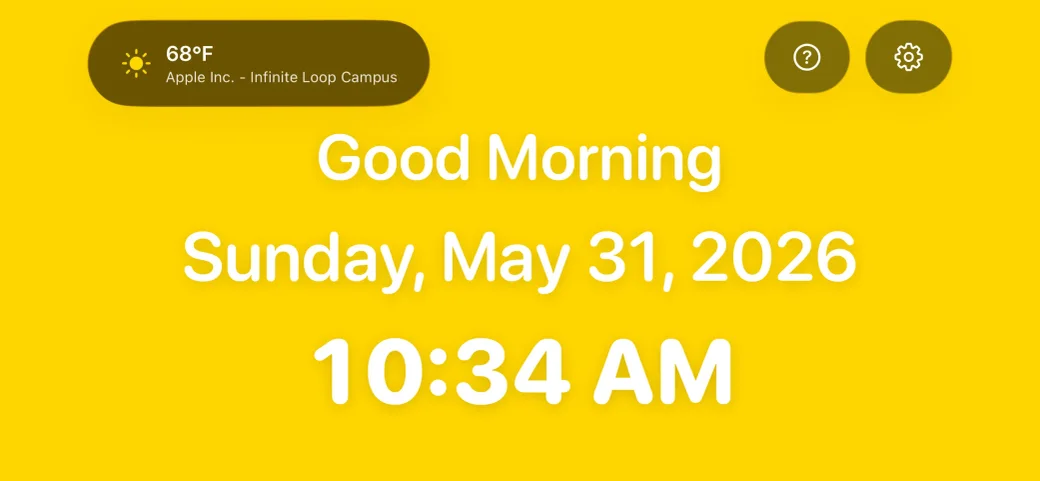
ChromaClock turns the time on your phone into something you can feel at a glance. Instead of just numbers, the entire screen shifts color throughout the day based on time windows you define — morning yellow, lunchtime green, afternoon blue, evening red, or whatever fits your life.
It's a beautifully simple bedside clock, desk companion, kitchen timer reference, and gentle daily rhythm — all in one.
HOW IT WORKS
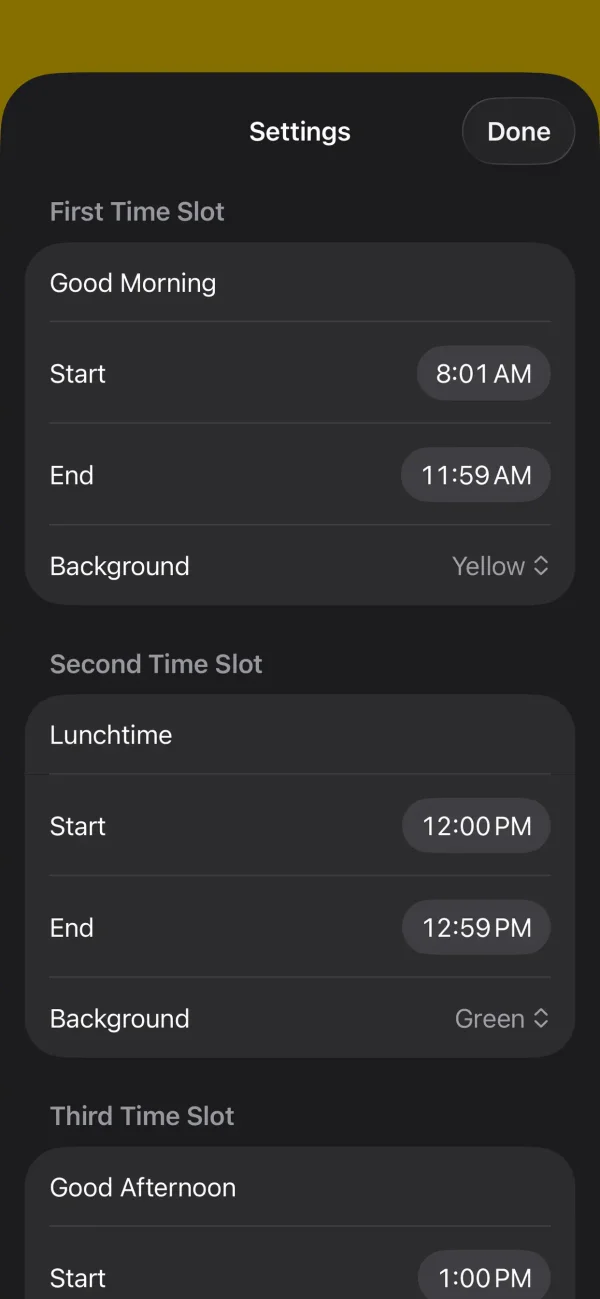
• Set up to four time slots, each with a custom start time, end time, message, and background color.
• When the clock enters a slot, the background and greeting change automatically.
• Outside of any scheduled slot, a default "in‑between" color takes over.
• That's it — no accounts, no setup beyond your slots.
WHAT YOU SEE
• Big, easy‑to‑read time in a rounded display
• The full date — day of the week, month, day, year
• A friendly greeting you write yourself ("Good Morning", "Time to focus", "Wind down")
• Current weather for your location, right in the corner
WEATHER, WITHOUT THE FUSS
Tap the weather chip to see live conditions and temperature for where you are. Tap again to refresh. Weather data comes from the free, open Open‑Meteo service — no accounts, no tracking, just the forecast.
PERFECT FOR
• A bedside clock that signals morning vs. late evening at a glance
• A desk clock that reminds you when it's lunchtime or time to log off
• A kitchen or family clock with messages everyone in the house can read across the room
• Kids learning the rhythm of a school day, before they can read a clock
• Anyone who wants a calmer, more colorful way to keep time
THOUGHTFULLY MADE
• Built entirely in modern SwiftUI for iOS
• Big, accessible type with high‑contrast color backgrounds
• Landscape support — great when propped on a stand or dock
• Dark, screen‑friendly design
• No ads. No tracking. No accounts. Your settings stay on your device.
Set it once, prop it up, and let your day take on a little color.
新機能
バージョン 2.0 · 2026/6/3
A fresh, modern rebuild of ChromaClock from the ground up:
• Brand‑new SwiftUI interface with a larger, easier‑to‑read clock
• Redesigned Settings — edit each time slot's message, hours, and color in one place
• New weather chip showing current conditions and temperature for your location
• Improved color palette and smooth background transitions between time slots
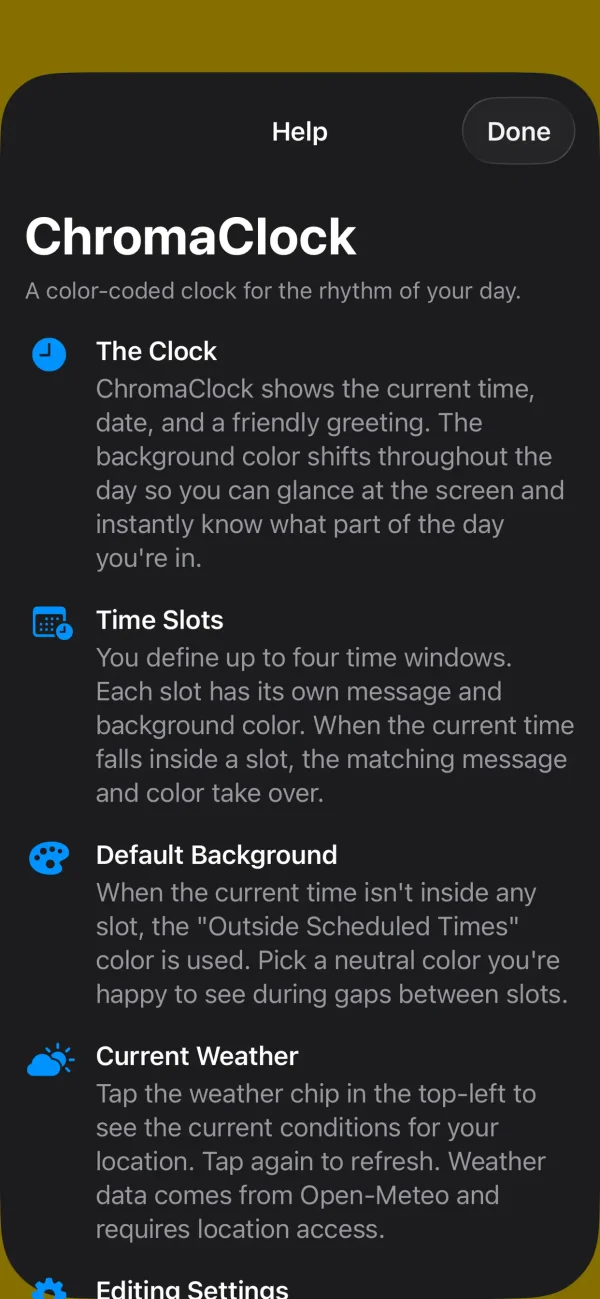
• New in‑app Help screen explaining time slots, colors, and weather
• Your existing time slots, messages, and colors carry over automatically
アプリのプライバシー
このアプリのデータの取り扱いについて、David MickeyがApp Storeで申告している内容です。
-
データの収集なし
開発元はこのアプリからデータを収集しません。
プライバシーの取り扱いは、ご利用の機能やお客様の年齢などに応じて異なる場合があります。
情報
- 販売元
- David Mickey
- カテゴリ
- ユーティリティ
- バージョン
- 2.0
- 更新日
- 2026/6/3
- リリース
- 2021/12/6
- サイズ
- 517.0 KB
- 必要条件
- iOS 26.0以降
- 対象年齢
- 4+
- 価格
- 無料
- 言語
- 英語
- 著作権
- © 2026 Mickey
こちらもおすすめ
-
 ZenClock: Minimal Clockユーティリティ
-
 ZoneSync - 世界時計ウィジェットタイムゾーン変換 & 会議計画
-
 QRコードリーダー・バーコード読み取り シバQR広告なしの軽量スキャナー・履歴・作成
-
 フリップ時計 - デスククロック&ウィジェット全画面デジタル時計 | ロック画面&スタンバイ
-
 meloClock時刻がメロディになる、音感を育てる時計
-
 RDS クロック - ランダムドット・ステレオグラムランダムドット・ステレオグラムの時計
-
 DigiFLUX Sleep Focus, Pomodoroユーティリティ
-
 Text Clock Widgetユーティリティ
-
 Numby:Beautiful Calculatorユーティリティ
-
 Eternal Clockユーティリティ