- 対象年齢4+
- カテゴリユーティリティ
- 開発元Allwomenstalk
- 言語英語
- サイズ2.0 MB
App Storeの公式ページにリンクしています
Download.orgはMirroxのファイルを一切ホストしていません。ボタンを押すと、Allwomenstalkが公開しているApp Storeのアプリページが開きます。ページの最終確認:2026/11/12。
スクリーンショット


概要
開発元はこのテキストをお使いの言語で提供していません。
Mirrox is the remote desktop for your Mac that feels truly native.
Connect to your Mac’s built-in Screen Sharing (VNC) over your local network or Tailscale and control it from your iPad or iPhone.
Built entirely with native SwiftUI, Mirrox implements the complete VNC protocol in Swift with no third-party libraries, no cloud relay, and no account required. Your screen never leaves your network.
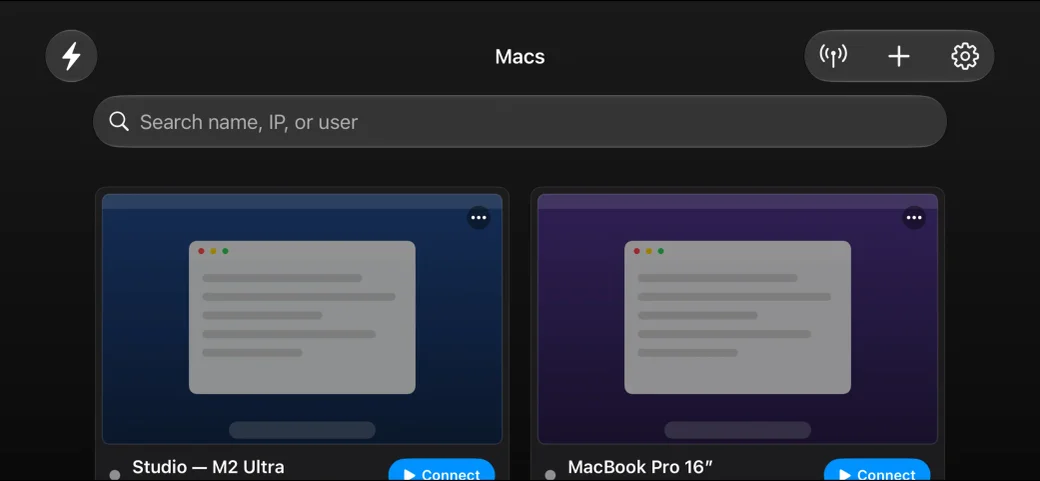
// Find Your Mac Automatically
Stop typing IP addresses.
Mirrox automatically discovers Macs running Screen Sharing using Bonjour, fast local network scanning, and reachability checks for your Tailscale machines. Just tap your Mac and connect.
// A Remote That Feels Physical
• Trackpad mode with precise relative cursor movement and edge-detection haptics
• Tap to click, drag to drag, long press or two-finger tap to right-click
• Two-finger scrolling, pinch to zoom into Retina detail, and smooth panning
• Crisp haptic feedback for clicks, scrolling, and screen edges
• Full keyboard support, including ⌘ Command, ⌥ Option, ⌃ Control, function keys, and arrow keys
// Mirrox Pro Features — In-App Purchase Required
• Smart Zoom — Double-tap any macOS window to instantly zoom into it. (Requires Mirrox Pro)
• Picture in Picture — Float your Mac above other iPad apps. (Requires Mirrox Pro)
• Multi-Mac — Connect several Macs and switch between them with a three-finger swipe. (Requires Mirrox Pro)
• iCloud Sync — Your saved Macs and settings stay synchronized across all your Apple devices. (Requires Mirrox Pro)
// Private by Design
No accounts.
No analytics.
No middleman servers.
Mirrox talks directly to the Screen Sharing service built into macOS. Passwords are securely stored on your device and synchronized only through your private iCloud account.
// Works Everywhere
Native on iPad, iPhone, and Mac (Catalyst).
// Getting Started
On your Mac, enable Screen Sharing in:
System Settings → General → Sharing
Open Mirrox, tap your Mac, and you’re connected in seconds.
***
Terms of Use (EULA): https://www.apple.com/legal/internet-services/itunes/dev/stdeula/
アプリのプライバシー
このアプリのデータの取り扱いについて、AllwomenstalkがApp Storeで申告している内容です。
-
データの収集なし
開発元はこのアプリからデータを収集しません。
プライバシーの取り扱いは、ご利用の機能やお客様の年齢などに応じて異なる場合があります。
情報
- 販売元
- Vyacheslav Kaushan
- カテゴリ
- ユーティリティ
- バージョン
- 1.7
- 更新日
- 2026/7/29
- リリース
- 2026/7/29
- サイズ
- 2.0 MB
- 必要条件
- iOS 18.6以降
- 対象年齢
- 4+
- 価格
- 無料
- 言語
- 英語
- 著作権
- © Agnit Inc