- 対象年齢4+
- カテゴリミュージック
- 開発元Ramkumar Velmurugan
- 言語英語
- サイズ4.4 MB
App Storeの公式ページにリンクしています
Download.orgはMp3 Tag Editorのファイルを一切ホストしていません。ボタンを押すと、Ramkumar Velmuruganが公開しているApp Storeのアプリページが開きます。ページの最終確認:2026/11/17。
スクリーンショット


概要
開発元はこのテキストをお使いの言語で提供していません。
MP3 Tag Editor is the most powerful ID3 tag editor built natively for iPhone and iPad. Edit all your MP3 metadata — titles, artists, albums, artwork, lyrics, and 17+ tag fields — right from your pocket. No subscriptions. No ads. No internet required.
Built entirely in Swift with a custom-built ID3 parser, MP3 Tag Editor reads and writes MP3 tags with zero third-party dependencies. It supports ID3v1, ID3v1.1, ID3v2.2, ID3v2.3, and ID3v2.4 — the widest format coverage of any iOS tag editor.
FULL TAG EDITING
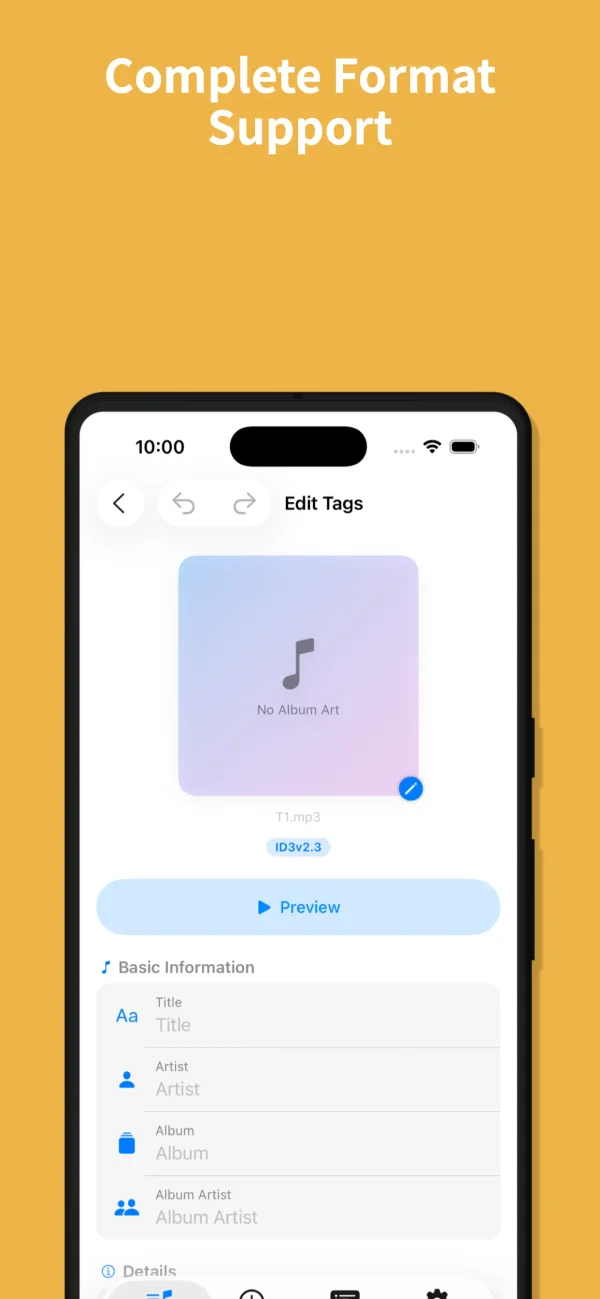
Edit every standard metadata field: Title, Artist, Album, Album Artist, Year, Genre, Track & Disc Number, Composer, Original Artist, Publisher, Encoder, Copyright, ISRC, BPM, Comments, and Lyrics. Add, replace, or remove album artwork (JPEG & PNG).
LIBRARY MANAGEMENT
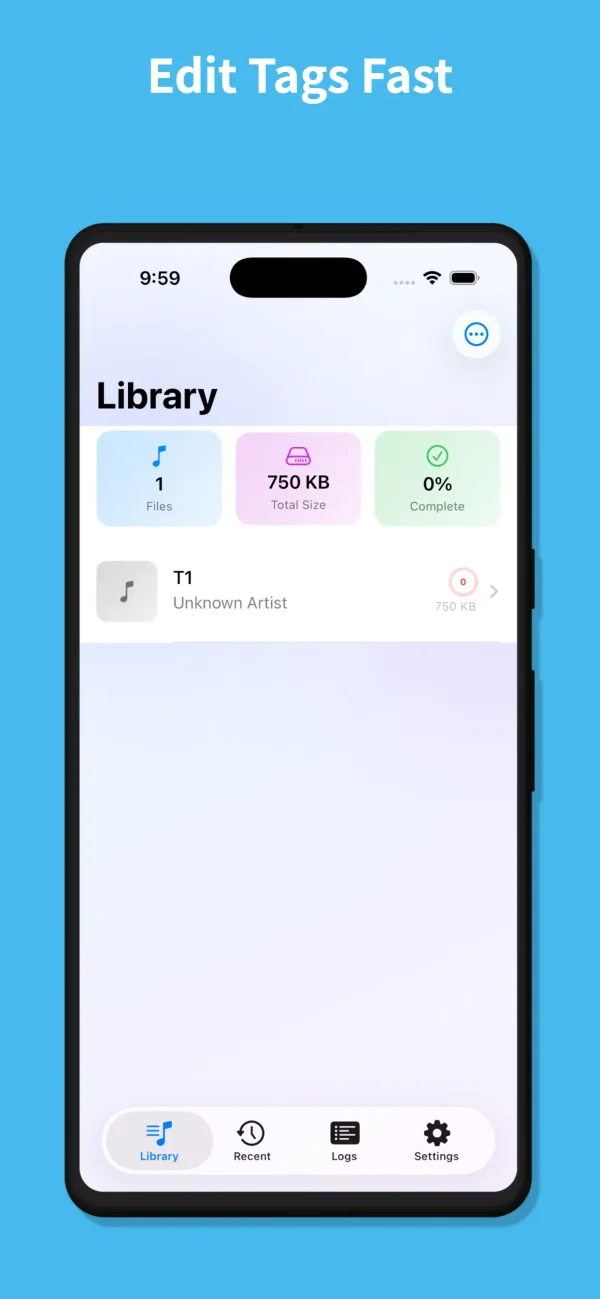
Import files individually, by folder, or wirelessly from any browser on your network. Search across all fields instantly. Sort by title, artist, album, year, date added, or file size. Filter by genre, year, artwork presence, or tag completeness. A visual completeness ring on every file shows how much metadata is filled in at a glance.
BATCH EDITING
Select multiple files and apply tags in bulk — perfect for tagging entire albums at once. Set the artist, album, genre, year, composer, publisher, and album artwork across dozens of files in seconds.
BUILT-IN AUDIO PLAYER
Preview your music without leaving the app. A floating mini player lets you listen while you edit, with full playback controls, a seek bar, and skip forward/backward. Background playback keeps the music going while you work.
WI-FI UPLOAD
Spin up a built-in web server and upload MP3 files from any computer or device on your network — no cables, no third-party apps. Just open a browser and drag your files in.
150+ GENRE PICKER
Browse the complete ID3 genre list organized by category — Rock, Electronic, Hip-Hop, Jazz, Classical, and more. Search instantly or type in any custom genre.
DESIGNED FOR YOU
• Pure SwiftUI with dark mode support
• 6 accent color themes to personalize your experience
• Haptic feedback throughout the interface
• Shake to undo edits
• Auto-save option for hands-free editing
• Complete edit history and event logs
• Recently edited files for quick access
• First-launch onboarding walkthrough
• iPad split view and multi-window support
PRIVACY FIRST
MP3 Tag Editor works entirely offline. Your music files never leave your device. No analytics. No tracking. No account required.
新機能
バージョン 4.4.1 · 2026/4/7
Fixed the Tag editing logic
アプリのプライバシー
このアプリのデータの取り扱いについて、Ramkumar VelmuruganがApp Storeで申告している内容です。
-
データの収集なし
開発元はこのアプリからデータを収集しません。
プライバシーの取り扱いは、ご利用の機能やお客様の年齢などに応じて異なる場合があります。
情報
- 販売元
- Ramkumar Velmurugan
- カテゴリ
- ミュージック
- バージョン
- 4.4.1
- 更新日
- 2026/4/7
- リリース
- 2026/3/24
- サイズ
- 4.4 MB
- 必要条件
- iOS 17.0以降
- 対象年齢
- 4+
- 価格
- 無料
- 言語
- 英語
- 著作権
- © 2026 Ramkumar Velmurugan
こちらもおすすめ
-
 音楽タグエディター - 音楽タグエディタオーディオ編集 · 声編集 · 音源編集アプリ
-
 音楽タグ編集:Waketag音響指紋で曲情報とジャケットを自動取得
-
 MP3タグエディター:音楽メタデータアルバムアート、ID3、オーディオタグ
-
 Evertag: 音楽タグエディタオーディオタグの編集と検索
-
 Rivet 04 - Combミュージック
-
 Muziミュージック
-
 Rivet 03 - Verbミュージック
-
 Music Player: Audio Playeroffline music player & music
-
 Sailer: 音声プレーヤー再生速度/ピッチ変更、EQ、ループ再生
-
 Prismatic オフライン音楽プレイヤー FLACハイレゾ・ロスレス再生、イコライザー、歌詞、CarPlay