- Độ tuổi4+
- Danh mụcNhạc
- Nhà phát triểnRamkumar Velmurugan
- Ngôn ngữTiếng Anh
- Kích thước4,4 MB
Liên kết đến trang App Store chính thức
Download.org không lưu trữ tệp nào của Mp3 Tag Editor. Nút này mở trang ứng dụng trên App Store, nơi Ramkumar Velmurugan phát hành ứng dụng. Trang được kiểm tra lần cuối: 17/11/2026.
Ảnh chụp màn hình


Giới thiệu
Nhà phát triển chưa cung cấp nội dung này bằng ngôn ngữ của bạn.
MP3 Tag Editor is the most powerful ID3 tag editor built natively for iPhone and iPad. Edit all your MP3 metadata — titles, artists, albums, artwork, lyrics, and 17+ tag fields — right from your pocket. No subscriptions. No ads. No internet required.
Built entirely in Swift with a custom-built ID3 parser, MP3 Tag Editor reads and writes MP3 tags with zero third-party dependencies. It supports ID3v1, ID3v1.1, ID3v2.2, ID3v2.3, and ID3v2.4 — the widest format coverage of any iOS tag editor.
FULL TAG EDITING
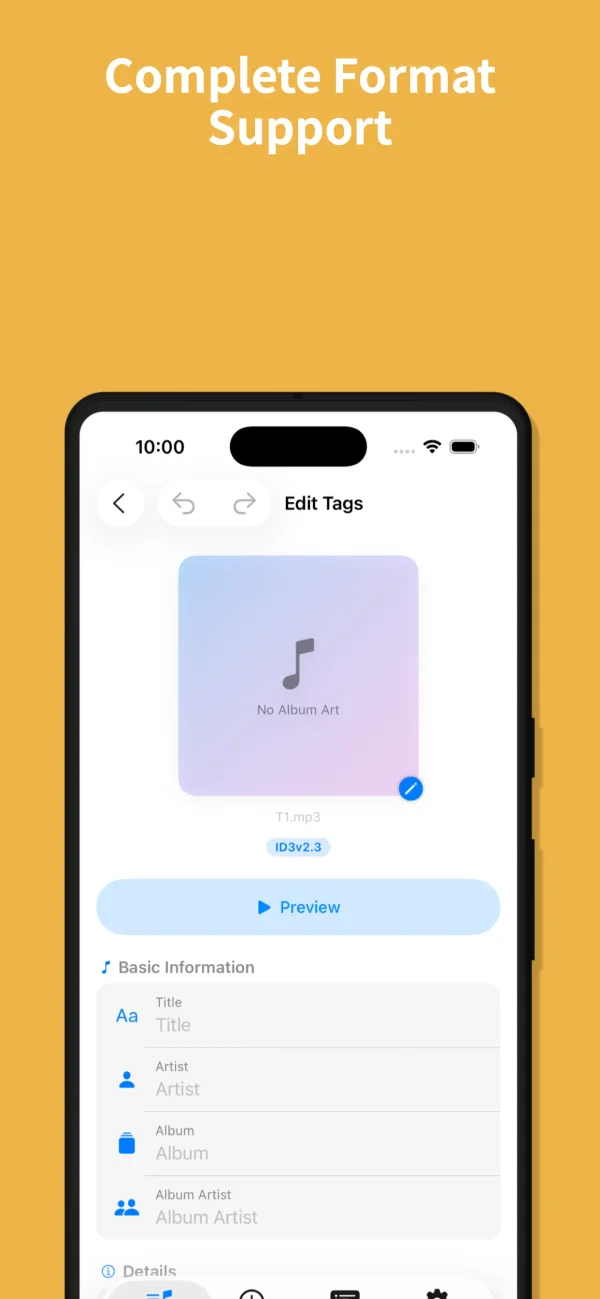
Edit every standard metadata field: Title, Artist, Album, Album Artist, Year, Genre, Track & Disc Number, Composer, Original Artist, Publisher, Encoder, Copyright, ISRC, BPM, Comments, and Lyrics. Add, replace, or remove album artwork (JPEG & PNG).
LIBRARY MANAGEMENT
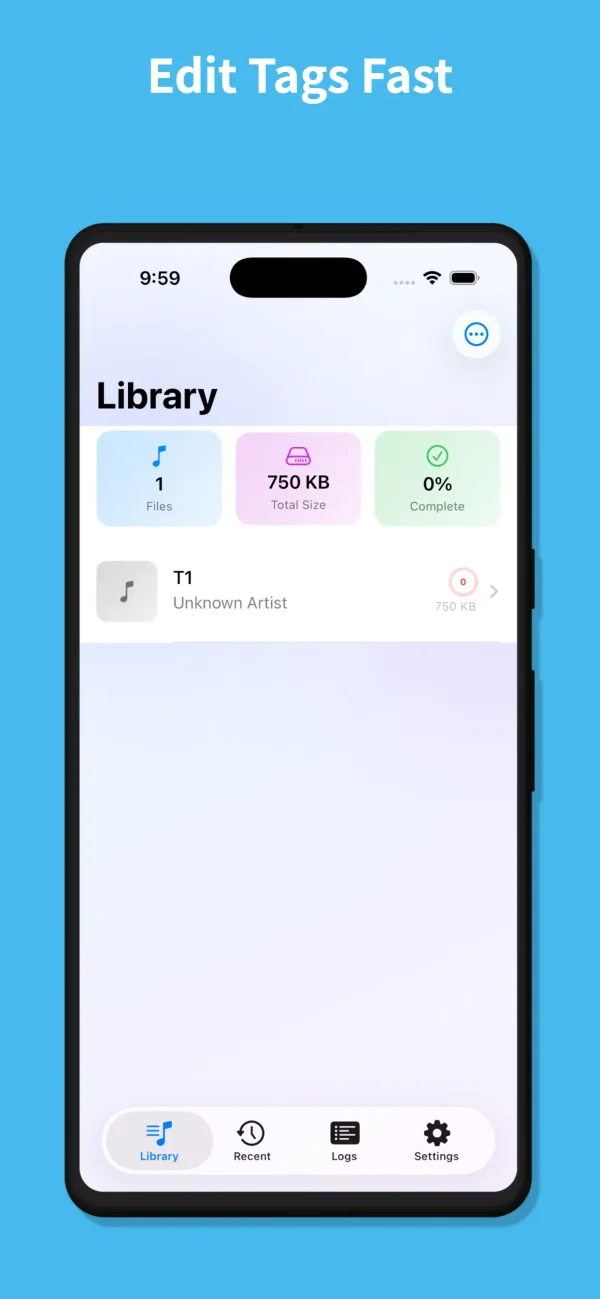
Import files individually, by folder, or wirelessly from any browser on your network. Search across all fields instantly. Sort by title, artist, album, year, date added, or file size. Filter by genre, year, artwork presence, or tag completeness. A visual completeness ring on every file shows how much metadata is filled in at a glance.
BATCH EDITING
Select multiple files and apply tags in bulk — perfect for tagging entire albums at once. Set the artist, album, genre, year, composer, publisher, and album artwork across dozens of files in seconds.
BUILT-IN AUDIO PLAYER
Preview your music without leaving the app. A floating mini player lets you listen while you edit, with full playback controls, a seek bar, and skip forward/backward. Background playback keeps the music going while you work.
WI-FI UPLOAD
Spin up a built-in web server and upload MP3 files from any computer or device on your network — no cables, no third-party apps. Just open a browser and drag your files in.
150+ GENRE PICKER
Browse the complete ID3 genre list organized by category — Rock, Electronic, Hip-Hop, Jazz, Classical, and more. Search instantly or type in any custom genre.
DESIGNED FOR YOU
• Pure SwiftUI with dark mode support
• 6 accent color themes to personalize your experience
• Haptic feedback throughout the interface
• Shake to undo edits
• Auto-save option for hands-free editing
• Complete edit history and event logs
• Recently edited files for quick access
• First-launch onboarding walkthrough
• iPad split view and multi-window support
PRIVACY FIRST
MP3 Tag Editor works entirely offline. Your music files never leave your device. No analytics. No tracking. No account required.
Có gì mới
Phiên bản 4.4.1 · 07/04/2026
Fixed the Tag editing logic
Quyền riêng tư của ứng dụng
Những gì Ramkumar Velmurugan khai báo trên App Store về cách ứng dụng này xử lý dữ liệu.
-
Dữ liệu không được thu thập
Nhà phát triển không thu thập bất kỳ dữ liệu nào từ ứng dụng này.
Phương thức đảm bảo quyền riêng tư có thể khác nhau, chẳng hạn như tuỳ theo các tính năng bạn sử dụng hoặc độ tuổi của bạn.
Thông tin
- Người bán
- Ramkumar Velmurugan
- Danh mục
- Nhạc
- Phiên bản
- 4.4.1
- Cập nhật
- 07/04/2026
- Phát hành
- 24/03/2026
- Kích thước
- 4,4 MB
- Yêu cầu
- iOS 17.0 trở lên
- Độ tuổi
- 4+
- Giá
- Miễn phí
- Ngôn ngữ
- Tiếng Anh
- Bản quyền
- © 2026 Ramkumar Velmurugan
Có thể bạn cũng thích
-
 Mp3tag - siêu dữ liệu âm nhạcchỉnh sửa thẻ âm thanh
-
 Sửa tag nhạc: WaketagTự điền thông tin và ảnh bìa
-
 Trình chỉnh sửa thẻ MP3: SiêuẢnh bìa album, ID3 và thẻ âm
-
 Evertag: siêu dữ liệu âm nhạcchỉnh sửa thẻ âm thanh
-
 Rivet 04 - CombNhạc
-
 MuziNhạc
-
 Rivet 03 - VerbNhạc
-
 Mp3 player & danh sách phátTrình Phát Nhạc Offline
-
 Sailer: Audio PlayerNhạc
-
 Prismatic Nghe Nhạc OfflineTrình Phát, Lời Bài Hát, EQ