- 対象年齢4+
- カテゴリユーティリティ
- 開発元Brink Inspired Media
- 言語英語
- サイズ1.2 MB
App Storeの公式ページにリンクしています
Download.orgはMSC Show Controlのファイルを一切ホストしていません。ボタンを押すと、Brink Inspired Mediaが公開しているApp Storeのアプリページが開きます。ページの最終確認:2026/11/14。
スクリーンショット
概要
開発元はこのテキストをお使いの言語で提供していません。
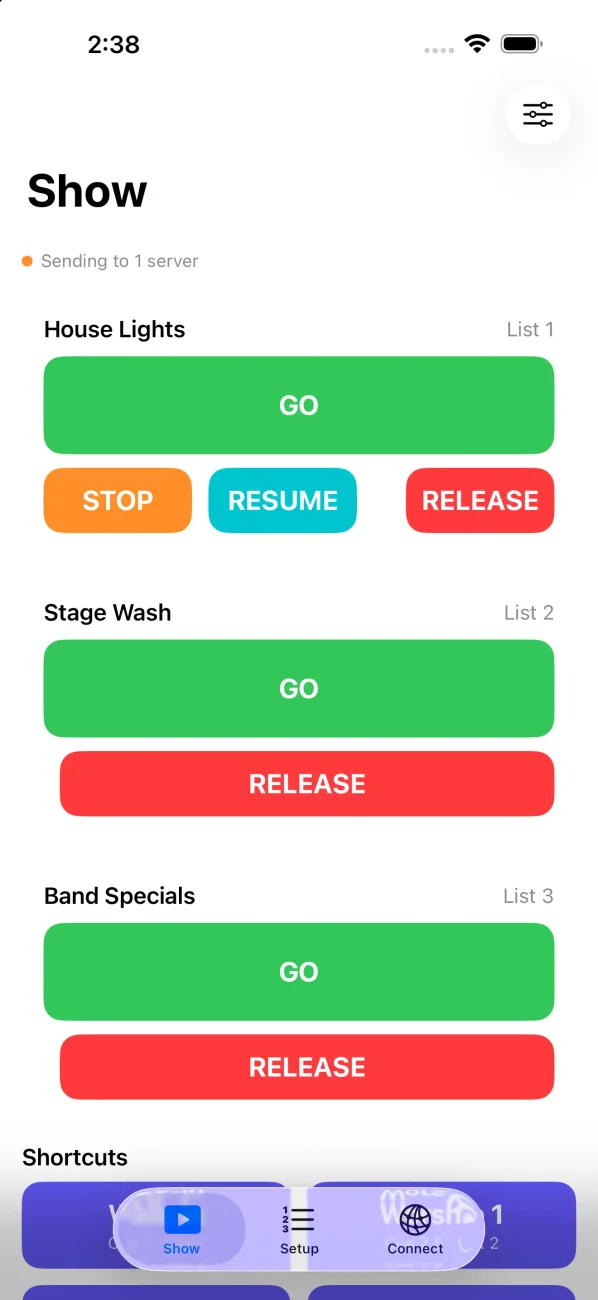
MSC Show Control turns your iPhone or iPad into a remote for any lighting console or show software that accepts MIDI Show Control (MSC) — Vista, QLab, MagicQ, grandMA2, Onyx, and more.
Free to use. If it earns its place in your show kit, there's an optional tip jar — it unlocks nothing, it just keeps the app maintained.
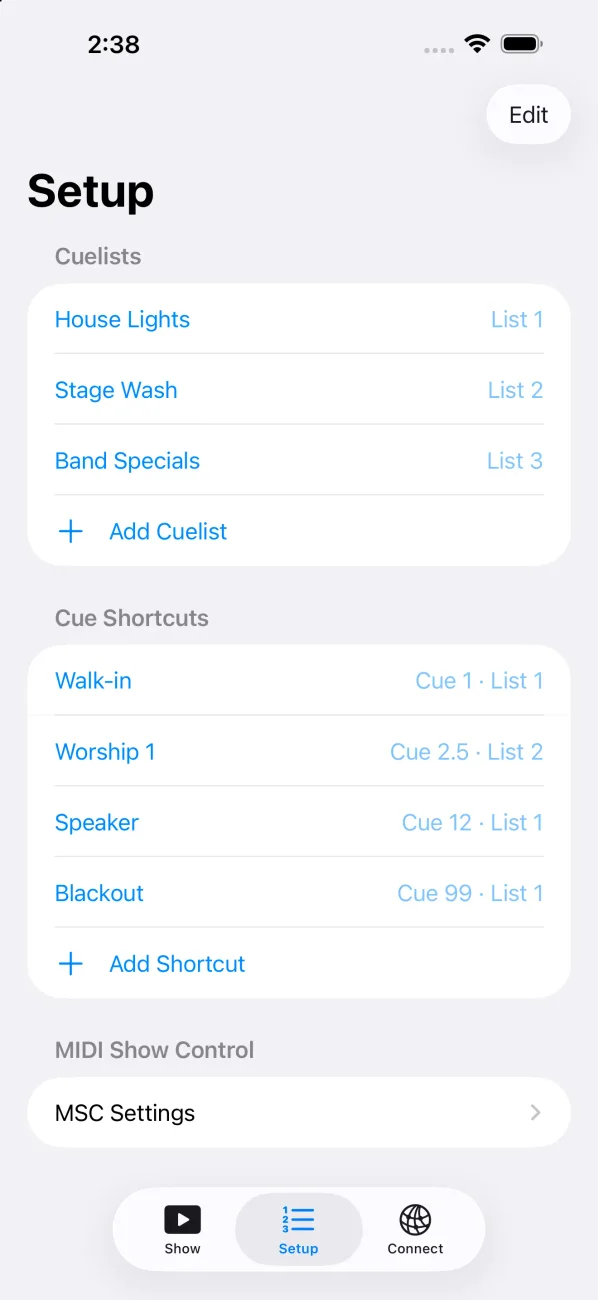
Set up your cuelists and cue shortcuts once, connect to the machine running your show, and fire cues from big, glove-friendly buttons built for live use.
FEATURES
• GO, STOP, RESUME and RELEASE per cuelist, plus a grid of one-tap cue shortcuts
• Works over Apple network MIDI (RTP-MIDI): automatic discovery of hosts on your network, or connect manually by IP
• grandMA2 “MSC over Ethernet” (UDP) transport
• Per-server MSC device ID, configurable command format
• Live hex readout of every message sent — see exactly what went on the wire
• Cue numbers are sent exactly as you type them, decimals included
• Screen stays awake during your show; no accounts, no ads, no analytics, no paywall
WORKS WITH
Any MSC-capable receiver. macOS hosts work out of the box via Audio MIDI Setup’s Network session. Windows hosts work with the free rtpMIDI driver.
Built by a church tech, for everyone who runs cues from the booth.
新機能
バージョン 2.1.3 · 2026/9/10
Connection reliability, which is what this release is really about.
Fixes a bug that stopped a host added by tapping it in the Connect list from ever sending: the address was saved with a network-interface suffix that CoreMIDI could not use, so nothing was delivered while the status dot still showed green. Servers saved by earlier versions repair themselves when you open the app.
Also fixed: the app could start up with a network MIDI session that was not actually ready, and appear connected while every cue failed. It now waits for the session to come up, and says "Reconnecting..." until it has. Toggling Wi-Fi, or dropping a VPN, no longer leaves the app unable to send until it is force-quit.
Elsewhere:
• A cue that fails to send now raises an alert, and the app rebuilds the connection in the background so the next one works
• "Reconnect now" on the Connect tab rebuilds on demand, so you never have to force-quit mid-show
• The status pill warns when this device has no Wi-Fi or wired network, and no longer shows green when the MIDI session is not really up
• Set an MSC device ID when adding a host by hand, with an explanation of what it does, and each server now shows its device ID on its title line
• A new Troubleshooting section covers device-ID mismatches, VPNs, and what to try when automatic discovery does not work
• The confirmation at the bottom of the Show screen now fades away, and no longer shows raw hex
アプリのプライバシー
このアプリのデータの取り扱いについて、Brink Inspired MediaがApp Storeで申告している内容です。
-
データの収集なし
開発元はこのアプリからデータを収集しません。
プライバシーの取り扱いは、ご利用の機能やお客様の年齢などに応じて異なる場合があります。
情報
- 販売元
- Brink Inspired Media
- カテゴリ
- ユーティリティ
- バージョン
- 2.1.3
- 更新日
- 2026/9/10
- リリース
- 2016/6/4
- サイズ
- 1.2 MB
- 必要条件
- iOS 17.0以降
- 対象年齢
- 4+
- 価格
- 無料
- アプリ内課金
- あり
- 言語
- 英語
- 著作権
- © Copyright 2016 Brink Inspired Media