MSC Show Control
MIDI Show Control Remote
Được thiết kế cho iPhone, iPad
Miễn phí · Mua hàng trong ứng dụng
- Độ tuổi4+
- Danh mụcTiện Ích
- Nhà phát triểnBrink Inspired Media
- Ngôn ngữTiếng Anh
- Kích thước1,2 MB
Liên kết đến trang App Store chính thức
Download.org không lưu trữ tệp nào của MSC Show Control. Nút này mở trang ứng dụng trên App Store, nơi Brink Inspired Media phát hành ứng dụng. Trang được kiểm tra lần cuối: 14/11/2026.
Ảnh chụp màn hình
Giới thiệu
Nhà phát triển chưa cung cấp nội dung này bằng ngôn ngữ của bạn.
MSC Show Control turns your iPhone or iPad into a remote for any lighting console or show software that accepts MIDI Show Control (MSC) — Vista, QLab, MagicQ, grandMA2, Onyx, and more.
Free to use. If it earns its place in your show kit, there's an optional tip jar — it unlocks nothing, it just keeps the app maintained.
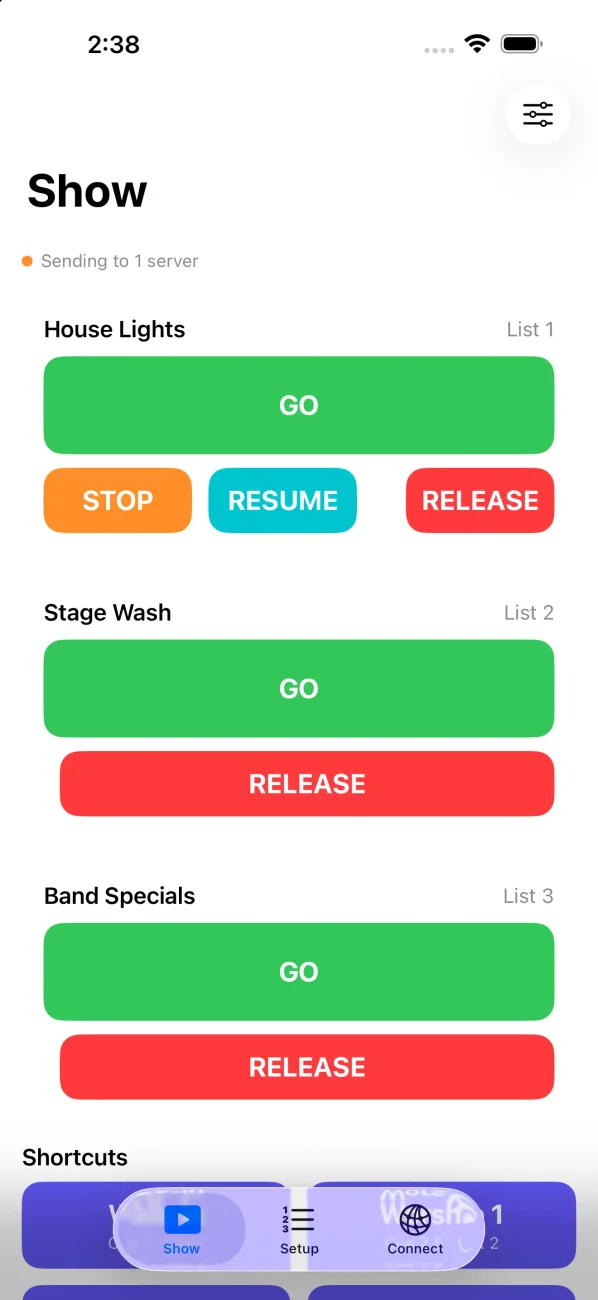
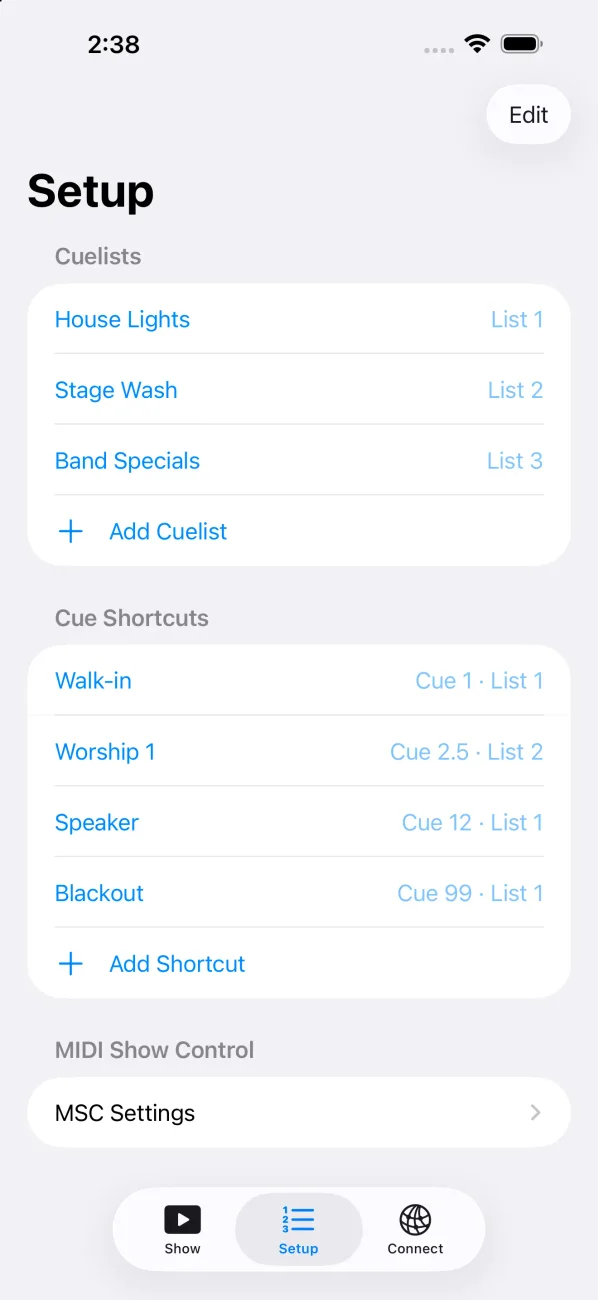
Set up your cuelists and cue shortcuts once, connect to the machine running your show, and fire cues from big, glove-friendly buttons built for live use.
FEATURES
• GO, STOP, RESUME and RELEASE per cuelist, plus a grid of one-tap cue shortcuts
• Works over Apple network MIDI (RTP-MIDI): automatic discovery of hosts on your network, or connect manually by IP
• grandMA2 “MSC over Ethernet” (UDP) transport
• Per-server MSC device ID, configurable command format
• Live hex readout of every message sent — see exactly what went on the wire
• Cue numbers are sent exactly as you type them, decimals included
• Screen stays awake during your show; no accounts, no ads, no analytics, no paywall
WORKS WITH
Any MSC-capable receiver. macOS hosts work out of the box via Audio MIDI Setup’s Network session. Windows hosts work with the free rtpMIDI driver.
Built by a church tech, for everyone who runs cues from the booth.
Có gì mới
Phiên bản 2.1.3 · 10/09/2026
Connection reliability, which is what this release is really about.
Fixes a bug that stopped a host added by tapping it in the Connect list from ever sending: the address was saved with a network-interface suffix that CoreMIDI could not use, so nothing was delivered while the status dot still showed green. Servers saved by earlier versions repair themselves when you open the app.
Also fixed: the app could start up with a network MIDI session that was not actually ready, and appear connected while every cue failed. It now waits for the session to come up, and says "Reconnecting..." until it has. Toggling Wi-Fi, or dropping a VPN, no longer leaves the app unable to send until it is force-quit.
Elsewhere:
• A cue that fails to send now raises an alert, and the app rebuilds the connection in the background so the next one works
• "Reconnect now" on the Connect tab rebuilds on demand, so you never have to force-quit mid-show
• The status pill warns when this device has no Wi-Fi or wired network, and no longer shows green when the MIDI session is not really up
• Set an MSC device ID when adding a host by hand, with an explanation of what it does, and each server now shows its device ID on its title line
• A new Troubleshooting section covers device-ID mismatches, VPNs, and what to try when automatic discovery does not work
• The confirmation at the bottom of the Show screen now fades away, and no longer shows raw hex
Quyền riêng tư của ứng dụng
Những gì Brink Inspired Media khai báo trên App Store về cách ứng dụng này xử lý dữ liệu.
-
Dữ liệu không được thu thập
Nhà phát triển không thu thập bất kỳ dữ liệu nào từ ứng dụng này.
Phương thức đảm bảo quyền riêng tư có thể khác nhau, chẳng hạn như tuỳ theo các tính năng bạn sử dụng hoặc độ tuổi của bạn.
Thông tin
- Người bán
- Brink Inspired Media
- Danh mục
- Tiện Ích
- Phiên bản
- 2.1.3
- Cập nhật
- 10/09/2026
- Phát hành
- 04/06/2016
- Kích thước
- 1,2 MB
- Yêu cầu
- iOS 17.0 trở lên
- Độ tuổi
- 4+
- Giá
- Miễn phí
- Mua hàng trong ứng dụng
- Có
- Ngôn ngữ
- Tiếng Anh
- Bản quyền
- © Copyright 2016 Brink Inspired Media