
- 対象年齢4+
- カテゴリ仕事効率化
- 開発元Genuity Group, LLC
- 言語英語
- サイズ6.5 MB
App Storeの公式ページにリンクしています
Download.orgはNoteNow: Quick Notesのファイルを一切ホストしていません。ボタンを押すと、Genuity Group, LLCが公開しているApp Storeのアプリページが開きます。ページの最終確認:2026/11/23。
スクリーンショット
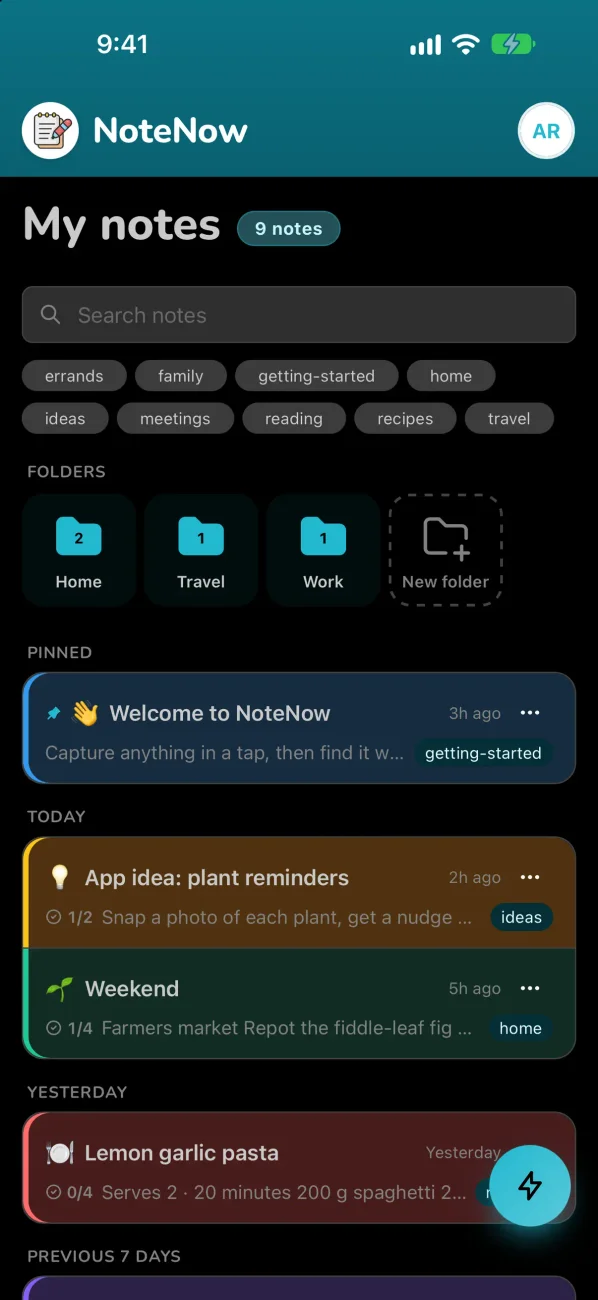
概要
開発元はこのテキストをお使いの言語で提供していません。
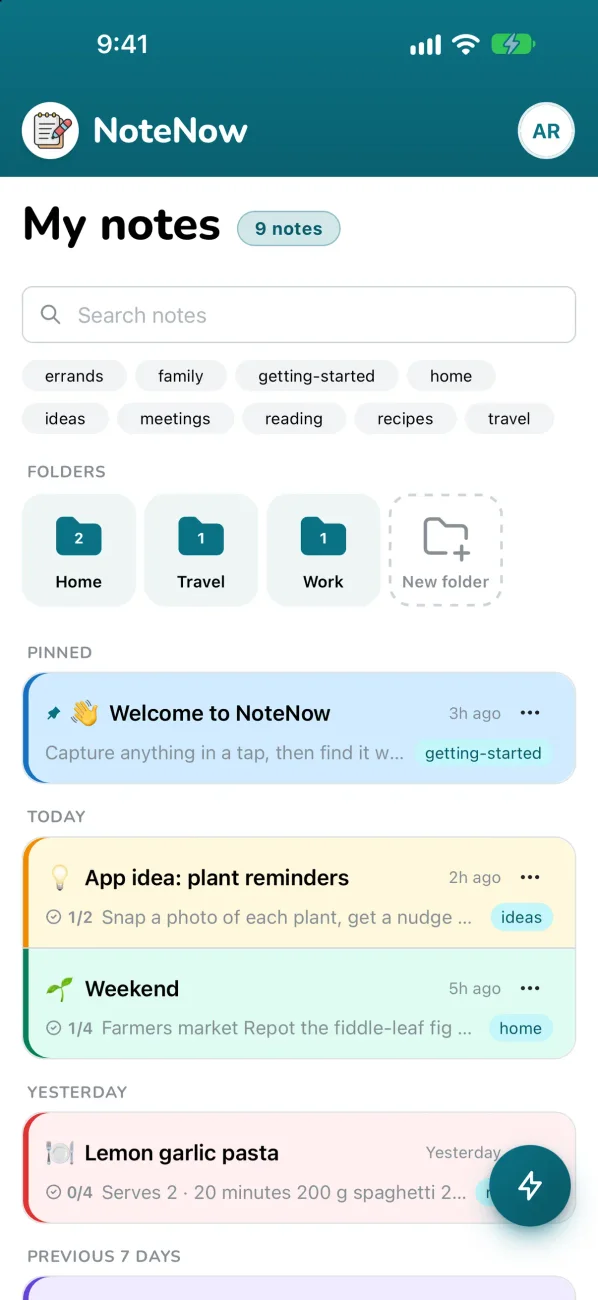
NoteNow is a fast, simple place for everything you want to remember. Open it, pull down, and start typing. Your note is saved and synced before you've put your phone away.
CAPTURE IN SECONDS
• Pull down on your notes to start a new one instantly
• Long-press the NoteNow icon, or ask Siri, to start a note
• Add a New Note button to Control Center or your Lock Screen
• Dictate with the microphone on your keyboard
• Share text, links and photos to NoteNow from any app
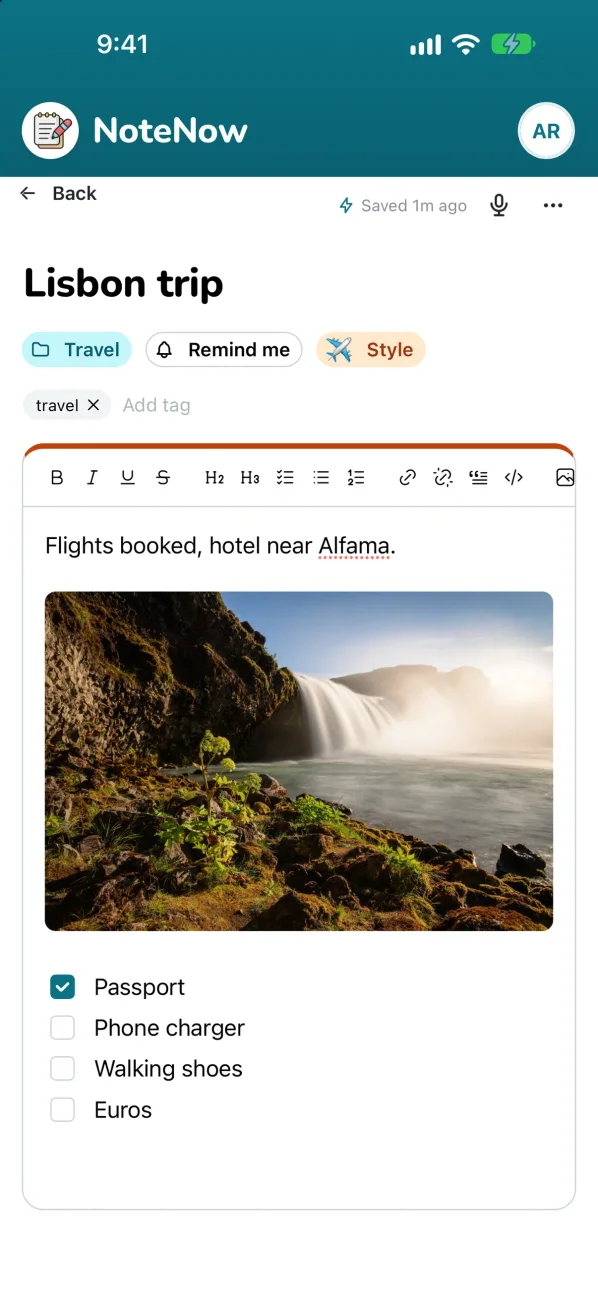
• Snap a photo or add one from your library
MORE THAN PLAIN TEXT
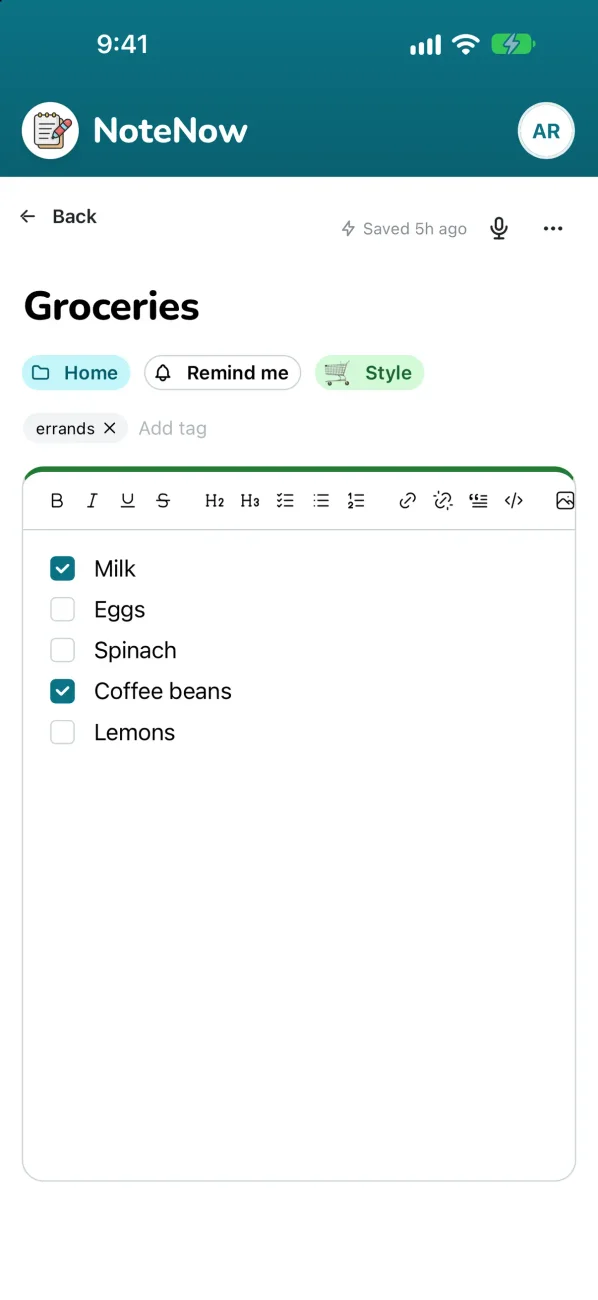
• Checklists you can tick off as you go
• Headings, bold, bullet and numbered lists
• Photos right inside your notes
• A color and an emoji for each note, so the important ones stand out
STAY ORGANIZED
• Folders: drag a note onto a folder to file it
• Tags to group notes across folders
• Pin the notes you need most to the top
• Search every note in an instant
NEVER FORGET
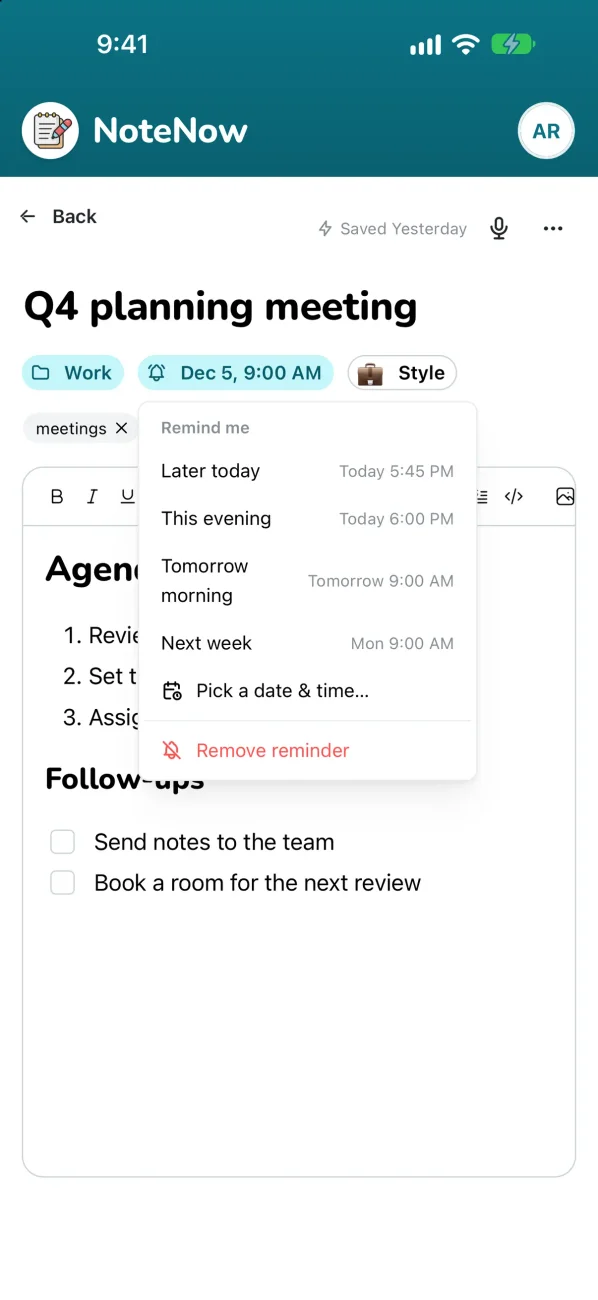
• Set a reminder on any note
• Tap the notification to jump straight to it
EVERYWHERE YOU ARE
• Your notes sync between iPhone, iPad and notenow.vercel.app
• Works offline. Changes sync when you're back online
• Side-by-side list and note on iPad and iPhone Duo
MADE FOR YOU
• Light and dark mode, plus nine accent colors that follow you to every device
• Sign in with Apple, or with your email
PRIVATE BY DESIGN
No ads. No tracking. Your notes are used only to run NoteNow, never sold or shared. Delete your account and everything in it at any time, right from the app.
Questions or ideas? We'd love to hear from you at notenow.vercel.app/support.
新機能
バージョン 1.1 · 2026/11/9
• Start a note from anywhere: long-press the NoteNow icon, ask Siri ("New NoteNow note"), or add a New Note button to Control Center, your Lock Screen or the Action button.
• Made for iPhone Duo: NoteNow fits both screens, with your list and note side by side when unfolded.
• Your accent color and Light/Dark setting now follow you to all your devices.
• List and note side by side on more screen sizes.
アプリのプライバシー
このアプリのデータの取り扱いについて、Genuity Group, LLCがApp Storeで申告している内容です。
-
ユーザーに関連付けられないデータ
収集される場合がありますが、ユーザーの識別情報には関連付けられません。
- 連絡先情報
- ユーザーコンテンツ
- ID
プライバシーの取り扱いは、ご利用の機能やお客様の年齢などに応じて異なる場合があります。
情報
- 販売元
- Genuity Group, LLC
- カテゴリ
- 仕事効率化
- バージョン
- 1.1
- 更新日
- 2026/11/9
- リリース
- 2026/11/6
- サイズ
- 6.5 MB
- 必要条件
- iOS 15.0以降
- 対象年齢
- 4+
- 価格
- 無料
- 言語
- 英語
- 著作権
- © 2026 Genuity Group
こちらもおすすめ
-
 Car Notes: Voice MemosVoice Notes for Drivers
-
 Quick Note: メモ・ノート・付箋シンプルなメモ帳・Todo・テキストエディタ
-
 GeoLibre仕事効率化
-
 Orbit:LiDAR対応3Dスキャナー好きなだけスキャン
-
 SafeRide Driver (NEMT)仕事効率化
-
 Fast Messaging - Just Tap Send仕事効率化
-
 Drones for DJI仕事効率化
-
 Inner AI仕事効率化
-
 CAD FastView: DWGビューアDWG・DXF・DWT ファイルを開く
-
 Sticky Notes + Widget Memo仕事効率化