- 対象年齢4+
- カテゴリグラフィック/デザイン
- 開発元Kieran Duffy
- 言語英語
- サイズ8.0 MB
App Storeの公式ページにリンクしています
Download.orgはObject Show Buildのファイルを一切ホストしていません。ボタンを押すと、Kieran Duffyが公開しているApp Storeのアプリページが開きます。ページの最終確認:2026/11/18。
スクリーンショット


概要
開発元はこのテキストをお使いの言語で提供していません。
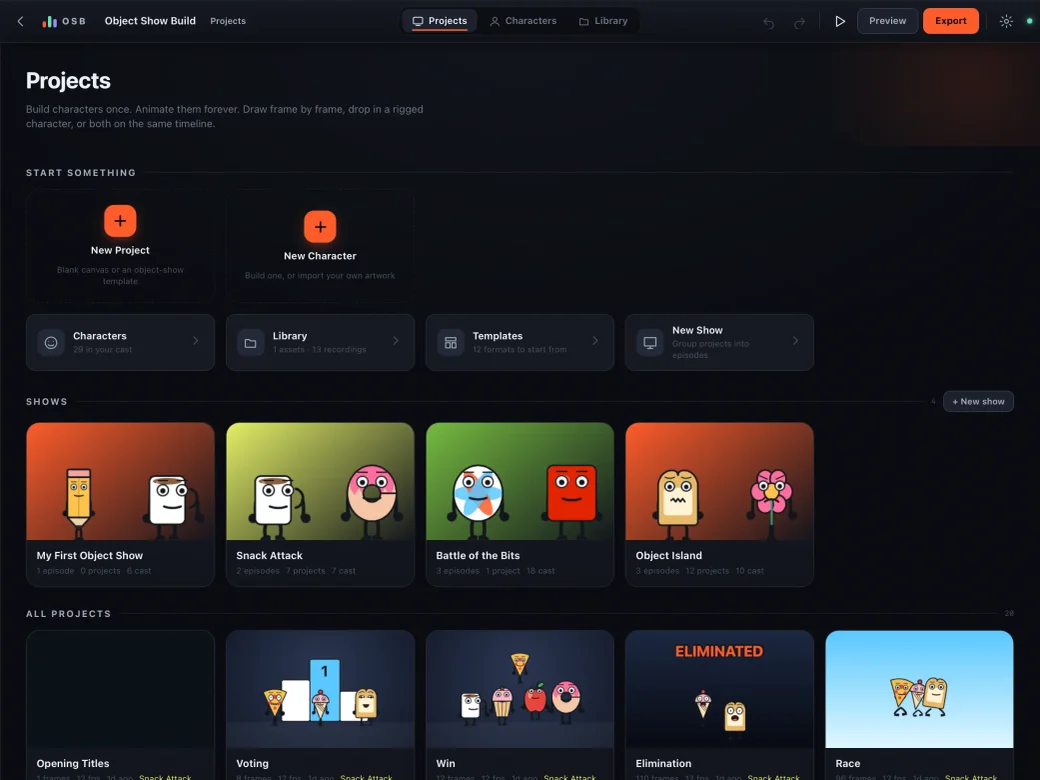
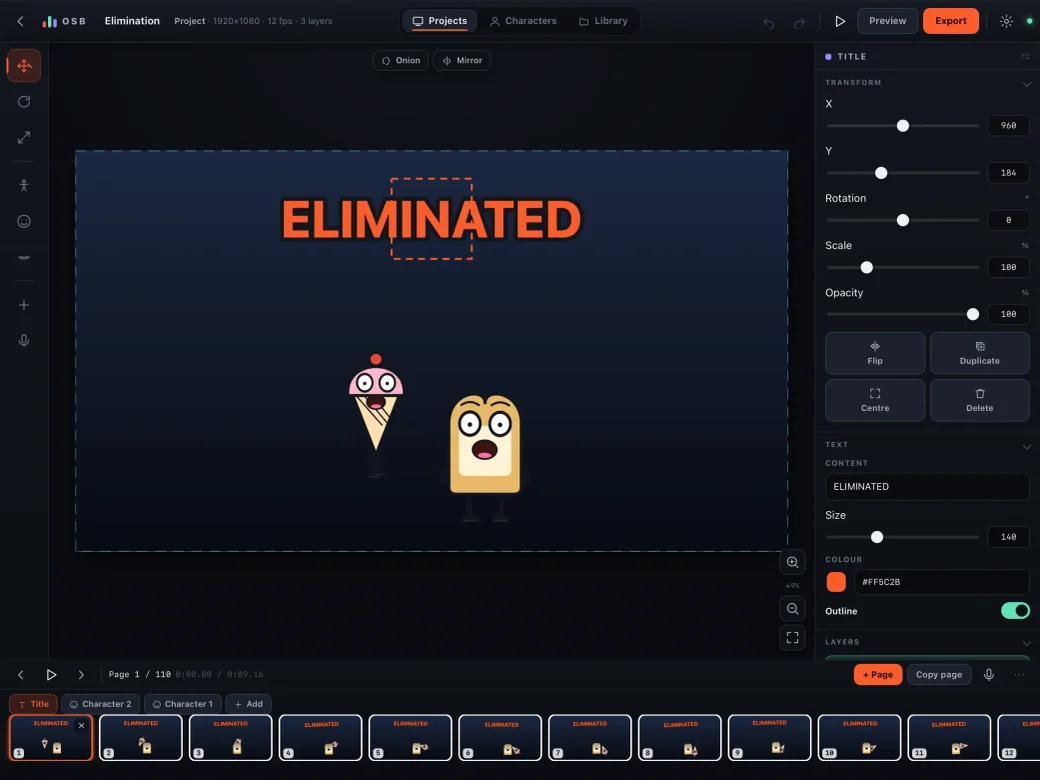
Object Show Build is an animation studio for making object shows on iPad.
Build a character once. Animate it forever.
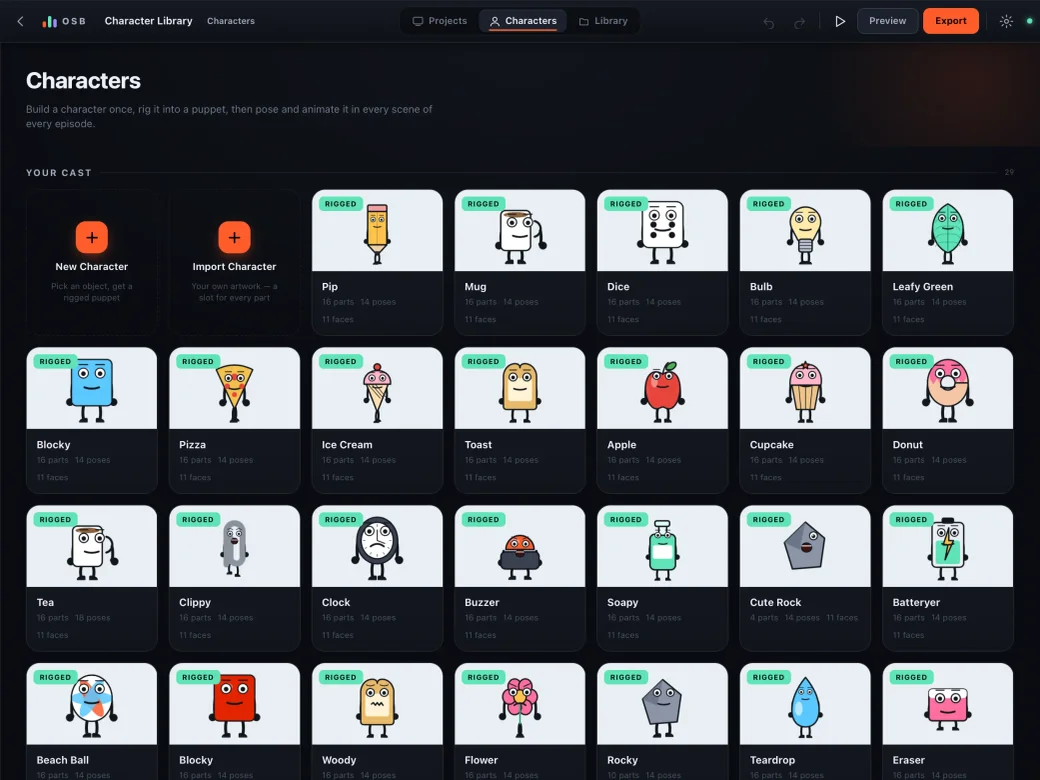
BUILD CHARACTERS
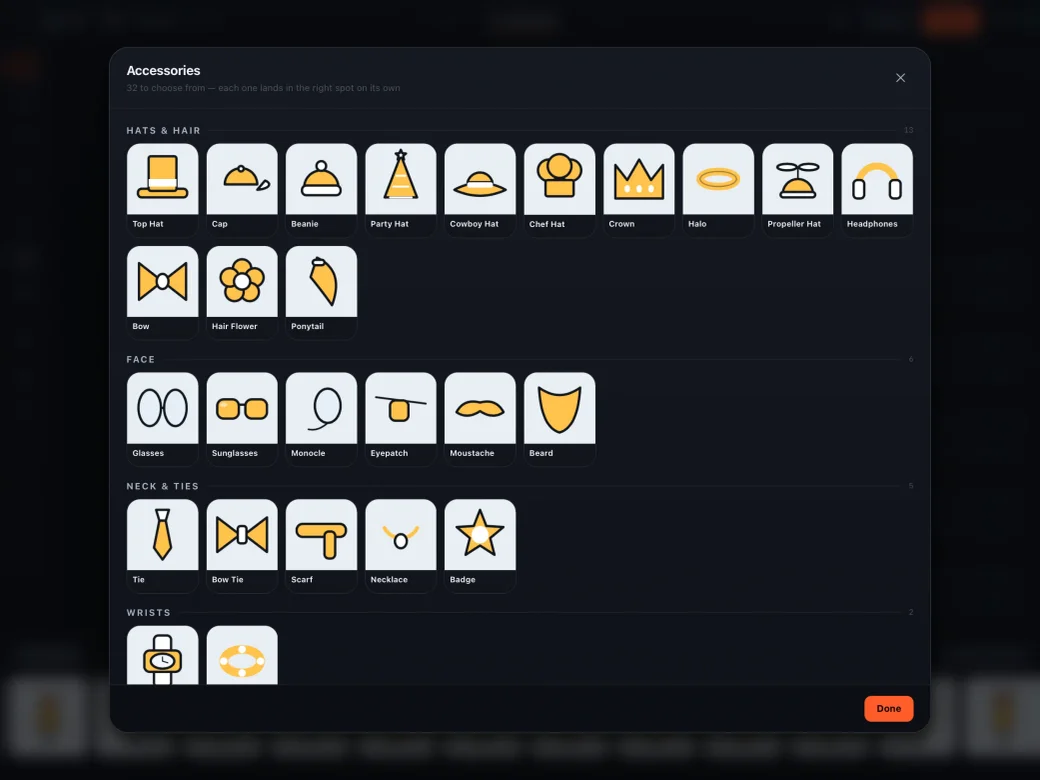
Pick an object — a pencil, a donut, a trophy, a flame, a coin — and get a complete character: body, eyes, brows, mouth, arms, hands, legs and feet, all rigged and ready. Dress it up from more than thirty accessories: hats, glasses, ties, watches, wings and more. Or import your own artwork, with a slot for every part, expression and mouth shape.
DRAW PAGE BY PAGE
Flip through pages like a sketchbook. Draw, add a page, draw again. Onion skin shows the drawing behind so you can trace the next one. Apple Pencil pressure, tilt and palm rejection are all supported, with brushes, pencils, markers, fill, shapes and text.
DROP IN A CHARACTER
Characters and drawings share one timeline. Put a rigged character on stage, give it a pose and an expression, and draw on top of it in the same project. Convert to Drawing flattens a character exactly as it looks so you can draw straight over your own puppet.
GIVE THEM A VOICE
Record dialogue and the app works out the mouth shapes for you — every key stays editable afterwards.
BUILD A SHOW
Group projects into episodes. Start from object-show formats: competition, race, elimination, voting, team challenge, character introduction, opening sequence, finale, victory.
EXPORT
Video, animated GIF, PNG sequence with or without transparency, or an editable project archive to move work between iPads.
MADE TO BE SIMPLE
Simple pages mode hides keyframes, camera and easing so younger animators can just draw and flip. Turn it off for layer tracks, keyframed motion, an animated camera and physics.
EVERYTHING STAYS ON YOUR IPAD
No account. No sign-in. No ads. No analytics. No internet connection needed. Your work is saved on the device, and a backup copy is written to the Files app every time the app opens.
Every shape, pose, expression and template in the app is original artwork drawn for it.
アプリのプライバシー
このアプリのデータの取り扱いについて、Kieran DuffyがApp Storeで申告している内容です。
-
データの収集なし
開発元はこのアプリからデータを収集しません。
プライバシーの取り扱いは、ご利用の機能やお客様の年齢などに応じて異なる場合があります。
情報
- 販売元
- Kieran Duffy
- カテゴリ
- グラフィック/デザイン
- バージョン
- 1.0
- 更新日
- 2026/8/29
- リリース
- 2026/8/29
- サイズ
- 8.0 MB
- 必要条件
- iOS 15.0以降
- 対象年齢
- 4+
- 価格
- 無料
- 言語
- 英語
- 著作権
- © 2026 Kieran Duffy
こちらもおすすめ
-
 Lineova - お絵描き・イラストスケッチ、ベクター、3D、アニメ
-
 Spriteer: 8×8ピクセルアート工房自分だけのゲームキャラを作る
-
 お絵かき・イラスト Infinite Canvasスケッチ・ペイント・無限ズーム
-
 qCurvingベクター作図とAI画像トレース
-
 iSymmetry - Pattern Paintingグラフィック/デザイン
-
 AR Text - 3D text to ARTexts in Augmented Reality
-
 Comics AICreate Design Generate Comics
-
 Pixaki 4 Introグラフィック/デザイン
-
 アイコンチェンジャー・カスタムメーカーホーム画面テーマをカスタマイズ
-
 Logo Maker - Design Creatorグラフィック/デザイン