OffTime - World Clock & Widget
World Clock·Reminders·Widgets
iPhone, iPad向けに設計
無料 · アプリ内課金
- 対象年齢4+
- カテゴリユーティリティ
- 開発元婷 李
- 言語英語ほか1言語
- サイズ11.6 MB
App Storeの公式ページにリンクしています
Download.orgはOffTime - World Clock & Widgetのファイルを一切ホストしていません。ボタンを押すと、婷 李が公開しているApp Storeのアプリページが開きます。ページの最終確認:2026/11/23。
スクリーンショット



概要
開発元はこのテキストをお使いの言語で提供していません。
What time should your next cross-border meeting start? Will it be daytime or the middle of the night when you land? World Clock takes the guesswork out of “What time is it there?”, “Can I reach them now?”, and “What time should we meet?”
Built for cross-border operations, international trade, remote teams, overseas colleagues and families, international students, business travelers, and anyone adjusting to a new time zone.
WORLD CLOCK: CONTACT HOURS AT A GLANCE
Add the cities you care about and view their current date, time, and time difference in real time, along with clear contact hours. Overnight times are easy to read, daylight saving time is calculated automatically, and you can drag to reorder cities. Whether your client is in New York, your colleague is in London, or your family is in Tokyo, you can see all their local times at a glance.
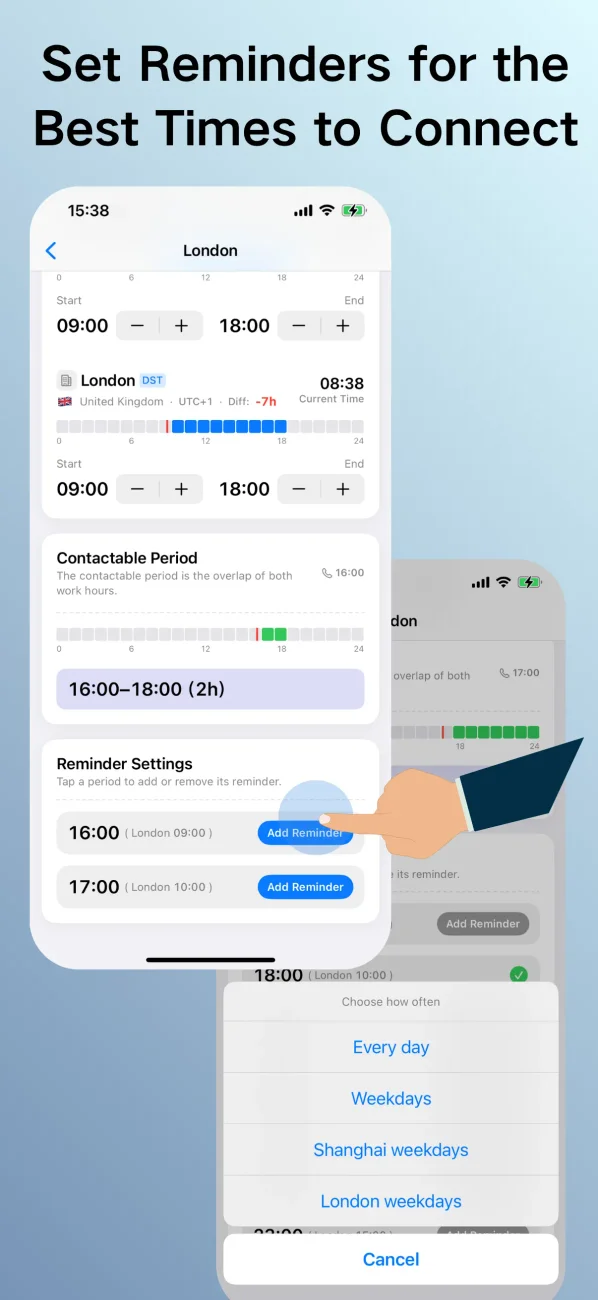
WORKING HOURS & REMINDERS: NEVER MISS A WINDOW
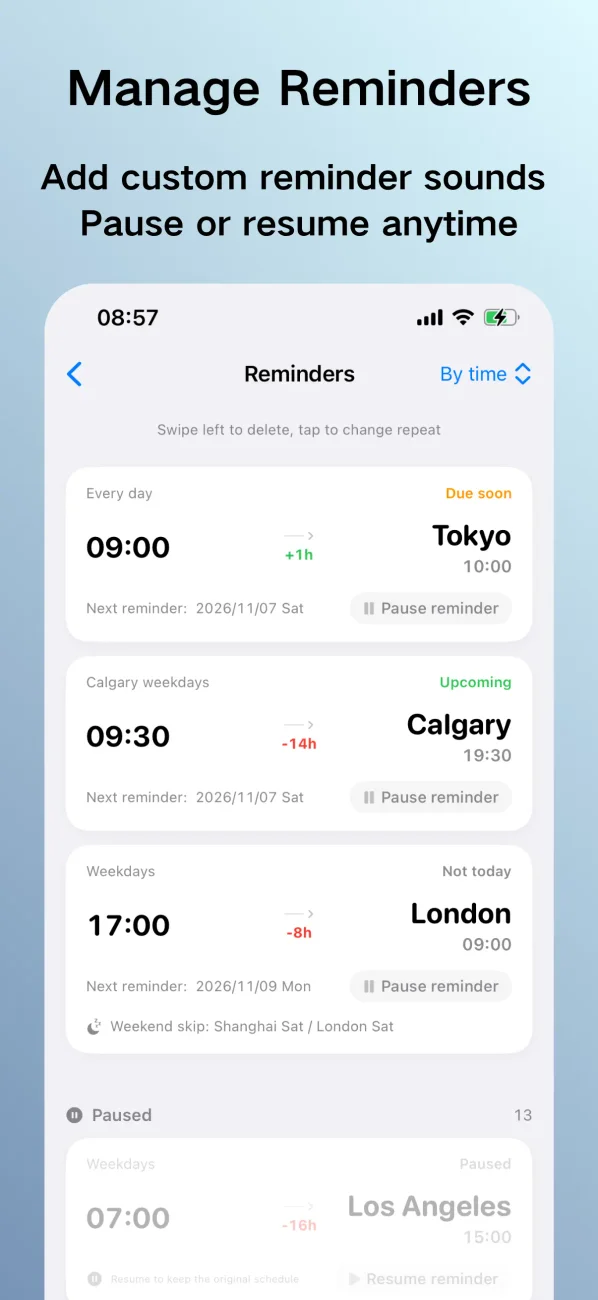
Set custom working hours for each city on its details page (9:00 a.m.–6:00 p.m. by default) and quickly see when you and the other city share contact hours. Create reminders for specific time slots, receive automatic notifications, and choose from a range of alert sounds—so you never miss a valuable window for cross-border communication.
SHARED CONTACT HOURS: BUILT FOR EVERY TIME ZONE
Select participating cities, a date, and a duration to find recommended contact hours based on everyone’s working schedule. Slots when all participants are within working hours are prioritized, while off-hours and do-not-disturb periods are clearly labeled for quick decision-making. Once you choose a time, share the schedule, add it to System Calendar, or create an in-app reminder.
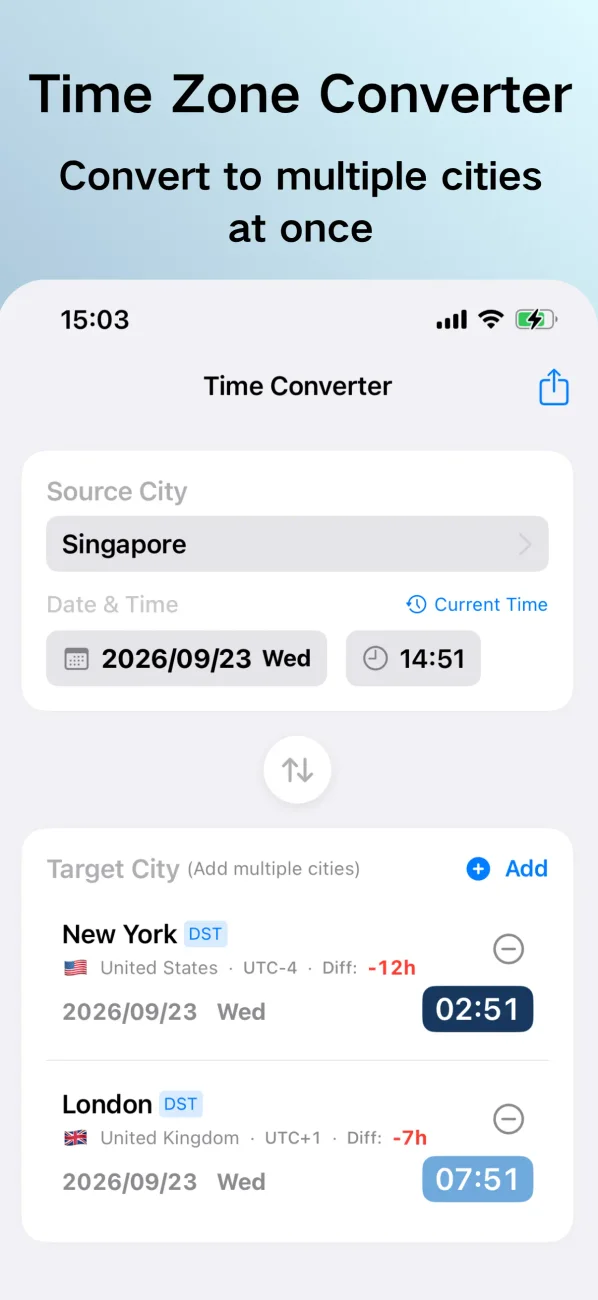
TIME ZONE CONVERTER: PLAN FLIGHTS & ITINERARIES
Convert dates and times between any cities, with support for multiple target cities, results that cross midnight, and one-tap sharing. Ideal for meetings, flights, international calls, business trips, and planning around jet lag.
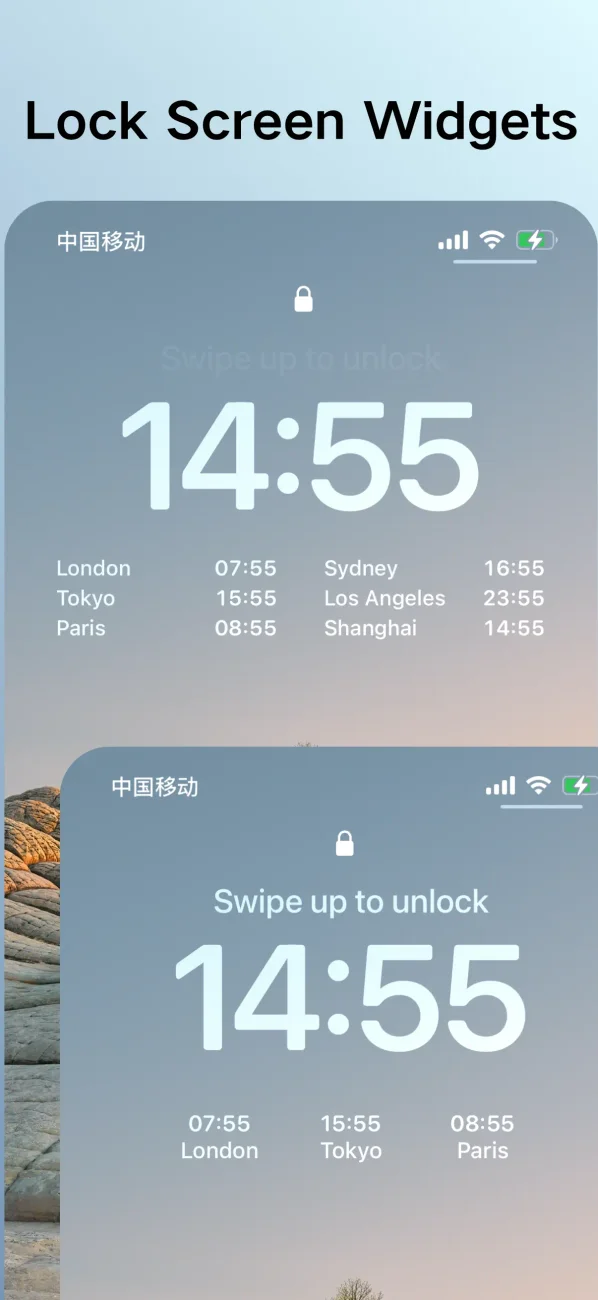
WIDGETS: CHECK THE TIME WITHOUT OPENING THE APP
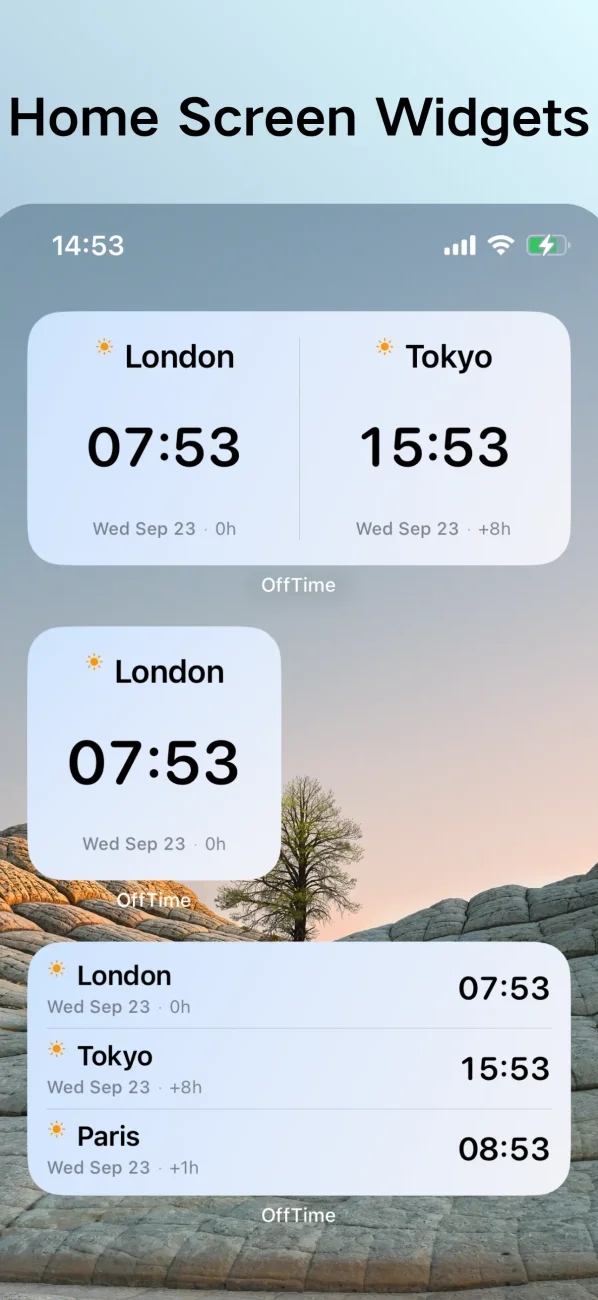
Add your most-used world clocks to the Home Screen or Lock Screen and view times across multiple cities without opening the app. Pro users can also customize widget themes to match their personal style.
OFFLINE & PRIVATE
Core features work offline, including viewing times and converting time zones in Airplane Mode. No account is required, your activity is not tracked, and the app contains no third-party advertising or analytics SDKs. City and reminder data are stored locally on your device and are never collected or uploaded.
新機能
バージョン 1.9 · 2026/11/16
Find shared contact hours across multiple cities in different time zones, share schedules, and create new schedules.
アプリのプライバシー
このアプリのデータの取り扱いについて、婷 李がApp Storeで申告している内容です。
-
データの収集なし
開発元はこのアプリからデータを収集しません。
プライバシーの取り扱いは、ご利用の機能やお客様の年齢などに応じて異なる場合があります。
情報
- 販売元
- 婷 李
- カテゴリ
- ユーティリティ
- バージョン
- 1.9
- 更新日
- 2026/11/16
- リリース
- 2026/9/22
- サイズ
- 11.6 MB
- 必要条件
- iOS 17.0以降
- 対象年齢
- 4+
- 価格
- 無料
- アプリ内課金
- あり
- 言語
- 英語, 簡体字中国語
- 著作権
- © 2026 offtime