
OffTime - World Clock & Widget
World Clock·Reminders·Widgets
Designed for iPhone, iPad
Free · In-app purchases
- Age rating4+
- CategoryUtilities
- Developer婷 李
- LanguagesEnglish+ 1 more
- Size11.6 MB
Links to the official App Store page
Download.org hosts no file of OffTime - World Clock & Widget. The button opens its official App Store page, published by 婷 李. Listing last checked on Nov 23, 2026.
Screenshots



About
What time should your next cross-border meeting start? Will it be daytime or the middle of the night when you land? World Clock takes the guesswork out of “What time is it there?”, “Can I reach them now?”, and “What time should we meet?”
Built for cross-border operations, international trade, remote teams, overseas colleagues and families, international students, business travelers, and anyone adjusting to a new time zone.
WORLD CLOCK: CONTACT HOURS AT A GLANCE
Add the cities you care about and view their current date, time, and time difference in real time, along with clear contact hours. Overnight times are easy to read, daylight saving time is calculated automatically, and you can drag to reorder cities. Whether your client is in New York, your colleague is in London, or your family is in Tokyo, you can see all their local times at a glance.
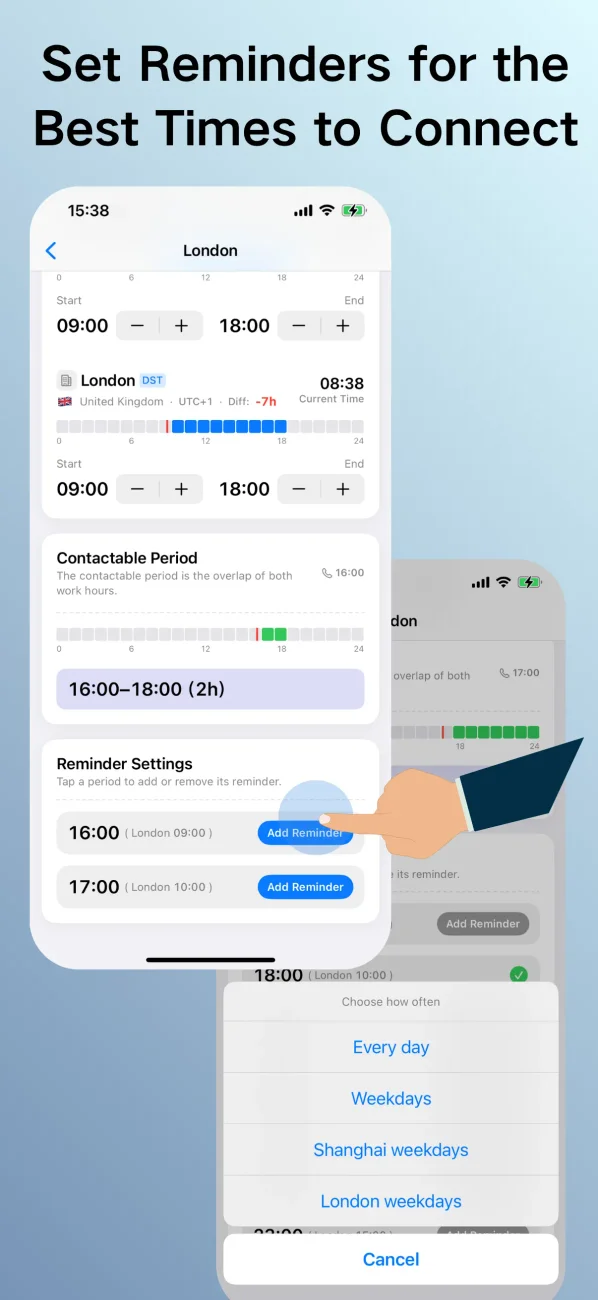
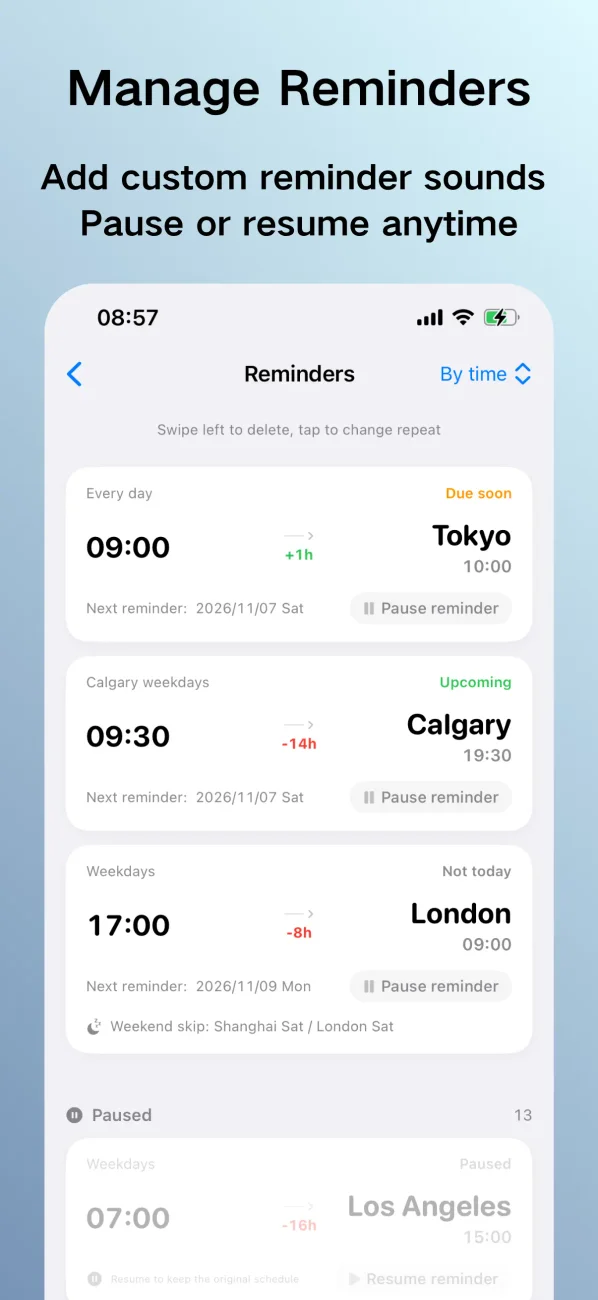
WORKING HOURS & REMINDERS: NEVER MISS A WINDOW
Set custom working hours for each city on its details page (9:00 a.m.–6:00 p.m. by default) and quickly see when you and the other city share contact hours. Create reminders for specific time slots, receive automatic notifications, and choose from a range of alert sounds—so you never miss a valuable window for cross-border communication.
SHARED CONTACT HOURS: BUILT FOR EVERY TIME ZONE
Select participating cities, a date, and a duration to find recommended contact hours based on everyone’s working schedule. Slots when all participants are within working hours are prioritized, while off-hours and do-not-disturb periods are clearly labeled for quick decision-making. Once you choose a time, share the schedule, add it to System Calendar, or create an in-app reminder.
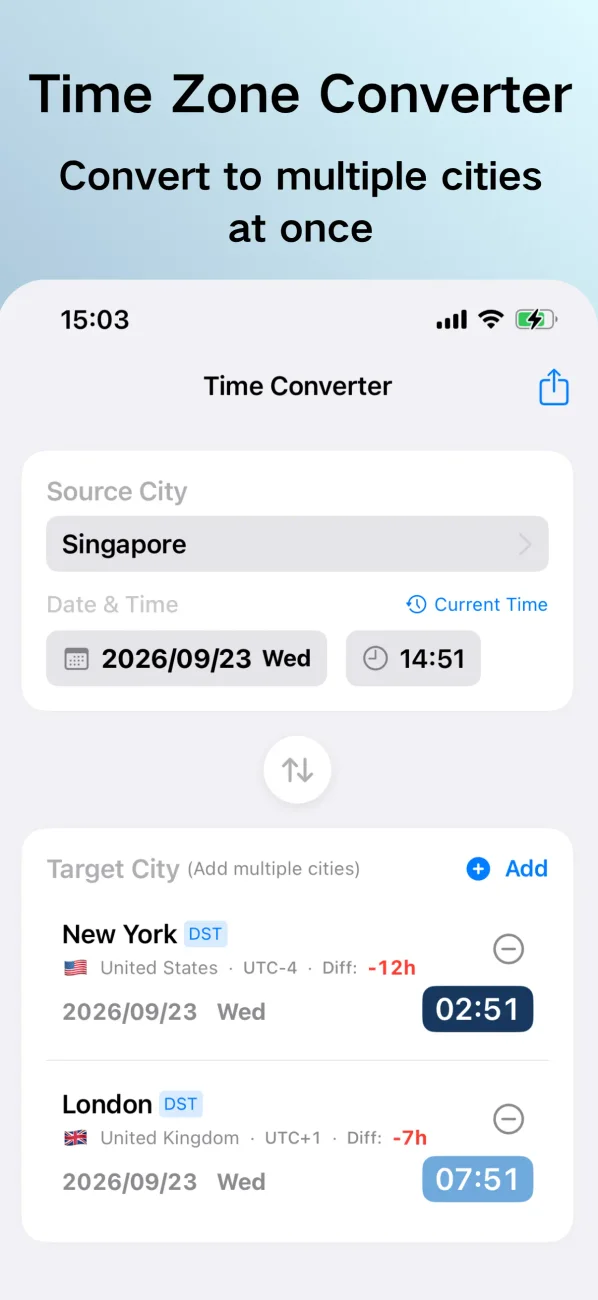
TIME ZONE CONVERTER: PLAN FLIGHTS & ITINERARIES
Convert dates and times between any cities, with support for multiple target cities, results that cross midnight, and one-tap sharing. Ideal for meetings, flights, international calls, business trips, and planning around jet lag.
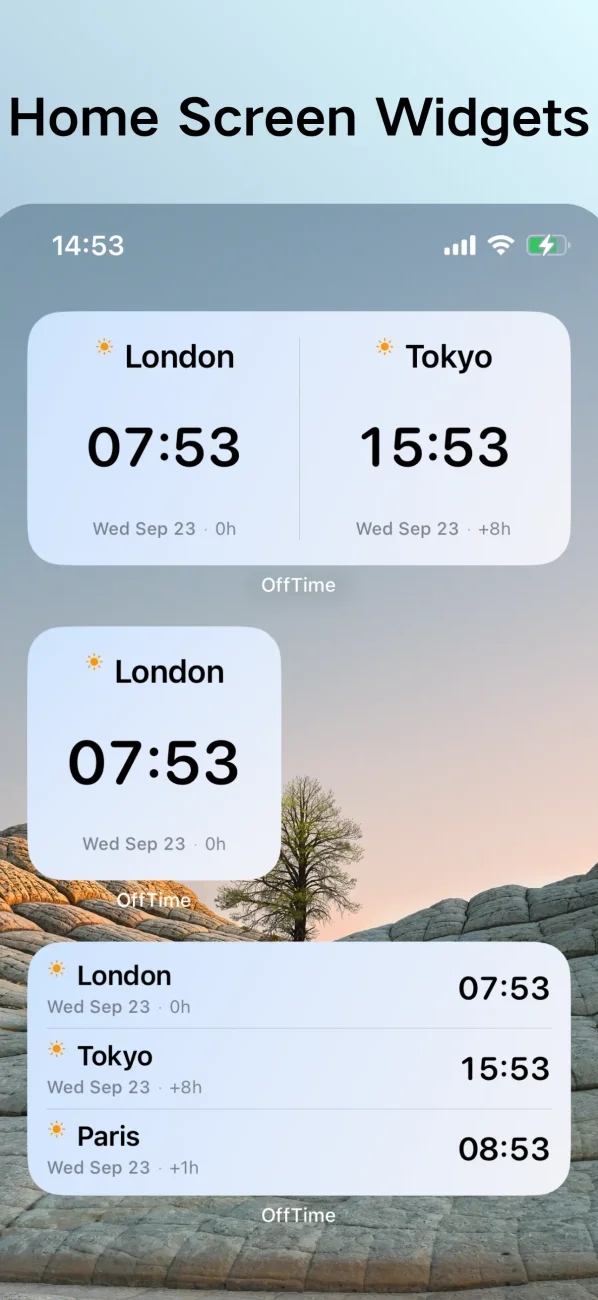
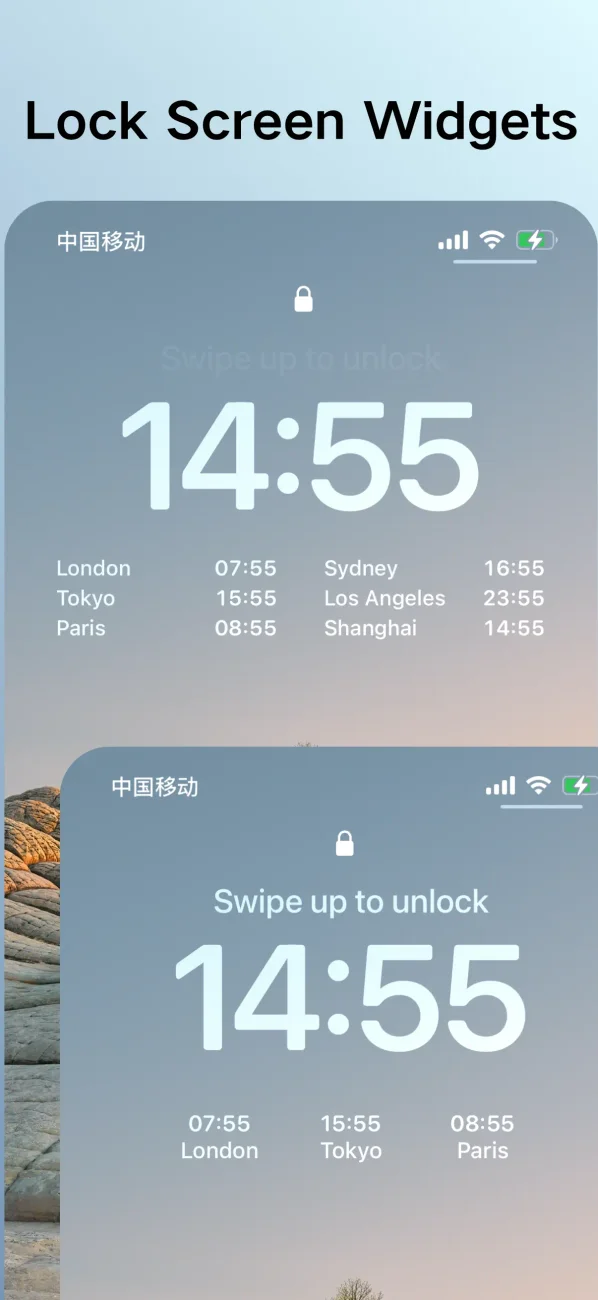
WIDGETS: CHECK THE TIME WITHOUT OPENING THE APP
Add your most-used world clocks to the Home Screen or Lock Screen and view times across multiple cities without opening the app. Pro users can also customize widget themes to match their personal style.
OFFLINE & PRIVATE
Core features work offline, including viewing times and converting time zones in Airplane Mode. No account is required, your activity is not tracked, and the app contains no third-party advertising or analytics SDKs. City and reminder data are stored locally on your device and are never collected or uploaded.
What’s new
Version 1.9 · Nov 16, 2026
Find shared contact hours across multiple cities in different time zones, share schedules, and create new schedules.
App privacy
What 婷 李 declares on the App Store about how this app handles data.
-
Data not collected
The developer does not collect any data from this app.
Privacy practices may vary, for example with the features you use or your age.
Information
- Seller
- 婷 李
- Category
- Utilities
- Version
- 1.9
- Updated
- Nov 16, 2026
- Released
- Sep 22, 2026
- Size
- 11.6 MB
- Requires
- iOS 17.0 or later
- Age rating
- 4+
- Price
- Free
- In-app purchases
- Yes
- Languages
- English, Simplified Chinese
- Copyright
- © 2026 offtime
You might also like
-
 Dual Flip ClockBedside world time & weather
-
 大字时钟 - 桌面床头钟Utilities
-
 ClockWork: Workday AlarmWorkday alarm, shifts, clock
-
 Anywhen: World ClockTime zone converter & planner
-
 全屏时钟-极简大字时间显示与横竖屏桌面展示模式Utilities
-
 Earth Time - Clock and WeatherGlobal moments, within reach
-
 一点时钟Utilities
-
 FlipClock: Flip Desk ClockClock dials, colors & focus
-
 Clock Saver· 精美时钟· 时钟屏保Utilities
-
 World Clock - Time & WeatherTimezone Converter & Globe